WOF and Car Serivces Items
Checking a Vehicle in and Out for a WOF or Service
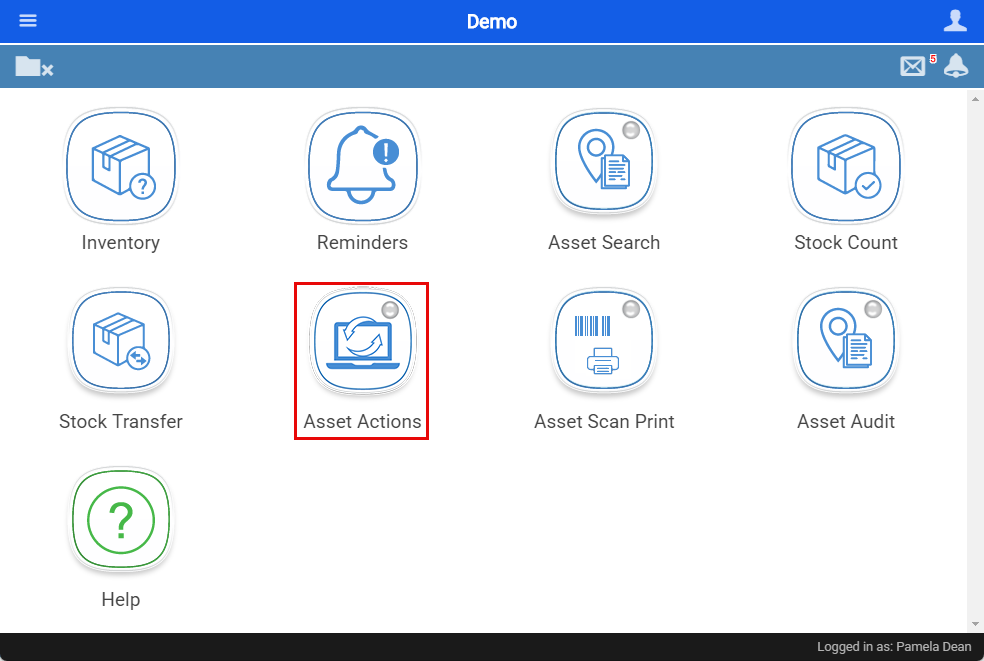
Use the Webatar app on any android mobile device to log Actions against a specific Asset (Car)
Webatar App> Asset Tracker> Asset Action
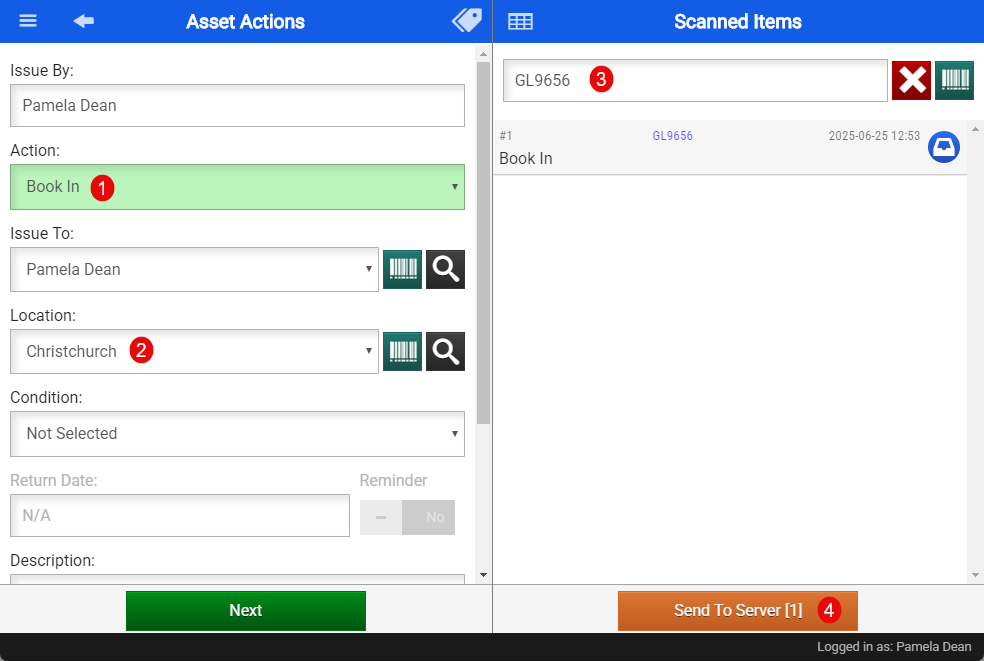
- Select the Action you would like to log (eg: Book a vehicle in for a service or a WOF)
- Select your location
- Search for the asset using the Assets unique item code
- Then click sync to server
Updating the WOF, REGO and Service Date
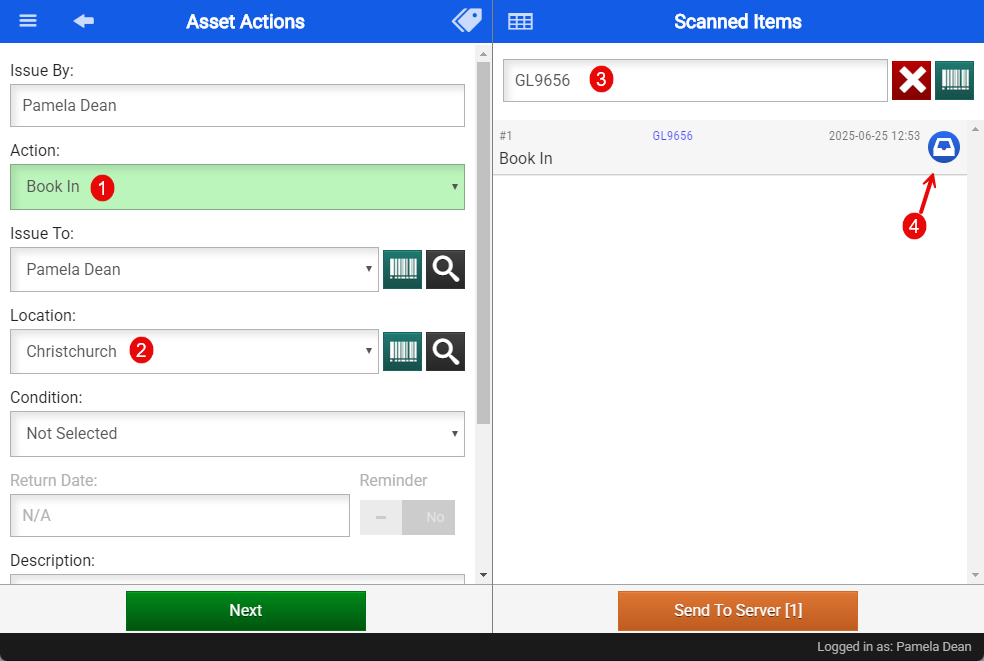
- Select the Action you would like to log (eg: Book a vehicle in/out for a service or a WOF)
- Select your location
- Search for the asset using the Assets unique item code
- Click on the blue icon

Select the Yellow Icon with the Car
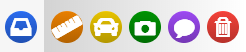
 |
Opens Action Options |
|
|
Add Measurements |
|
|
Add Vehicle Service Details |
|
|
Add Photos |
|
|
Add Notes |
|
|
Delete Action |


Update the Service, WOF and/or the REGO details by selecting today's date and then select how many months from today's date the WOF. Service or Rego will be due. This can be sent up to send out an email reminder to the customer reminding them of this.
- Click "confirm"
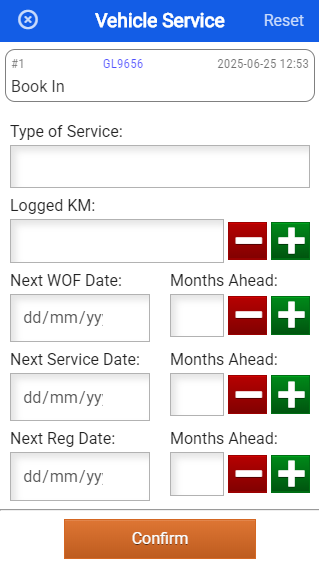
This will then create a Log for Action taken and will update the Due dates for the next WOF, Service or REGO.
Asset Module> Activity> Asset Tracker
Double click to open the asset up
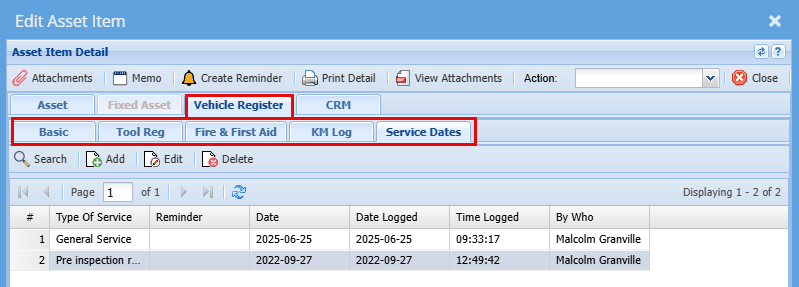
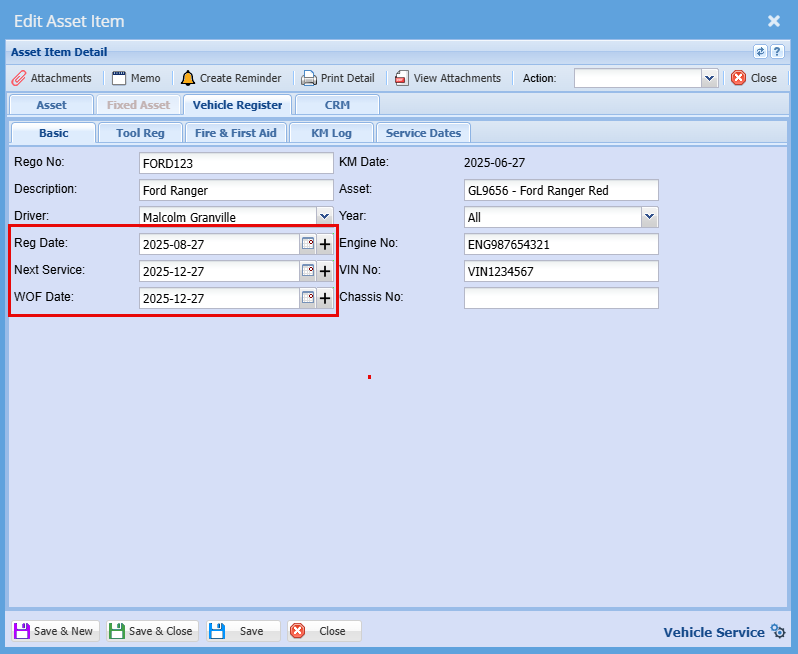
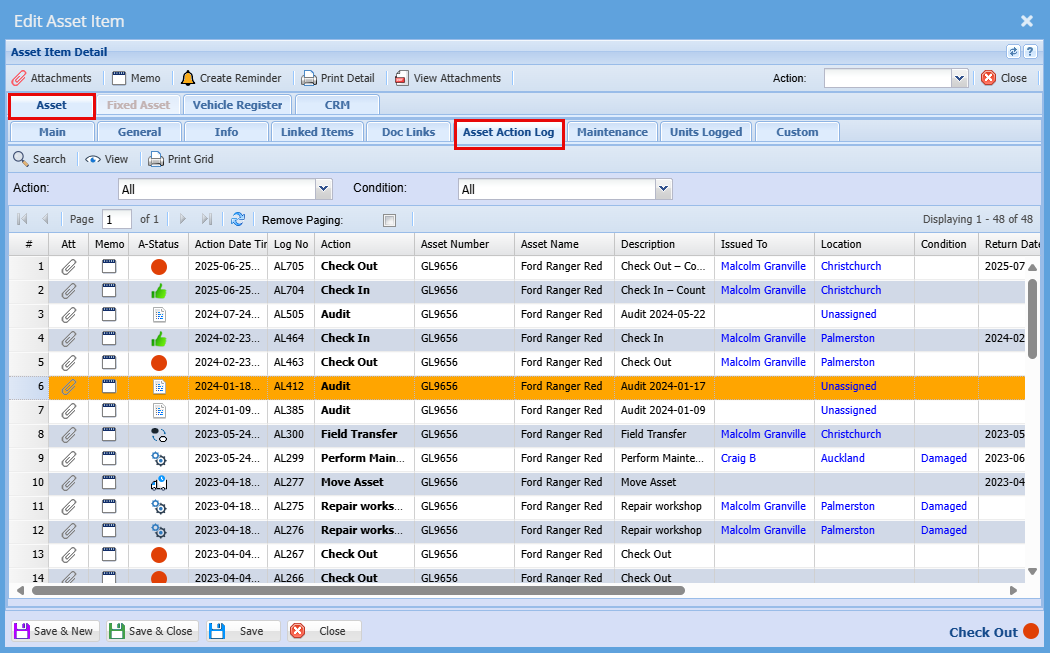
You can find a full log
Asset Module> Activity> Asset Tracker
Asset - Asset Action Log
Automated Letter for WOF and Car Services
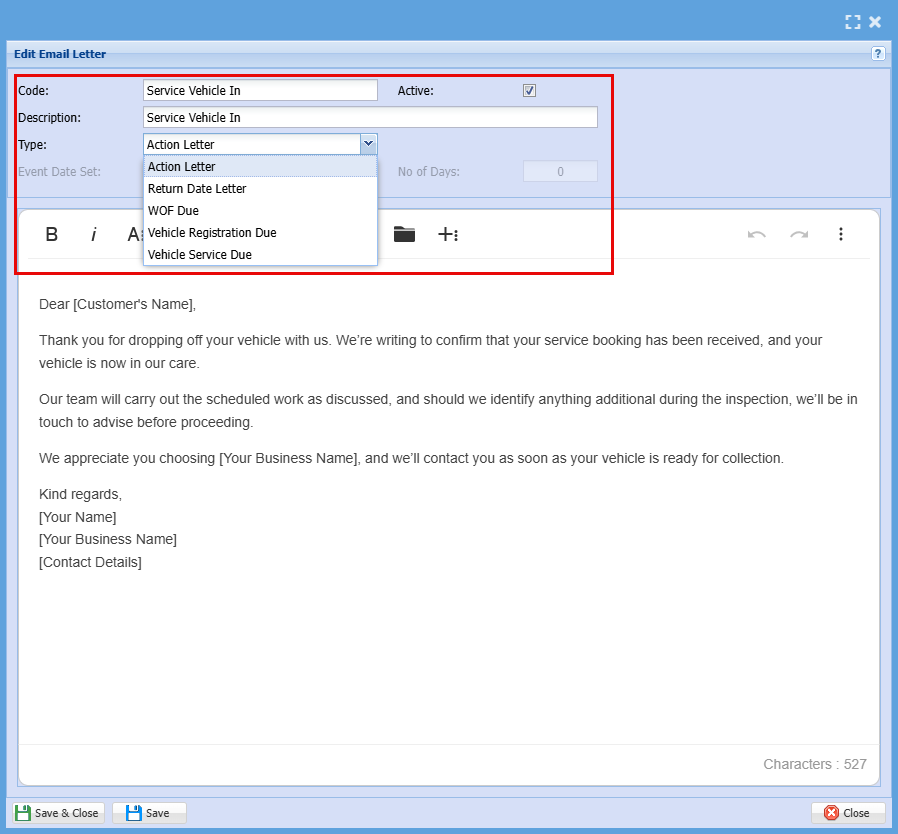
Setup the various action Letter that can occur against an Asset
Asset Module> Configuration> Email Letter Templates> Add

This could be used for:
- When the Car is due for a Service or a WOF
- When the Car is booked in
- Sending a reminder for a WOF or Serice due soon
- When the car is booked in for the actual service
- When the service or WOF is complete, and the car is ready to be picked up etc...
Add a code and Description for your letter
Select the type of action