Fixed Assets Item Setup
Creating a Fixed Asset Inventory Item
Inventory Module > Configuration > Item Setup
The minimum data requirements for a Fixed Asset inventory item in the Inventory Module is the item code fixed asset item description and the basic defaults.
Click Add
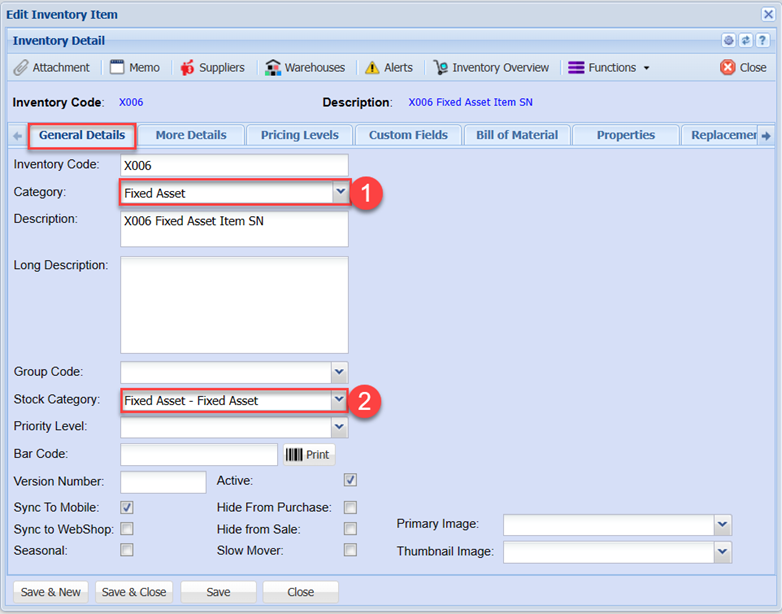
Enter a code.
Enter the description of the asset item.
Select the Group code
Select the Category
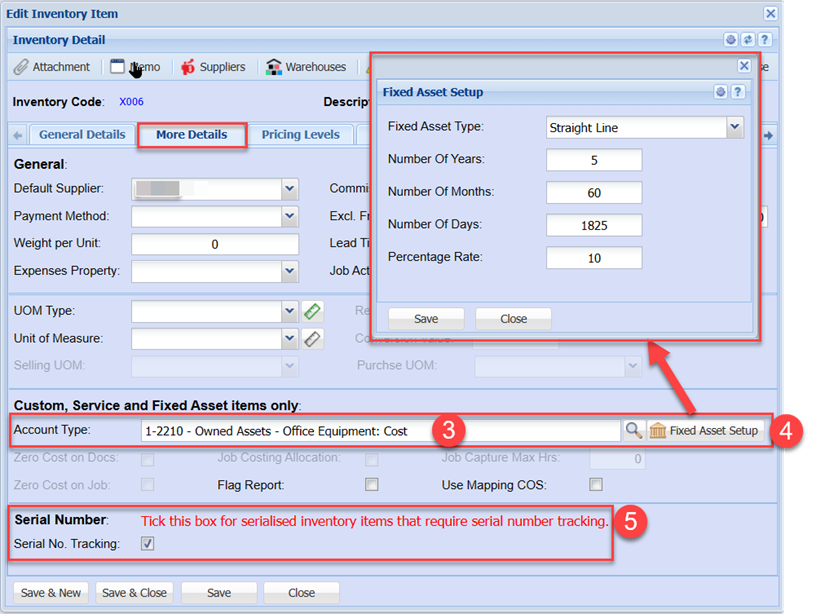
Click the More Details Tab
Select the Fixed asset GL Account