Zebra ZD611R Setup Guide
Steps
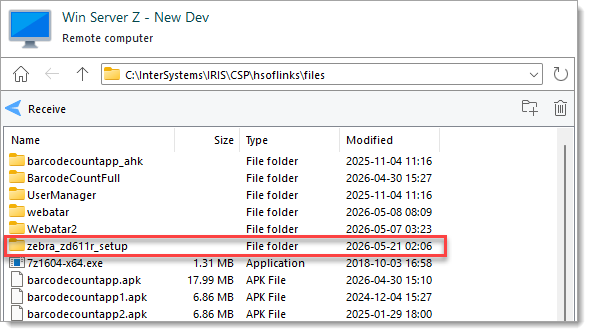
- Download the the folder
zebra_zd611r_setupfromC:\InterSystems\IRIS\CSP\hsoflinks\fileson the dev server.
- Power the printer on but do not yet connect it to the computer.
Connecting the printer by USB to the computer before the installer has finished cause cause Windows to install the wrong drivers.
- Install the printer driver.
- Unzip
zddriver-v1062628275-certified.zipfromzebra_zd611r\installers\and run the exe. - Complete the first part of the installer wizard, then check the box for "Run the printer installation wizard" before clicking "Finish".
- On the Installation Options page of the Printer Installation Wizard, select Install Printer Driver.
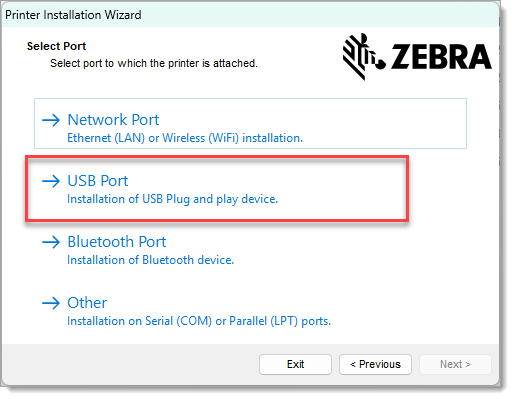
- On the Select Port page, select USB Port.
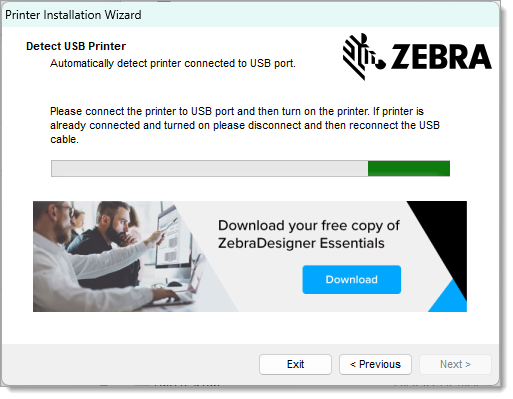
- While on the the Detect USB Printer
- Unzip
[TODO - unfinished]