Zebra ZD611R Setup Guide
Steps
- Download
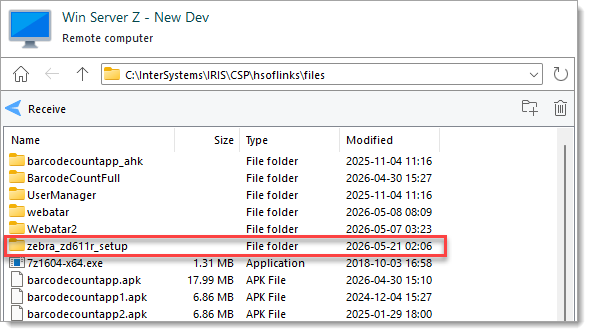
or request a copy ofthe folderzebra_zd611r_setupfromC:\InterSystems\IRIS\CSP\hsoflinks\fileson the dev server.
PowerTurn the printer on but do not yet connect ittothe computer.Connecting the printer by USB to the computer before the installer has finished can cause Windows to install the wrong drivers.- Install the printer driver.
- Unzip
zddriver-v1062628275-certified.zipfromzebra_zd611r\installers\and run the exe. - Complete the first part of the installer wizard,
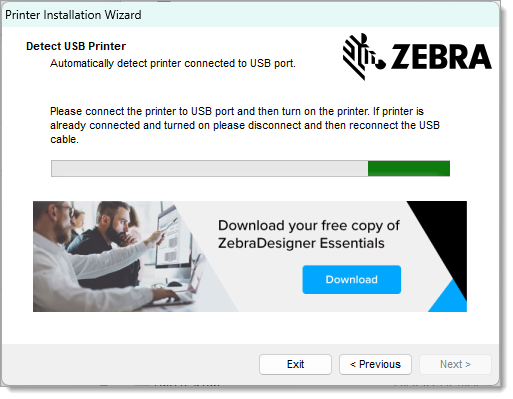
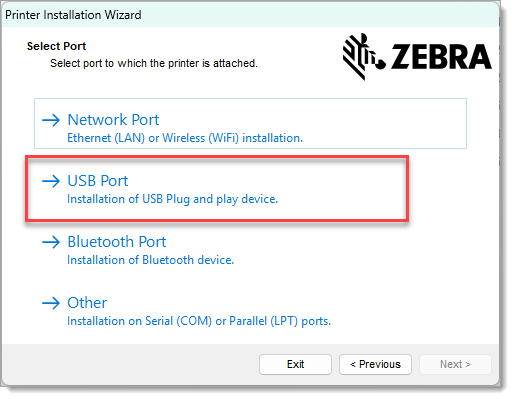
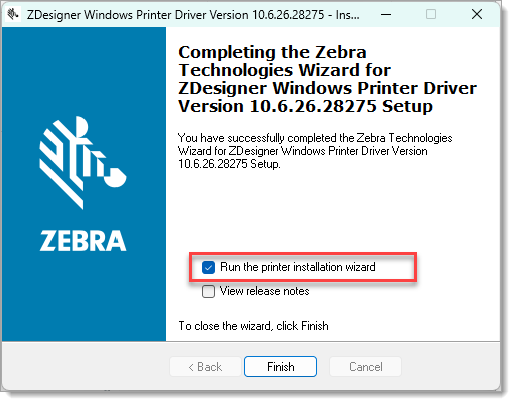
thencheck the box for "Run the printer installation wizard"beforethenclickingclick"Finish".Finish. OnIn the Installation Optionspage of the Printer Installation Wizard,step, select Install Printer Driver.OnIn the Select Portpage,step, select USB Port.While onConnect thetheprinterDetectby USBPrinterwhen requested.- Complete the remainder of the wizard.
- Unzip
- Install Zebra Setup Utilities
- Unzip
zsu-1191327.zip. - Run the extracted exe and complete the installation wizard.
- Unzip
- Configure the printer with Zebra Setup Utilities
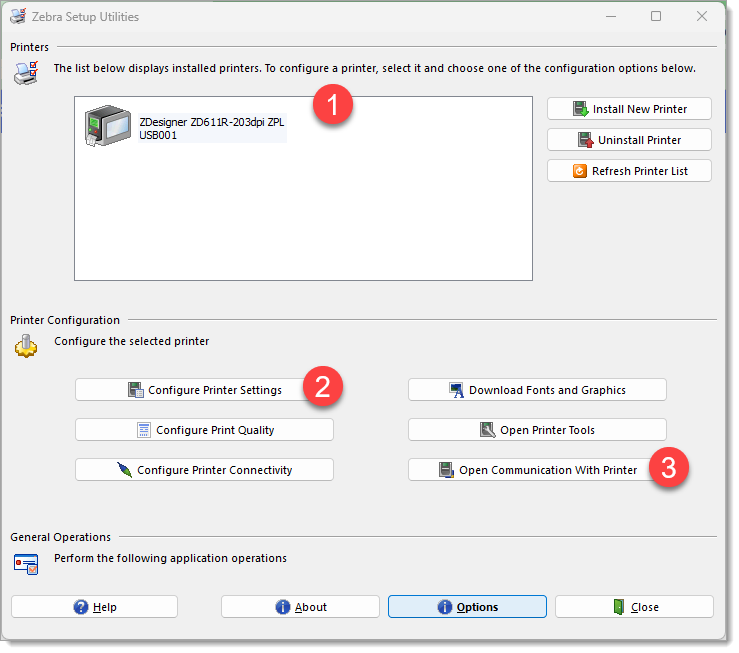
- Open Zebra Setup Utilities
- Select the printer from the list
- Start the "Printer Settings Wizard" by clicking the "Configure Printer Settings" buttons.
- Use these settings:
Step Setting Value Note Label Parameters Units mm Width 45 Height 18 Speed and Darkness Darkness 20 Optional Media No changes Advanced settings No changes Real Time Clock - MORE TO COME
[TODO
WIP Images