Barcode Count Capture
Starting and capturing barcodes
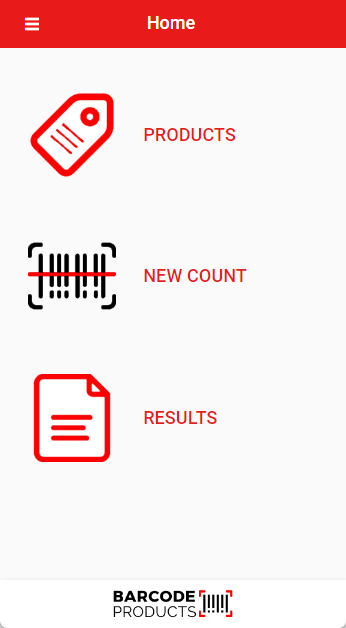
Open up the Barcode Count App
To start to capture barcodes without setting up your products, click on New Count
To add your own inventory, see
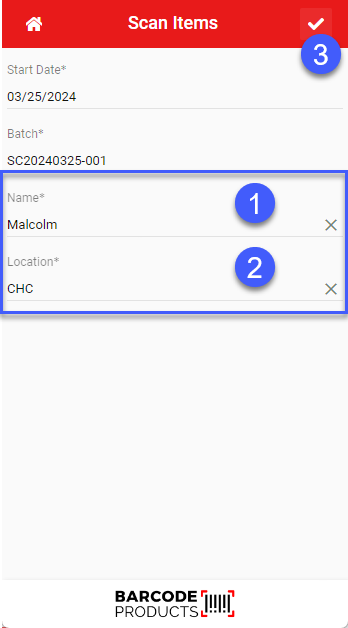
Enter person name who is going to capture barcodes
Enter Location
Follow steps 1 to 3
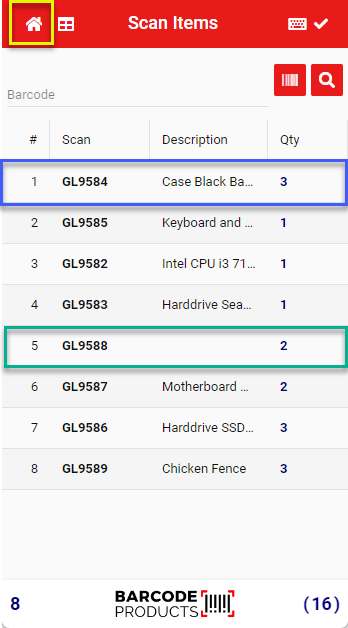
Scan your barcodes
If the barcode matches the database, then the description will appear (see blue highlighted below)
If barcode does not match anything in database, then barcode will appear with no description (see green highlighted below)
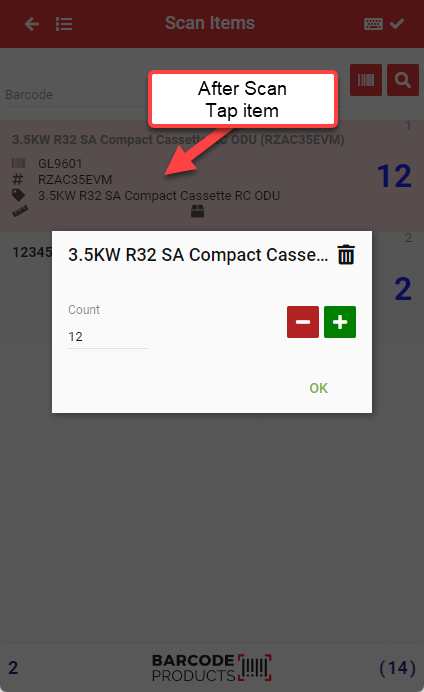
To edit the quantity of a scanned item, tap on the item to open up the edit quantity.
Enter the amount or click on the plus and minus buttons to change quantity.
Click OK to accept your change
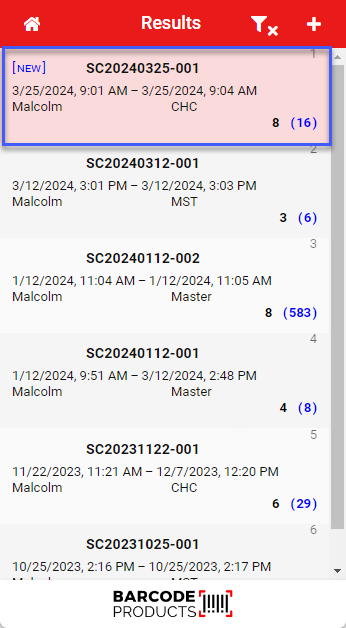
When complete, click Home button to go to Results
See your scanned results
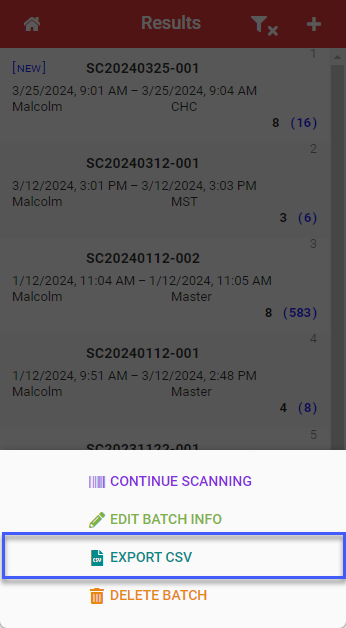
Click on result to export
Click on Export file
Save the file on the device (take note of the location you are saving
Open up G-mail on device, find file and attach to email to email out.