
Asset Search
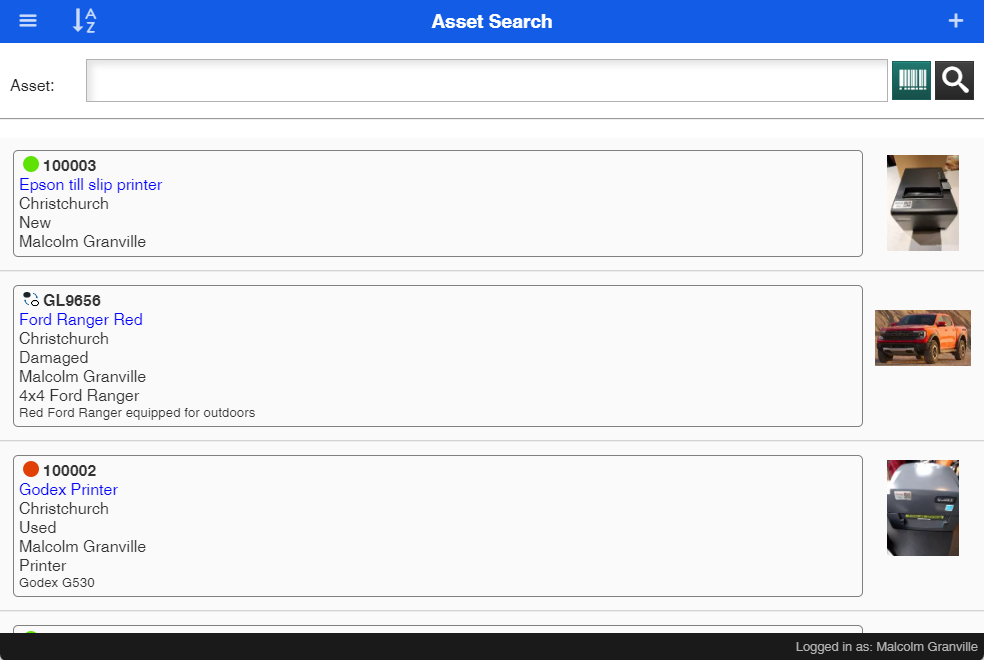
Search for Assets and view information on the asset
Search on an asset by
- Scanning the asset tag
- Searching for the product
|
|
A-Z |
Sort the asset list by A-Z or Z-A |
|
|
+ (Add new asset) | Add a new Asset |
|
|
Asset Barcode scan area |
Scan a barcode to find an asset Great with a scanner |
|
|
Barcode |
Scan a barcode using the camera Best used with a phone |
|
|
Search |
Search by Brand, make and model Search by description or code |


View the asset
Tap on the asset to view the details
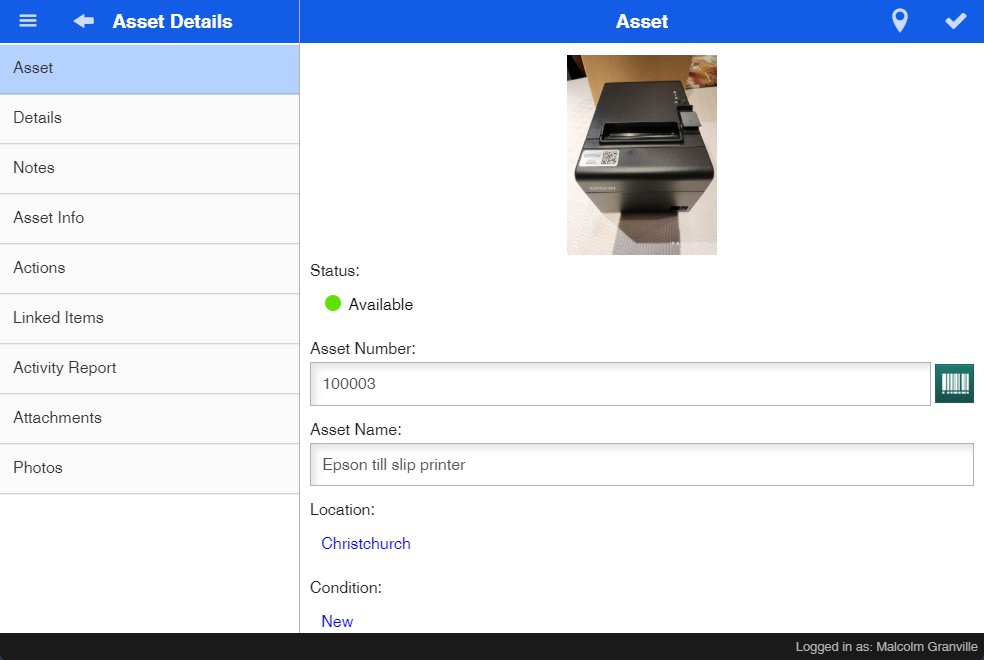
| Asset | View Basic information on the asset |
| Details | View Additional information like warranty, Next Service Date, Additional fields |
| Notes | View notes on the asset |
| Asset Info | View financial information on the asset eg. Cost price, supplier, when purchased |
| Actions |
View all the actions done against the asset Create a new action on this asset by clicking on the Plus |
| Linked Items |
View all linked items against the asset Click on the Plus icon to linked multiple assets to this asset |
| Activity Report | View all activities done on this asset |
| Attachments | See all attachments eg. photos, pdf documents etc |
| Photos | Add new photos or upload from gallery |