Scheduled Tasks
System configuration>Administration> Company Profiles> Schedule setup> Scheduled Tasks
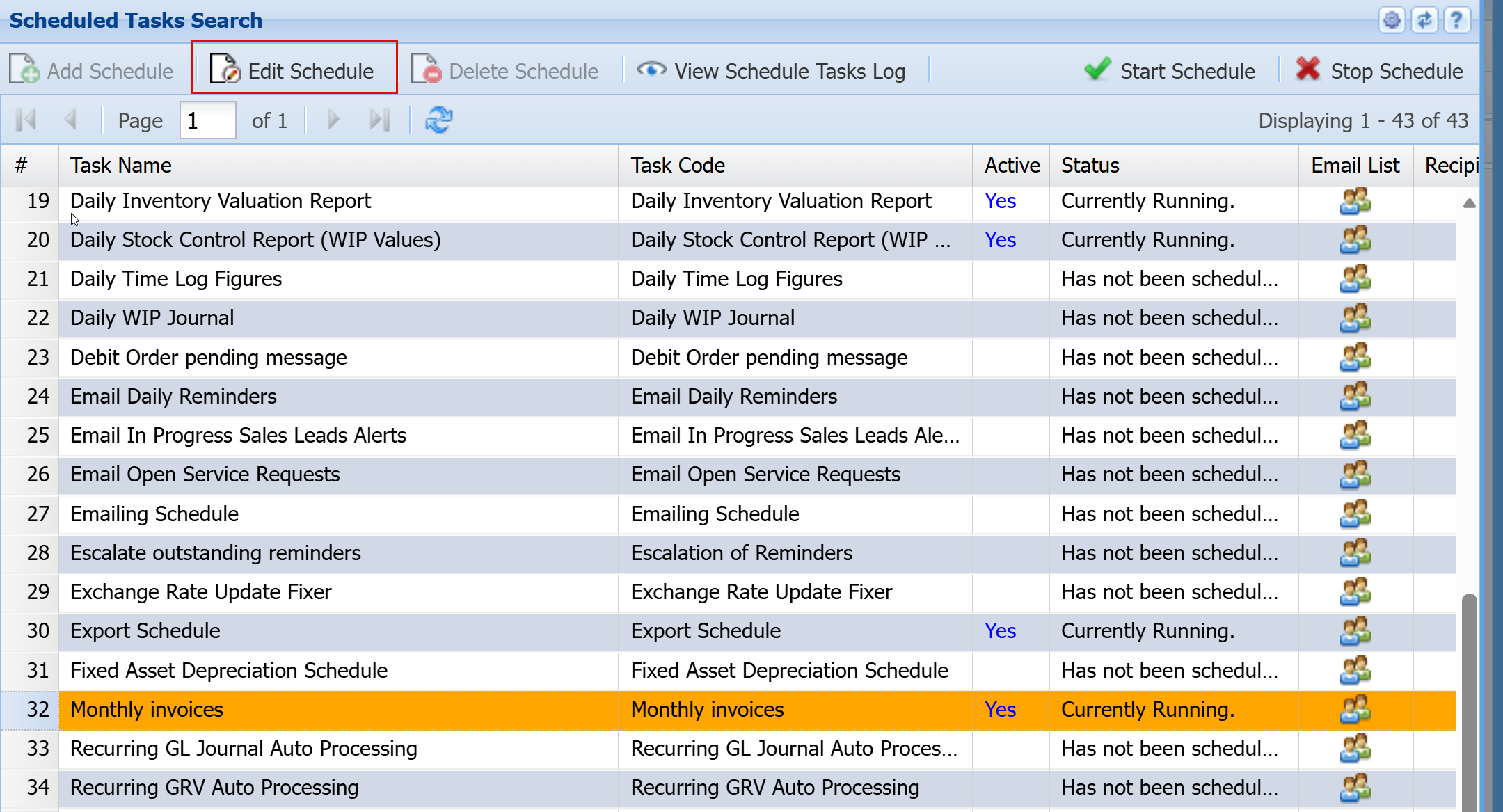
Scheduled Tasks
The grid will display all Tasks that have been created for scheduling.
The Active and Status column will indicate whether the Task is currently scheduled or not.
Email notification
The Recipients column will indicate the number of email recipients has been set up for this particular Task.
Please note not all Tasks have an emailing function so therefore the setup Recipients will not receive email from this Task.
Clicking on the button in the Email List column will open the window to select and unselect email recipients for this Task.
The Insert and Delete Schedule buttons are only available for the system’s Super User to access, for all other users these buttons are disabled.
Start and Stop Schedule buttons are as the button names indicate. These buttons allow users to start and stop various tasks as they require them
Scheduled Tasks list
| API Stock Import | |
| Asset Tracker Send Available Return Date Emails | |
| Asset Tracker Send Available Vehicle Due Date Emails | |
| Auto Badger Import | |
| Auto Bulk emailing Processed Invoices | |
| Automatic Invoicing Process | |
| Below Max Level Report | Check items below Maximum level |
|
Below Min Level Report |
Check items below Minimum level |
|
Below Preferred Qty Level Report |
|
|
Below Re-Order Level Report |
|
| Cancel Expired Quotes | Automatically cancel expired quotes |
| Cancel TrackIT Warranty | Automatically cancel asset and TrackIt item warranties |
| Change Recurring Transaction Status | |
| Check PO to GRV Intervals | Check to see Purchase orders to GRV outstanding |
| Creditors Payment Batch Update | |
| Customer Account on Hold | |
| Daily Inventory Valuation Report | Run a daily inventory valuation report. This is saved under the inventory valuation documents. If you are running in stock this should be a required scheduled task. |
| Daily Stock Control Report (WIP Values) | Run a daily stock control report. This is saved under the inventory valuation documents. If you are running in stock this should be a required scheduled task. |
|
Daily Time Log Figures |
Send information on daily time log figures to see if clients are on schedule to budget |
|
Daily WIP Journal |
|
| Debit Order pending message | |
| Email Daily reminders | Email Daily reminders to users |
| Email In Progress Sales leads Alerts | Email in progress sales leads to managers |
| Email Open Service Requests | Email open service requests summary |
| Emailing Schedule | Activate bulk email scheduling. This will email invoices done on a daily basis out to customers |
| Escalate outstanding reminders | Email reminders that have been escalated and are outstanding |
| Exchange Rate Update Fixer | Update the exchange rate on a daily basis using the Fixer API |
|
Export Schedule |
Activate the daily export schedule generally used for Power BI data Analytics |
| Fixed Asset Depreciation Schedule | Run the fixed asset depreciation |
| Monthly Invoices | |
| Recurring GL Journal Auto Processing | |
| Recurring GRV Auto Processing | |
| Retention Invoice Auto Processing | |
| Retention Invoice Email Notification | |
| SL Budget Alert | |
| SL Daily Log Figures | |
| Time Log Budget Alert | |
| TimeLog Budget recalculate | |
|
Timelog GPS import |
|
| Timelog GPS Report | |
| Weather Regions Forecast update | |
Monthly Invoices
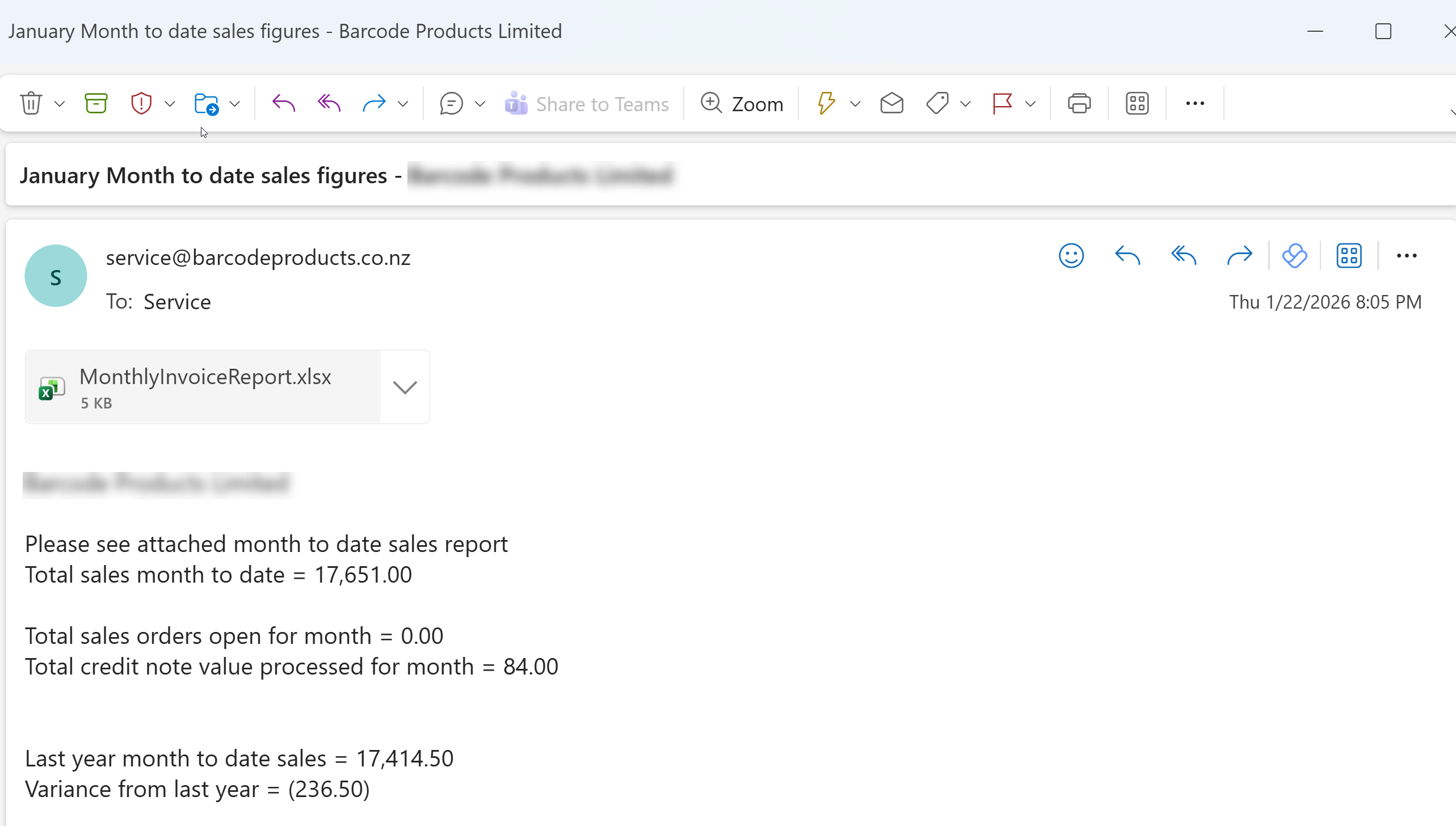
Setup Monthly Invoices
System configuration>Administration> Company Profiles> Schedule setup> Scheduled Tasks
Select the Schedule you want to activate, then click Edit Schedule at the top
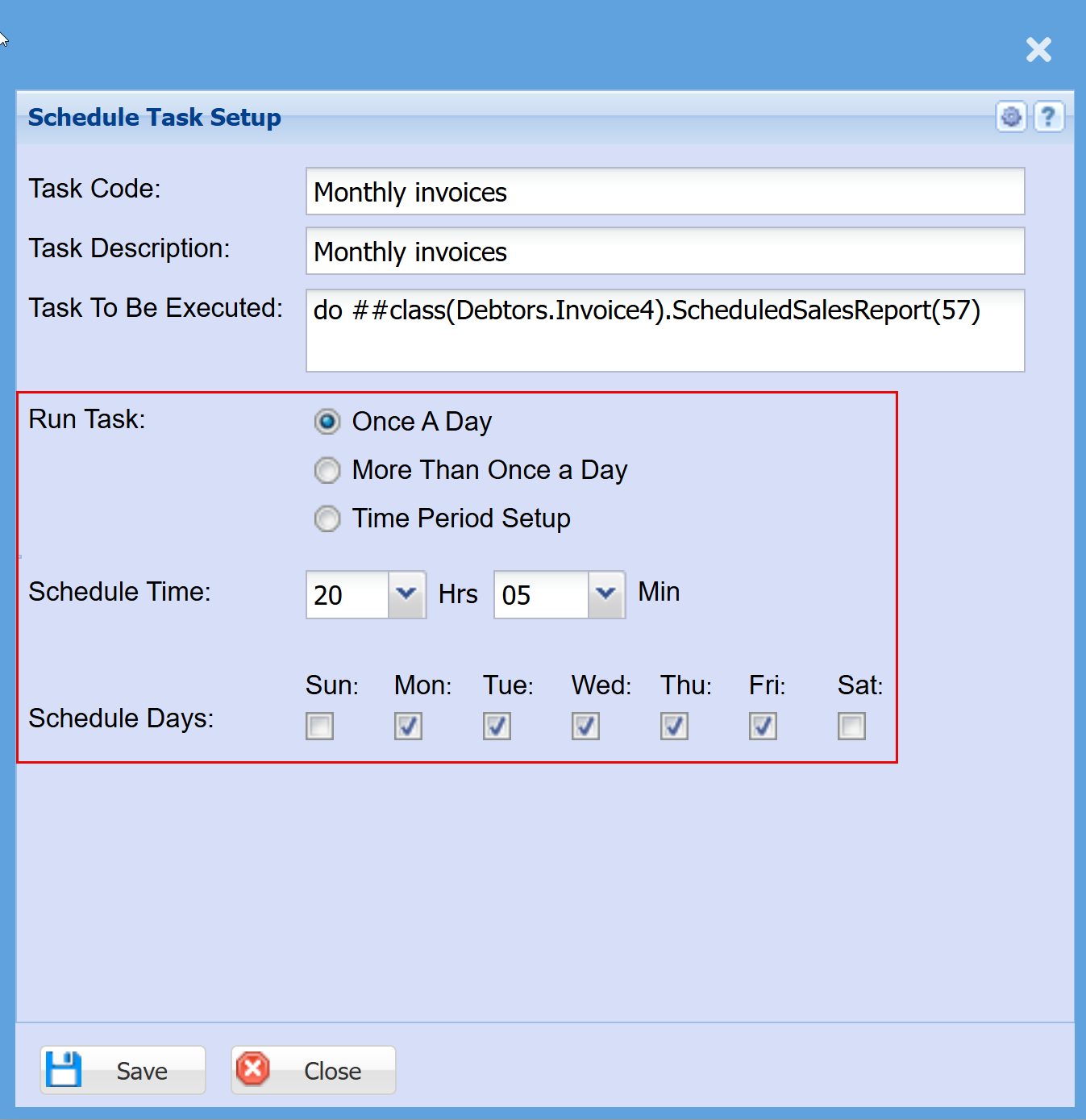
Make the changes to suit your requirements for the below:
- Run Task
- Schedule Time
- Schedule Day
Click "Save"