Financial Periods Block
VideoBlocking trainingFinancial manualperiods 2016will -prevent Clickusers Herefrom processing in closed off periods.
SystemsTo block financial periods go to:
Systems Configuration > Administration> Financial Periods Setup
Highlight the current year
Click On Extras tab and select from the drop down.
Select “create New year” Function.
.png)
This will take the selected year and create the next financial year period.
Click yes to continue
.png)
Enter the End date of the next financial year
.png)
Amend The Name Of the created new year to reflect the changes.
Rename the description.
Next Select the Periods Tab
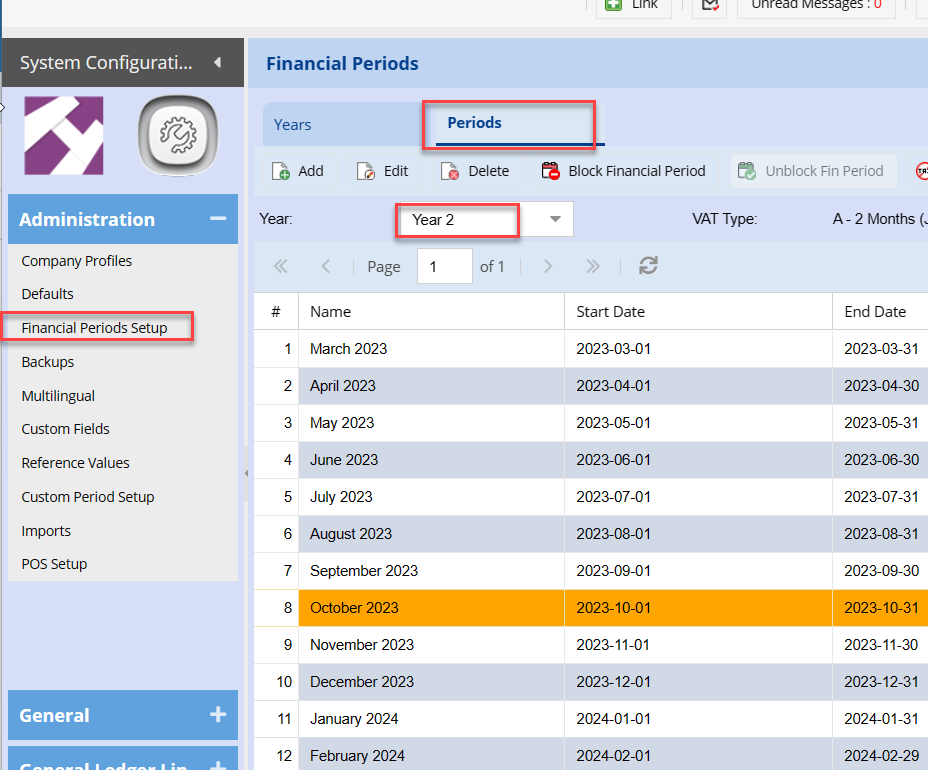
And amendSelect the Namerequired columnFinancial to match the dates.Year
WhenThis thatwill process is done save and close and you are ready to post todisplay the new12 periods within the financial year and months.selected.
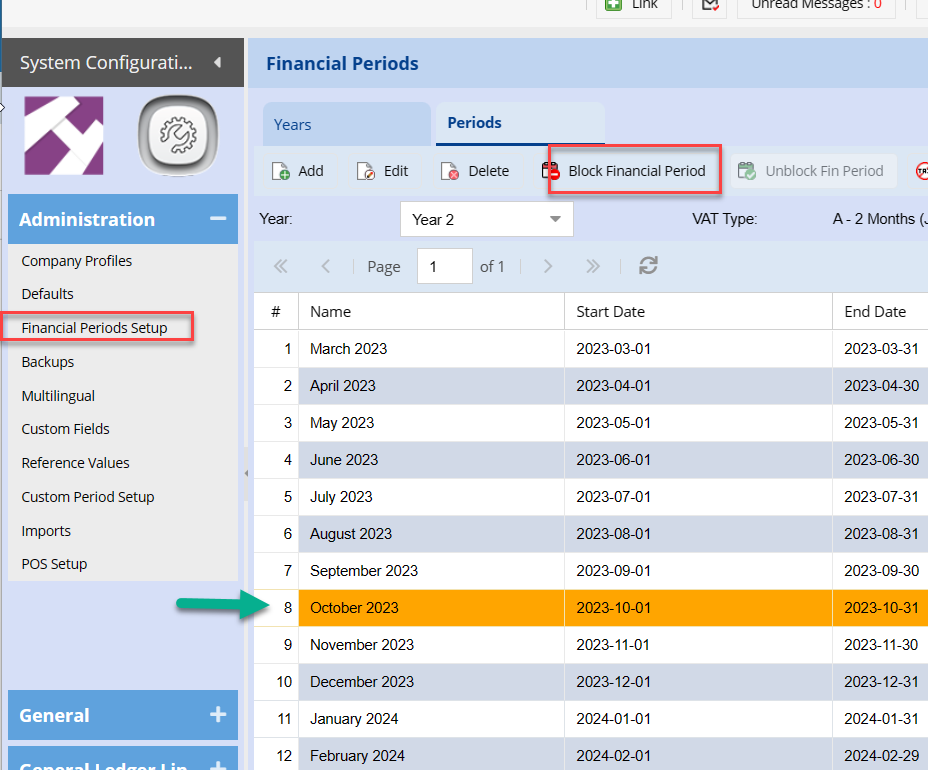
Click once on the Period you wish to Block.
Click the Block Financial Period Button.