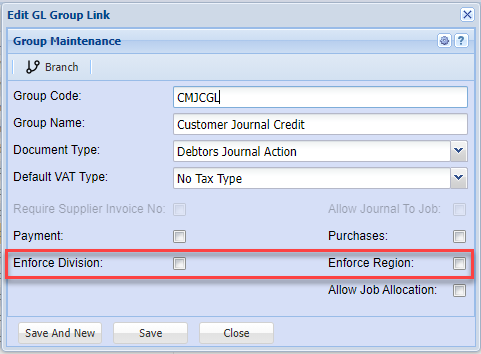
Division and Region enforce
There are several places that the Division and Region is enforced
These are divided into
| 1. Debtors Module |
2. Creditors Module |
3. General Ledger Module |
| All Documents | All Documents | GL, Debtors and Creditors Cashbooks |
| Debtors Journal Transactions | Creditors Journal Transactions | GL Journals |
To enforce Debtors and Creditors Documents
Go to System Configuration > Administration > Company Profiles > Edit > Basic Settings > Additional Tab
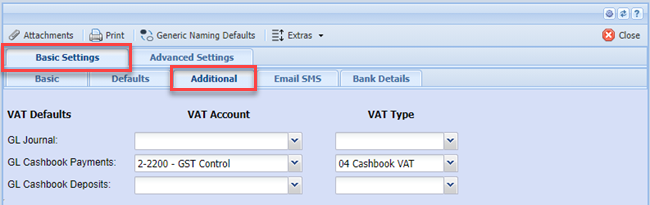
Put the tick on to enforce Division and Region
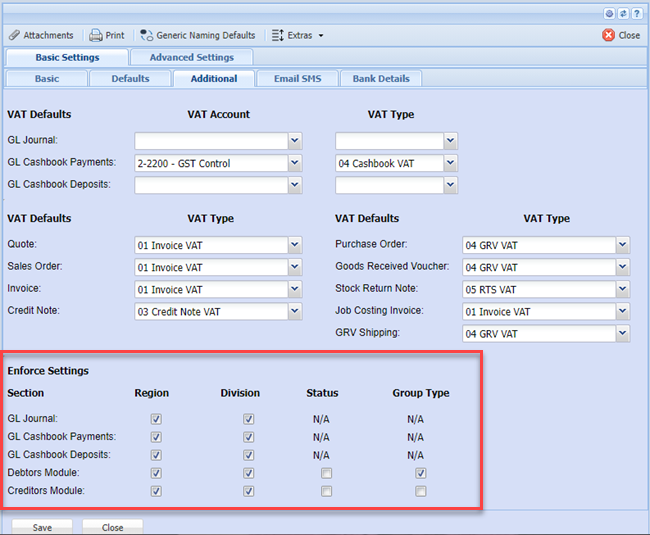
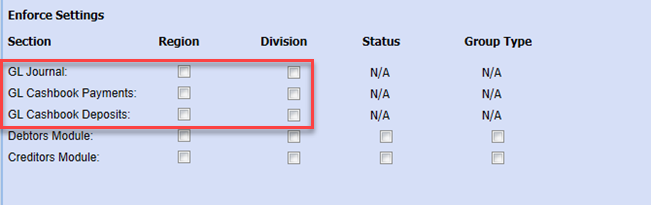
General Ledger, Debtors and Creditors Cashbooks
Go to System Configuration > Administration > Company Profiles > edit > Basic settings > Additional tab
One can enforce Division and Region for Cashbooks only on Payments or Deposits
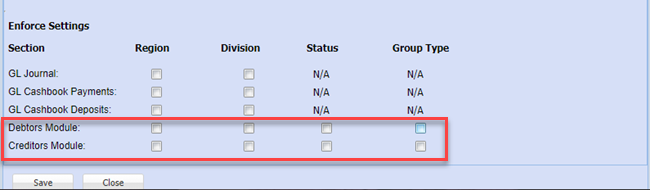
General Ledger Journals
Go to System Configuration > Administration > Company Profiles > Amend > More Options button > GL VAT Info Tab
One can enforce Division and Region for GL Journals
Debtors and Creditors Journal Transactions
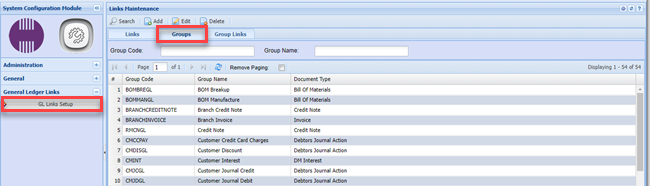
Go to System Configuration > General Ledger Links > GL Links Setup > Groups Tab
Debtors and Creditors Journal Transactions
Go to System Configuration > General Ledger Links > GL Links Setup > Groups Tab
These enforces are only on the Creditors Journal Actions and Debtor Journal Actions
You will have to enforce on each Journal Action