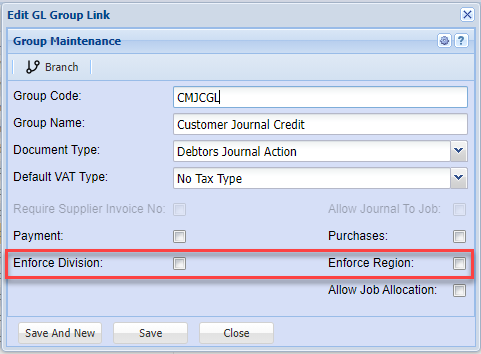
Division and Region enforce
There are several places that the Division and Region is enforced
These are divided into
1. Debtors Module
a. All Documents
b. Debtors Journal Transactions
2. Creditors Module
a. All Documents
b. Creditors Journal Transactions
3. General Ledger Module
a. GL, Debtors and Creditors Cashbooks
b. GL Journals
To enforce Debtors and Creditors Documents
Go to System Configuration > Administration > Company Profiles > Edit > Basic Settings > Additional Tab
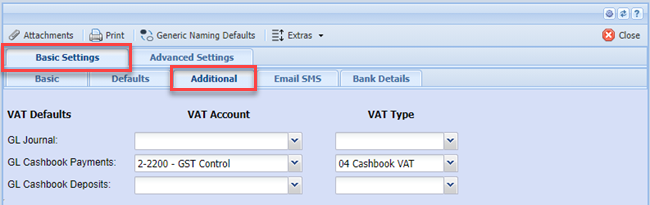
Put the tick on to enforce Division and Region
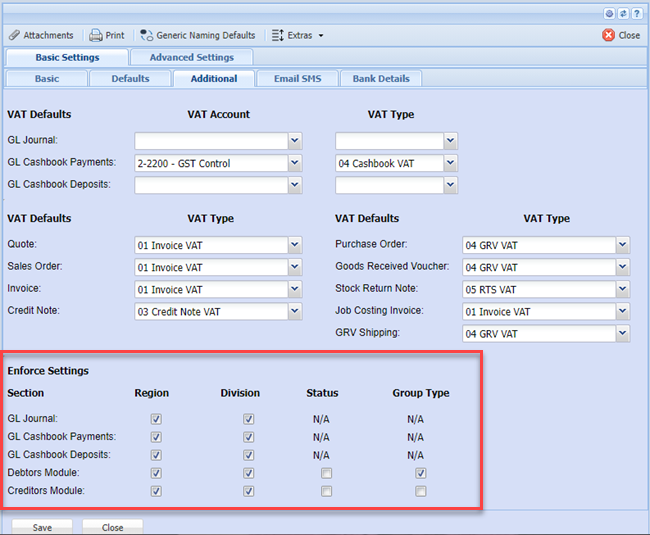
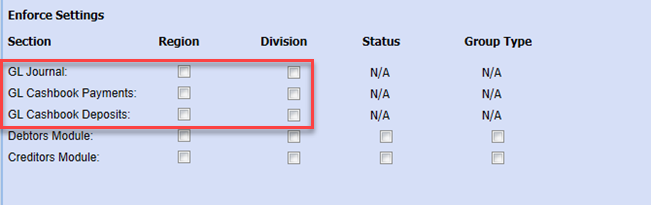
General Ledger, Debtors and Creditors Cashbooks
Go to System Configuration > Administration > Company Profiles > edit > Basic settings > Additional tab
One can enforce Division and Region for Cashbooks only on Payments or Deposits
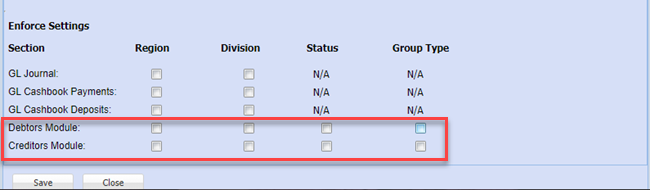
General Ledger Journals
Go to System Configuration > Administration > Company Profiles > Amend > More Options button > GL VAT Info Tab
One can enforce Division and Region for GL Journals
Debtors and Creditors Journal Transactions
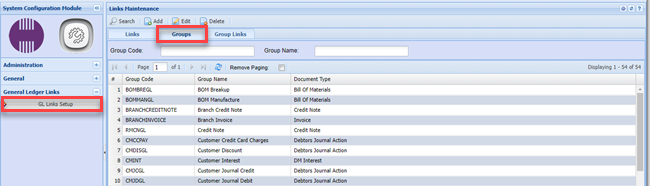
Go to System Configuration > General Ledger Links > GL Links Setup > Groups Tab
Debtors and Creditors Journal Transactions
Go to System Configuration > General Ledger Links > GL Links Setup > Groups Tab
These enforces are only on the Creditors Journal Actions and Debtor Journal Actions
You will have to enforce on each Journal Action