
Wastage
Track wastage items by creating a new wastage item and flagging it a wastage item.
Wastage item is activated on an item or custom item
Setup the Wastage Item
Tick to activate Wastage Item
Button to open up new menu to show all linked wastage items
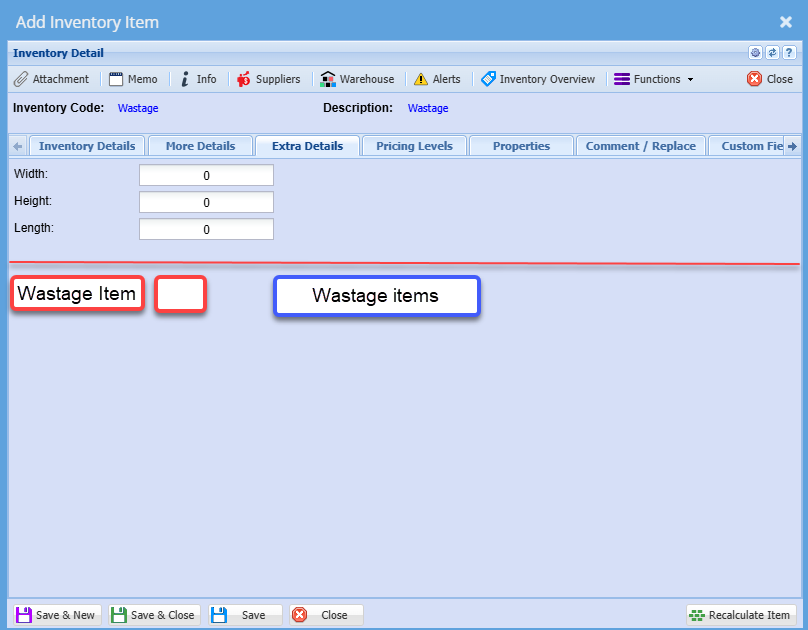
New table for Wastage
Button will open up a new window that shows wastage items linked to main item
There are three statuses on wastage item
-
In
-
Out
-
Completed
Allow for an import of wastage items
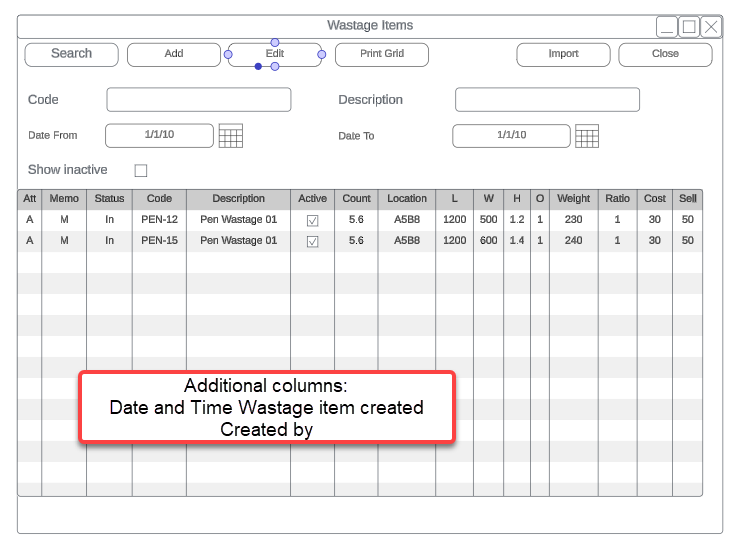
Adding a new wastage item
When adding a new wastage item, its status is In
Tick boxes are used to calculate the quantity when moved onto a job or invoice.
The cost price and sell price comes from the main item that the wastage item is linked.
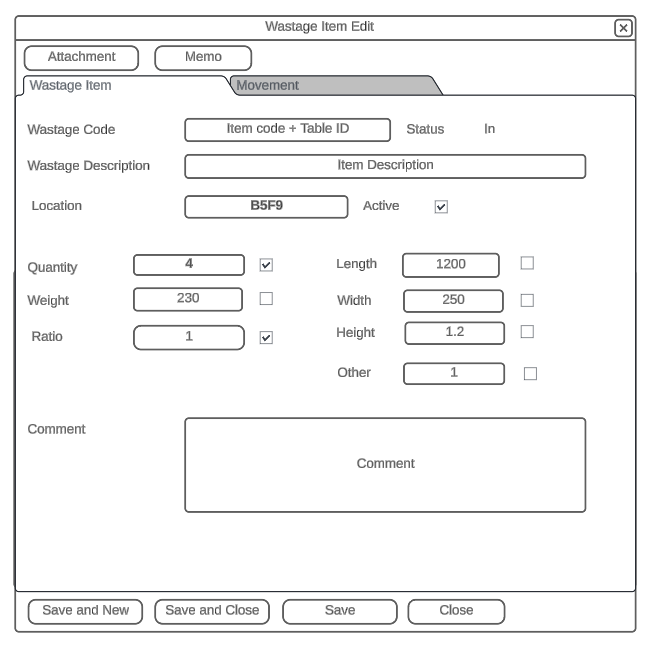
When this item is added to a job, which is flagged as Wastage item.
Then the user would need to select which wastage item that is been used.
A formular is used to work out what quantity to use to log the item quantity.
Item will then be marked as status - Out, once used