Tag Number
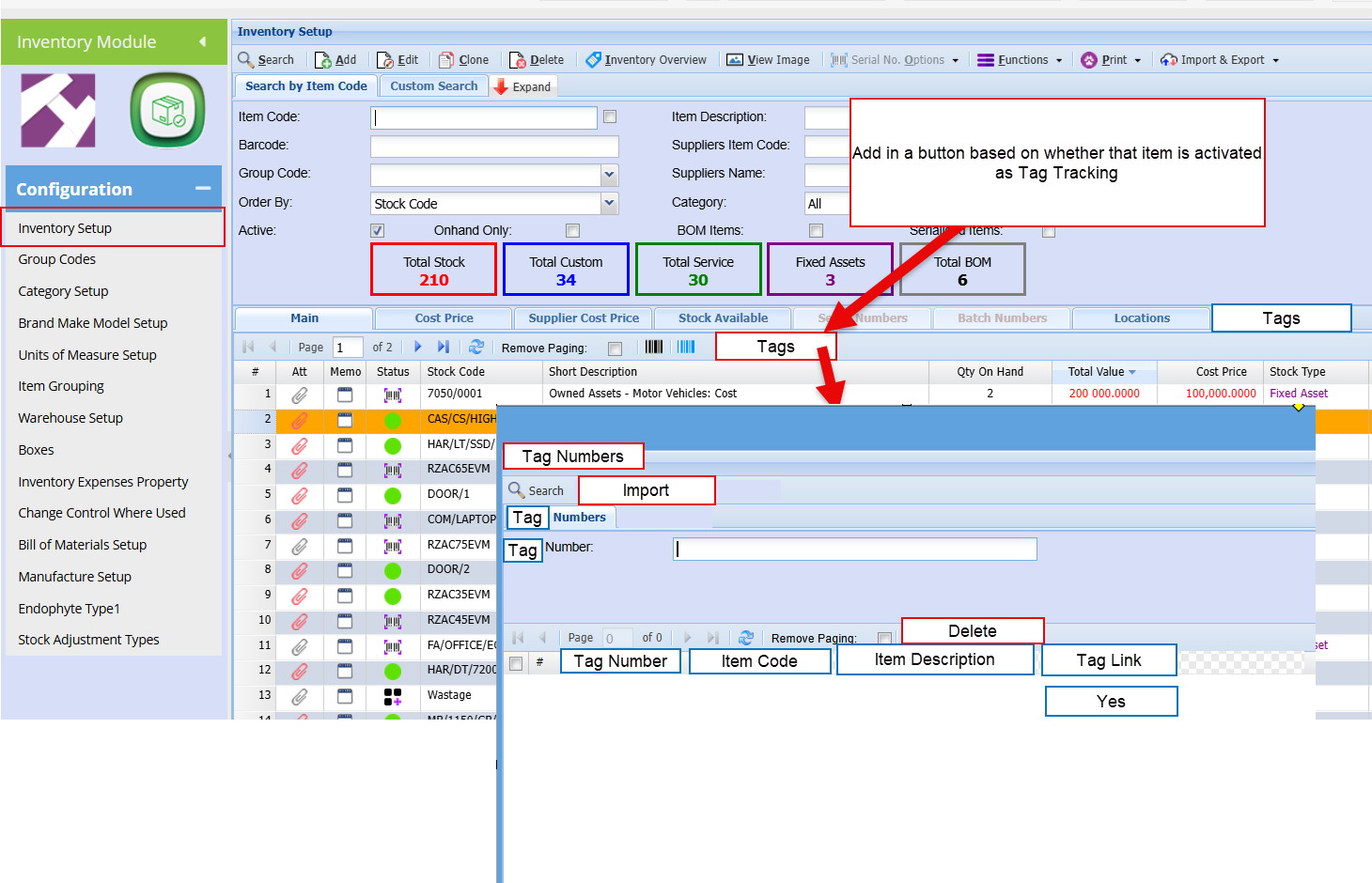
Tag number list allows one to add a tag number or RFID unique tag number to an item.
This tag does not need to match the number of items sold, but log whether that tag number is sold or not.
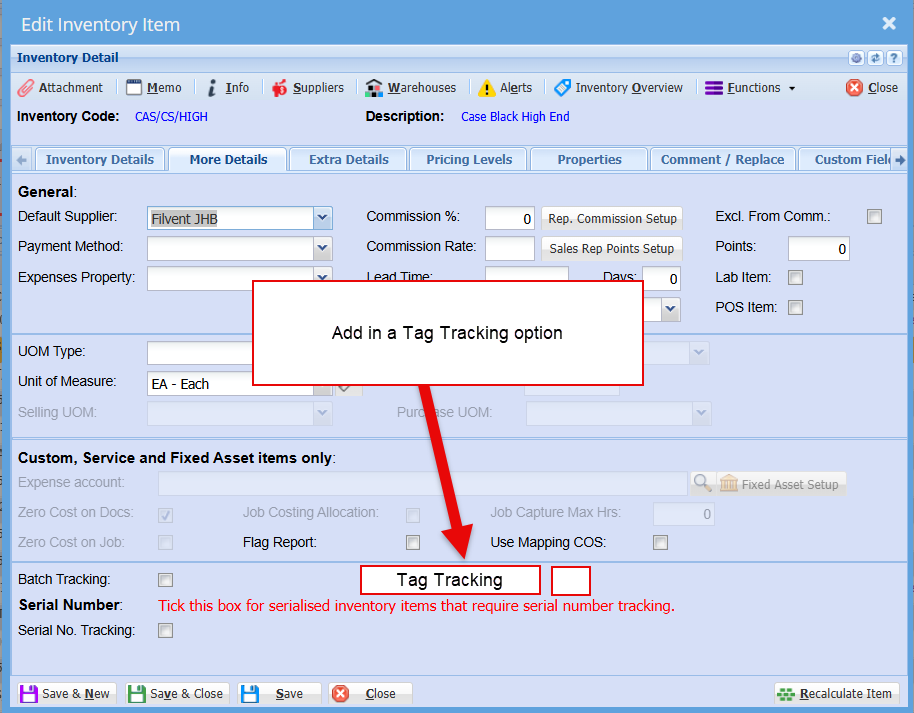
Activate the tag tracking against an item
Entering a tag number against an item
This allows one to scan or import tags to an item
Rule for deleting
Can delete a tag number as long as it has not been marked as sold
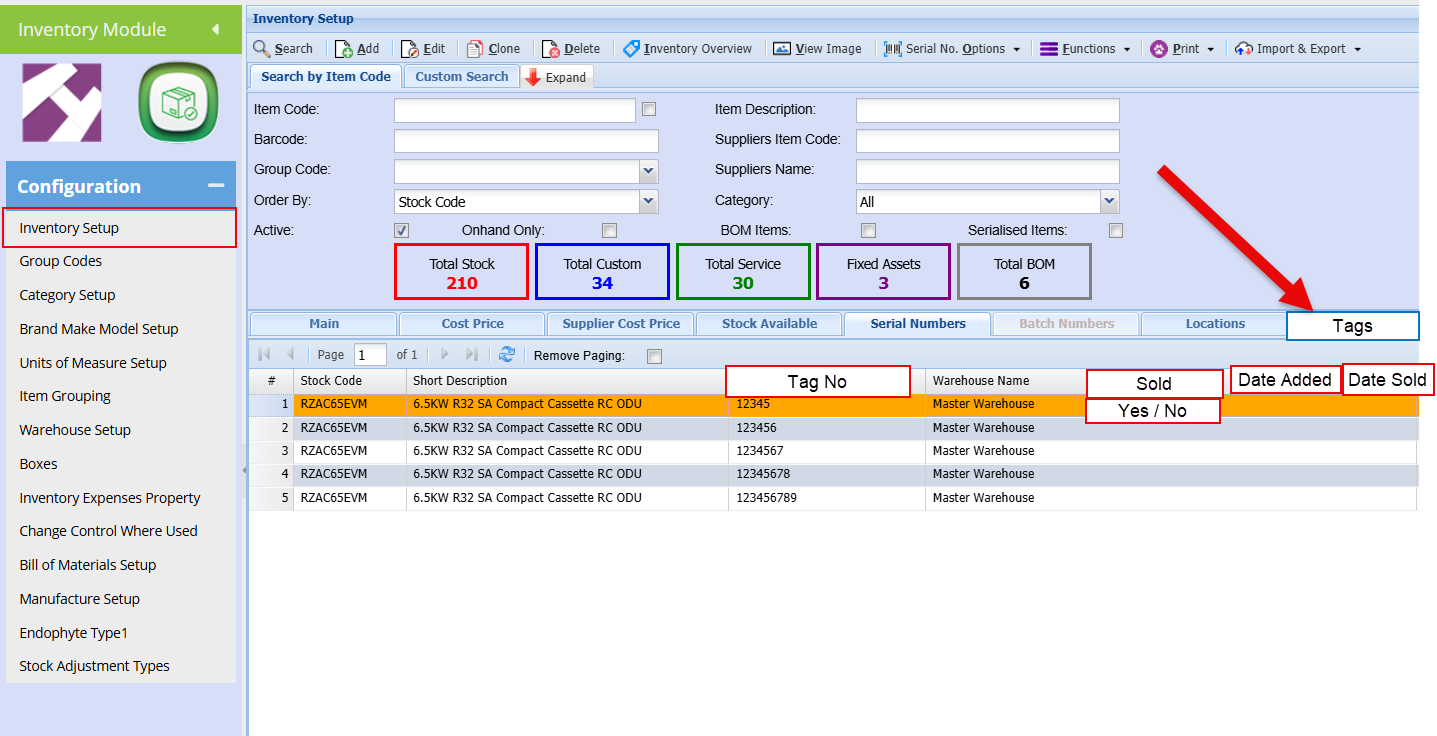
Linked tag number search
This tab looks at tag numbers linked to a stock item
This grid shows the tag numbers, date added and date sold
Good to add in the invoice it was linked to when sold
Invoicing
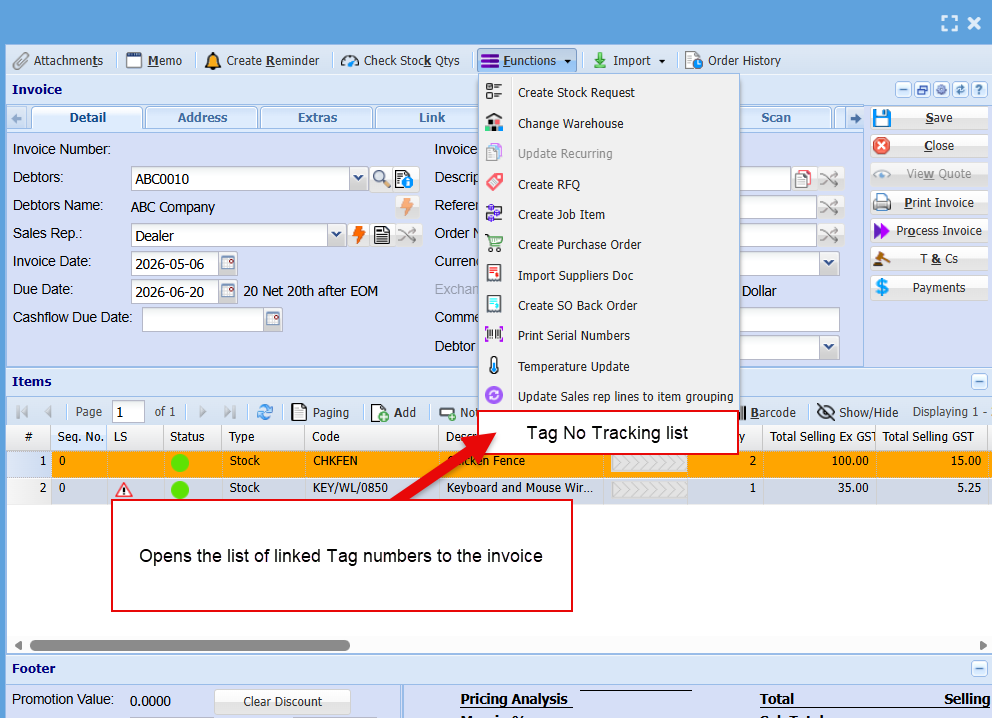
When invoicing, the tag number button is active for item if the item is marked as tag number
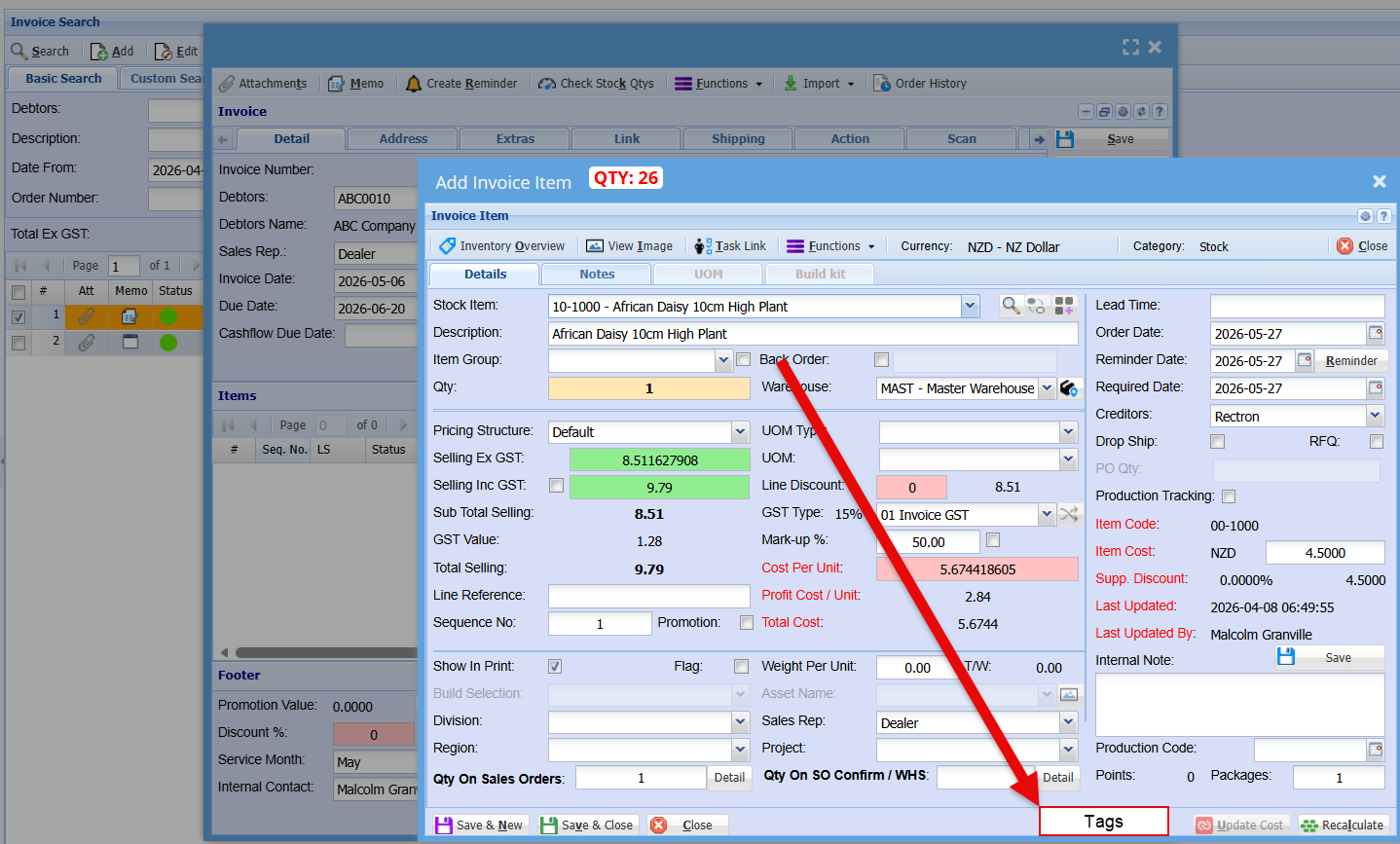
Tag search on invoice
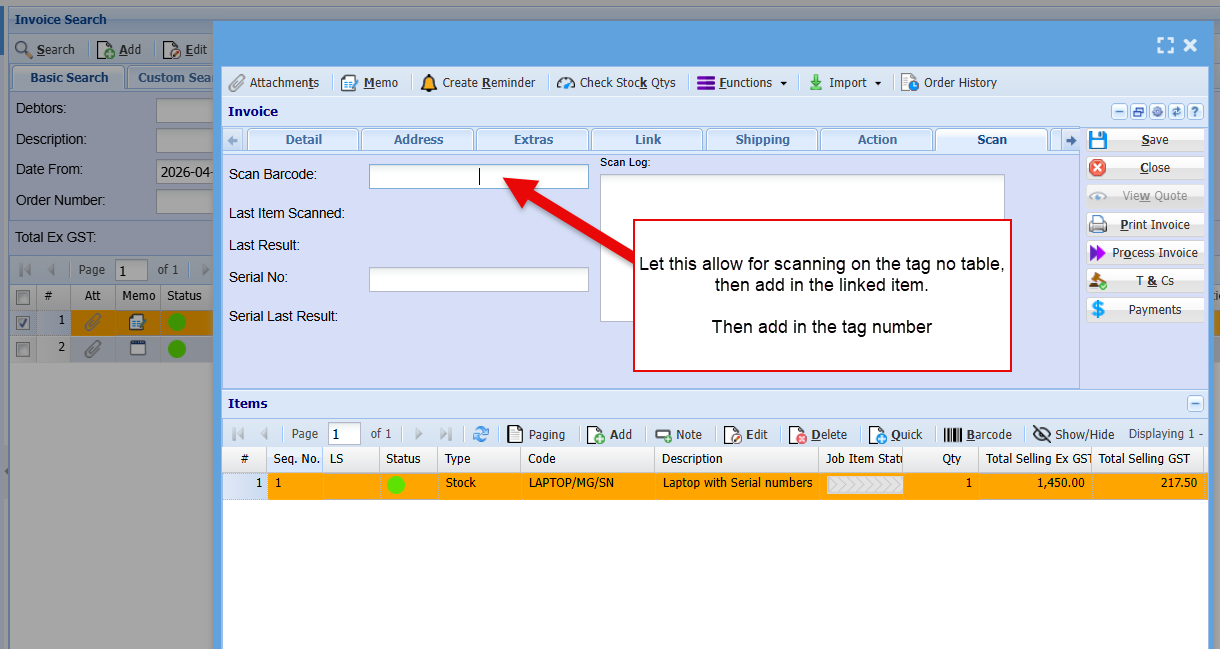
The scan can search the tag number table, then add the item linked to it and put the tag number on the invoice
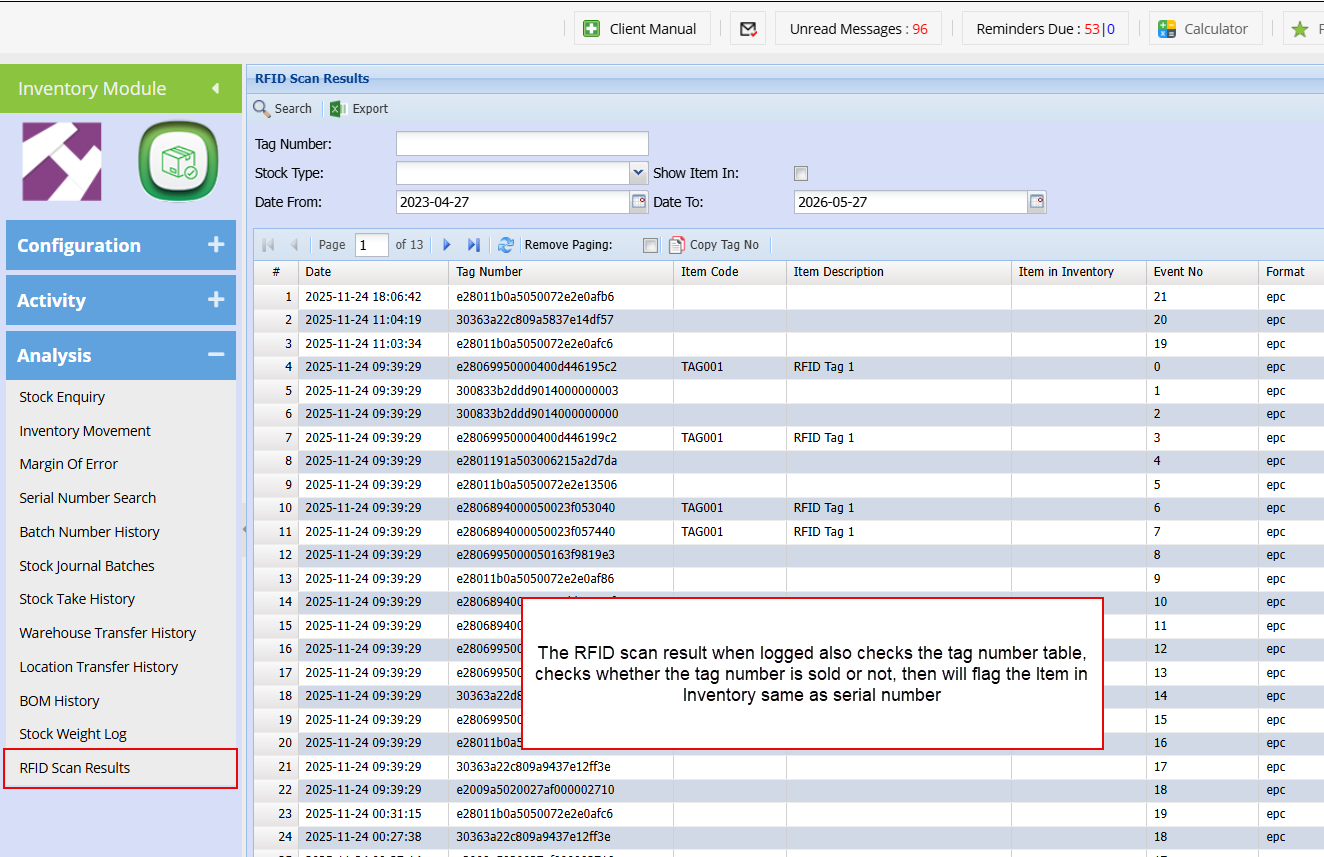
RFID tag log
This log must check the tag number table
Invoice Tag number list