Stock Adjustment Types
Types allow one to define the ledger account the stock adjustments will update and tag the stock adjustments, which isare both stock level and stock value.
If no ledger account is specified, then the default General Ledger Link will be processed.
When the system does an update, this will create a hotfix to add in a system type which all stock adjustments will be allocated to.
The hotfix will update all past stock adjustments done for both Level and Value
Setup of Stock Adjustment types
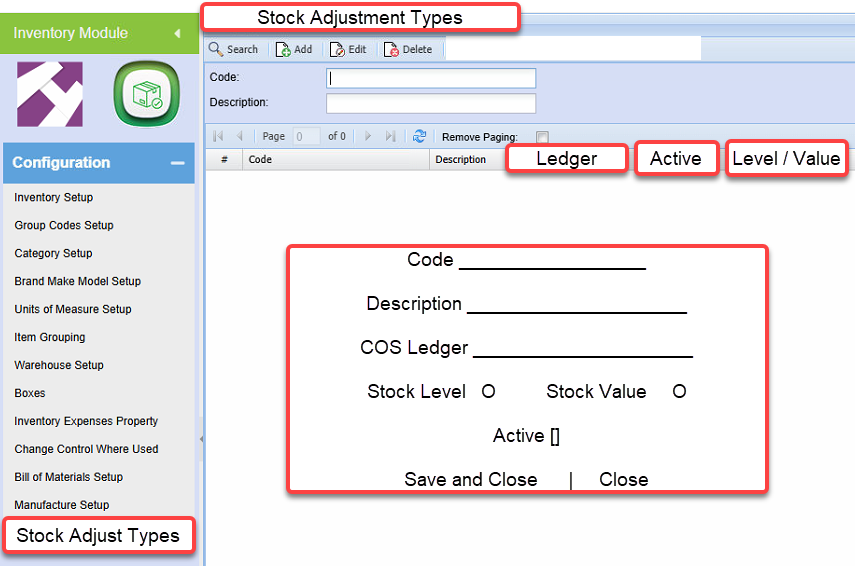
When deleting, check that this type is not used on any stock adjustments, if yes, then it cannot delete
COS ledger is restricted to Cost of Sales and Expense ledger accounts
Stock Level Adjustment
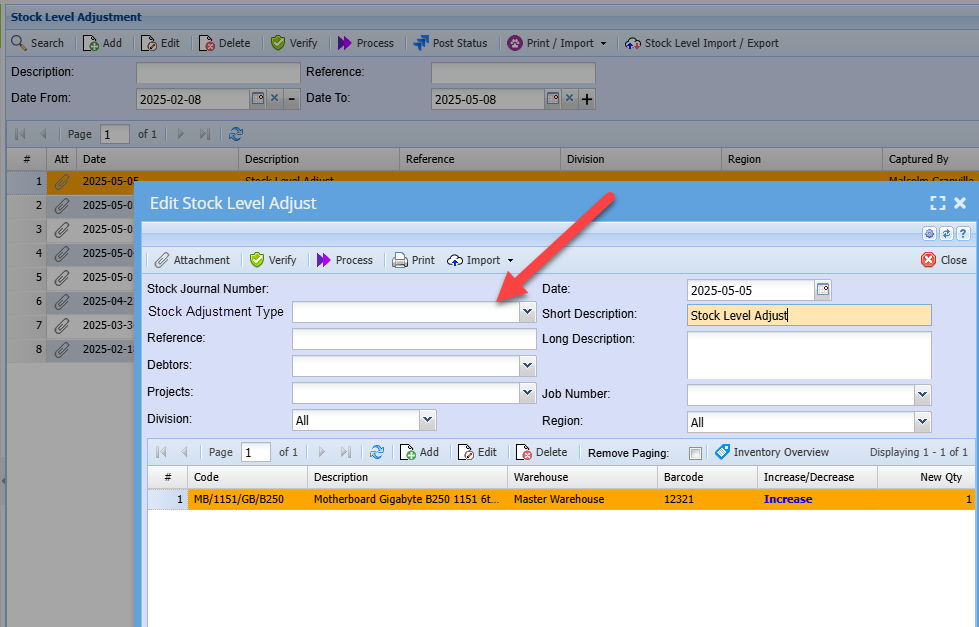
All stock level adjustments will require a stock type, when the stock type is select, the description will be copied to the short description.
The default stock adjustment type will populate the drop down.
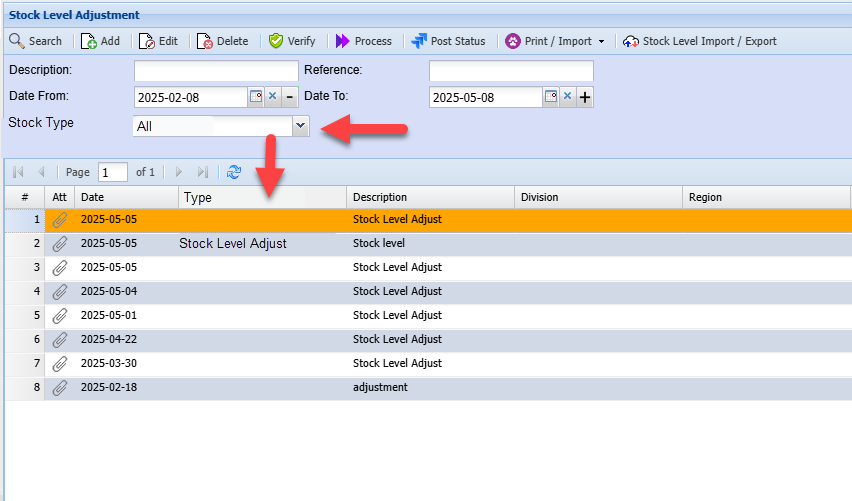
Stock Level Adjustment search
Filter by Stock Types
For activity and history, new column and filter
User access Types
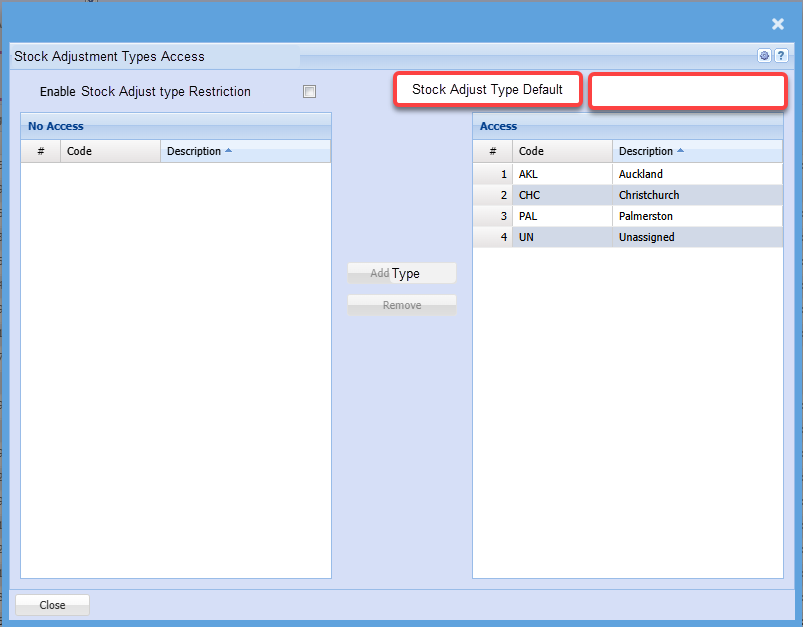
User can be restricted on which stock adjustment types they see
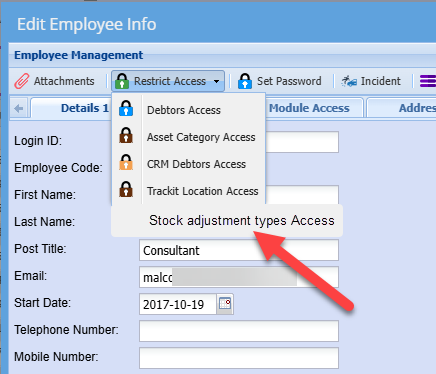
Enable the restriction
If the restriction is not enabled, the user will see all types
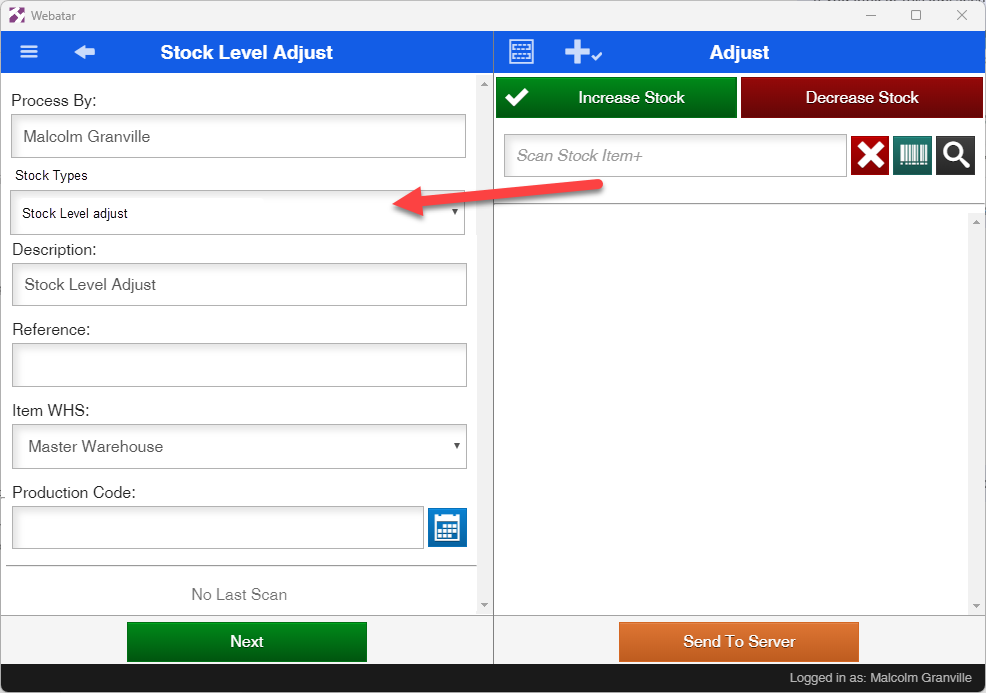
Webatar stock level adjustment app
The user can change the type, when selected it populates the Description from the stock type description.
It is also restricted based on the user