
Standard Drop Down
Standard Drop Down
Debtors Module> Configuration> Debtors Setup >Edit Debtor> Standard
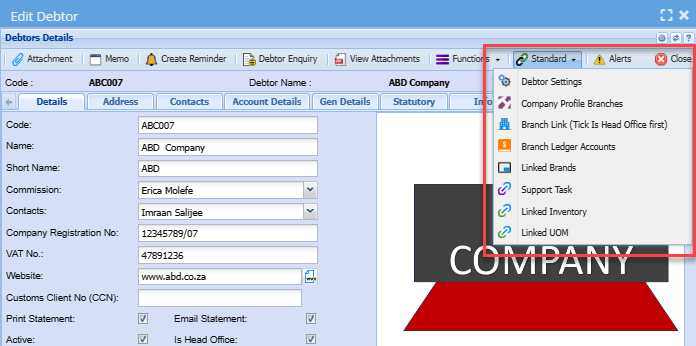
| Debtor Settings | Allows a user to tick a tick to suppress the autoload of allocations line on GL cash book |
| Company Profile Branches | Allows you to select branches to be attached to the debtor/ customer |
| Branch Link (Tick Is Head Office First) | Allows you to group debtors/ customers under their head office company |
| Branch Ledger Accounts | Allows you to manage branch setup |
| Linked Brands | Allows you to link brands to a debtor/ customer |
| Support Task | Allows you to link support tasks to a debtor/ customer |
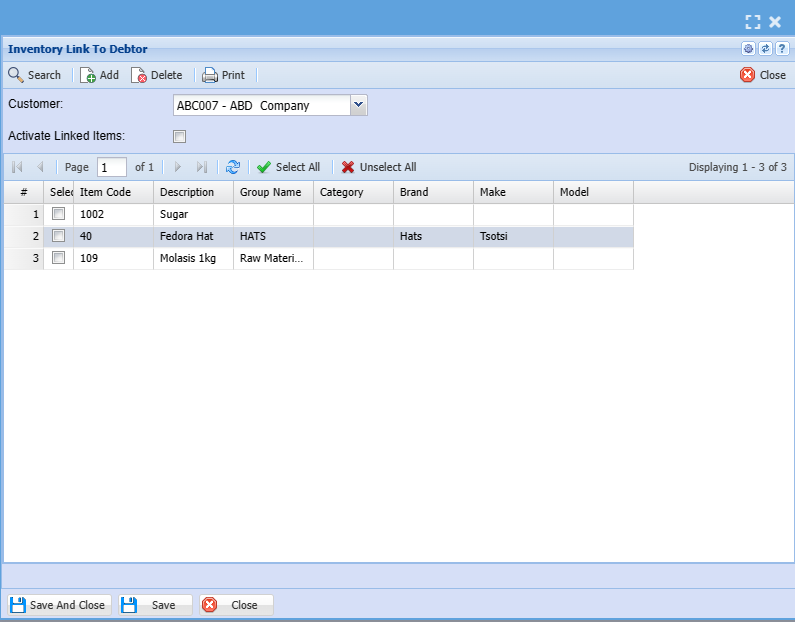
| Linked Inventory | Allows you to link inventory items to a debtor/ customer |
| Linked UOM | Allows you to link unit of measure to a debtor/ customer |
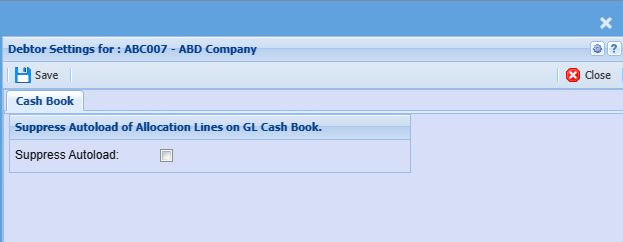
Debtor Settings
Put a tick to suppress autoload of allocation lines on the general ledger cash book
Leave a tick off if you do not wish to suppress autoload of allocation lines on the general ledger cash book
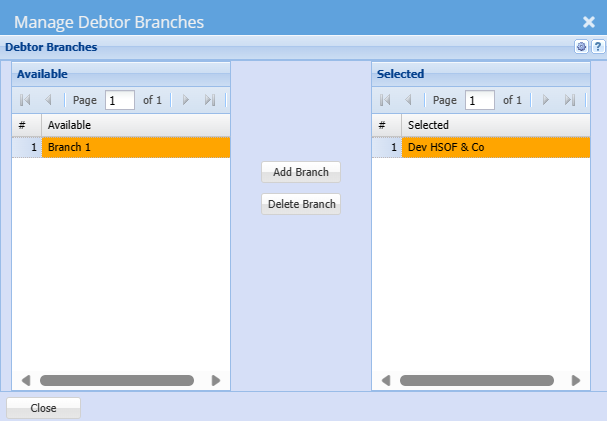
Company Profile Branches
This part shows debtors branches.
Select which items the customer has access to see by moving the branch fromOn the left columnyou will see a list of available Braches and to be able to select a branch you need to move it to the right.
To move branch to the right column.you need to highlight it and click on add branch or double click on it
Buttons
| Add Branch |
If you don't want to click add branch you can double-click the branch you want to select or move across |
| Delete Branch |
|
Branch Link (Tick Is Head Office First)
Debtors module> Configuration> Debtors Setup
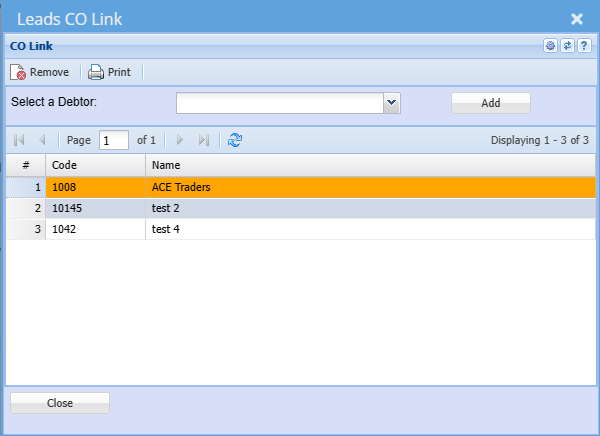
Tick on denotes - Head office
Links Branches to the head office
Branch Ledger Accounts
It’s where debtor’s internal branches are setup for movement of transactions.
.png)
| Branch | select a branch |
| Is a Branch | if it’s a branch the box will be ticked |
| Sales Account | Sales account and Cost of Sales account should be selected for the movement of transaction between the branches |
| Cost of Sales Account |
Support Task

Linked Inventory
Linked UOM
