
Direct Debit
Debtors/ Customer Module> Configuration> Debtor/ Customer Setup> Gen Details Tab
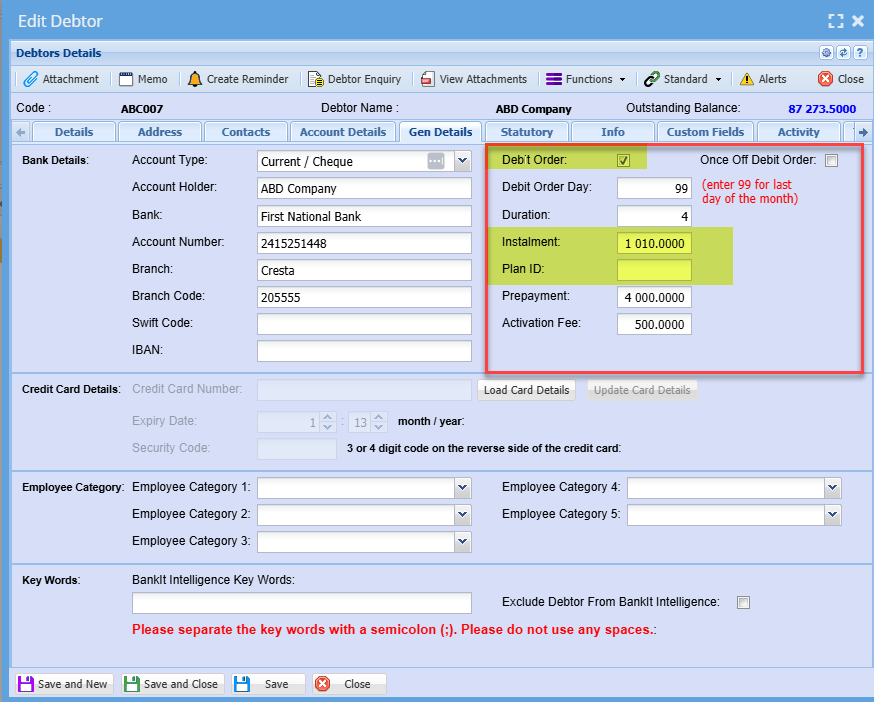
To setup customers with direct debit or direct order flag follow these two steps:
- Mark Debtor/ Customer as debit order by adding a tick to the tick box
- Input information all the necessary information required
Print or export a report on Direct Debit
.png)