
Debtors Setup Import
To import multiple new debtors/ customers accounts into the database, follow the below procedure:
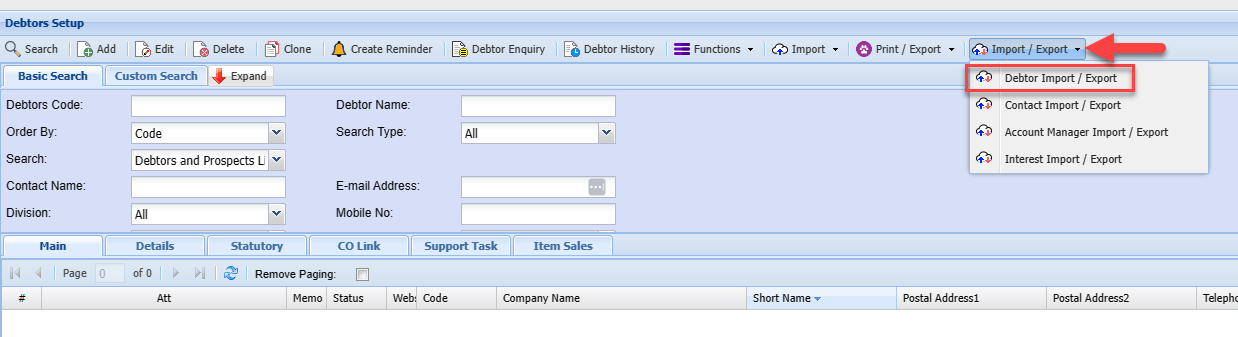
Go to DebtorsDebtors/Customer Module> Configuration> DebtorDebtor/Customer Setup> Import/ Export Drop Down
- Click the Import/ Export Drop down
- Select Debtor/Customer Import/Export
SelectYou Debtor/can Customerthen Importdelete /the Exportexisting Dropdebtors/ Downcustomers and use the template to populate the information of the New debtors/ customers you wish to add into the system

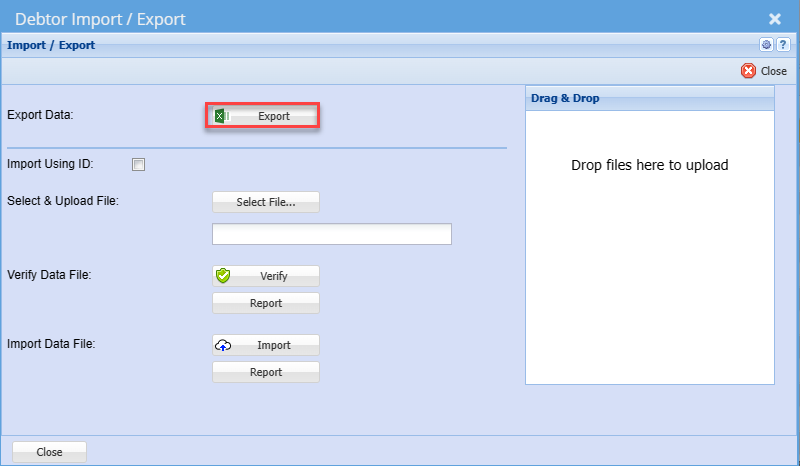
Export
You can click the Export button which will return the existing
debtorsdebtors/ customers listing into the required template for import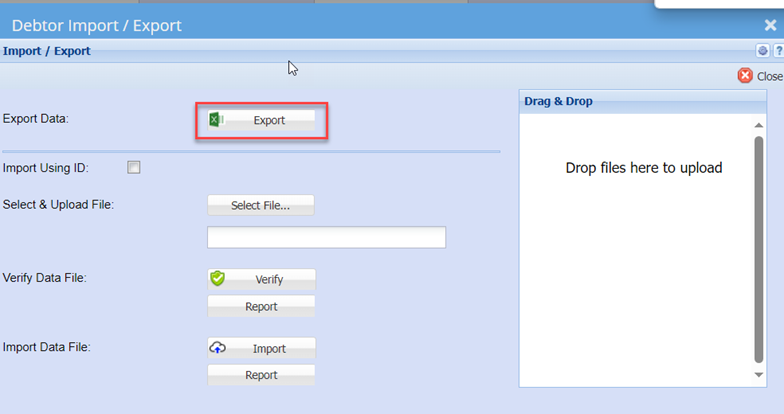
Import Using ID
Youcan
thenSelect
delete&Upload theFileexisting debtors and use the template to populate the information of the New debtors you wish to add into the system
Once you have the worksheet populated with the respective new debtors’ details, save the file as a normal Excel file.
Then go back to the Debtors Import/ export function (Above Screen shot)
Click the Select File Button to open your file explorer: search and select the import file you saved in the above step.
Verify
Click the Verify button
– to check for any errors on the import file
Import
Allows you to be able to import debtors/ Customers to the system
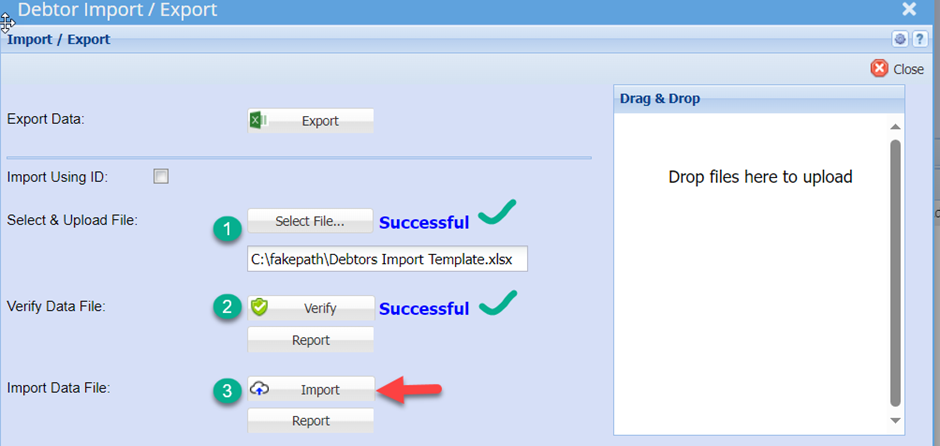
then you can click on report to see what is causing issues
click Thisthe shouldreport alsobutton returnbelow aimport to check if all Debtors/ Customers were loaded accordingly
Closeyou are happy with the window