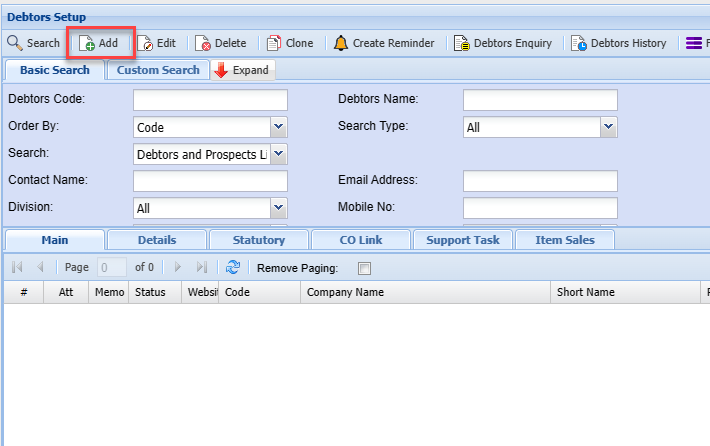
Debtor Customer Search
Debtors/ Customer Search
Video Training Manual 2016 - Click Here
Debtors / Customer Module> Configuration> Debtors / Customer Setup
This is where the user creates a new Debtor/ Customer or searches for an existing one
At the top of the screen under the Debtors Setup heading, there are 5 buttons and three drop down lists
System Buttons
Basic Search tab, if the debtor’s code in the basic search Tab or debtor’s name is left blank, this will bring back all the debtors listed in the system sorted alphabetically. If the cursor is placed on name at the column head, this will sort the names A-Z or Z-A as preferred.
Custom Search tab, Custom search searches according to the category selection on the drop-down arrow and the system will bring back all that is selected on the category.
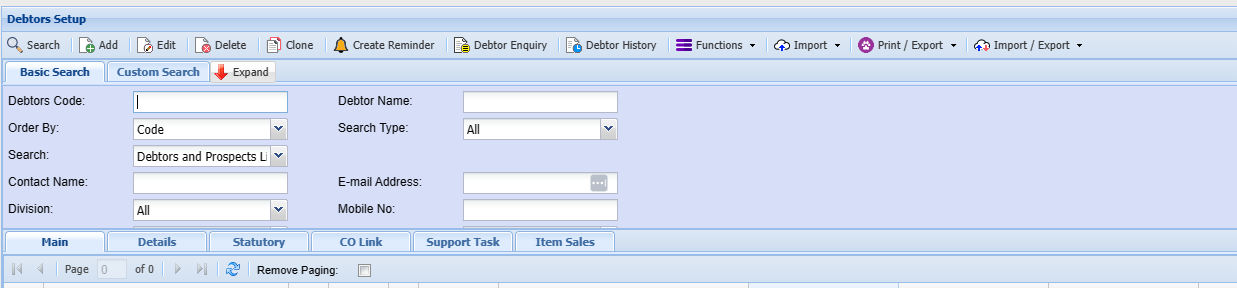
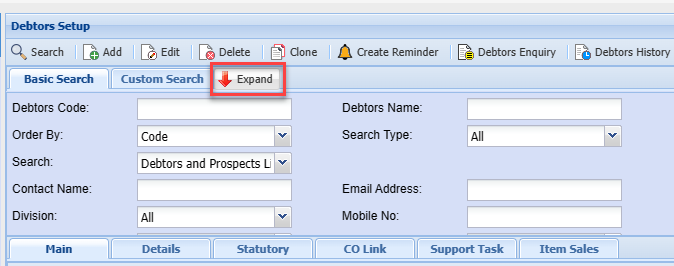
Expand button
To show more search filter criteria or Contract button to show less search filter criteria
Click on Expand button
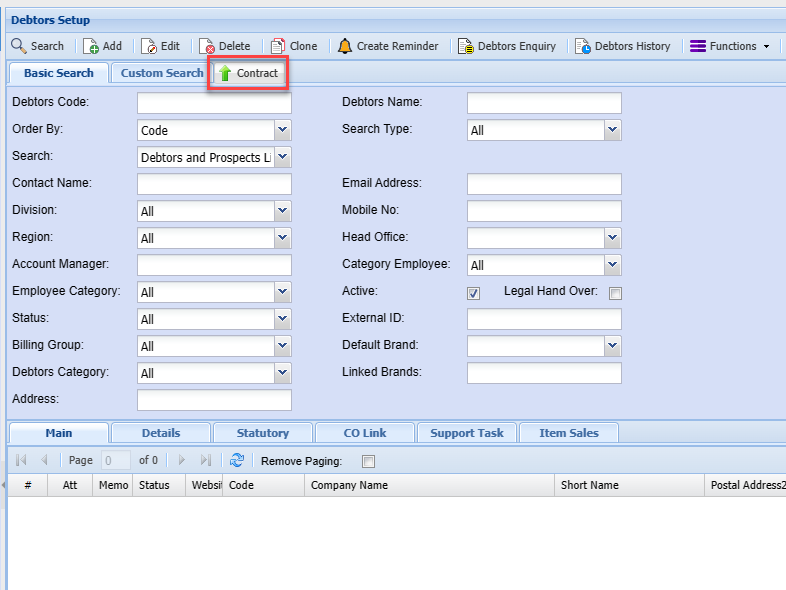
Blank = All
| Debtors Code |
Search on Debtors code or part of the code |
| Order By | Order by Code, Description |
| Search | Filter by Debtors, Prospects or and opportunities |
| Contact name | |
| Division | |
| Region | |
| Account manager |
Add Button
To create a new Debtor/ Customer you need to click on the add button