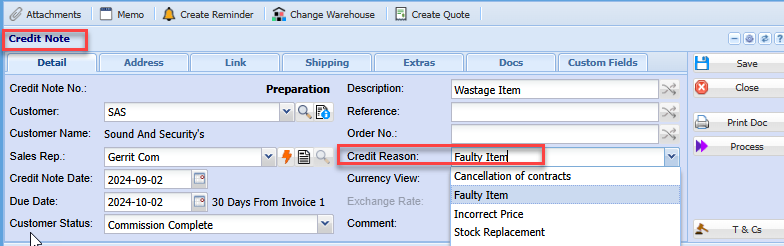
Credit Reason
Credit Reason Setup
To be able to select a credit reason on credit notes credit reasons applicable to your business needs to be created first
To add or edit a credit reasaon go to:
Debtors module> Configuration> Add. Debtor Properties> Credit Reason
Click the tab Credit Reason
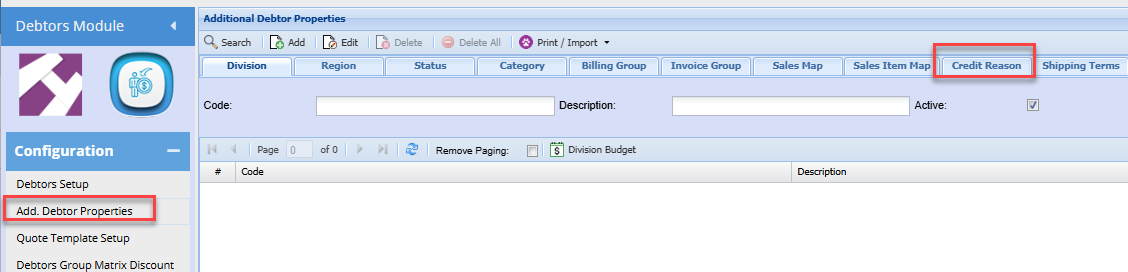
Click Add (To create a new Category)
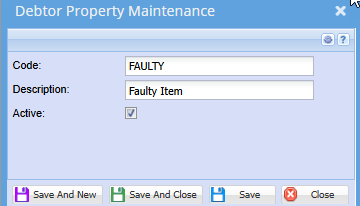
Enter a Code and Description
Click Save and close or,
Save and New to add another Credit reason
Once all reasons have been setup, this will allow the user to select the applicable reason for the credit note when capturing a credit note.