
Category Setup
AdditionalTo Debtorbe Propertiesable to select a category from debtor setup or to update debtors import the category needs to be created first
This is where the category is created
To add or edit a category go to:
Debtors module> Configuration> Add. Debtor Properties
To import the debtor updates, the respective field must exist on the system.
Example,> Category C, D, etc. must already have been setup on the system.Tab
To create or edit these fields, go to
Click the Category Tab
.png)
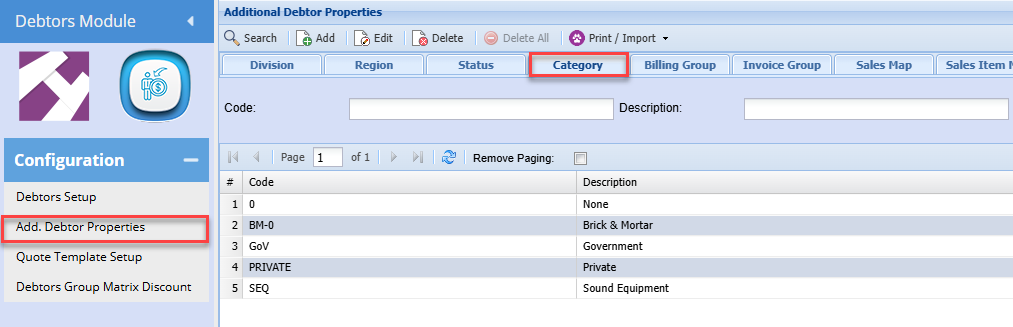
Click Add (To create a new Category)
.png)

| Code | Enter a Category Code |
| Description | Enter a Category Description |
Click Save and close
To edit an existing Category, Highlight the required Category and Click Edit