
Branch Link Process
Linking Debtor branch accounts to Head office account
Debtor sub-accounts are clients that have multiple branches or outlets where the invoice is generated against the specific branch and payment is made by the Head office or main account
Debtor statements can thus be generated for the head office account with details of purchases by the individual branches
To setup and link debtor accounts to a main account:
Go to debtor Module> Configuration> Debtor Setup
Create a debtor account for each individual branch including the main head office account
On the head office account setup, select or activate the “is Head office” tick box
Close the account setup and reopen or edit
Click the Standard Dropdown
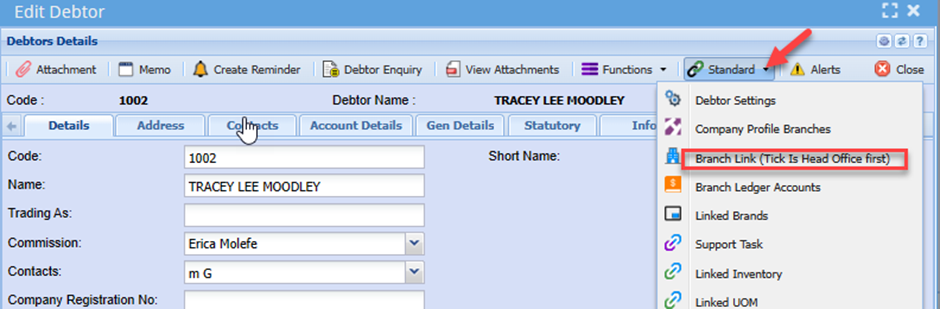
Select Branch Link
Enter the debtor code of the sub-account or branch account
Click add
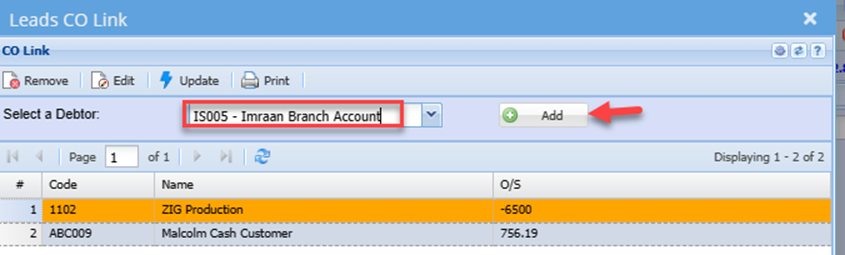
Enter the next branch account and click add
Once all branch accounts have been linked:
Click save and close