
Website Support Groups
(1).png)
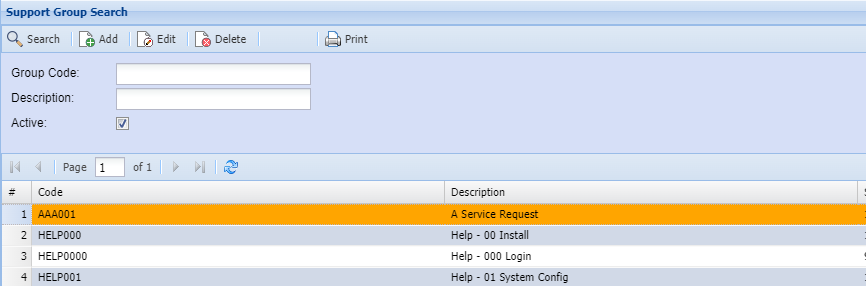
This is where the user creates a new Website Support Groups or search for an existing one.
SearchCRM buttonModule> allowsConfiguration> aWebsite userSupport to search using filter options.Groups.
If no filter options are selected all Website Support Groups records are displayed on the gird.
At the top of the screen on the navigation ribbon, there are 5 buttons
| Group Code | Search button allows a user to search using filter options. |
| Description | |
| Active | Searching for Active or Inactive Website Support Groups |
| Search | |
| Add | |
| Edit | |
| Delete | |
Active: Searching for Active or Inactive Website Support Groups