
Contract Maintenance Setup
Video trainingTraining manualManual 2016 - Click Here
Webatar > Configuration> Contract Maintenance Setup
.png)
A service-level agreement (SLA) is a contract between a service provider and a user of that service SLA may specify or include the percentage of the time services will be available
ItCRM hasModule> fourConfiguration> tabs,Contract Billing Rate, SLA Task and SLA and Standard Tab and three system buttonsMaintenance
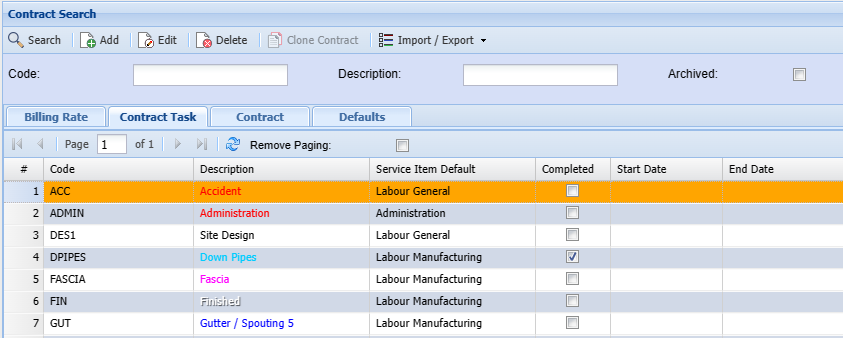
Billing Rate
Video training Manual 2016 - Click Here
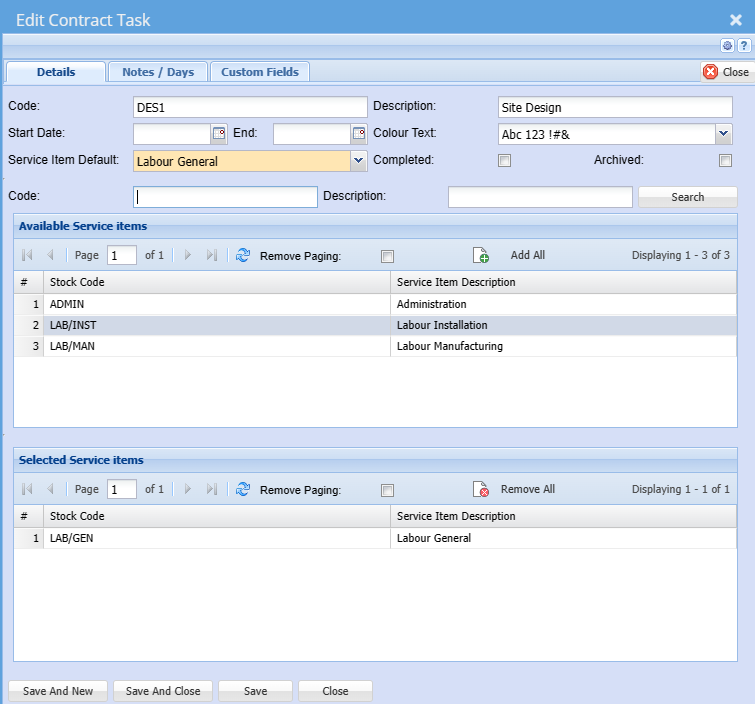
| Code | Enter the billing rate code |
| Description | Enter billing rate description or name |
| Start Date | The date could be set to a year if the tasks are to be reviewed yearly |
| End | The date could be set to a year if the tasks are to be reviewed yearly |
| Colour Text | |
| Service Item Default | This field allows the default service to be chosen from the selected list |
| Completed | |
| Archived | If the archived box is ticked, the billing rate will be achieved |
| Code | This field allows the user to search for an existing service item code |
| Description | This field allows the user to search for an existing service using the description |
| Available Service Items Grid | These will be the available service items that can be selected to be used in the service item for billing purposes |
| Selected Service Items Grid | These are the service items selected from the above list that will be available for use |
The date could be set to a year if the tasks are to be reviewed yearly
| Search | Search button |
| Add All | Allows the user to add existing items |
| Remove All | Allows the user to remove all selected items |
Note/Days
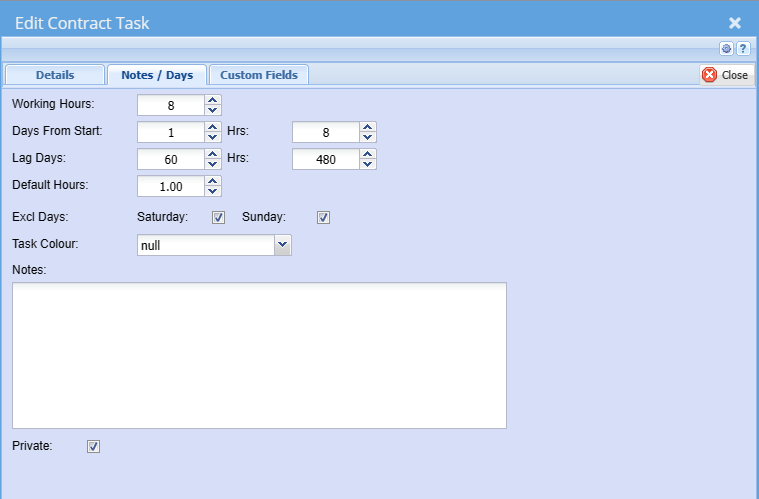
| Working Hours | |
| Days From Start | |
| Hrs | |
| Lag Days | |
| Hrs | |
| Default Hours | |
| Excl Days | |
| Text Colour | |
| Notes | Users can |
| Private |
Standard Tab which has three buttons:
Insert – to insert a new SLA
Amend - allow changes on existing SLA
Delete – Deletes the SLA