
Add Website Support Groups
(1).png)
This is where the user adds or edits a Website Support Group.
CRM Module> Configuration> Website Support Groups> Add/ Edit Button
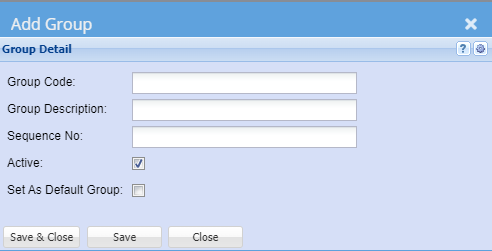
Group Code: enter Group Code
Group Description: enter Group Description
Sequence No: enter Sequence number of Group Detail
Active: Searching for Active or Inactive Website Support Groups