
Additional Creditor Properties Help
Creditors Module>Configuration > Add Creditor Properties
.png)
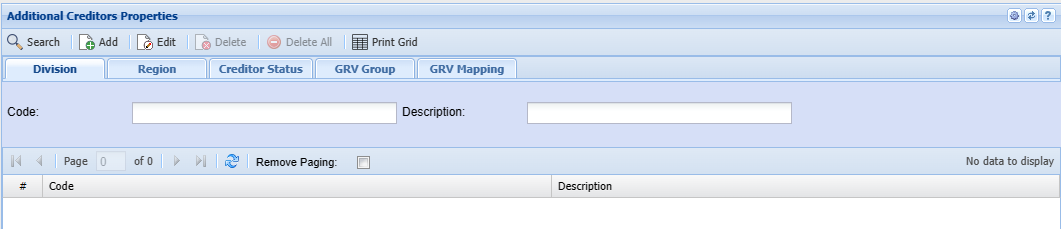
Additional Creditors Properties Help
This form allows the user to set up Divisions, Regions, Creditor Statuses as well as GRV Groups and Mappings.
| Add |
Depending on the selected tab, this will allow the user to add divisions, regions, Creditor Statuses, GRV Groups and GRV Mappings |
| Edit |
Depending on the selected tab, this will allow the user to edit divisions, regions, Creditor Statuses, GRV Groups and GRV Mappings |
| Delete |
Depending on the selected tab, this will allow the user to delete divisions, regions, Creditor Statuses, GRV Groups and GRV Mappings |
| Delete All |
this will allow the user to delete all the GRV Mapping items |
| Print Grid | Enabled on the GRV Mapping tab |
Division Tab
Search by entering the Code or the description
Click Add to add new Division

| Description | |
| Active | |
| Charge Up Job Time |
Region Tab
searchSearch by entering the Code or the description
Click Add to add a new Region
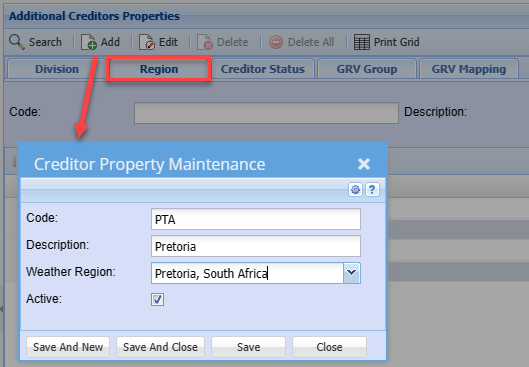
| Code | |
| Weather Region | |
| Active Tick |
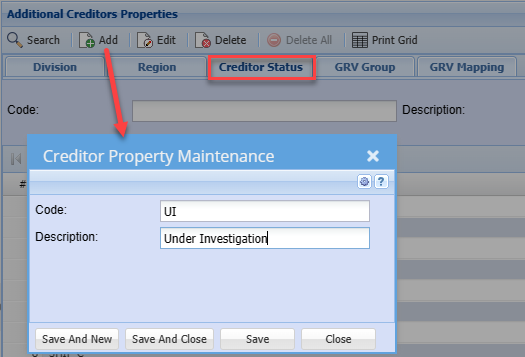
Creditor Status Tab
searchSearch by entering the Code or the description
Click Click Click Add to add a new GRV Mapping Add to add a new Creditor Status
GRV Group Tab
searchSearch by entering the Code or the descriptionAdd to add a new GRV
TabGroupsearch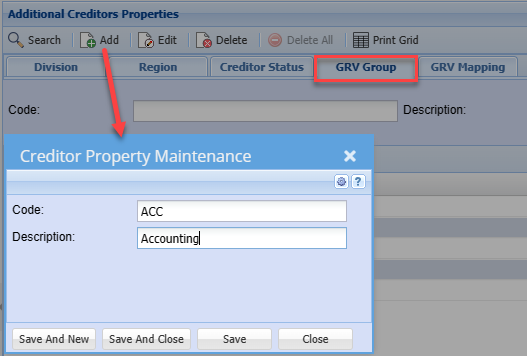
byenteringthe
Codeorthe description
GRV Mapping Tab
allowsAllows the user to search by selecting Division, Region and GRV Group from the drop-down arrow.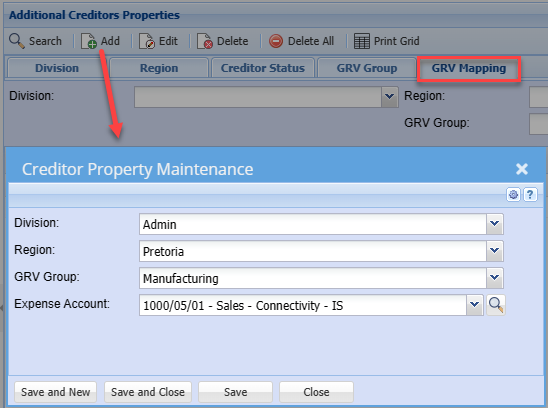
Division
Region
GRV Group
Expense Account