
Add Edit Creditor
Adding or Editing a new Creditor / Supplier.
This has many tabs and sections to be filled in.
Details Tab
In this section add the basic information for the Creditor
Minimum details are Creditor Code and Name
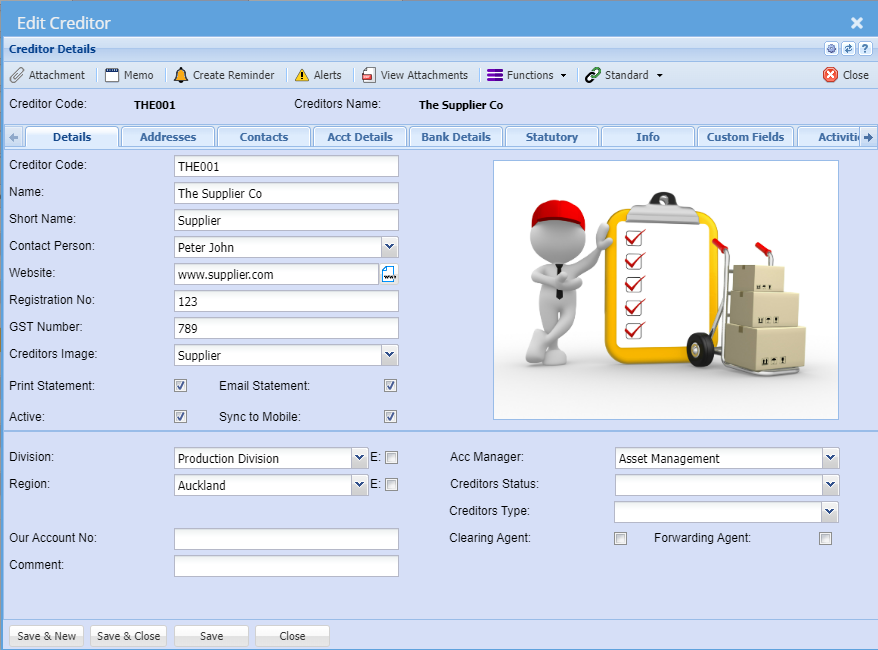
| Creditors Code |
Create a unique code that identifies the supplier/creditor. The Code field can be Alfa Numeric and over 200 Characters long |
| Name |
Enter the name of the supplier/creditor. The Name field can be Alfa Numeric and over 500 Characters long |
| Contact Person | This is a drop down and only shows contact Names which has being entered from the Contact Persons tab: A default contact person can be added against the Supplier |
| Tax Number | Enter the tax number for the Supplier |
| Registration No | Enter the registration number for the Supplier |
| Creditor Image |
This drop down will only shows Images which have being uploaded as attachments. Select an image for the creditor to show on the right |
Address Tab
Fill in the Physical, Postal and Delivery addresses in the Address Tab. There are buttons called “Same as Physical” etc., once the Postal area button is clicked, it will copy all the details from the Physical Address to the Postal address.
The system also allows the entering of multiple Delivery addresses. All addresses created can be selected at the time of the documents i.e. Purchase Orders.
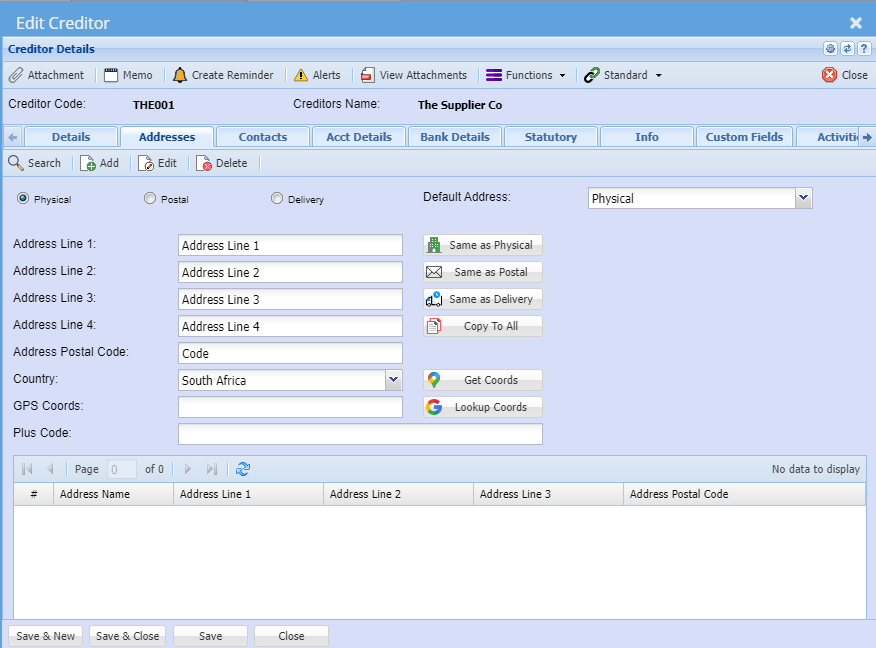
| Physical | Physical address default setting |
| Postal | |
| Delivery | |
| Default Address | This can be selected to be used whenever a document is created, you can override the address selection at the document level. |
| Address Line 1 | |
| Address Line 2 | |
| Address Line 3 | |
| Address Line 4 | |
| Address Postal Code | |
| Country | |
| GPS Coords | |
| Plus Code | |
| User defined address grid |
| Same as Physical | |
| Same as Postal | |
| Same as Delivery | |
| Copy to All | |
| Get Coords | |
| Lookup Coords |
Contacts Tab