# Utility
# Duplicate Entry Fix
Fixing out of balance entry
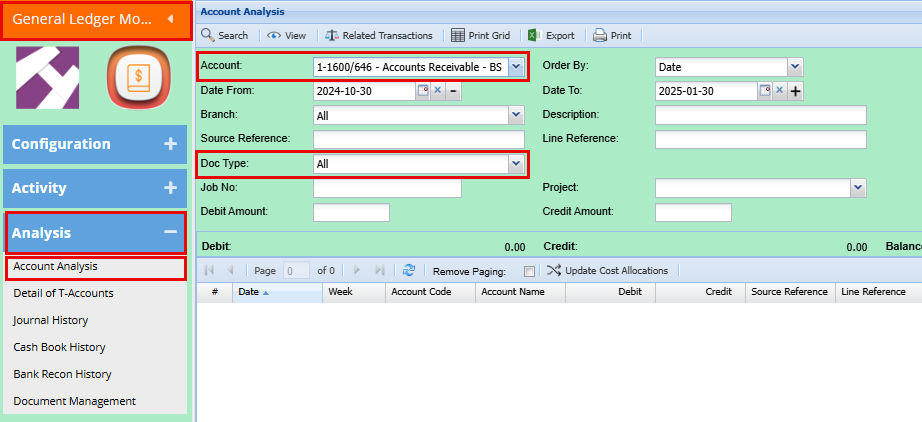
**General Ledger Module > Analysis > Account Analysis**
In the Account drop down menu, look for Accounts Receivable
Take your date back to the first of the previous month
Change Doc Type to Invoices
Click Search
[](https://hugeerp10.co.za/hsofmanual/uploads/images/gallery/2025-01/86iimage.png)
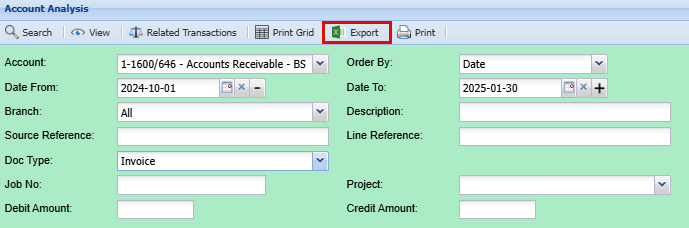
Export your search to excel
[](https://hugeerp10.co.za/hsofmanual/uploads/images/gallery/2025-01/KYCimage.png)
Freeze the top row
Add filters
Sort the "Transactions Reference" Column A-Z
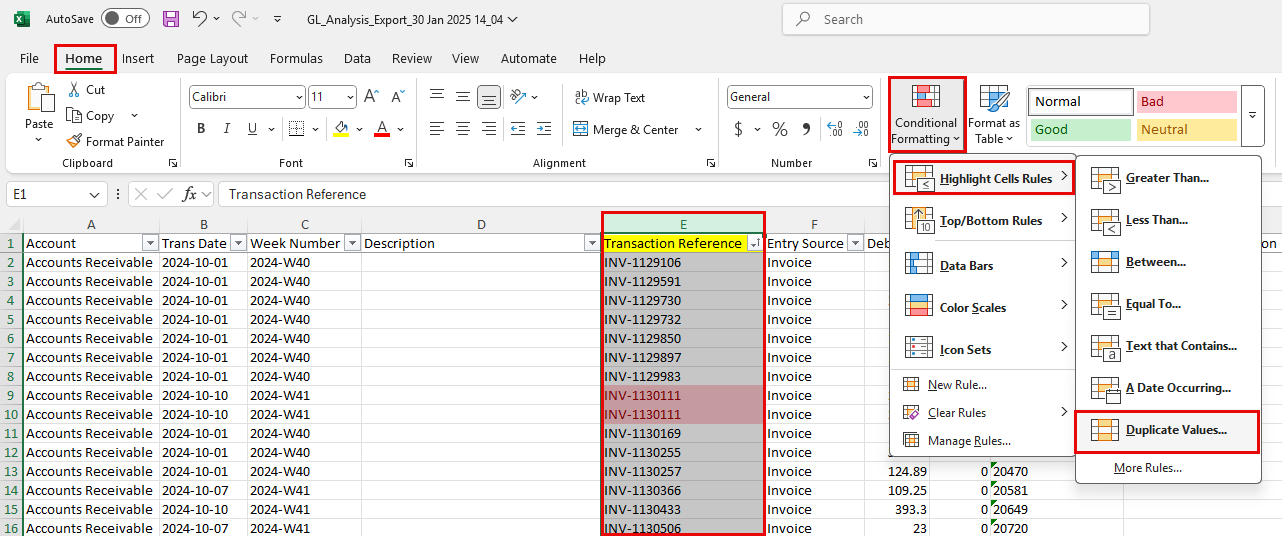
Highlight the "Transactions Reference" Column
Click Home > Conditional Formatting > Highlight Cells Rules > Duplicate Values
Click Ok
[](https://hugeerp10.co.za/hsofmanual/uploads/images/gallery/2025-01/M0aimage.png)
This will now highlight the duplicated in light red with Dark red writing
Scroll through the spreadsheet and make not of the duplicate Transactions.
Go back into the system
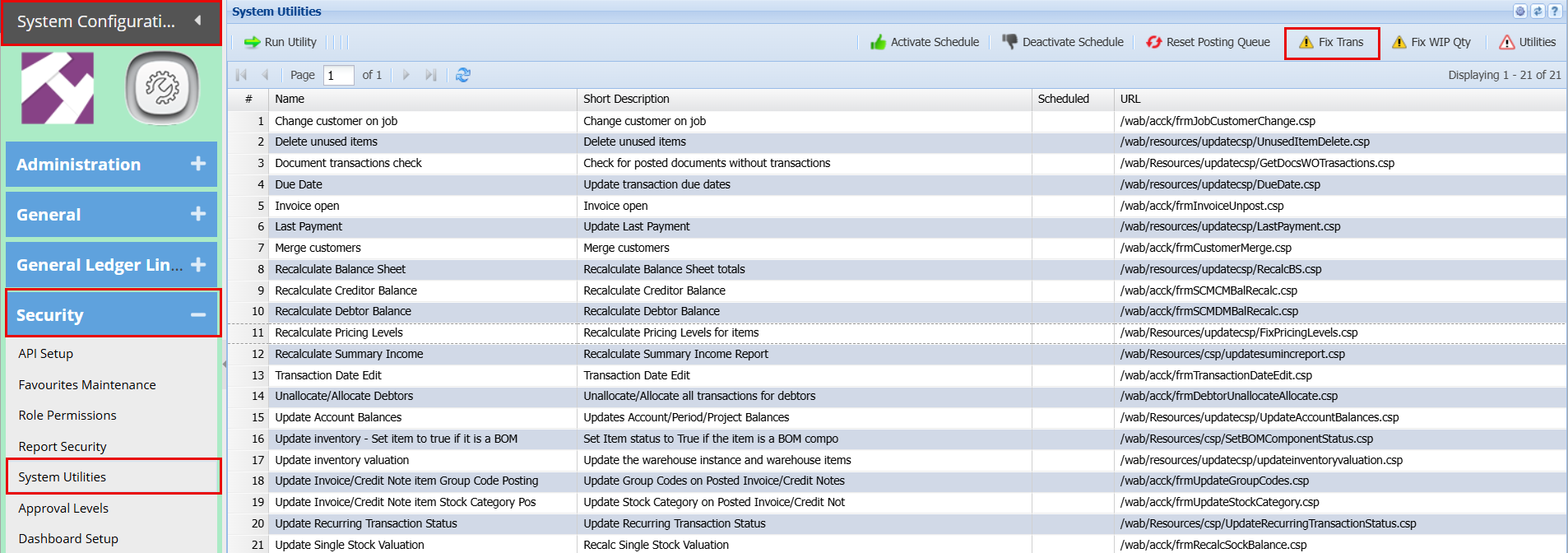
**System Configuration Module > Security > System Utilities**
Click Fix Trans at the top right
[](https://hugeerp10.co.za/hsofmanual/uploads/images/gallery/2025-01/1wiimage.png)
Add Password
[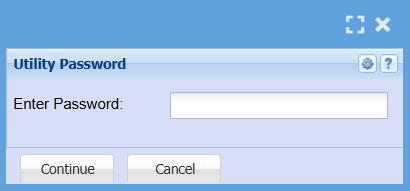](https://hugeerp10.co.za/hsofmanual/uploads/images/gallery/2025-01/UrAimage.png)
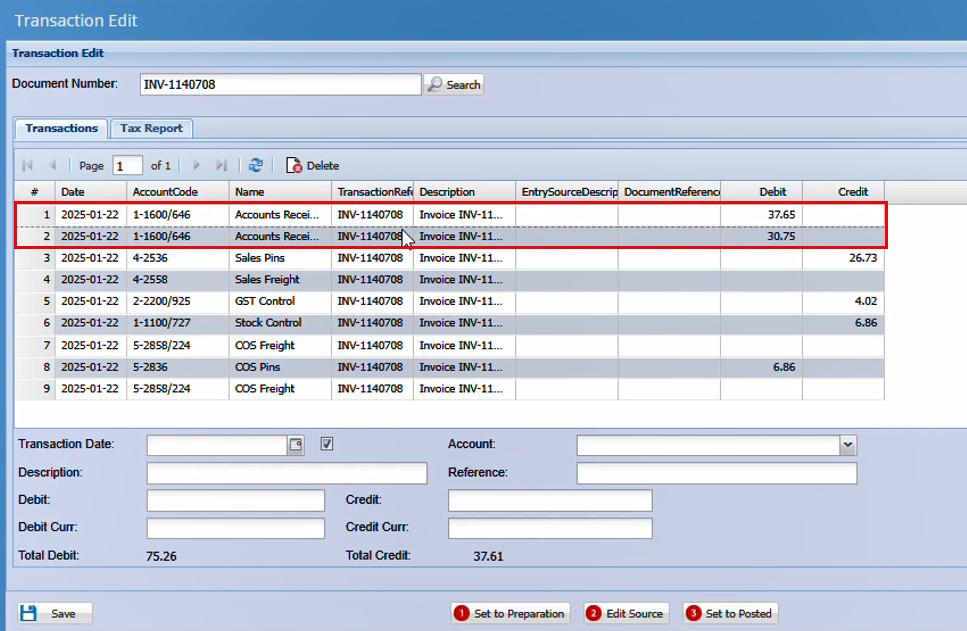
From your spreadsheet copy and paste one of the duplicate invoice numbers into the Document number box and click search.
You will see two accounts receivable lines at the top.
Do not sort the columns
[](https://hugeerp10.co.za/hsofmanual/uploads/images/gallery/2025-02/image.png)
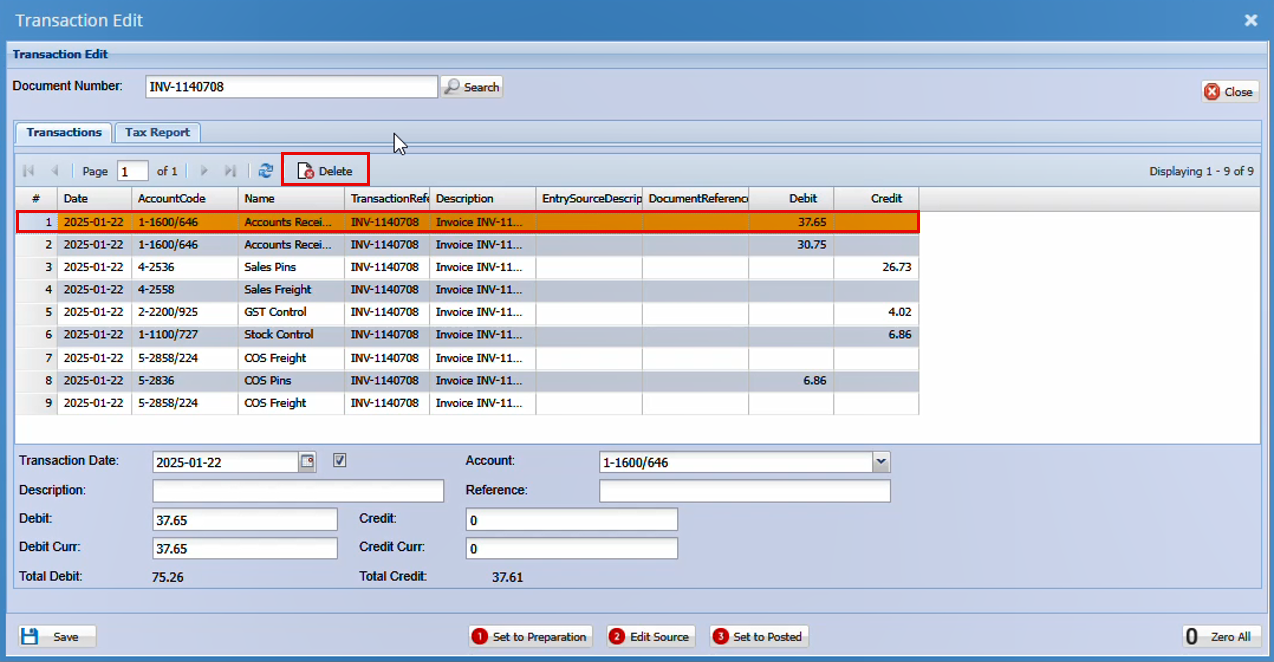
Click on and highlight the first line and click Delete.
Repeat this with all the duplicate transaction that were highlighted in your spreadsheet.
[](https://hugeerp10.co.za/hsofmanual/uploads/images/gallery/2025-02/Jyoimage.png)
##### Recalculating your Balance sheets
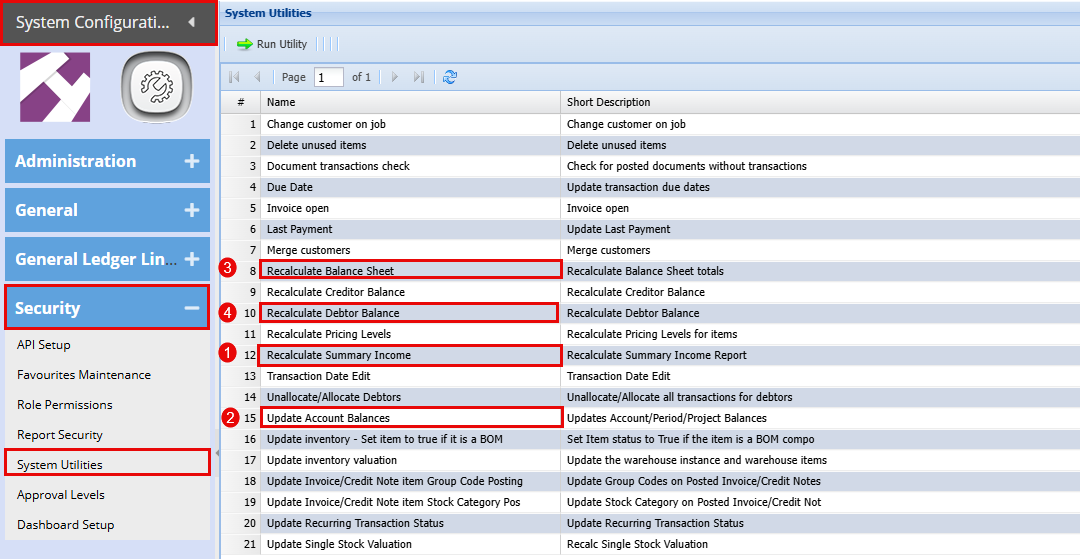
**System Configuration Module > Security > System Utilities**
Run the below utilities:
Double click on each line and click "Yes"
1. Recalculate Summary Income
2. Update Account Balances
3. Recalculate Balance Sheet
4. Recalculate Debtor Balance
[](https://hugeerp10.co.za/hsofmanual/uploads/images/gallery/2025-02/63oimage.png)
##### Balance Check
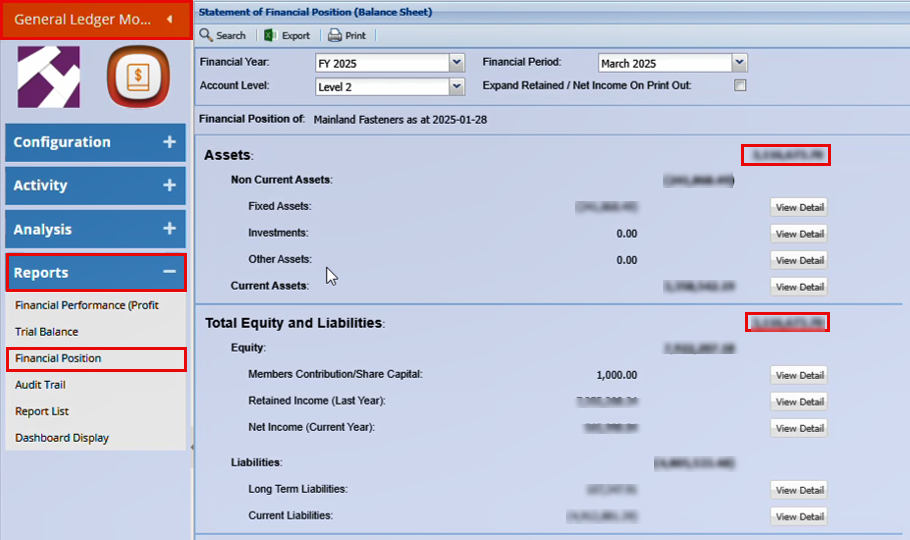
**General Ledger Module > Reports> Financial Performance**
[](https://hugeerp10.co.za/hsofmanual/uploads/images/gallery/2025-02/hzximage.png)