**WARNING**
Use this new feature with care. It allows one to change the transaction date of posted documents. This will update the document, general ledger transactions and tax tables. Not recommended if you have submitted Taxes (VAT or GST) to government organizations.Balances recalculations to be run after changes
If you are changing transactions in different periods, run the system recalculations to update balances in those periods. Go to System Utilities (system recalculations) [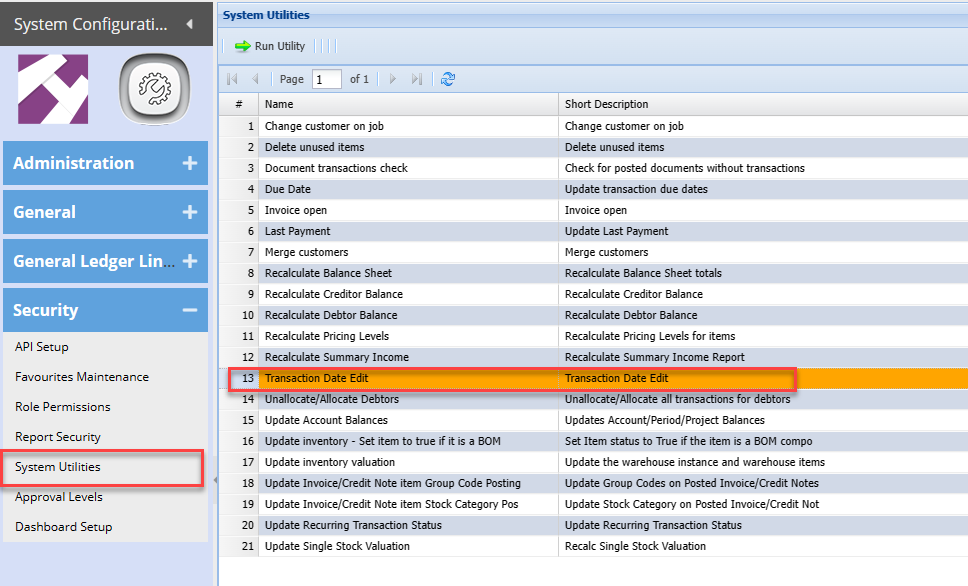](https://hugeerp10.co.za/hsofmanual/uploads/images/gallery/2024-03/4Wbimage.png) Enter the exact document number, it must include full document number - INV370 1. Enter the document number 2. Click on Search to find document 3. Change to new date 4. Click on Save to update transaction [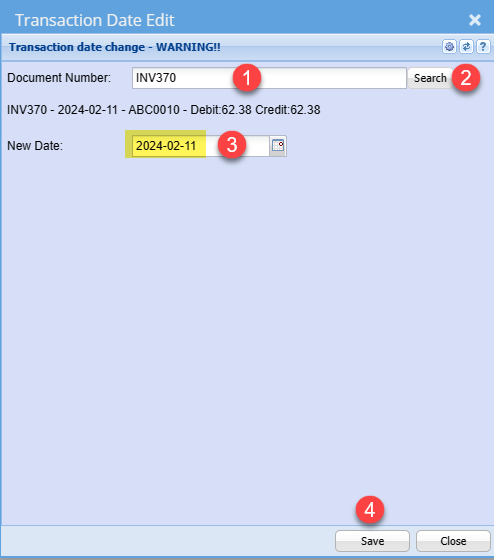](https://hugeerp10.co.za/hsofmanual/uploads/images/gallery/2024-03/jZsimage.png) --- #### Recalculate balances After updating a date of a transaction, run recalculations to update balances. There is a possibility that your reports will be out of sync [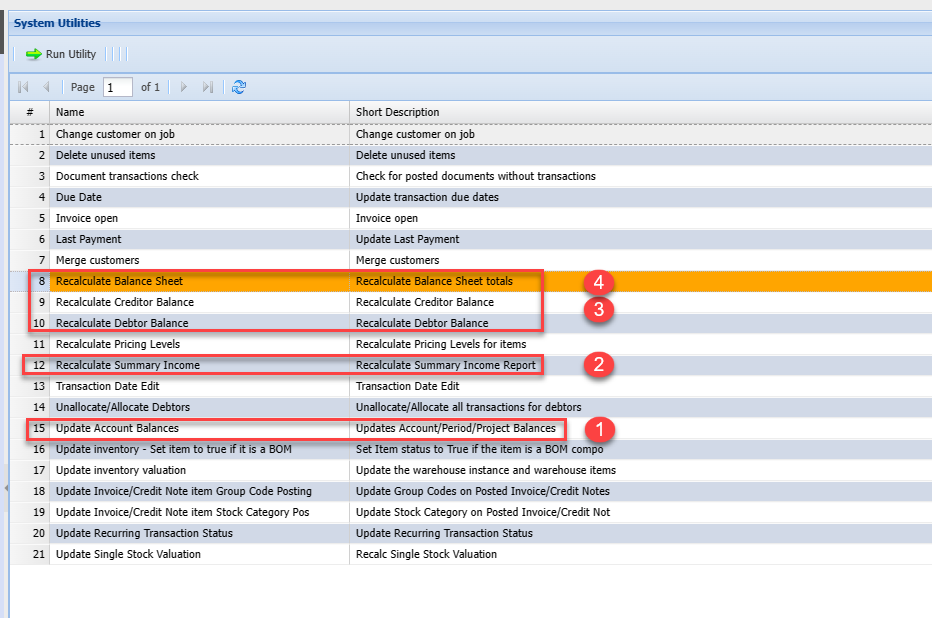](https://hugeerp10.co.za/hsofmanual/uploads/images/gallery/2024-03/Duhimage.png) --- #### User log The change will be logged in the user log as proof a user changed a date on a document [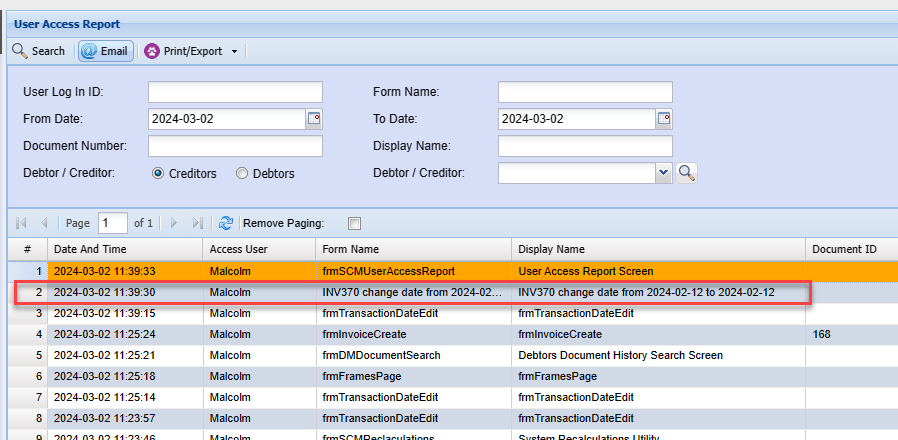](https://hugeerp10.co.za/hsofmanual/uploads/images/gallery/2024-03/SGRimage.png)