# Dashboard Setup

# Dashboard Setup

<span class="ts15">System Configuration&gt; Security&gt; </span><span class="ts15">Dashboard Setup</span>

<span class="ts0">Dashboards allow one to view information on screen either via grid, bar graph or line graph.</span>

<span class="ts0">There are multiple different types of dashboards.</span>

<span class="ts0">Dashboards can be on a timer basis and put up on a wall for people to see.</span>

<span class="ts0">Dashboards can have 3 different views</span>

<table border="1" id="bkmrk-1-one-quadrant-full-" style="border-collapse: collapse; width: 39.3827%;"><colgroup><col style="width: 13.8357%;"></col><col style="width: 86.1015%;"></col></colgroup><tbody><tr><td>1</td><td><span class="ts0">One quadrant full screen.</span></td></tr><tr><td>2</td><td><span class="ts0">Two quadrants duel screen</span></td></tr><tr><td>3</td><td><span class="ts0">Four quadrants</span></td></tr></tbody></table>

<span class="ts0">They are dashboards for sales, general Ledger and suppliers. Each of the dashboards have specific criteria’s which can be modified</span>

<span class="ts0"> </span>![](https://hugeerp0.co.za/csp/webhelp/topics/images/image(2671).png)

# Dashboard Quadrant Maintenance

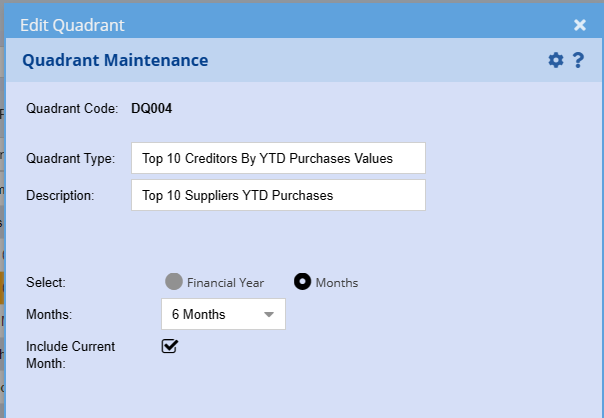
There are multiple dashboards that can be added to be used in your dashboard

Click on Add to define which dashboard you want and define your criteria

Each dashboard has its own criteria to match your requirements

[![image.png](https://hugeerp10.co.za/hsofmanual/uploads/images/gallery/2023-12/scaled-1680-/5Pvimage.png)](https://hugeerp10.co.za/hsofmanual/uploads/images/gallery/2023-12/5Pvimage.png)
# Sales Projected Dashboard

<span class="ts0">Video manual - [Click Here](https://vimeo.com/355400699)</span>

<span class="ts0">This looks at the projected sales for the current month</span>

<span class="ts0">Invoices processed less credit notes processed plus invoices in preparation plus invoices in recurring plus sales orders and quotations equal Total</span>

<span class="ts19"> </span>![](https://hugeerp0.co.za/csp/webhelp/topics/images/image(2674).png)

<span class="ts19"> </span>![](https://hugeerp0.co.za/csp/webhelp/topics/images/image(2673).png)

<span class="ts0"> </span>![](https://hugeerp0.co.za/csp/webhelp/topics/images/image(2672).png)

<span class="ts0"> </span>![](https://hugeerp0.co.za/csp/webhelp/topics/images/image(2675).png)

# Total Daily Sales

<span class="ts0">This looks at the total sales per day for the current month</span>

<span class="ts0">Invoices processed less credit notes processed equal Total</span>

<span class="ts0">Total daily sales can be viewed by Bar or line graph</span>

<span class="ts0"> </span>![](https://hugeerp0.co.za/csp/webhelp/topics/images/image(3134).png)

<span class="ts0"> </span><span class="ts0"> </span><span class="ts0">Graph view sample</span>

<span class="ts0"> </span>![](https://hugeerp0.co.za/csp/webhelp/topics/images/image(3133).png)

# Monthly Total Sales

<span class="ts0">This is displayed as a Donut Effect</span>

<span class="ts0">Input your monthly target</span>

<span class="ts0">Select the size of the Donut in percentage</span>

<span class="ts0">Select a Donut colour</span>

<span class="ts0"> </span>![](https://hugeerp0.co.za/csp/webhelp/topics/images/image(3335).png)