Report Request
Report Request Button
Report request button allows you to schedule large reports to be run either in the evening or early morning and you can also share this with other users.
The output of the report is either in Excel and or PDF.
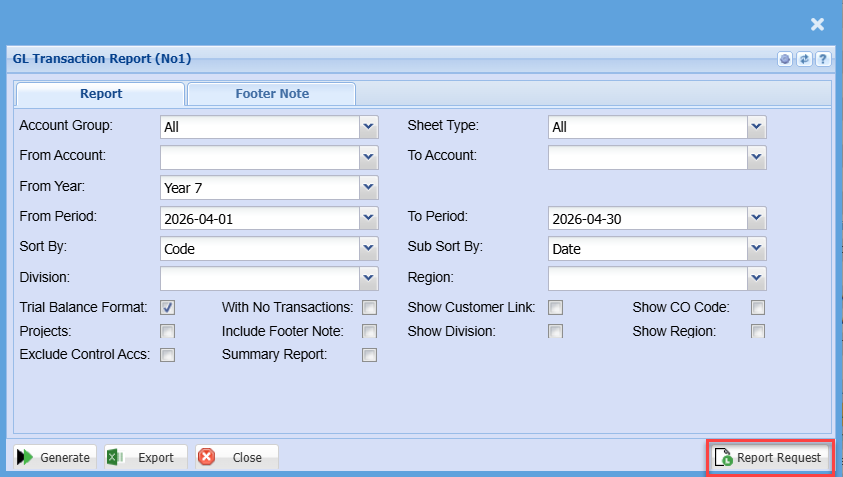
When clicking on the Report Request button this screen will appear
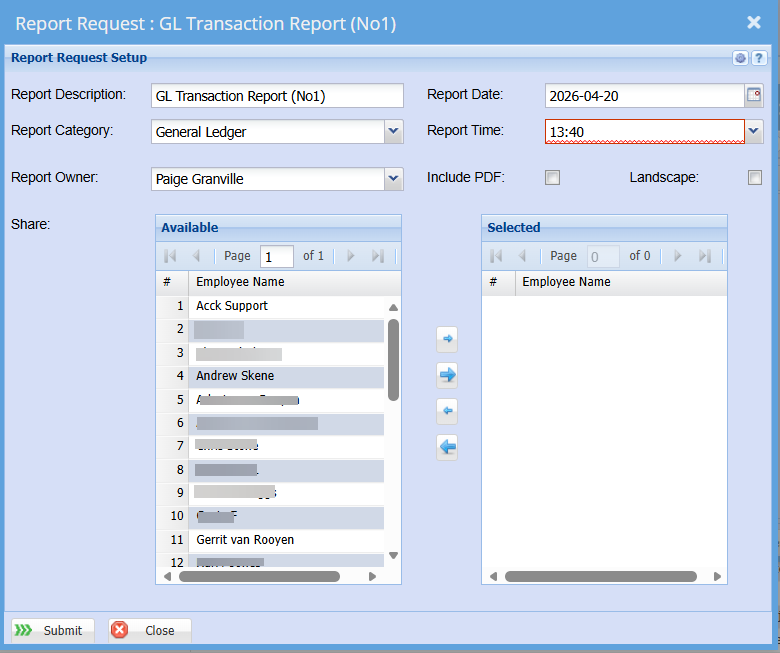
Report Request List
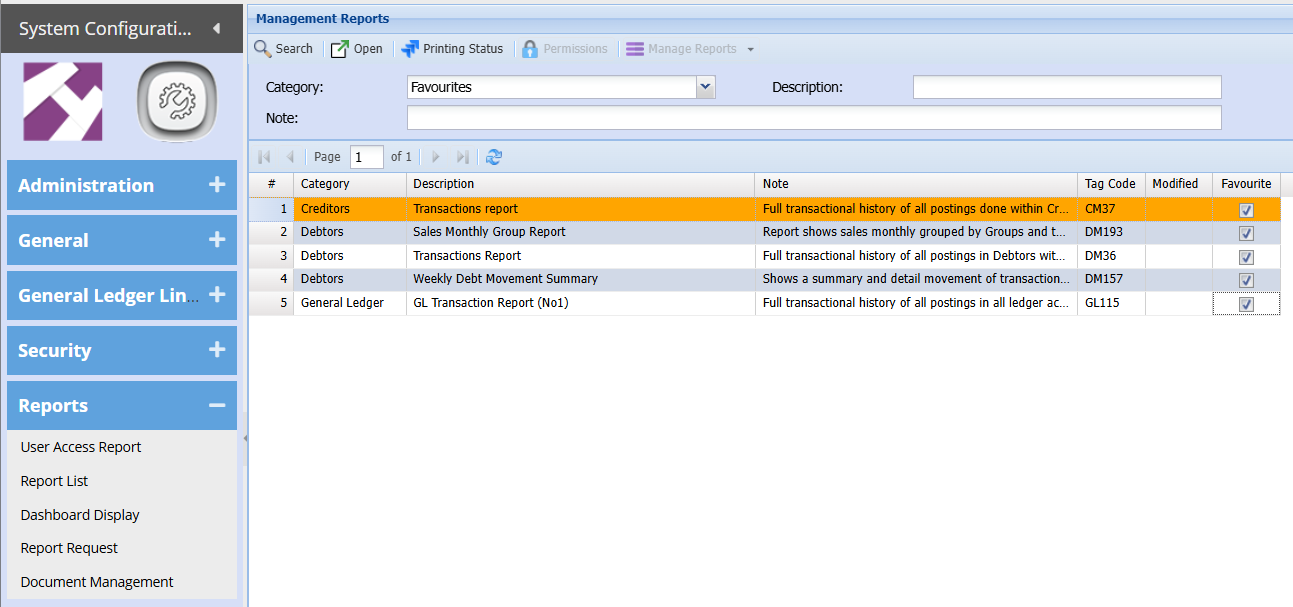
The report request is only uncertain reports. It is mainly on reports that take long to run if there is a massive amount of data .
The current reports are as follows:
1. General Ledger transaction report number one
2. Sales monthly group report
3. Customers debtors transaction report
4. Suppliers creditors transaction report
5. Weekly debt movement summary
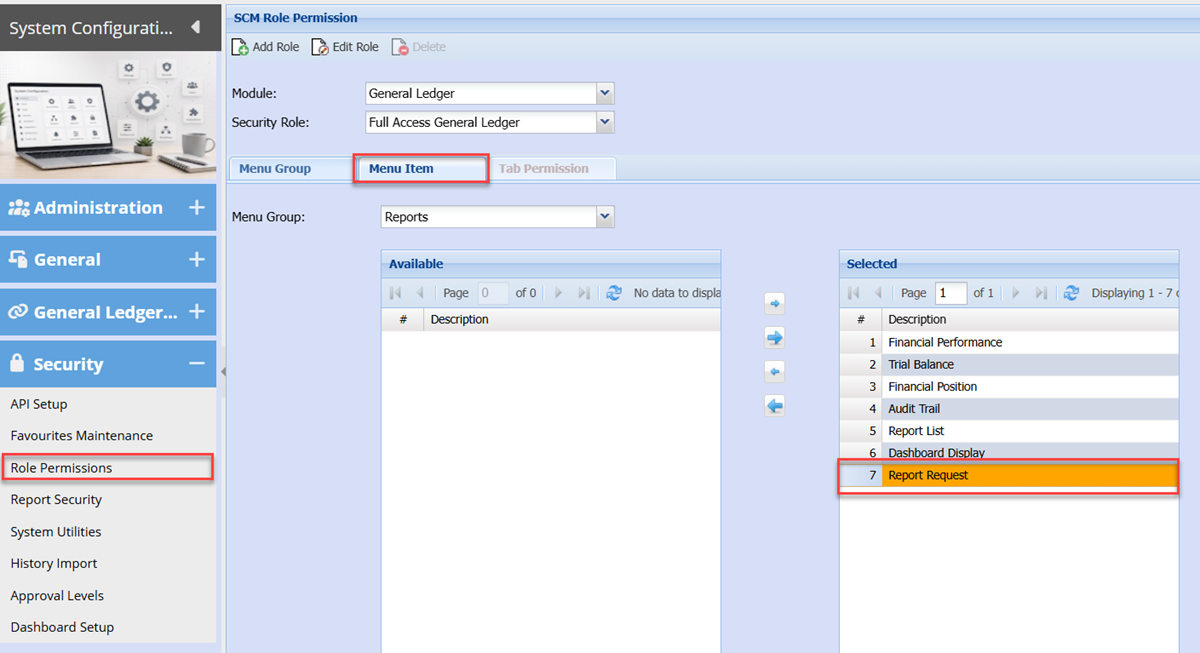
Report Request Security Setup
To view the report request menu item, go to system configuration> security> roll permissions.
Find the module that you want the report request to be accessed. It is under a report list only.
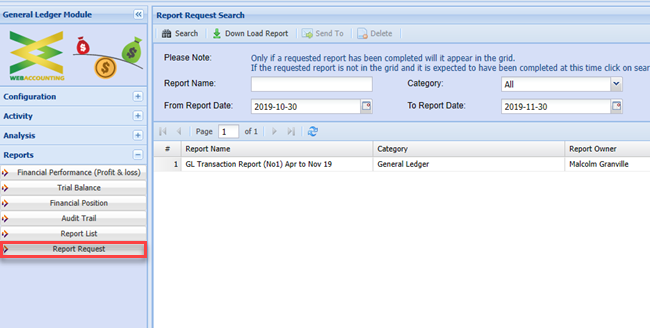
Report Request Download
To access the report request after you have set up your security.
After you click on the menu item report request, search for the report that you had generated and then click on the download report button.
This will give you an area that allows you to download the report to your computer.