# Job Management Letter/Note Template
##### Where to find Job Management Letter Templates
There are two places within the Job management where you can pull in templates to record job information and Notes. These templates are set up in CRM Module.
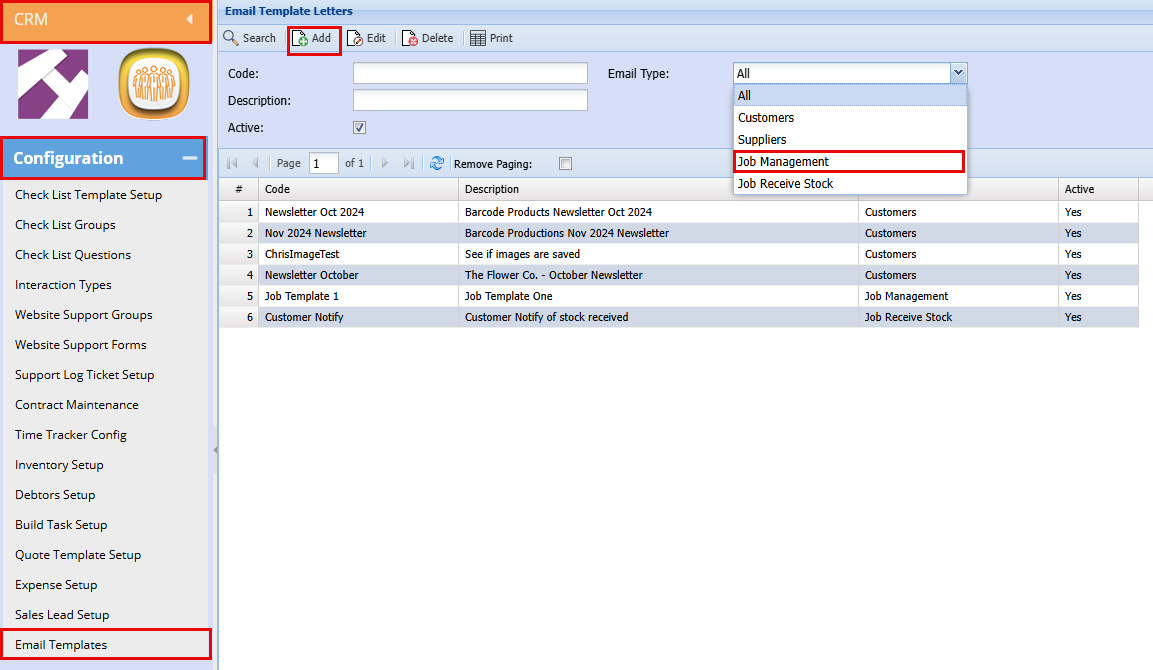
**CRM > Configuration > Email Template**
- Use the email drop-down below to filter the Job Management templates.
- Click "Add" to add a new template
[](https://hugeerp10.co.za/hsofmanual/uploads/images/gallery/2026-04/Sybimage.png)
##### Creating a new Template for Job Managing
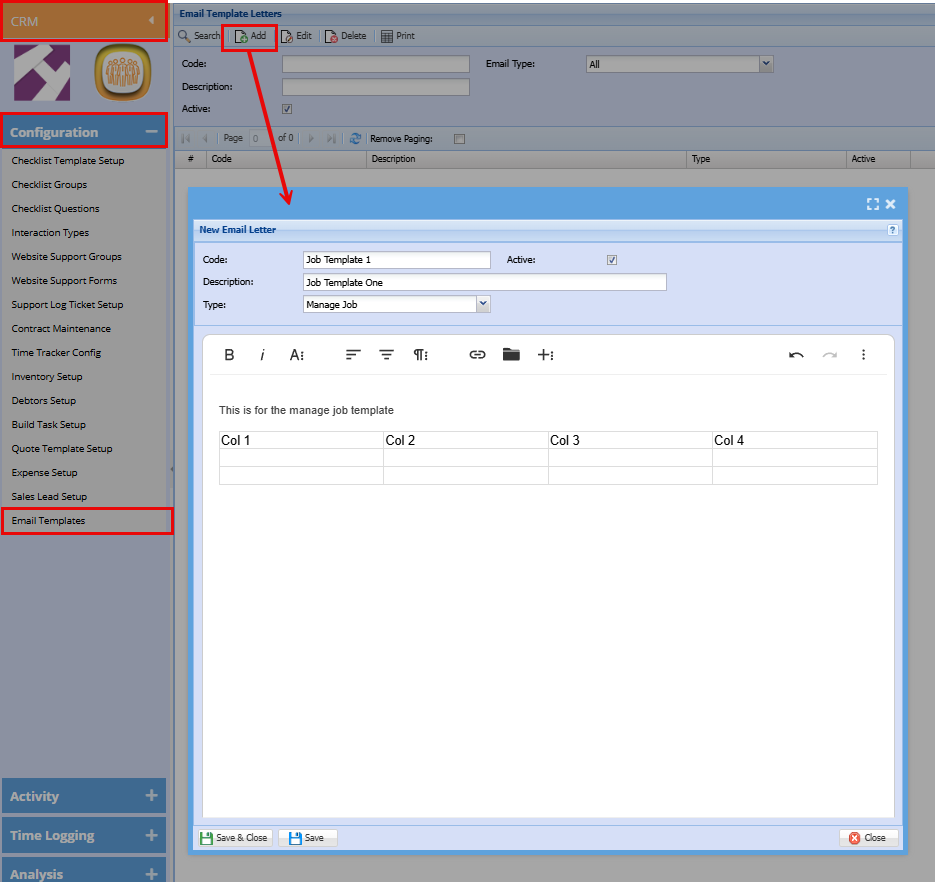
Add the below for your template as shown below:
- **Code**
- **Description**
- Choose the type "**Manage Job**"
- Add your template, here you will be able to design your template by adding text, images, grids, links etc.
- Click "**Save & Close**"
[](https://hugeerp10.co.za/hsofmanual/uploads/images/gallery/2026-04/wlsimage.png)
##### Where to Add a Job Management Letter Templates
Job costing has two locations where the templates can be pulled in.
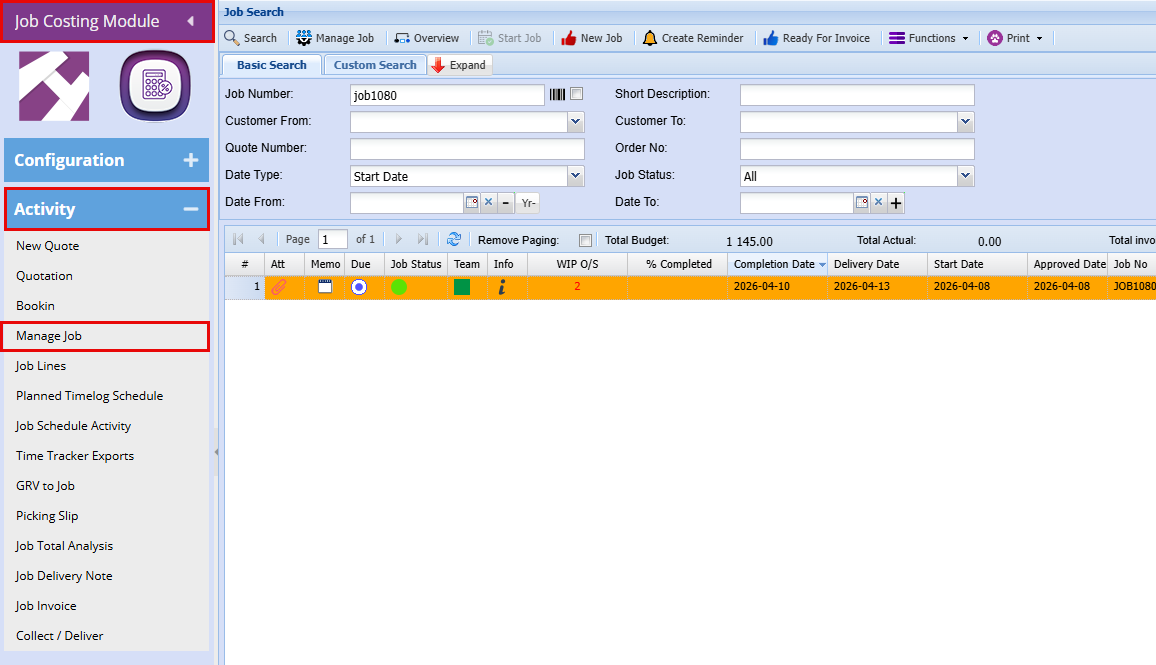
**Job Costing Module > Activity > Manage Job**
- Search for the job you are wanting to add a template to.
**[](https://hugeerp10.co.za/hsofmanual/uploads/images/gallery/2026-04/uVOimage.png)**
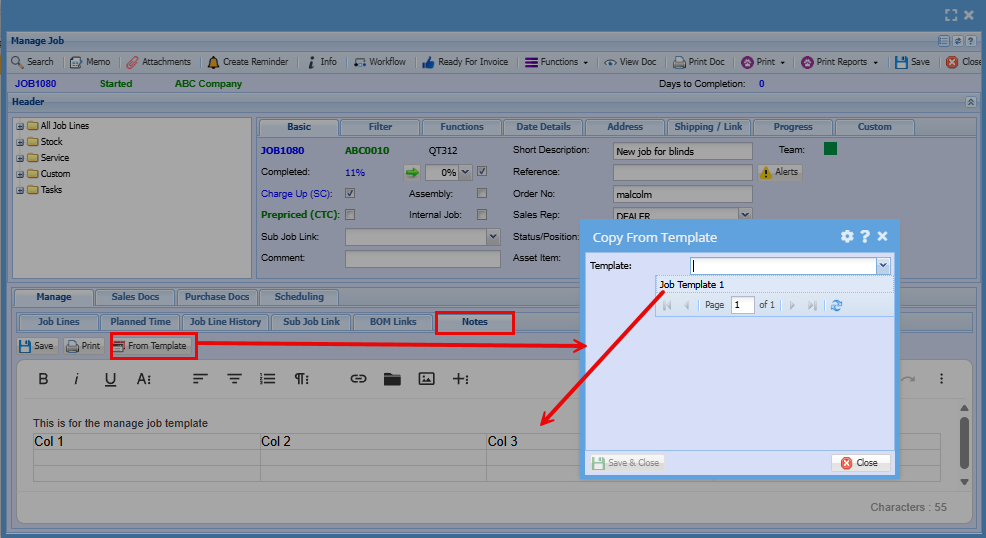
**Notes (Add template here)**
- **Double Click** on the job line to open the job
- Click on "**Notes**"
- Click on "**From Template**" a widow will open with a dropdown
- Select your template from the dropdown to populate the text box.
[](https://hugeerp10.co.za/hsofmanual/uploads/images/gallery/2026-04/PAaimage.png)
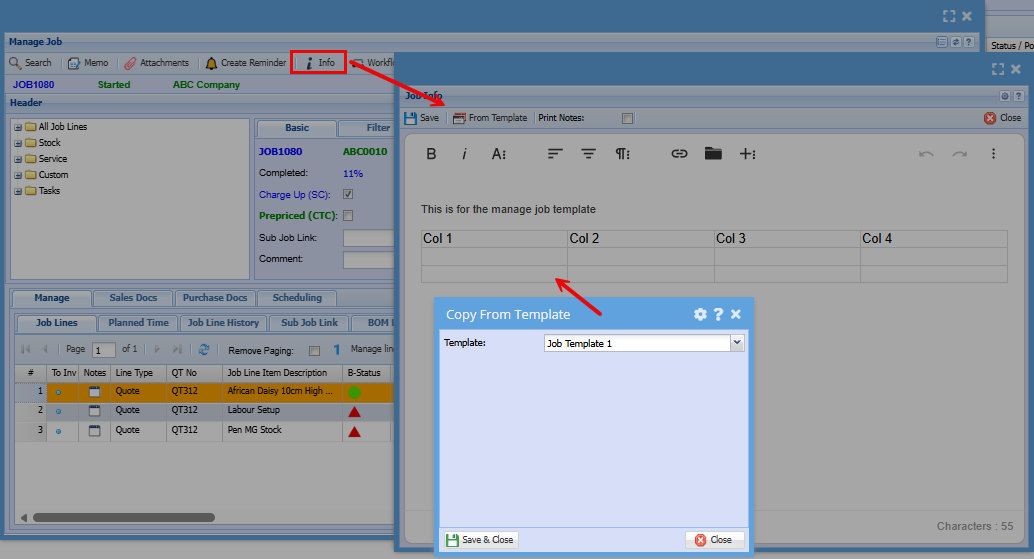
**Info (Add template here)**
- Click on "**Info**"
- Click on "**From Template**" a widow will open with a dropdown
- Select your template from the dropdown to populate the text box.
[](https://hugeerp10.co.za/hsofmanual/uploads/images/gallery/2026-04/V83image.png)