Auditors Reports
- Creditors Document History
- Creditors Journal Transactions Report
- Debtors Document History
- Debtors Journal Trans Report
- GL Cashbook
- GL Summary Income Report
- Inventory Valuation
- Inventory Valuation Back Dated
- Tax Report
- Users Security Report
Creditors Document History
Gives a full report on Creditors Documents which have been posted. Report is filtered by Document type and date.
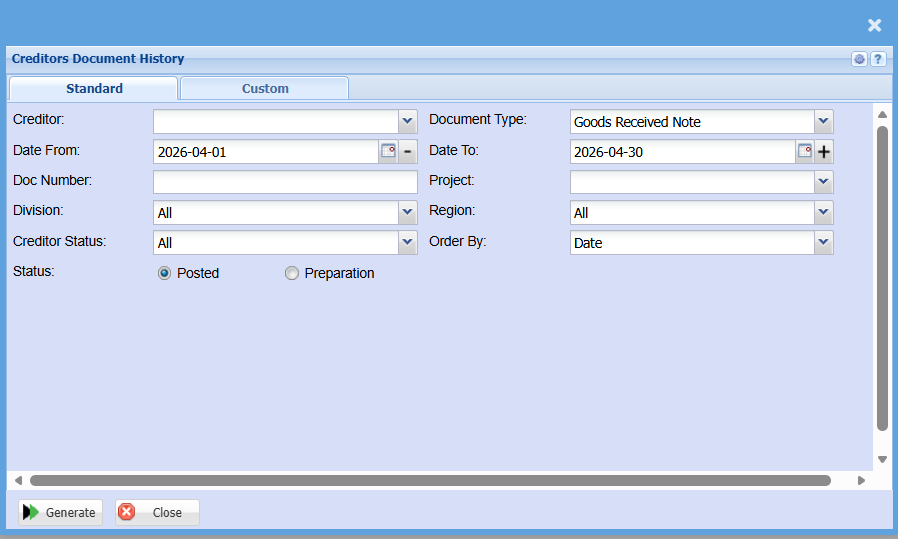
| Creditor | to select the creditor |
| Date From | to select the date from which the report will run from |
| Doc Number | to enter document number |
| Division | to select the division from the drop-down arrow |
| Creditor Status | to select the status from the drop-down arrow |
| Status | to select the document status - Posted or Preparation |
| Document Type | to select the document type from the drop-down arrow |
| Date To | select the date to |
| Project | to select a project |
| Region | to select the region from the drop-down arrow |
| Order By | to arrange the document history by selecting order by from the drop-down arrow |
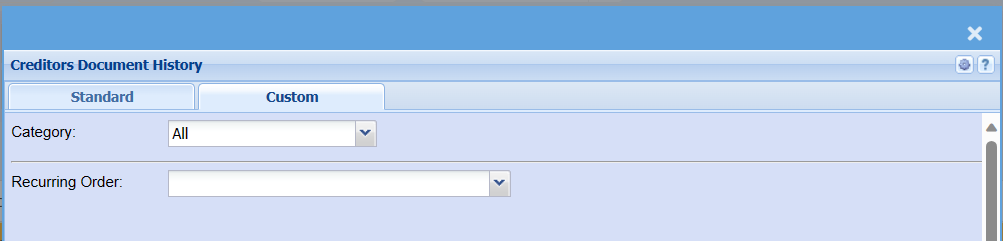
| Category | |
| Recurring Order |
Creditors Journal Transactions Report
Creditors> Reports> Report List
Full transactional history of all postings done within Creditors. With the opening and closing balance per creditor and movement between dates specified.
The "Print Creditors" tick is a filter to include creditors that have a closing balance but do not have any transactions within the selected date range that the report is generated for.
Removing this tick will return only creditors that have transactions within the report date range.
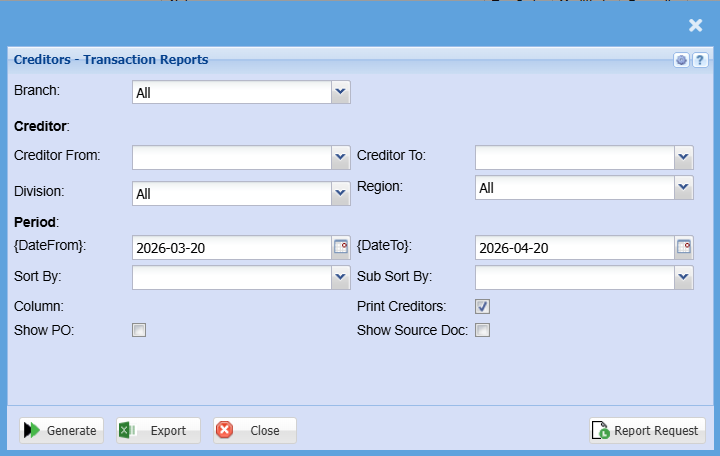
| Branch | |
| Creditor From | |
| Creditor To | |
| Division | |
| Region | |
| From Year | |
| To Year | |
| From Period | |
| To Period | |
| Sort By | Sort the report by selecting one option from the drop-down arrow. Options area: by Code, Description, Group Code or Bin Location |
| Sub Sort By | |
| Show PO Tick | |
| Print Creditors Tick | |
| Show Source Doc Tick |
Debtors Document History
Debtors> Reports> Report list
Gives a full report on Debtors Documents which are posted. Report is filtered by document type and date.
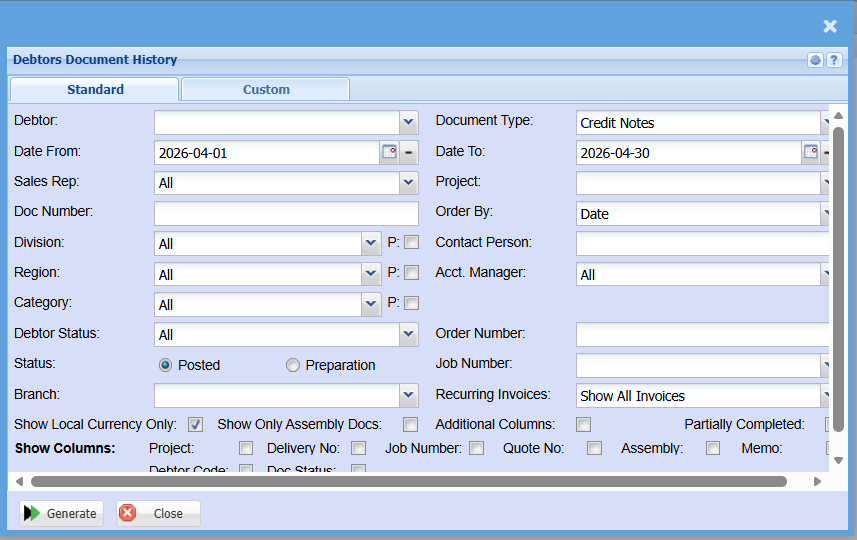
This is a full report of posted documents of a selected debtor
| Debtor | to select the debtor |
| Date From | to select the date from which the report will run from |
| Sales Rep | |
| Doc Number | to enter document number |
| Division | to select the division from the drop down arrow |
| Region | to select the region from the drop down arrow |
| Category | |
| Debtor Status | to select the status from the drop down arrow |
| Status - Posted or Preparation | to select the document status |
| Branch | |
| Show Local Currency Only | |
| Document Type | to select the document type from the drop down arrow |
| Date To | select the date to |
| Project | to select a project |
| Order By | to arrange the document history by selecting order by from the drop down arrow |
| Contact Person | |
| Acct. Manager | |
| Order Number | |
| Job Number | |
| Recurring Invoices | |
| Show Columns |
Debtors Journal Trans Report
Debtors> Reports> Report list
Full transactional history of all postings in debtors with opening and closing balance per debtor and movement between dates specified.
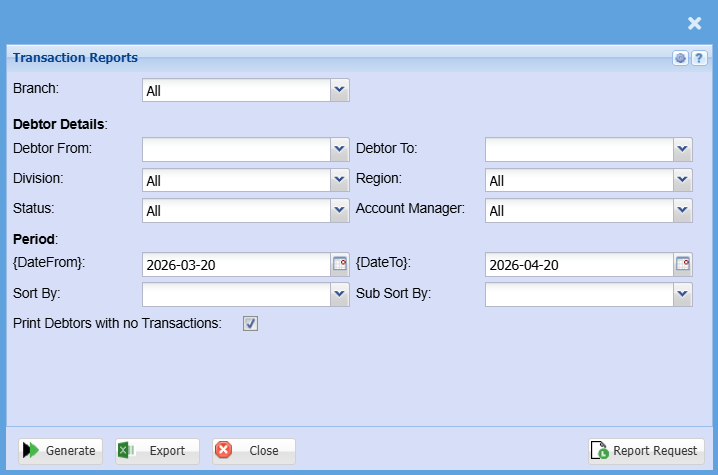
This is a debtor’s full transactional history of posted documents
| Branch | to select the branch from the drop down arrow |
| Debtor From | to select the debtor from which the transaction report will run from |
| Division | to select the division from the drop down arrow |
| Status | to select the report status from the drop down arrow |
| Debtor To | to limit debtors report by selecting the debtor to |
| Region | to select the region from the drop down arrow |
| Account Manager | to select the account manager from the drop down arrow |
| Year From | to select year from and Year To from the drop down arrow |
| Period From | to select the period from and the period To from the drop down arrow |
| Sort By | to sort the report by selecting from the drop down arrow |
| Print Debtors with no Transactions | to tick the box in order to include debtors with no transactions |
| Year To | to select year from and Year To from the drop down arrow |
| Period To | to select the period from and the period To from the drop down arrow |
| Sub Sort By | to select sub sort from the drop down arrow |
GL Cashbook
General Ledger> Reports> Report List
Lists all transactions by a specific bank account and also shows whether the transaction has been reconciled or not, gives the opening and closing balance based on the date selected.
This is a report that lists all transactions by a specific bank account and also shows whether the transactions has been reconciled or not.
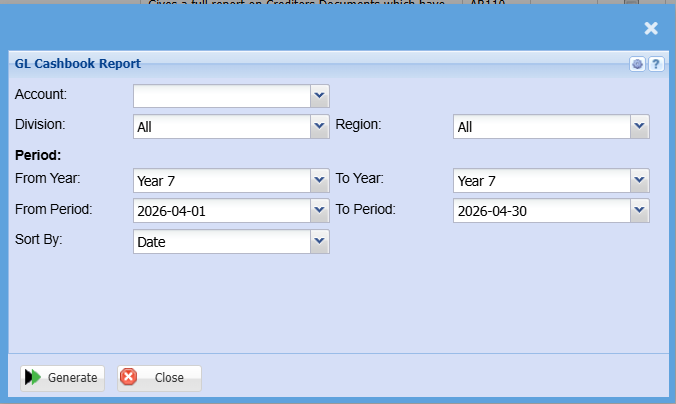
| Account | to select the account from the drop down arrow |
| Division | to select the division from the drop down arrow |
| Region | to select the region from the drop down arrow |
| From Year | to select the year from which the GL cashbook report will run from and year to, for limiting the report run |
| From Period | to select the period from which the GL cashbook report will run from and the period to, for limiting the report run |
| Sort By | to sort the report by selecting from the drop down arrow |
GL Summary Income Report
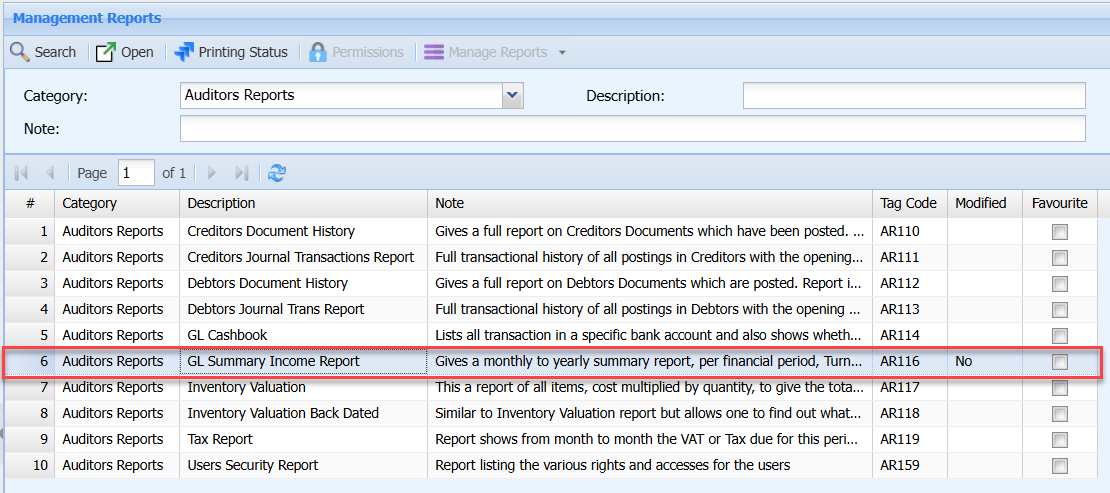
Gives a monthly to yearly summary report, per financial period, Turnover less cost of sales, giving gross profit plus income less expenses to nett profit. Can also be viewed as a summary income statement.
Inventory Valuation
Inventory module> Reports> Reports List
Gives a report of all items cost, multiplied by quantity, to give the total value of stock. This can be given by warehouse, group codes and by various Work in Progress areas.
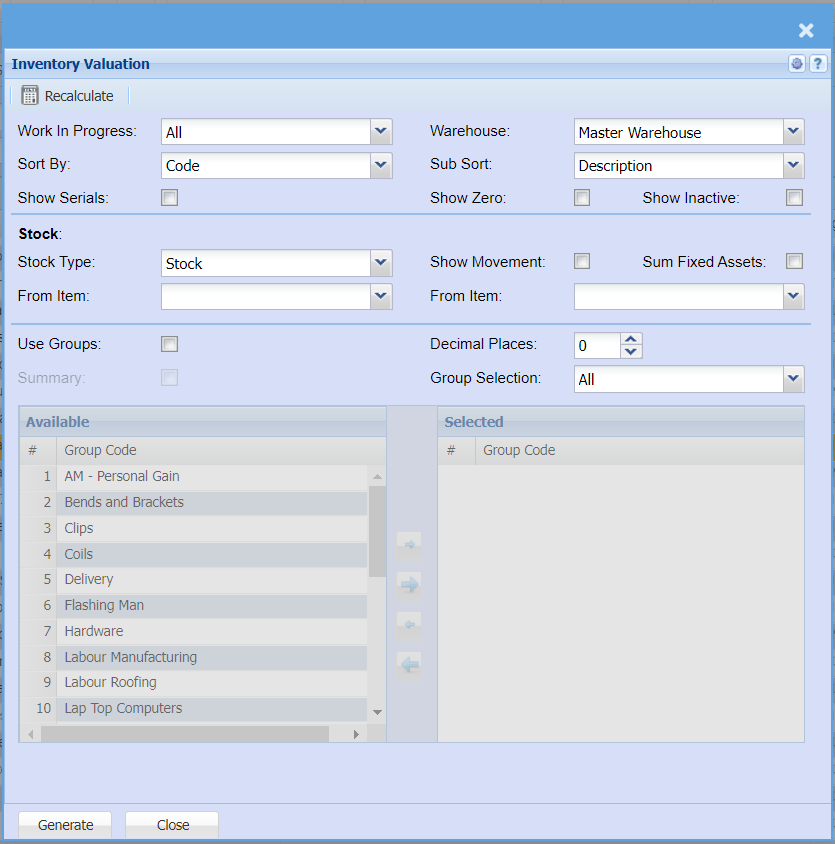
| Work In Progress | |
| Sort By | |
| Show Serials | |
| Warehouse | |
| Sub Sort | |
| Show Zero | |
| Show Inactive | |
| Stock Type | |
| From Item | |
| Show Movement | |
| From Item | |
| Sum Fixed Assets | |
| Use Groups | |
| Summary | |
| Decimal Places | |
| Group Selection |
Inventory Valuation Back Dated
Auditors Reports >Inventory Valuation Back Dated Report
Similar to Inventory Valuation report but allows one to find out what the quantity and cost of items on a specific date.
TAKE NOTE: This report could possibly not be accurate due to back dating of transactions.
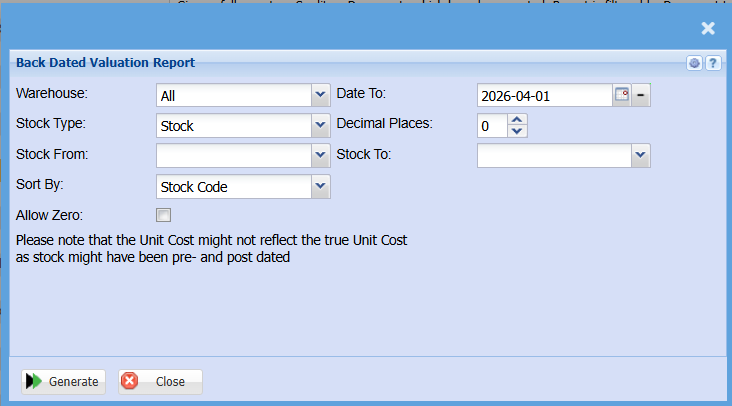
| Warehouse | |
| Stock Type | |
| Stock From | |
| Sort By | |
| Date To | |
| Decimal Places | |
| Stock To | |
| Allow Zero Tick |
Tax Report
Report shows from month to month the VAT or Tax due for this period. It is possible to view a summary or detail of VAT allocated.
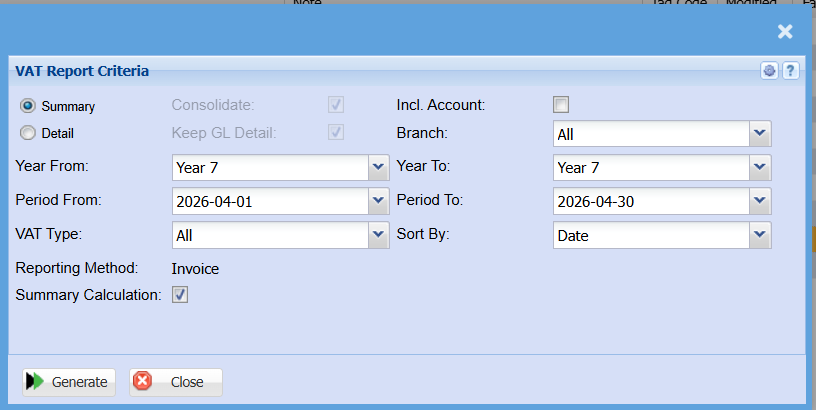
| Summary | |
| Detail | |
| Year From | |
| Period From | |
| VAT Type | |
| Summary Calculation | |
| Incl. Account | |
| Branch | |
| Year To | |
| Period To | |
| Sort By |
Users Security Report
Auditors Reports >Users Security Report
Report listing the various rights and accesses for the users
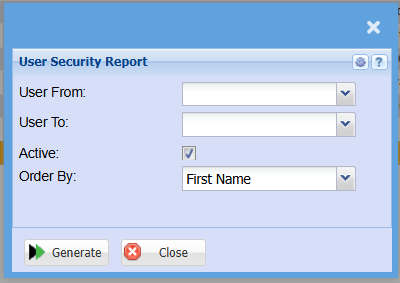
| User From | |
| User To | |
| Active Tick | |
| Order By |