# Login

Logging in

# First time login

Huge Software has multiple servers around the world

South Africa Video login 2023/12 - [SA\_FirstTime\_Login.mp4](https://hugeerp10.co.za/hsofmanual/attachments/12)

New Zealand login 2023/12 - [NZ\_FirstTime\_Login.mp4](https://hugeerp10.co.za/hsofmanual/attachments/13)

The two main countries are:

<table border="1" id="bkmrk-1.-south-africa-2.-n" style="border-collapse: collapse; width: 23.7037%;"><colgroup><col style="width: 21.6022%;"></col><col style="width: 78.3078%;"></col></colgroup><tbody><tr><td>**1.**</td><td>South Africa</td></tr><tr><td>**2.**</td><td>New Zealand</td></tr></tbody></table>

Below are the links to the websites for each country

#### South Africa

[https://hugesoftware.co.za](https://hugesoftware.co.za)

[![image.png](https://hugeerp10.co.za/hsofmanual/uploads/images/gallery/2023-12/scaled-1680-/Ns7image.png)](https://hugeerp10.co.za/hsofmanual/uploads/images/gallery/2023-12/Ns7image.png)

---

#### <span class="ts10">New Zealand</span>

<span class="ts10">[https://erpsolutions.co.nz](https://erpsolutions.co.nz)</span>

[![image.png](https://hugeerp10.co.za/hsofmanual/uploads/images/gallery/2023-12/scaled-1680-/pxhimage.png)](https://hugeerp10.co.za/hsofmanual/uploads/images/gallery/2023-12/pxhimage.png)

<span class="ts10">Old Video training manual 2016 - </span>[Click Here](https://vimeo.com/357006162)

<span class="ts0"> </span>

<span class="ts0"></span>

# Log in

<span lang="EN-GB" style="font-size: 11.0pt; font-family: 'Calibri',sans-serif; mso-ascii-theme-font: minor-latin; mso-fareast-font-family: 'Times New Roman'; mso-fareast-theme-font: minor-fareast; mso-hansi-theme-font: minor-latin; mso-bidi-theme-font: minor-latin; mso-fareast-language: EN-ZA; mso-no-proof: yes;">This document gives you a quick step by step guide on how to get going.</span>

<span lang="EN-GB" style="font-size: 11.0pt; font-family: 'Calibri',sans-serif; mso-ascii-theme-font: minor-latin; mso-fareast-font-family: 'Times New Roman'; mso-fareast-theme-font: minor-fareast; mso-hansi-theme-font: minor-latin; mso-bidi-theme-font: minor-latin; mso-fareast-language: EN-ZA; mso-no-proof: yes;">Watch login video 2023/12 - [Click here](https://vimeo.com/1028102309 "Login")</span>

#### <span lang="EN-GB">Getting Started</span>

<span lang="EN-GB" style="font-size: 11.0pt; font-family: 'Calibri',sans-serif; mso-ascii-theme-font: minor-latin; mso-fareast-font-family: 'Times New Roman'; mso-fareast-theme-font: minor-fareast; mso-hansi-theme-font: minor-latin; mso-bidi-theme-font: minor-latin; mso-fareast-language: EN-ZA; mso-no-proof: yes;">Go to [hugesoftware.co.za](https://hugesoftware.co.za) or </span><span lang="EN-GB">[www.erpsolutions.co.nz](http://www.erpsolutions.co.nz) </span><span lang="EN-GB" style="font-size: 11.0pt; font-family: 'Calibri',sans-serif; mso-ascii-theme-font: minor-latin; mso-fareast-font-family: 'Times New Roman'; mso-fareast-theme-font: minor-fareast; mso-hansi-theme-font: minor-latin; mso-bidi-theme-font: minor-latin; mso-fareast-language: EN-ZA; mso-no-proof: yes;">.<span style="mso-spacerun: yes;"> </span></span>

<span lang="EN-GB" style="font-size: 11.0pt; font-family: 'Calibri',sans-serif; mso-ascii-theme-font: minor-latin; mso-fareast-font-family: 'Times New Roman'; mso-fareast-theme-font: minor-fareast; mso-hansi-theme-font: minor-latin; mso-bidi-theme-font: minor-latin; mso-fareast-language: EN-ZA; mso-no-proof: yes;">Please enter your company number into the “Login” and then click on Login button. </span>

<span lang="EN-GB" style="font-size: 11.0pt; font-family: 'Calibri',sans-serif; mso-ascii-theme-font: minor-latin; mso-fareast-font-family: 'Times New Roman'; mso-fareast-theme-font: minor-fareast; mso-hansi-theme-font: minor-latin; mso-bidi-theme-font: minor-latin; mso-fareast-language: EN-ZA; mso-no-proof: yes;">This company number was provided to you in the welcome letter.</span>

<span class="ts10">![](https://hugeerp10.co.za/hsofmanual/uploads/images/gallery/2023-12/embedded-image-xk6pfm0q.png)</span>

<span lang="EN-GB" style="font-size: 11.0pt; font-family: 'Calibri',sans-serif; mso-ascii-theme-font: minor-latin; mso-fareast-font-family: 'Times New Roman'; mso-fareast-theme-font: minor-fareast; mso-hansi-theme-font: minor-latin; mso-bidi-theme-font: minor-latin; mso-fareast-language: EN-ZA; mso-no-proof: yes;">After clicking “Go” a pop up screen appears, please enter your User Name and Password and then click on Sign In button or enter button on keyboard.</span>

<span lang="EN-GB" style="font-size: 11.0pt; font-family: 'Calibri',sans-serif; mso-ascii-theme-font: minor-latin; mso-fareast-font-family: 'Times New Roman'; mso-fareast-theme-font: minor-fareast; mso-hansi-theme-font: minor-latin; mso-bidi-theme-font: minor-latin; mso-fareast-language: EN-ZA; mso-no-proof: yes;">Please Note - User Name and Passwords are case sensitive.</span>

[![image.png](https://hugeerp10.co.za/hsofmanual/uploads/images/gallery/2023-12/scaled-1680-/Hy9image.png)](https://hugeerp10.co.za/hsofmanual/uploads/images/gallery/2023-12/Hy9image.png)

---

#### <span lang="EN-GB" style="mso-fareast-font-family: 'Times New Roman'; mso-fareast-theme-font: minor-fareast; mso-fareast-language: EN-ZA; mso-no-proof: yes;">Basic Navigation</span>

<span lang="EN-GB" style="font-size: 11.0pt; font-family: 'Calibri',sans-serif; mso-ascii-theme-font: minor-latin; mso-fareast-font-family: 'Times New Roman'; mso-fareast-theme-font: minor-fareast; mso-hansi-theme-font: minor-latin; mso-bidi-theme-font: minor-latin; mso-fareast-language: EN-ZA; mso-no-proof: yes;">After gaining access to your company account you will be presented with the Huge ERP and Asset Management landing page. </span>

<span lang="EN-GB" style="font-size: 11.0pt; font-family: 'Calibri',sans-serif; mso-ascii-theme-font: minor-latin; mso-fareast-font-family: 'Times New Roman'; mso-fareast-theme-font: minor-fareast; mso-hansi-theme-font: minor-latin; mso-bidi-theme-font: minor-latin; mso-fareast-language: EN-ZA; mso-no-proof: yes;">Each button on the landing page takes you to a specific module, Customers, Suppliers, Inventory and General Ledger are the main modules and the ones accessed to perform daily accounting requirements or Asset Management.</span>

[![image.png](https://hugeerp10.co.za/hsofmanual/uploads/images/gallery/2023-12/scaled-1680-/TNTimage.png)](https://hugeerp10.co.za/hsofmanual/uploads/images/gallery/2023-12/TNTimage.png)

<span lang="EN-GB" style="font-size: 11.0pt; font-family: 'Calibri',sans-serif; mso-ascii-theme-font: minor-latin; mso-fareast-font-family: 'Times New Roman'; mso-fareast-theme-font: minor-fareast; mso-hansi-theme-font: minor-latin; mso-bidi-theme-font: minor-latin; mso-fareast-language: EN-ZA; mso-no-proof: yes;">The System Configuration Module is where you set up various defaults (eg company information).</span>

<span lang="EN-GB" style="font-size: 11.0pt; font-family: 'Calibri',sans-serif; mso-ascii-theme-font: minor-latin; mso-fareast-font-family: 'Times New Roman'; mso-fareast-theme-font: minor-fareast; mso-hansi-theme-font: minor-latin; mso-bidi-theme-font: minor-latin; mso-fareast-language: EN-ZA; mso-no-proof: yes;">The Asset Management module is where you will track all of your assets.</span><span lang="EN-GB" style="font-size: 11.0pt; font-family: 'Calibri',sans-serif; mso-ascii-theme-font: minor-latin; mso-fareast-font-family: 'Times New Roman'; mso-fareast-theme-font: minor-fareast; mso-hansi-theme-font: minor-latin; mso-bidi-theme-font: minor-latin; mso-fareast-language: EN-ZA; mso-no-proof: yes;"> </span>

<span lang="EN-GB" style="font-size: 11.0pt; font-family: 'Calibri',sans-serif; mso-ascii-theme-font: minor-latin; mso-fareast-font-family: 'Times New Roman'; mso-fareast-theme-font: minor-fareast; mso-hansi-theme-font: minor-latin; mso-bidi-theme-font: minor-latin; mso-fareast-language: EN-ZA; mso-no-proof: yes;">The Job Costing Module is a highly specialized Job Tracking and Costing System which can be purchased as an Add on Module.</span><span lang="EN-GB" style="font-size: 11.0pt; font-family: 'Calibri',sans-serif; mso-ascii-theme-font: minor-latin; mso-fareast-font-family: 'Times New Roman'; mso-fareast-theme-font: minor-fareast; mso-hansi-theme-font: minor-latin; mso-bidi-theme-font: minor-latin; mso-fareast-language: EN-ZA; mso-no-proof: yes;"> </span>

<span lang="EN-GB" style="font-size: 11.0pt; font-family: 'Calibri',sans-serif; mso-ascii-theme-font: minor-latin; mso-fareast-font-family: 'Times New Roman'; mso-fareast-theme-font: minor-fareast; mso-hansi-theme-font: minor-latin; mso-bidi-theme-font: minor-latin; mso-fareast-language: EN-ZA; mso-no-proof: yes;">Speak to us if you’re interested in tracking Jobs and Serial Numbers.</span><span lang="EN-GB" style="font-size: 11.0pt; font-family: 'Calibri',sans-serif; mso-ascii-theme-font: minor-latin; mso-fareast-font-family: 'Times New Roman'; mso-fareast-theme-font: minor-fareast; mso-hansi-theme-font: minor-latin; mso-bidi-theme-font: minor-latin; mso-fareast-language: EN-ZA; mso-no-proof: yes;"> </span>

<span class="ts10"><span lang="EN-GB" style="font-size: 11.0pt; font-family: 'Calibri',sans-serif; mso-ascii-theme-font: minor-latin; mso-fareast-font-family: 'Times New Roman'; mso-fareast-theme-font: minor-fareast; mso-hansi-theme-font: minor-latin; mso-bidi-theme-font: minor-latin; mso-ansi-language: EN-GB; mso-fareast-language: EN-ZA; mso-bidi-language: AR-SA; mso-no-proof: yes;">All the Modules are configured in the same way. i.e. The first thing you see when you click on a Module is a blank centre viewing pane with a panel of drop-down group menus on the left.</span></span>

<span lang="EN-GB" style="font-size: 11.0pt; font-family: 'Calibri',sans-serif; mso-ascii-theme-font: minor-latin; mso-fareast-font-family: 'Times New Roman'; mso-fareast-theme-font: minor-fareast; mso-hansi-theme-font: minor-latin; mso-bidi-theme-font: minor-latin; mso-fareast-language: EN-ZA; mso-no-proof: yes;">Clicking on the Asset Management Module</span>

<table border="1" id="bkmrk-menu-groups-descript" style="border-collapse: collapse; width: 100%;"><colgroup><col style="width: 32.1606%;"></col><col style="width: 67.963%;"></col></colgroup><tbody><tr><td>**Menu Groups**</td><td>**Description**</td></tr><tr><td>Configuration</td><td>Set something up</td></tr><tr><td>Activity</td><td><span lang="EN-GB" style="font-size: 11.0pt; font-family: 'Calibri',sans-serif; mso-ascii-theme-font: minor-latin; mso-fareast-font-family: 'Times New Roman'; mso-fareast-theme-font: minor-fareast; mso-hansi-theme-font: minor-latin; mso-bidi-theme-font: minor-latin; mso-fareast-language: EN-ZA; mso-no-proof: yes;">Do something eg make an Invoice Quote etc</span></td></tr><tr><td>Analysis</td><td><span lang="EN-GB" style="font-size: 11.0pt; font-family: 'Calibri',sans-serif; mso-ascii-theme-font: minor-latin; mso-fareast-font-family: 'Times New Roman'; mso-fareast-theme-font: minor-fareast; mso-hansi-theme-font: minor-latin; mso-bidi-theme-font: minor-latin; mso-fareast-language: EN-ZA; mso-no-proof: yes;">Analyse what you’ve done</span></td></tr><tr><td>Reports</td><td><span lang="EN-GB" style="font-size: 11.0pt; font-family: 'Calibri',sans-serif; mso-ascii-theme-font: minor-latin; mso-fareast-font-family: 'Times New Roman'; mso-fareast-theme-font: minor-fareast; mso-hansi-theme-font: minor-latin; mso-bidi-theme-font: minor-latin; mso-fareast-language: EN-ZA; mso-no-proof: yes;">Print Specific Reports, Menu located on the left of the main viewing pane</span></td></tr></tbody></table>

![](https://hugeerp10.co.za/hsofmanual/uploads/images/gallery/2023-12/embedded-image-2c7pqd5y.png)

---

<span lang="EN-GB" style="font-size: 11.0pt; font-family: 'Calibri',sans-serif; mso-ascii-theme-font: minor-latin; mso-fareast-font-family: 'Times New Roman'; mso-fareast-theme-font: minor-fareast; mso-hansi-theme-font: minor-latin; mso-bidi-theme-font: minor-latin; mso-fareast-language: EN-ZA; mso-no-proof: yes;">Clicking on the Menu Group (button left) called Activity, then click on Asset Search and click on the search button.</span>

<span lang="EN-GB" style="font-size: 11.0pt; font-family: 'Calibri',sans-serif; mso-ascii-theme-font: minor-latin; mso-fareast-font-family: 'Times New Roman'; mso-fareast-theme-font: minor-fareast; mso-hansi-theme-font: minor-latin; mso-bidi-theme-font: minor-latin; mso-fareast-language: EN-ZA; mso-no-proof: yes;">Clicking on a Menu Title expands it to reveal the functions available through that menu. Once a menu item has been selected the main viewing pane populates with a layout that is standard all through Huge ERP and Asset Management barre a few exceptions.</span>

<span lang="EN-GB" style="font-size: 11.0pt; font-family: 'Calibri',sans-serif; mso-ascii-theme-font: minor-latin; mso-fareast-font-family: 'Times New Roman'; mso-fareast-theme-font: minor-fareast; mso-hansi-theme-font: minor-latin; mso-bidi-theme-font: minor-latin; mso-fareast-language: EN-ZA; mso-no-proof: yes;">i.e The top of the viewing pane will contain the Search and Filtering section. The main body will contain the data contained in that database and the bottom section will contain the ability to Add, Edit, Delete, Print and other functionality.</span>

<span lang="EN-GB" style="font-size: 11.0pt; font-family: 'Calibri',sans-serif; mso-ascii-theme-font: minor-latin; mso-fareast-font-family: 'Times New Roman'; mso-fareast-theme-font: minor-fareast; mso-hansi-theme-font: minor-latin; mso-bidi-theme-font: minor-latin; mso-fareast-language: EN-ZA; mso-no-proof: yes;">In some of the windows you will notice that the Add, Edit and Delete buttons are mid way.</span>

<table border="1" id="bkmrk-section-a-functions-" style="border-collapse: collapse; width: 100%;"><colgroup><col style="width: 22.284%;"></col><col style="width: 77.8396%;"></col></colgroup><tbody><tr><td>**Section A**</td><td><span lang="EN-GB" style="font-size: 11.0pt; font-family: 'Calibri',sans-serif; mso-ascii-theme-font: minor-latin; mso-fareast-font-family: 'Times New Roman'; mso-fareast-theme-font: minor-fareast; mso-hansi-theme-font: minor-latin; mso-bidi-theme-font: minor-latin; mso-fareast-language: EN-ZA; mso-no-proof: yes;">Functions to Add, Edit or Delete in the various windows, including Print and other functions</span></td></tr><tr><td>**Section B**</td><td><span lang="EN-GB" style="font-size: 11.0pt; font-family: 'Calibri',sans-serif; mso-ascii-theme-font: minor-latin; mso-fareast-font-family: 'Times New Roman'; mso-fareast-theme-font: minor-fareast; mso-hansi-theme-font: minor-latin; mso-bidi-theme-font: minor-latin; mso-fareast-language: EN-ZA; mso-no-proof: yes;">Search filter functions – Once you have entered your criteria, click on the Search button</span></td></tr><tr><td>**Section C**</td><td><span lang="EN-GB" style="font-size: 11.0pt; font-family: 'Calibri',sans-serif; mso-ascii-theme-font: minor-latin; mso-fareast-font-family: 'Times New Roman'; mso-fareast-theme-font: minor-fareast; mso-hansi-theme-font: minor-latin; mso-bidi-theme-font: minor-latin; mso-fareast-language: EN-ZA; mso-no-proof: yes;">Result data back on the grid from the search criteria</span></td></tr></tbody></table>

<span lang="EN-GB" style="font-size: 11.0pt; font-family: 'Calibri',sans-serif; mso-ascii-theme-font: minor-latin; mso-fareast-font-family: 'Times New Roman'; mso-fareast-theme-font: minor-fareast; mso-hansi-theme-font: minor-latin; mso-bidi-theme-font: minor-latin; mso-fareast-language: EN-ZA; mso-no-proof: yes;">![](https://hugeerp10.co.za/hsofmanual/uploads/images/gallery/2023-12/embedded-image-69wy58hd.png) </span>

---

#### <span lang="EN-GB" style="mso-fareast-font-family: 'Times New Roman'; mso-fareast-theme-font: minor-fareast; mso-fareast-language: EN-ZA; mso-no-proof: yes;">Invitation</span>

<span lang="EN-GB" style="font-size: 11.0pt; font-family: 'Calibri',sans-serif; mso-ascii-theme-font: minor-latin; mso-fareast-font-family: 'Times New Roman'; mso-fareast-theme-font: minor-fareast; mso-hansi-theme-font: minor-latin; mso-bidi-theme-font: minor-latin; mso-fareast-language: EN-ZA; mso-no-proof: yes;">Now that you some idea of how Huge ERP and Asset Management operates, we invite you to see how much of your internal company workflow you can control and monitor using Huge ERP System.</span>

<span lang="EN-GB" style="font-size: 11.0pt; font-family: 'Calibri',sans-serif; mso-ascii-theme-font: minor-latin; mso-fareast-font-family: 'Times New Roman'; mso-fareast-theme-font: minor-fareast; mso-hansi-theme-font: minor-latin; mso-bidi-theme-font: minor-latin; mso-fareast-language: EN-ZA; mso-no-proof: yes;">We have a range of help video’s available and manuals through our help button within the system.</span>

<span lang="EN-GB" style="font-size: 11.0pt; font-family: 'Calibri',sans-serif; mso-ascii-theme-font: minor-latin; mso-fareast-font-family: 'Times New Roman'; mso-fareast-theme-font: minor-fareast; mso-hansi-theme-font: minor-latin; mso-bidi-theme-font: minor-latin; mso-fareast-language: EN-ZA; mso-no-proof: yes;">After logging into the system and going into any one of the modules.<span style="mso-spacerun: yes;"> </span>Click on your user on the top right-hand corner of the window to view the drop down.<span style="mso-spacerun: yes;"> </span>Click on Online Help Manual</span>

<span lang="EN-GB" style="font-size: 11.0pt; font-family: 'Calibri',sans-serif; mso-ascii-theme-font: minor-latin; mso-fareast-font-family: 'Times New Roman'; mso-fareast-theme-font: minor-fareast; mso-hansi-theme-font: minor-latin; mso-bidi-theme-font: minor-latin; mso-fareast-language: EN-ZA; mso-no-proof: yes;">You are also welcome to give us support a call to discuss a specific aspect of your accountancy, inventory management, asset management and work management requirements.</span>

[![image.png](https://hugeerp10.co.za/hsofmanual/uploads/images/gallery/2023-12/scaled-1680-/2ONimage.png)](https://hugeerp10.co.za/hsofmanual/uploads/images/gallery/2023-12/2ONimage.png)

<span lang="EN-GB" style="font-size: 11.0pt; font-family: 'Calibri',sans-serif; mso-ascii-theme-font: minor-latin; mso-fareast-font-family: 'Times New Roman'; mso-fareast-theme-font: minor-fareast; mso-hansi-theme-font: minor-latin; mso-bidi-theme-font: minor-latin; mso-fareast-language: EN-ZA; mso-no-proof: yes;">This will direct you to our online help menu.</span>

<span lang="EN-GB" style="font-size: 11.0pt; font-family: 'Calibri',sans-serif; mso-ascii-theme-font: minor-latin; mso-fareast-font-family: 'Times New Roman'; mso-fareast-theme-font: minor-fareast; mso-hansi-theme-font: minor-latin; mso-bidi-theme-font: minor-latin; mso-fareast-language: EN-ZA; mso-no-proof: yes;">It is a good idea to start off with the Getting started introduction training videos.</span>

[![image.png](https://hugeerp10.co.za/hsofmanual/uploads/images/gallery/2023-12/scaled-1680-/RXyimage.png)](https://hugeerp10.co.za/hsofmanual/uploads/images/gallery/2023-12/RXyimage.png)

<span class="ts10">Old Video training manual 2016 - </span>[Click Here](https://vimeo.com/357005809)<span class="ts0"> </span>

# Landing page defined

Modules and mini icons

The landing screen may differ to what your Module landing page looks like.

[![image.png](https://hugeerp10.co.za/hsofmanual/uploads/images/gallery/2024-11/scaled-1680-/RrXimage.png)](https://hugeerp10.co.za/hsofmanual/uploads/images/gallery/2024-11/RrXimage.png)

#### Main Modules

Modules are only visible if you have access to them, otherwise they will not display.

Module access in <span style="color: rgb(45, 194, 107);">**System Configuration &gt; General &gt; User Setup**</span>

[![image.png](https://hugeerp10.co.za/hsofmanual/uploads/images/gallery/2024-10/scaled-1680-/5Whimage.png)](https://hugeerp10.co.za/hsofmanual/uploads/images/gallery/2024-10/5Whimage.png)

---

#### Mini Icons

This is setup at the user setup to allow for Dashboard view

[![image.png](https://hugeerp10.co.za/hsofmanual/uploads/images/gallery/2024-11/scaled-1680-/rkZimage.png)](https://hugeerp10.co.za/hsofmanual/uploads/images/gallery/2024-11/rkZimage.png)

One of the reasons for the new mini-icons is to give the user a small dashboard.  
You will be able to click on the icon to go directly to that section.  
Icons will be grayed out if you don't have access to the module license.

[![image.png](https://hugeerp10.co.za/hsofmanual/uploads/images/gallery/2023-12/scaled-1680-/O9kimage.png)](https://hugeerp10.co.za/hsofmanual/uploads/images/gallery/2023-12/O9kimage.png)

##### **Definition of the mini modules**   


<table border="1" id="bkmrk-messages-this-will-s" style="border-collapse: collapse; width: 100%;"><colgroup><col style="width: 14.9571%;"></col><col style="width: 85.0182%;"></col></colgroup><tbody><tr><td>**Messages**</td><td>this will show the number of messages you have outstanding </td></tr><tr><td>**Reminders**</td><td>this will show the number of reminders outstanding link to the user</td></tr><tr><td>**Support logs**</td><td>this will show the number of support logs linked to you (under the assigned to)</td></tr><tr><td>**Time logs**</td><td>this will show the current number of hours for the current month accumulative </td></tr><tr><td>**Sales Leads**</td><td>this will show the number of sales leads you have outstanding</td></tr><tr><td>**Jobs**</td><td>this will show the number of jobs assigned to you either as a job manager or job capture (if the job manager in job capture or the same only one count is done)</td></tr></tbody></table>

# Module colours defined

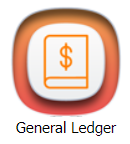
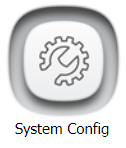
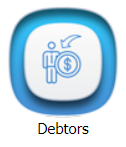
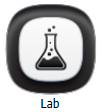
Each module is defined by a colour so it is easy to identify which module you are accessing.

<table border="1" id="bkmrk-system-configuration" style="border-collapse: collapse; width: 100%;"><colgroup><col style="width: 33.3333%;"></col><col style="width: 33.3333%;"></col><col style="width: 33.3333%;"></col></colgroup><tbody><tr><td>**System Configuration Module**  
SCM - S (Grey)
![image.png](https://hugeerp10.co.za/hsofmanual/uploads/images/gallery/2023-05/scaled-1680-/og1image.png)

</td><td>**General Ledger**  
GL - G (Orange)

![image.png](https://hugeerp10.co.za/hsofmanual/uploads/images/gallery/2023-05/scaled-1680-/8wQimage.png)

</td><td>**Debtors / Customer /Receivable Module**  
DM - D (Blue)
![image.png](https://hugeerp10.co.za/hsofmanual/uploads/images/gallery/2023-05/scaled-1680-/Rxmimage.png)

</td></tr><tr><td>**Creditors / Suppliers / Payables Module**  
CM - C (Red)

![image.png](https://hugeerp10.co.za/hsofmanual/uploads/images/gallery/2023-05/scaled-1680-/Tjlimage.png)

</td><td>**Inventory / Stock / Service Module**  
IM - I (Green)

![image.png](https://hugeerp10.co.za/hsofmanual/uploads/images/gallery/2023-05/scaled-1680-/uMuimage.png)

</td><td>**Job Costing Module**  
JCM - J (Purple)

![image.png](https://hugeerp10.co.za/hsofmanual/uploads/images/gallery/2023-05/scaled-1680-/zaZimage.png)

</td></tr><tr><td>**Asset Management**  
AM - A (Brown) Asset Management

![image.png](https://hugeerp10.co.za/hsofmanual/uploads/images/gallery/2023-05/scaled-1680-/kKkimage.png)

</td><td>**CRM (Customer Relationship Management) Module**  
W - W (Gold) Webatar

![image.png](https://hugeerp10.co.za/hsofmanual/uploads/images/gallery/2023-05/scaled-1680-/tB6image.png)

</td><td class="align-center">**Lab (Laboratory) Module**  
LAB - L (Black)
![image.png](https://hugeerp10.co.za/hsofmanual/uploads/images/gallery/2023-12/scaled-1680-/IZrimage.png)

</td></tr><tr><td>**Energy Module**

ENGY - E (Black)

![energy.png](https://hugeerp10.co.za/hsofmanual/uploads/images/gallery/2024-10/scaled-1680-/energy.png)Energy Module

</td><td>**Production Tracking**

PT - PT (Purple)

![Production.png](https://hugeerp10.co.za/hsofmanual/uploads/images/gallery/2024-10/scaled-1680-/production.png)

Production Tracking Module

</td><td></td></tr></tbody></table>