LABC - Analysis
Analysis
- Sample History Search
- Seed Test Results Search
- Line No Test Results
- Sample History Search
- Test Status by User
- Lab Tests Search
- Comments
- Test Views
- MD and FD Germination Tests
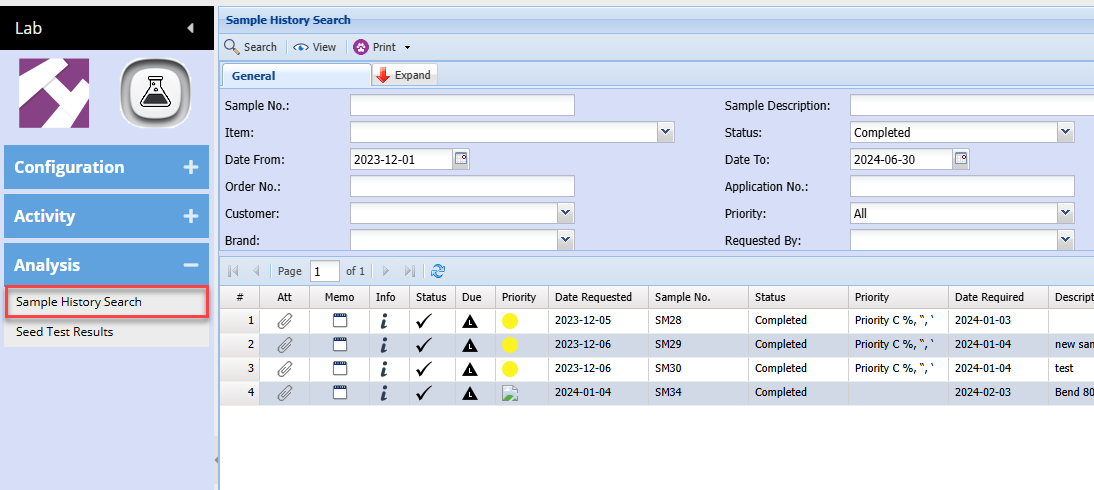
Sample History Search
This allows a search on all samples including completed, closed and cancelled
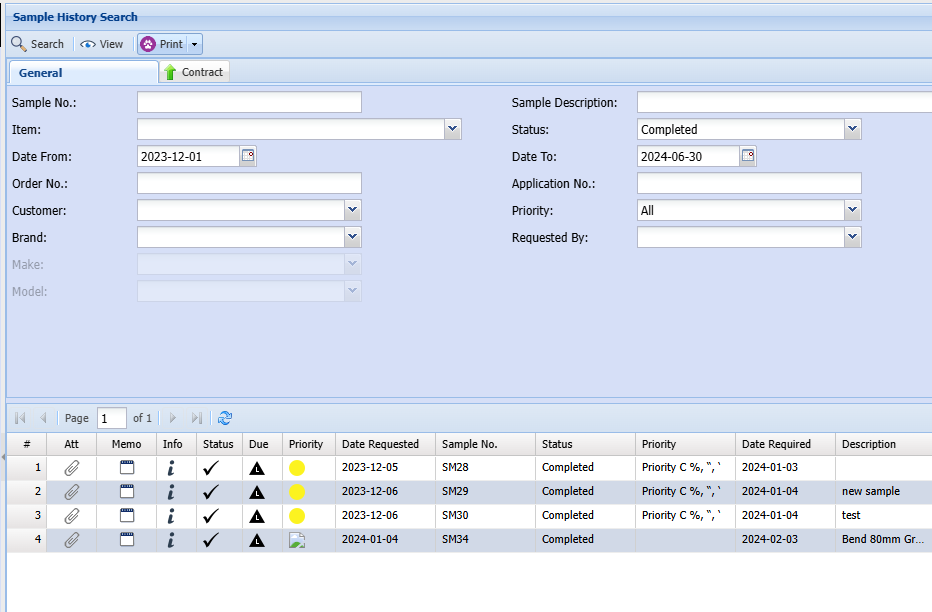
This window is similar to the Samples search, however one cannot edit any of the tests here.
These are all read only
Expanded view
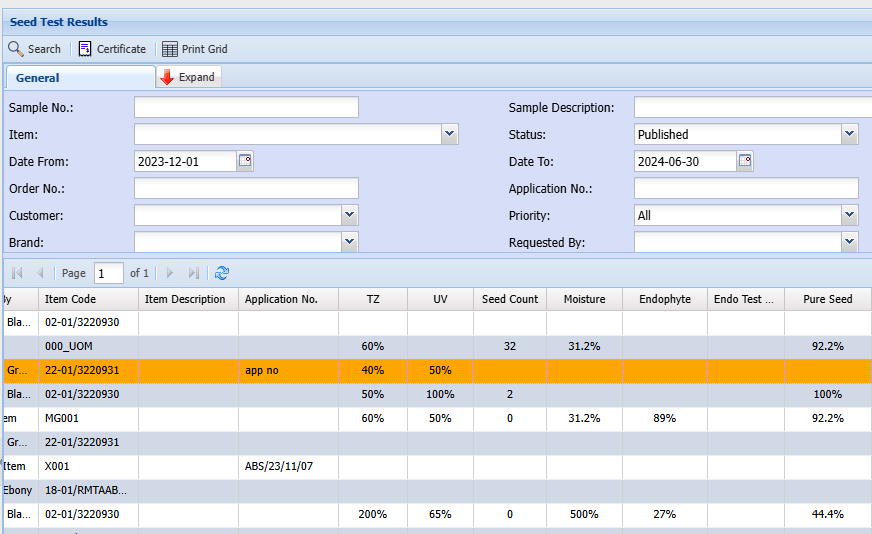
Seed Test Results Search
Search for Lab test results for seeds
Lab Module > Analysis > Seed Test Results
This shows all results of tests in a grid format
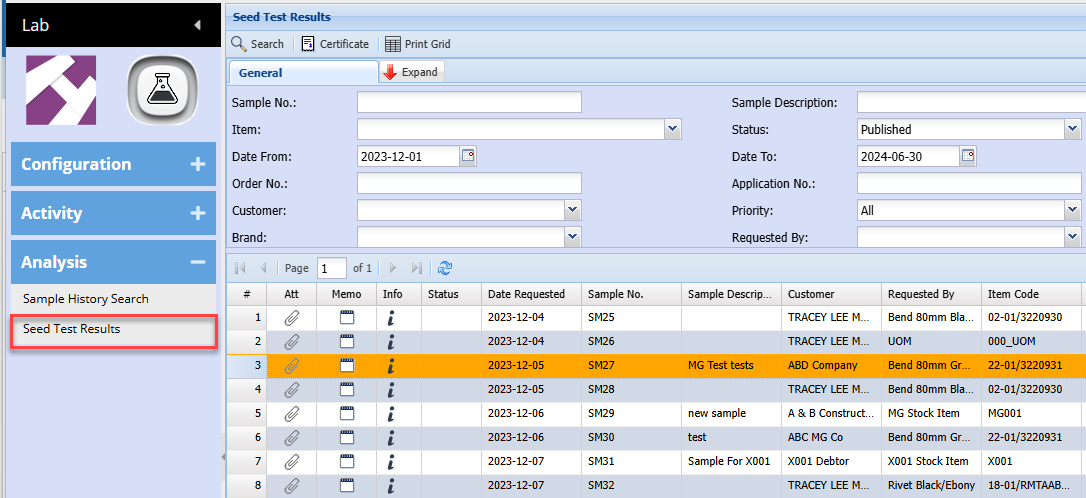
Grid view
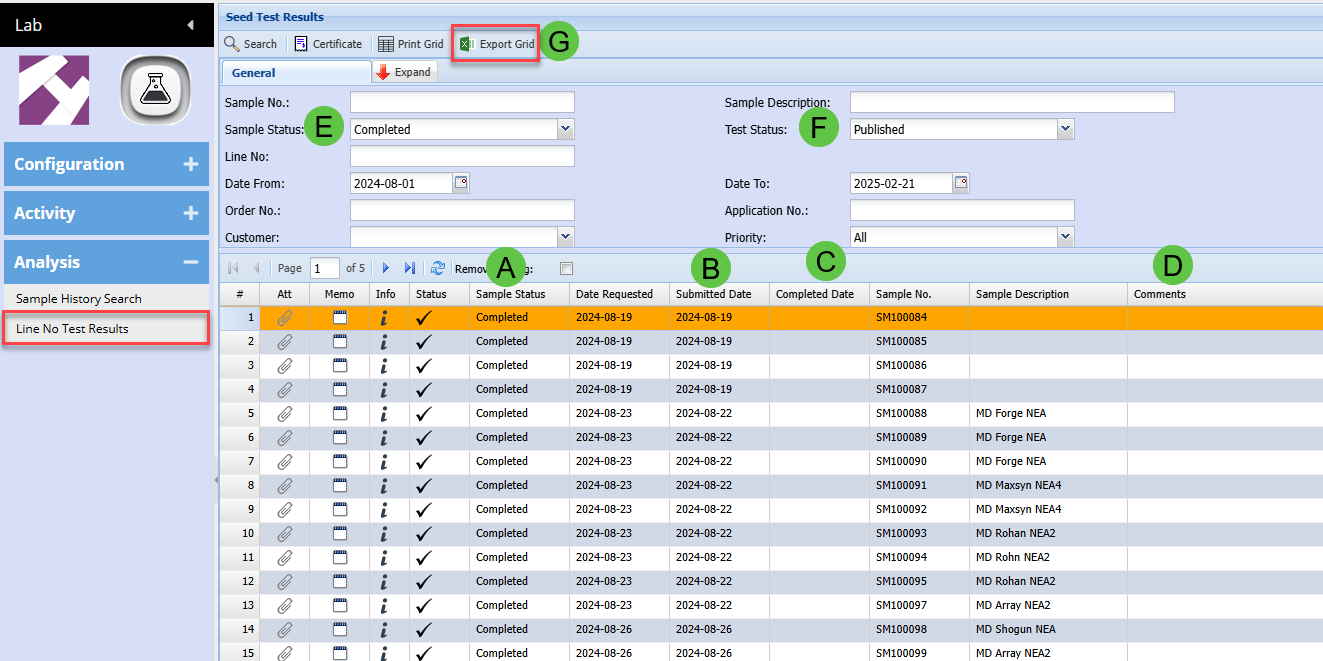
Line No Test Results
Lab Module > Analysis > Line No Test Results
You can find the new columns on the far right of the grid
|
A
|
Sample Status
|
|
B
|
Submitted Date
|
|
C
|
Completion Date
|
|
D
|
Comments - can edit directly in the grid
|
|
E
|
Search Sample status
|
|
F
|
Populate test results based on test status
|
|
G
|
Export grid updated to include all tests
|
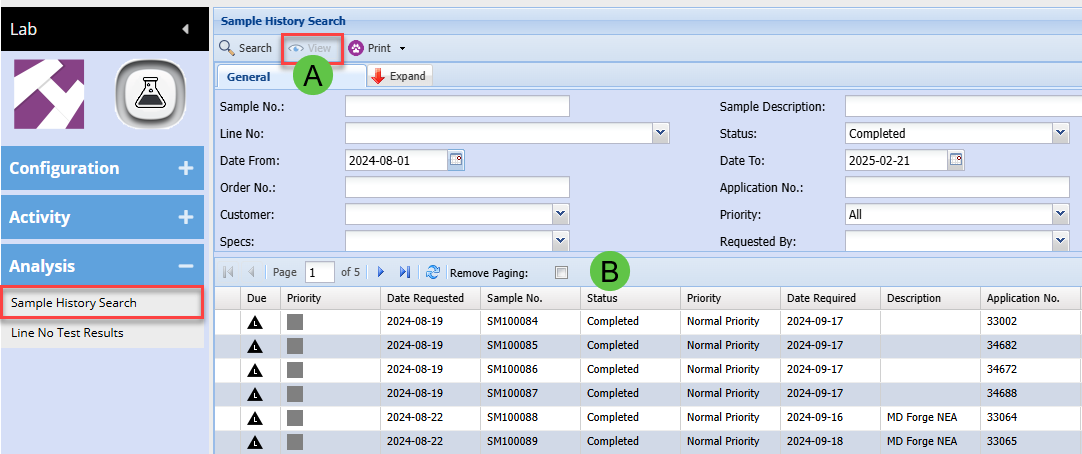
Sample History Search
Lab Module > Analysis > Sample History Search
We will be giving your clients access to this window so that they can print the sample barcode labels
|
A
|
View button to be disabled for clients
|
|
B
|
Barcode Print buttons will be here - In Progress
|
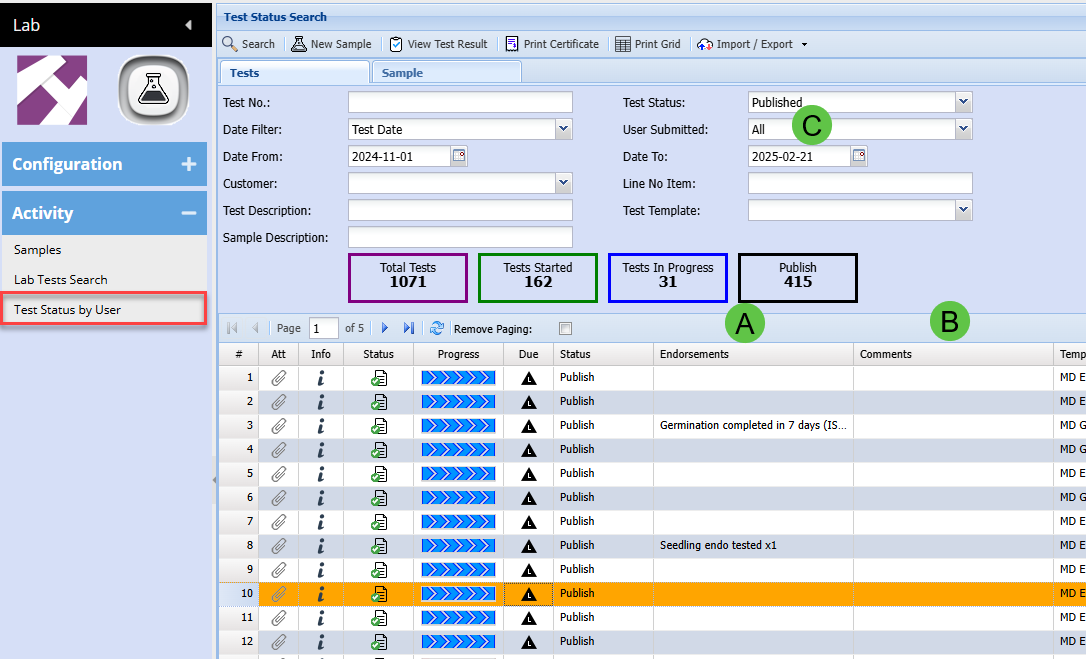
Test Status by User
Lab Module > Activity> Test Status by User
|
A
|
Endorsements are showing on grid per test
|
|
B
|
Comments added - can edit in grid
|
|
C
|
User Submitted defaulted to All
|
Test Status by User
|
A
|
Pronto Export will print only MD Germination and Purity tests
|
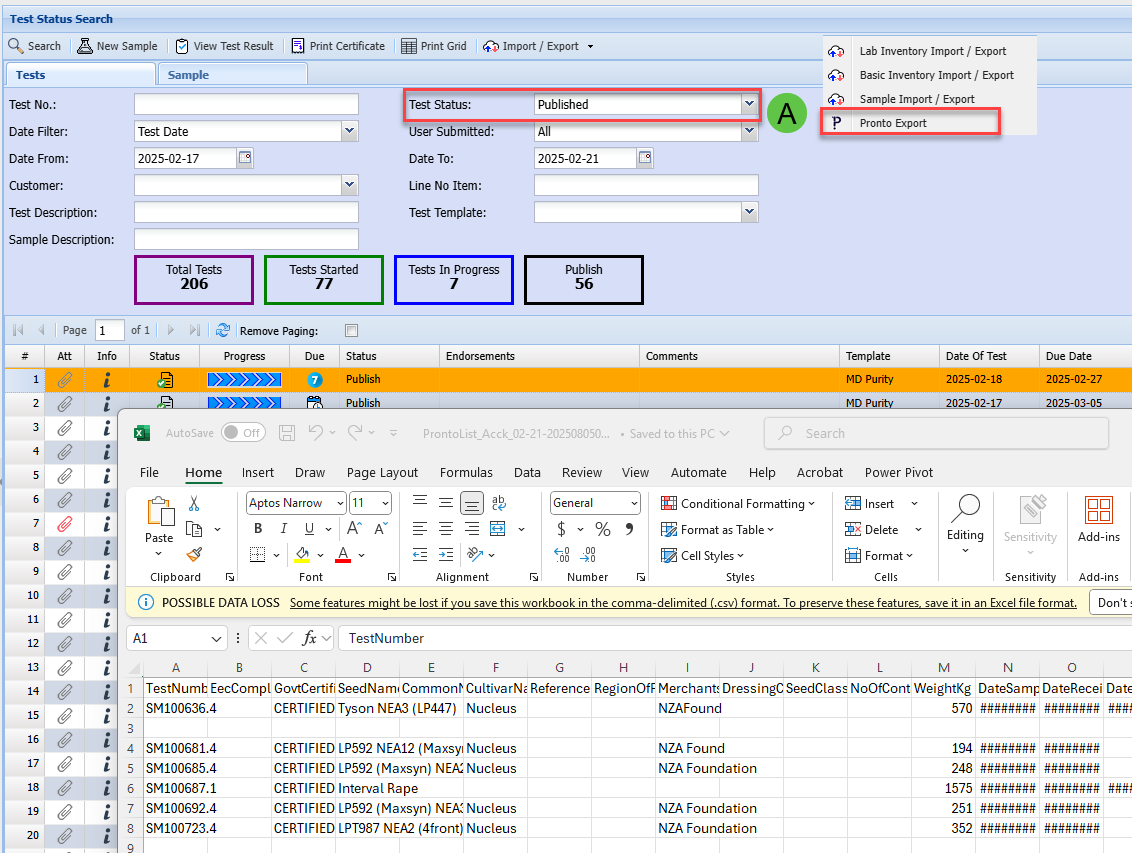
Lab Tests Search
Lab Module > Activity > Lab Tests Search
|
A
|
Endorsements show on grid
|
|
B
|
Comments - edit in grid
|
|
C
|
Test Status - Defaulted to All
|
|
D
|
Lab Tech - Defaulted to All
|
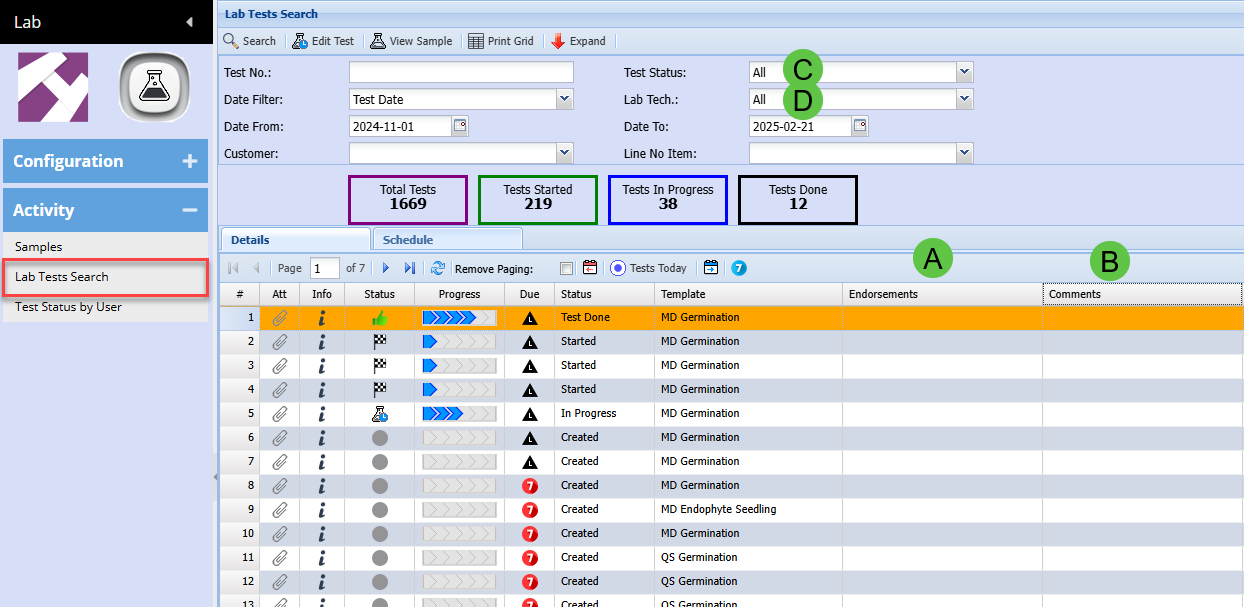
Comments
Comments for Samples
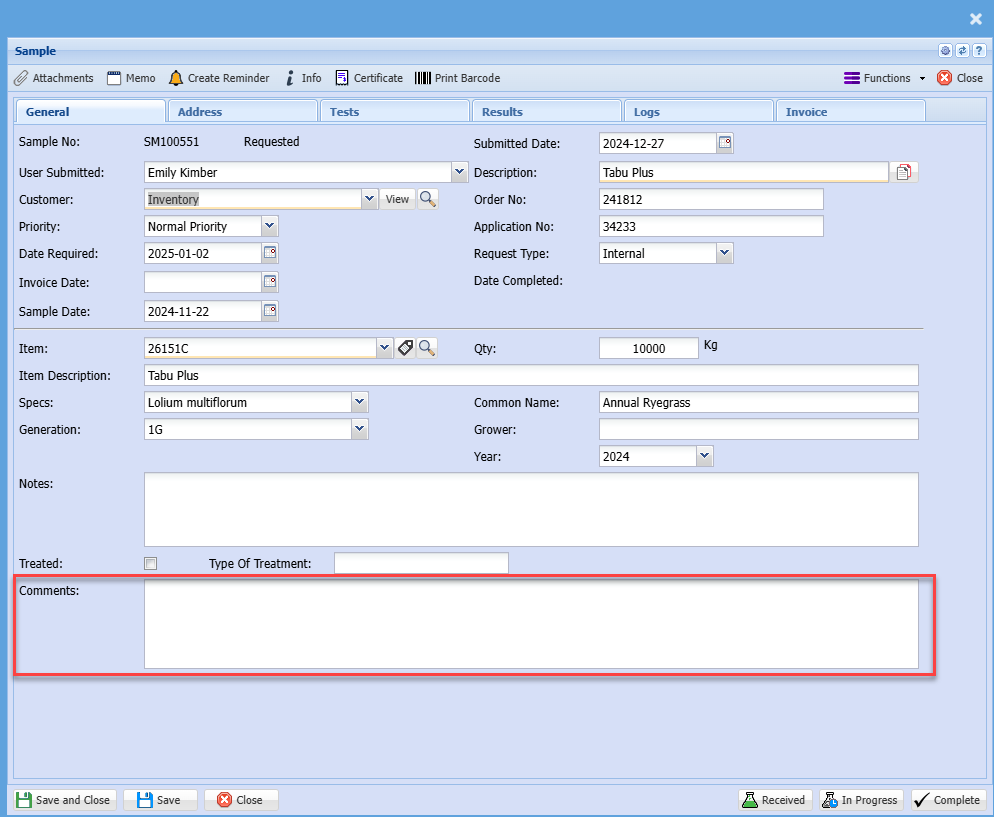
Test Comments
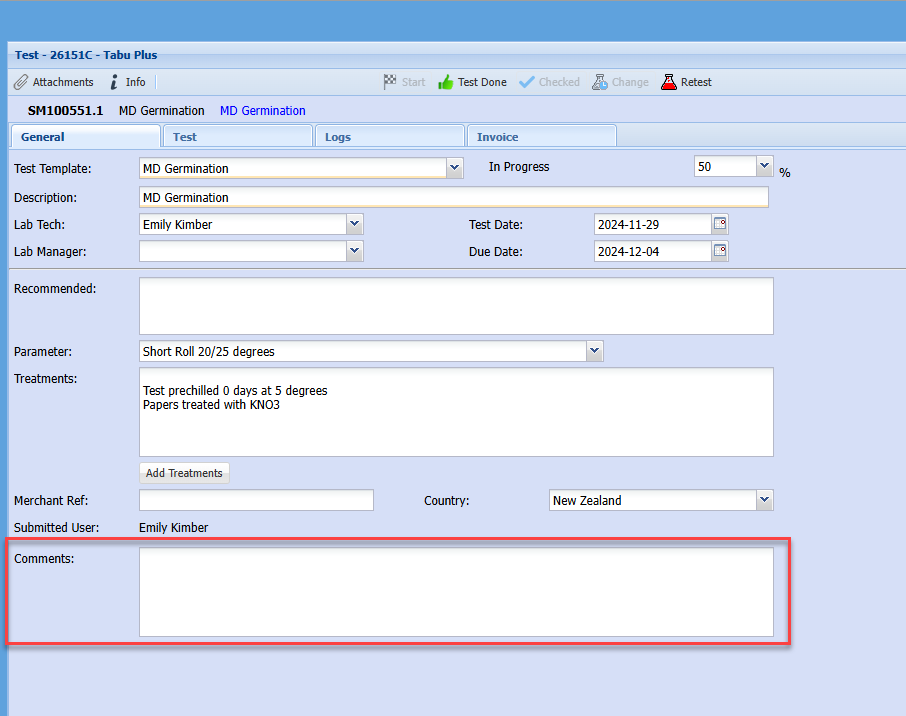
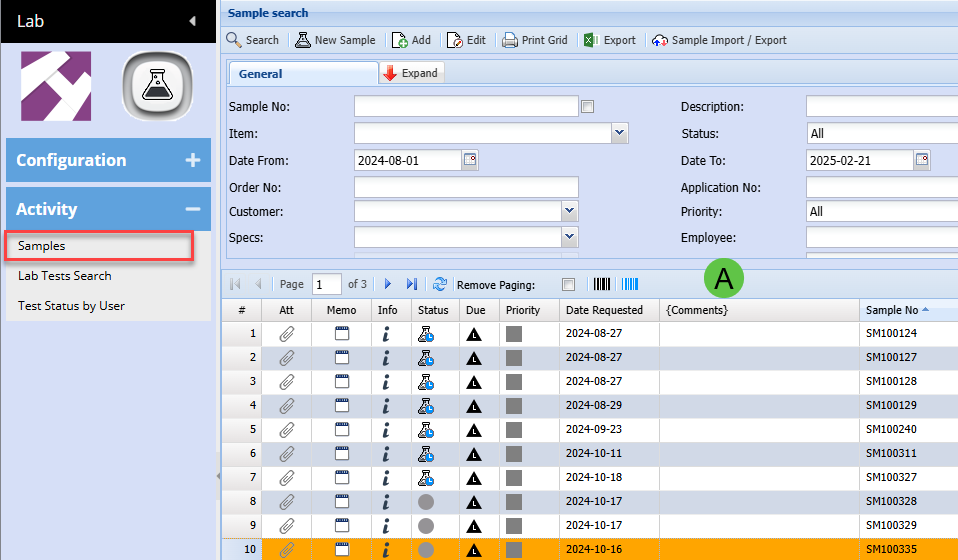
Comments added to Sample Grid
Lab Module > Activity > Samples
Test Views
Lab Module > Activity > Lab Tests Search
Line No and Line description displaying correctly

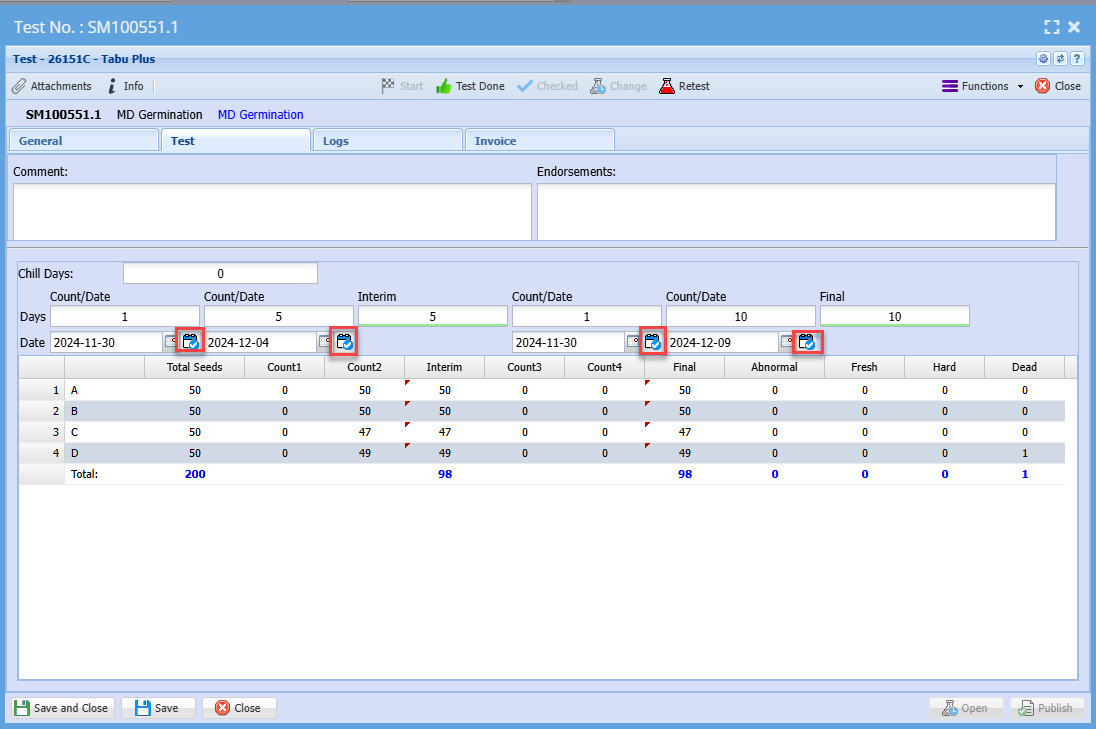
MD and FD Germination Tests
Icon will change and stay changed when clicked