# Approvals

<span class="ts0">The approvals menu is used to approve purchase orders and expenses</span>

<span class="ts0">If your menu items are grouped go to</span>

<span style="color: rgb(45, 194, 107);">**<span class="ts0">Financial&gt; Approvals</span>**</span>

<p class="callout info"><span style="color: rgb(0, 0, 0);"><span class="ts0">If your menu items are not grouped then go directly to approvals</span></span></p>

<span class="ts0"> </span>![](https://hugeerp0.co.za/csp/webhelp/topics/images/image(2920).png)<span class="ts0"> </span>

To see a list of purchase orders and expenses click on the refresh button on the screen below

![](https://hugeerp0.co.za/csp/webhelp/topics/images/image(735).png)

After, clicking on the refresh button. The screen below will appear

[![image.png](https://hugeerp10.co.za/hsofmanual/uploads/images/gallery/2024-04/scaled-1680-/image.png)](https://hugeerp10.co.za/hsofmanual/uploads/images/gallery/2024-04/image.png)
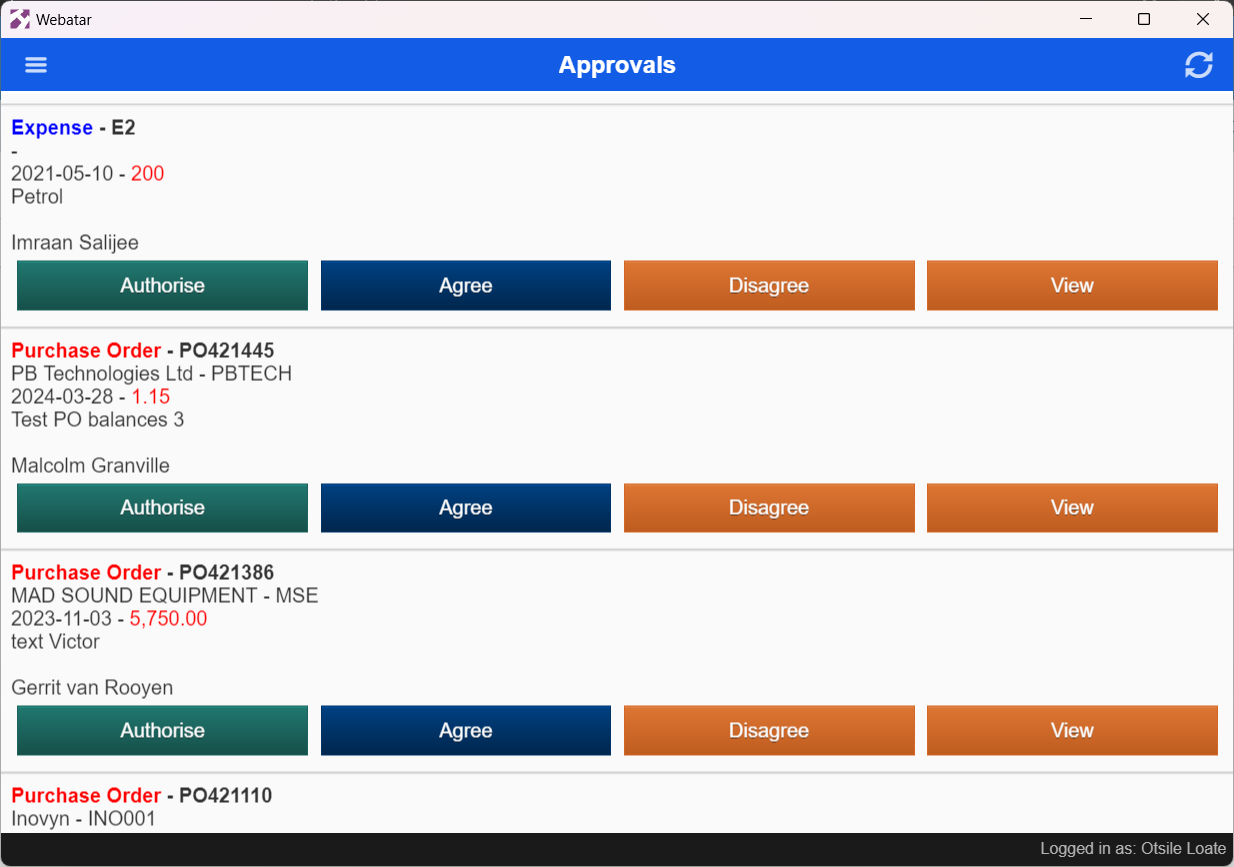
<table border="1" id="bkmrk-authorise-once-you-h" style="border-collapse: collapse; width: 100%;"><colgroup><col style="width: 26.0988%;"></col><col style="width: 74%;"></col></colgroup><tbody><tr><td>**Authorise**</td><td>Once you have approved a purchase order or expense, you will need to mark it as authorized so that goods can be ordered or finance can process the expense for payment</td></tr><tr><td>**Agree**</td><td>Approving the purchase order or Expense</td></tr><tr><td>**Disagree**</td><td>Declining the purchase order or expense</td></tr><tr><td>**View**</td><td>An overview of the document that needs to be approved </td></tr></tbody></table>