ENGYA - Configuration
Configuration
Priority Status Setup
Create priority status for RFP and ICPs
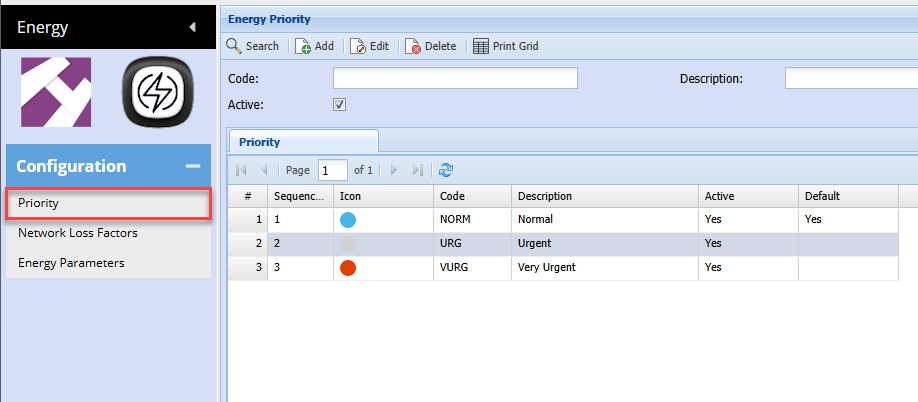
| Search | Search all priority status |
| Add | Add a new priority status |
| Edit | Edit details on priority status |
| Delete | Delete a priority status |
| Print Grid | Print all priority status |
| Code | Enter a code to search priority item |
| Description | Search for a description |
| Active | Search for active priority items |
Setup a Priority item
At least one priority item needs to be setup
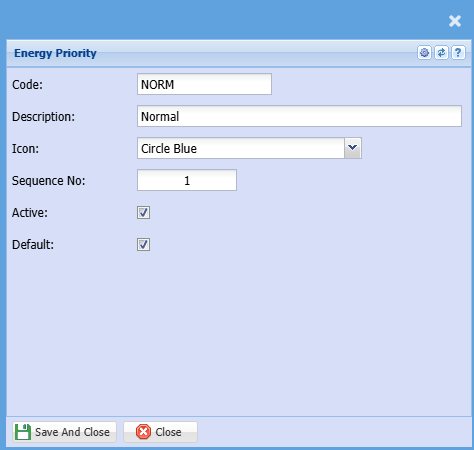
| Code | Enter a unique code |
| Description | Enter a description for the priority item |
| Icon | Select an icon to display for status |
| Sequence No | Enter a sequence number to sort the priorities |
| Active | Make this priority status active |
| Default | Select at least one to be a default |
Network Loss Factors
Network Loss Factors
Network Loss Factors Search
Define all Network providers loss factors
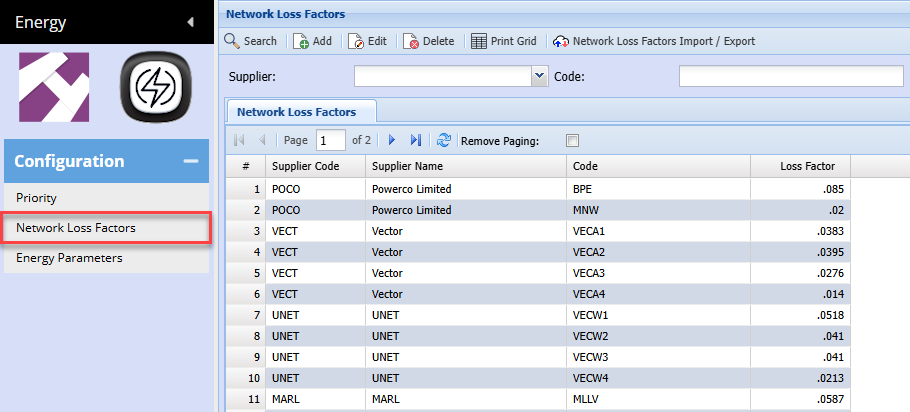
| Search | Search all Network loss factors |
| Add | Add a new Network loss factor |
| Edit | Edit details on Network loss factor |
| Delete | Delete a Network loss factor |
| Print Grid | Print all Network loss factor |
| Network Loss Factors Import / Export |
Import list of network loss factors Or Export list to update |
| Code | Enter a code to search Network loss factor |
| Description | Search for a description |
Setup a Network loss factor
Supplier list will only show Creditors marked as Network
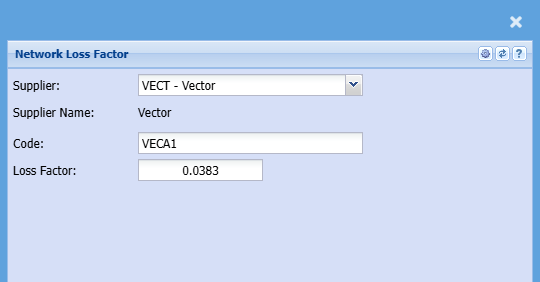
| Supplier / Creditor | Shows a list of Creditors marked as Network |
| Supplier Name | Name of the Network Creditor selected |
| Code | Define the unique code |
| Loss Factor | Enter the loss factor |
Network Loss Factors Import Export
Import and Export loss factors
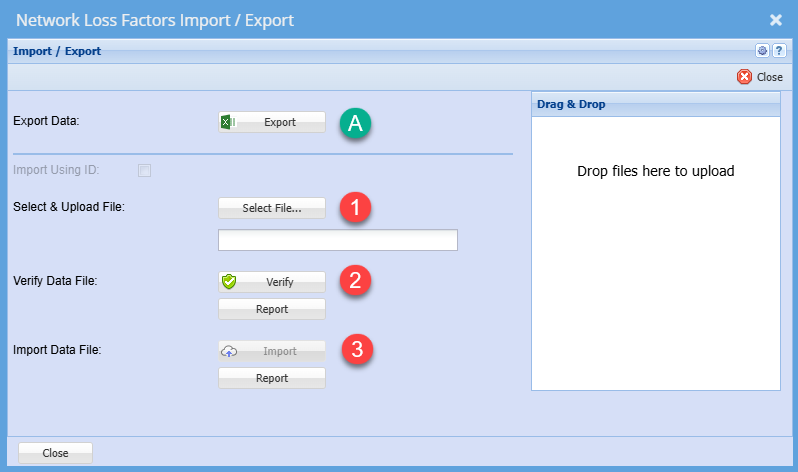
| Export | Export data to get layout template for import |
| Select File | Select the Excel file to import |
| Verify Data File | Verify that the data is correct before importing |
| Import Data File | Import data after verifying |
Energy Parameters
Energy Parameters
Energy Parameters Search
Energy parameters are used to define consumption data
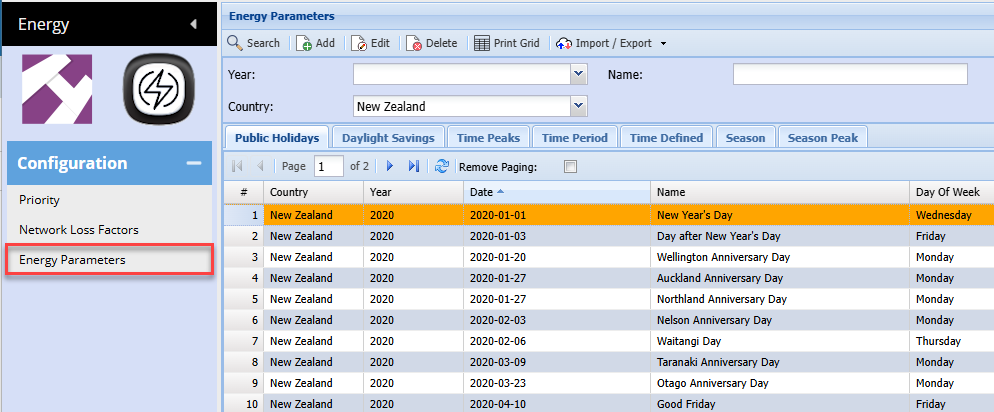
| Search | Search |
| Add | Add new |
| Edit | Edit selected parameter |
| Delete | Delete a parameter |
| Print Grid | Print all parameter |
Import / Export
Click on drop down to define Import and exports
| Public Holidays Import/Export | Import and Export public holidays - See Manual |
| Time Peaks Import/Export | Import and Export Time Peaks - See Manual |
Tabs defined
| Public Holidays | Setup up public holidays - See manual |
| Daylight Savings | Setup Daylight Savings - See Manual |
| Time Peaks | Setup Time Peaks - See Manual |
| Time Period | Setup Time Period - See Manual |
| Time Defined | Setup Time Defined - See Manual |
| Season | Setup Seasons - See Manual |
| Season Peak | Setup Season Peak - See Manual |
Energy Parameters Public Holidays
Setup Public holidays for Business Day and Non-Business Day parameters
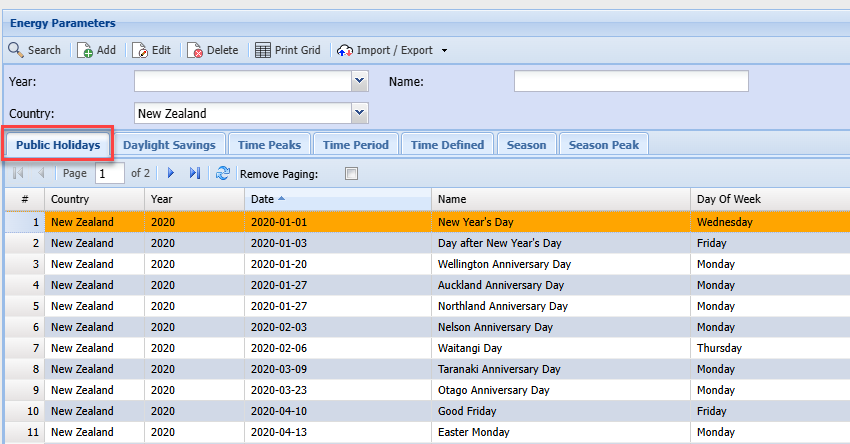
| Year | Filter by Year |
| Name | Search for a specific public holiday |
| Country | Select the country for public holidays |
Public Holiday add / Edit
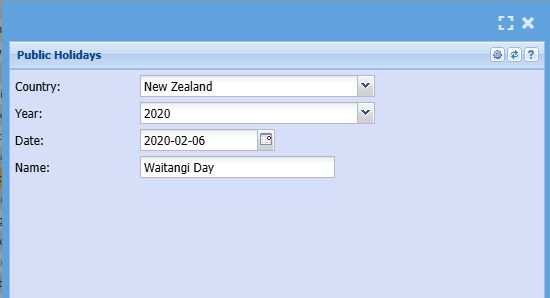
| Country | Define the country for Holiday |
| Year | Select the year for holiday |
| Date | Set the date of the holiday |
| Name | Enter the name of the holiday |
Energy Parameters Daylight Savings
Define the Daylight Savings
Enter the daylight savings ending date and starting date for the year
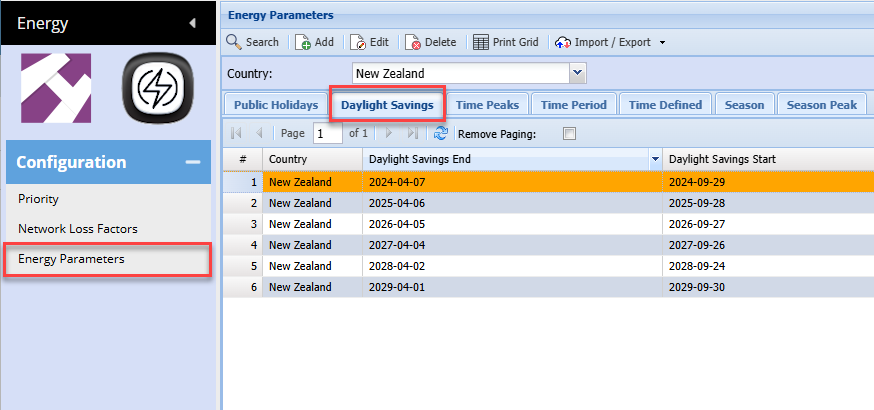
Add / Edit Daylight Savings
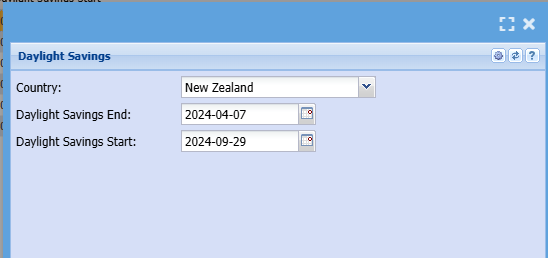
| Country | Enter the country for the specific daylight savings |
| Daylight saving end date | Select ending date |
| Daylight saving start date | Select starting date |
Energy Parameters Time Peaks
Define the various times and periods
There is no unique code here, code is used to establish what Peak Times is used in the year when importing Networks and Retailers
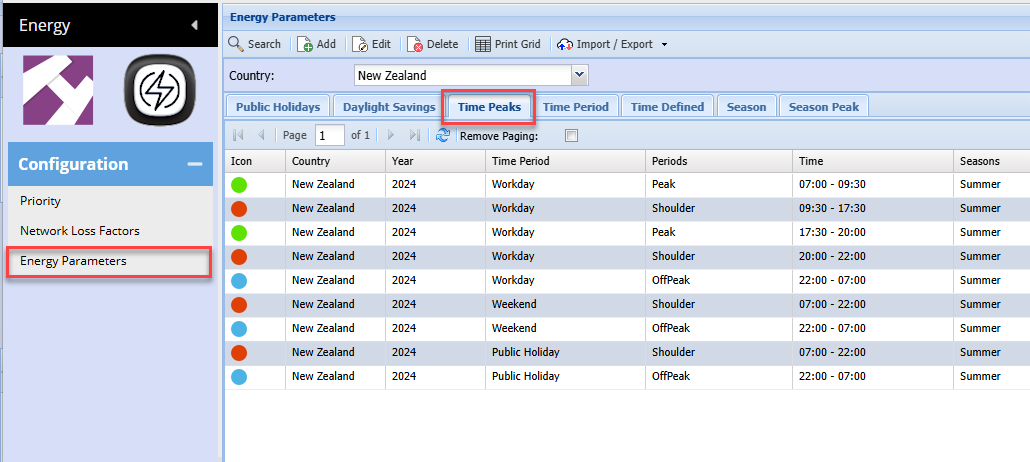
Add / Edit Time Peaks
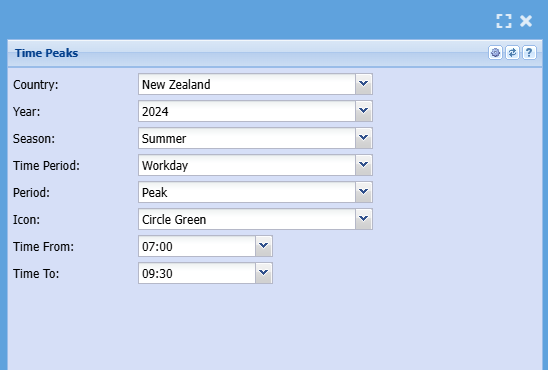
| Country | Enter the country for the time of use |
| Year | Select the relevant year |
| Season | Select the season |
| Time Period | Select whether this is a workday, Weekend or Public Holiday |
| Period | Select the Period Perk, Shoulder or Off-Peak |
| Icon | Select an icon to represent time peak |
| Time From | Select time from |
| Time To | Select time to |
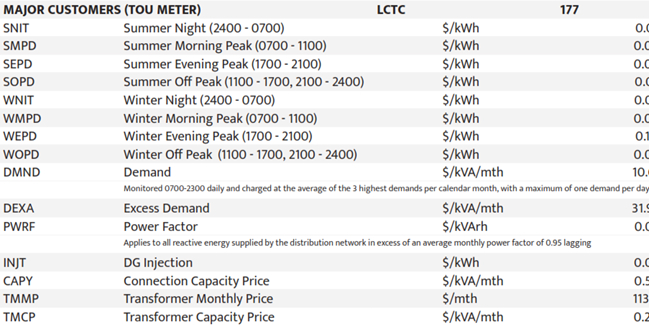
Samples of codes
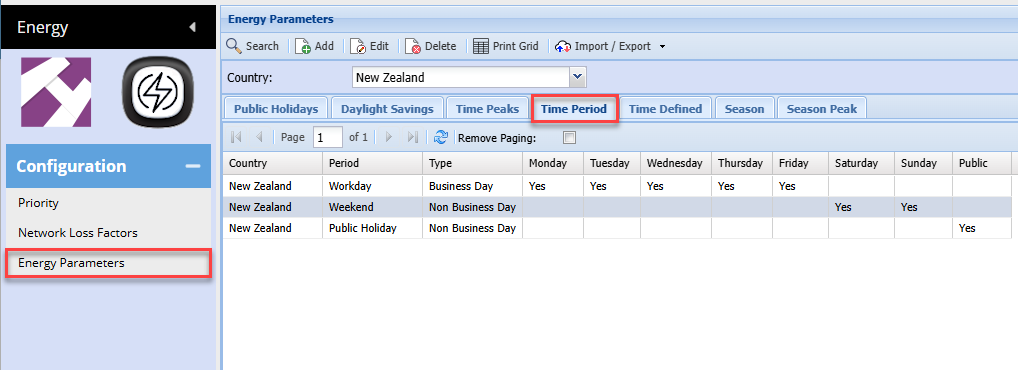
Energy Parameters Time Period
Define the time period for a workday as to whether this is business or non-business day.
Define what workday consists of based on Monday Tuesday Wednesday Thursday Friday
Add / Edit Time Period
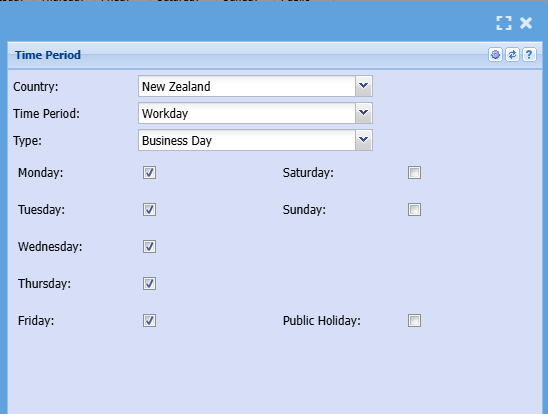
| Country | Which country is this specific to |
| Time Period | Define the Time period of Workdays, Weekends and Public Holidays |
| Type | Define whether this is a business day or non-business day |
| Day of week | Define the days of week |
Energy Parameters Time Defined
Define the half an hour interval based on whether they are 48 parts or 144 parts
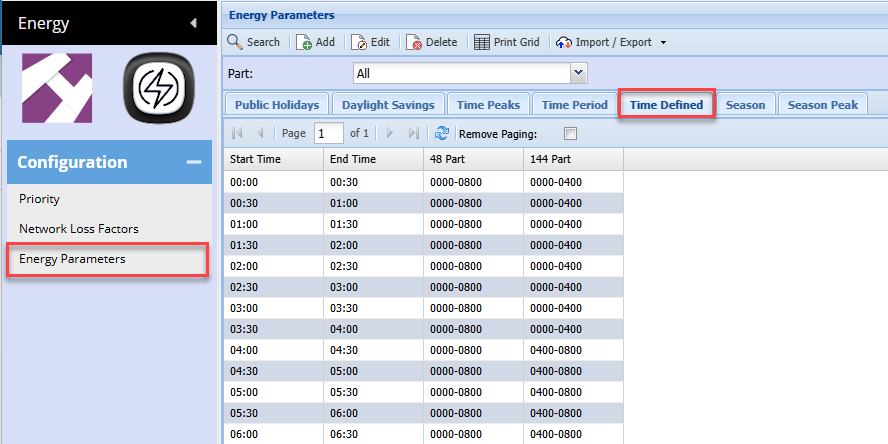
Add / Edit Time Defined
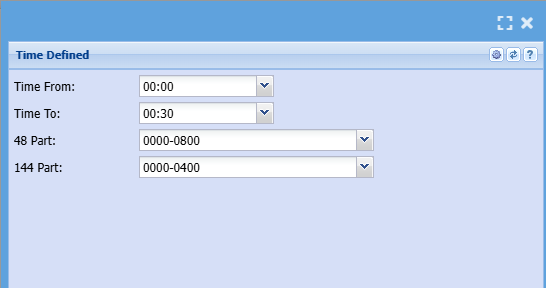
| Time From | Define the time from |
| Time To | Define the time to |
| 48 Part | Select whether this time slot is part of 48 part |
| 144 Part | Select whether this time slot is part of 144 part |
Energy Parameters Season
Define the months to seasons and the Day and Night times
Includes the Weekday Times,
Weekend Times are assumed to be weekends and night times not defined in Weekday Times
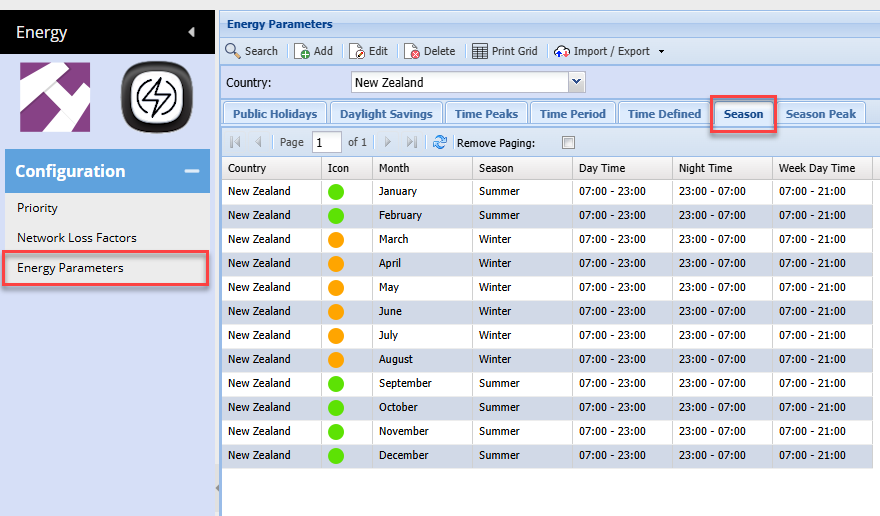
Add / Edit Season
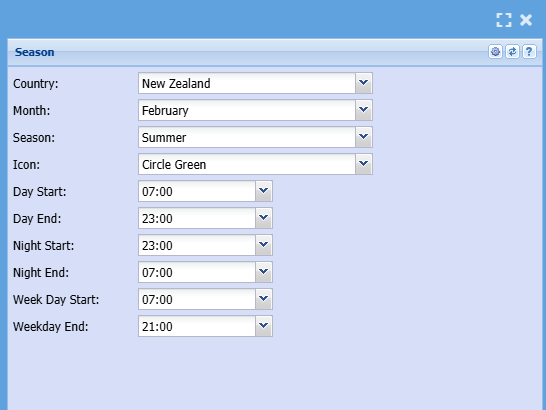
| Country | Define the country for the season |
| Month | Define the month |
| Season | Select whether this is summer or winter month |
| Day Start time | Select the start time a day starts in this month |
| Day End Time | Select the start time a day ends in this month |
| Night Start time | Select the start time a night starts in this month |
| Night End time | Select the start time a night ends in this month |
| Weekday Start | Select the start time a Weekday starts in this month |
| Weekday End | Select the end time a Weekday starts in this month |
Energy Parameters Season Peak
Defines the eight season peaks start and end times
Season Types
- Summer Night
- Summer Morning Peak
- Summer Evening Peak
- Sumer Off Peak
- Winter Night
- Winter Morning Peak
- Winter Evening Peak
- Winter Off Peak
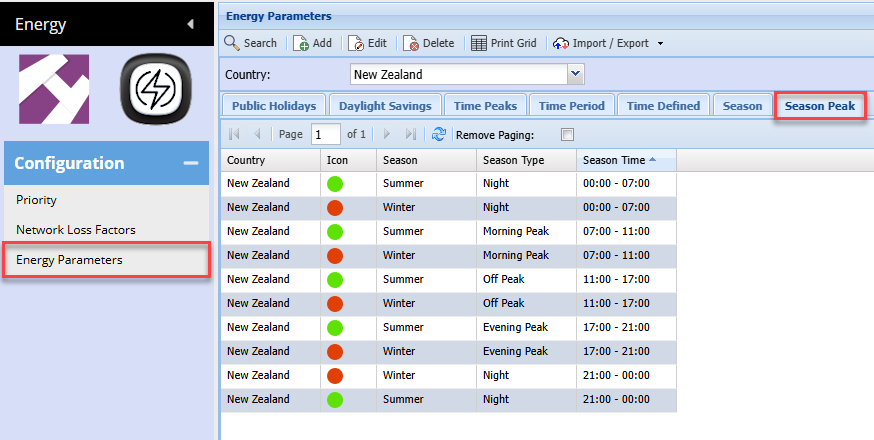
Add / Edit Season Peaks
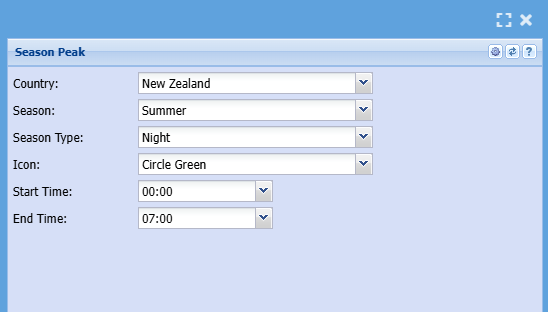
| Country | Define the country for the season |
| Season | Select whether this is summer or winter month |
| Season Type | Select the Season Type - there are eight |
| Icon | Select icon for Season Peak |
| Start time | Select the start time a day starts in this month |
| End Time | Select the start time a day ends in this month |
Energy Parameters Inflation
Setting up the default inflation value percentage.
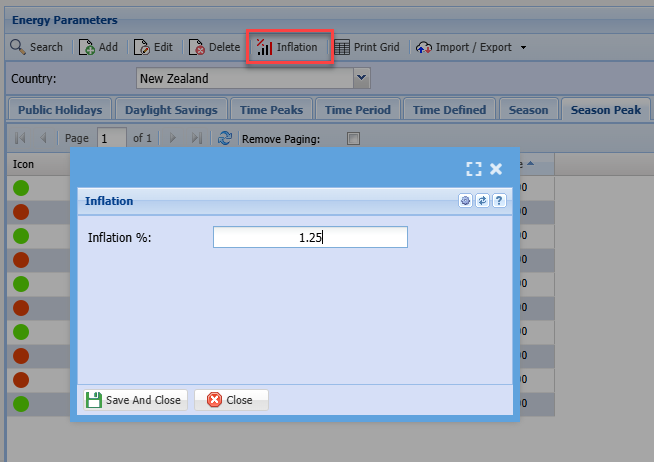
Inflation will be updated per RFP
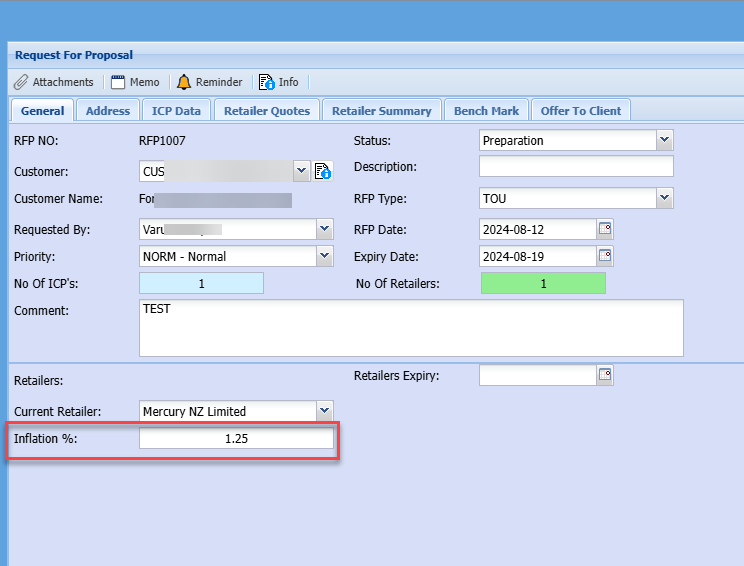
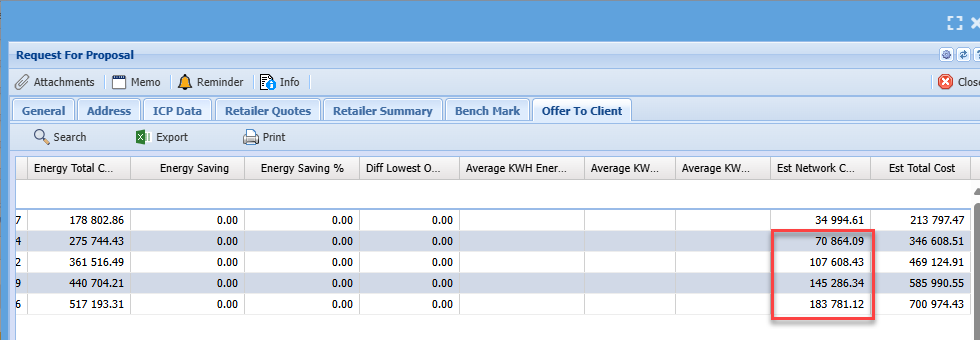
Inflation will be calculated from Year 2 onwards compounded on Network Costs on Offer to Client.