Inventory Item Price Report
Inventory item price report combines one item to another.
Primary item and secondary item, the secondary item can be a carton.
Final report will look like this:
A= Primary stock item
B= Secondary stock item
C= Secondary stock item bulk discount
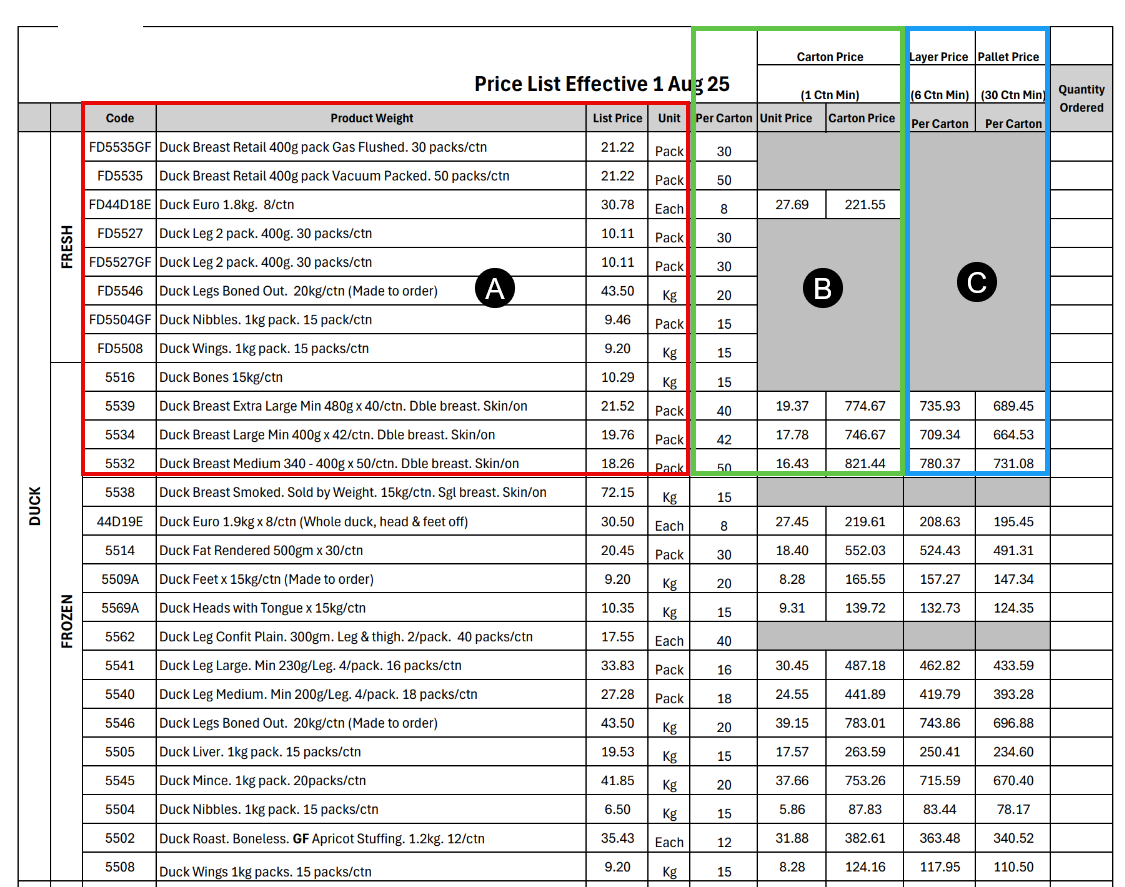
To setup the report, items need to be configured
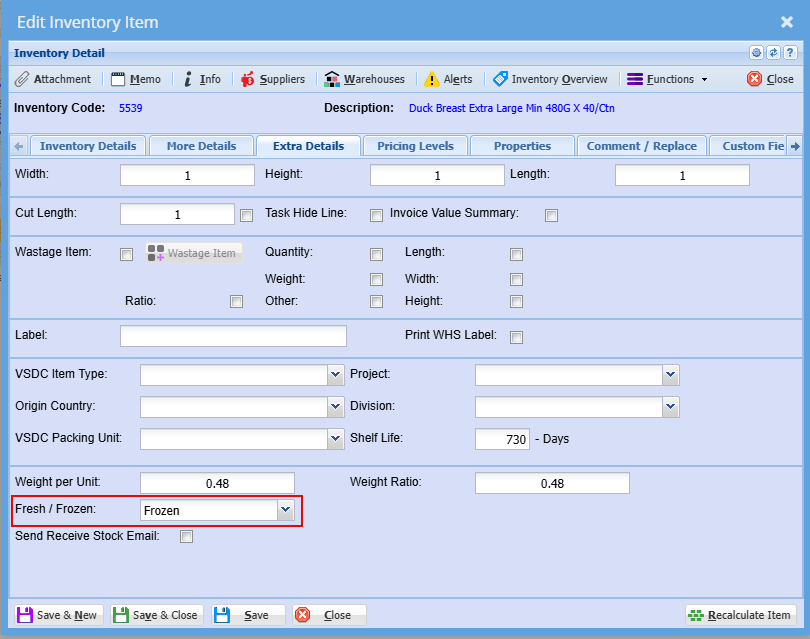
Setting up the primary item:
- Frozen or Fresh
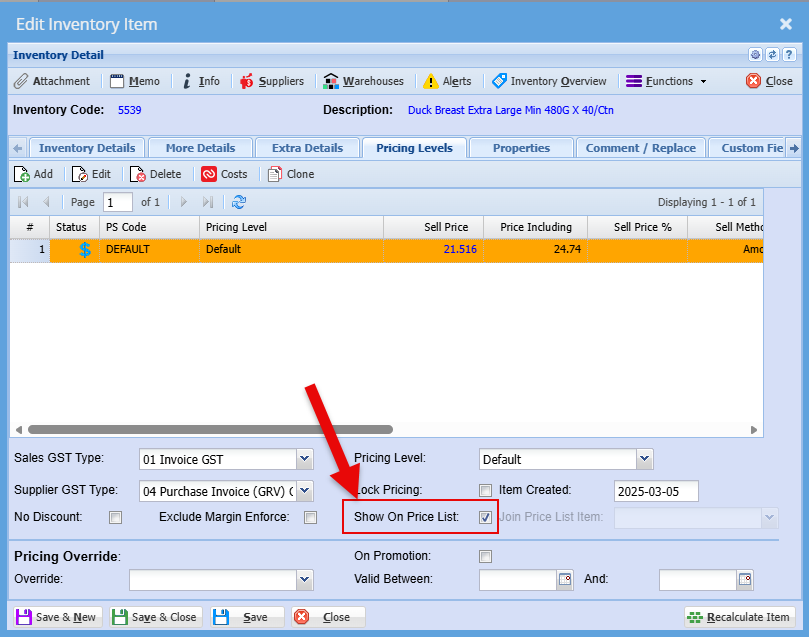
- Tick the Show on Price List
Put the tick on for Show on Price List
Secondary item setup