CGL Analysis
- GL Account Analysis Menu
- Detail Of T-Accounts Menu
- GL Journal History Menu
- Cash Book History Menu
- Bank Recon History Menu
- WIP Journal Menu
- GL Document History Menu
GL Account Analysis Menu
GL Account Analysis
Analysis the General Ledger Accounts and the transactions posted.
This is a way of analyzing and measuring the cost behaviour of the company.
Go to General Ledger Module > Analysis > Account Analysis
Check that you are running the correct date range, change your date from and date to.
search for a specific account:

Click on Search button to view the details of the ledger account selected.
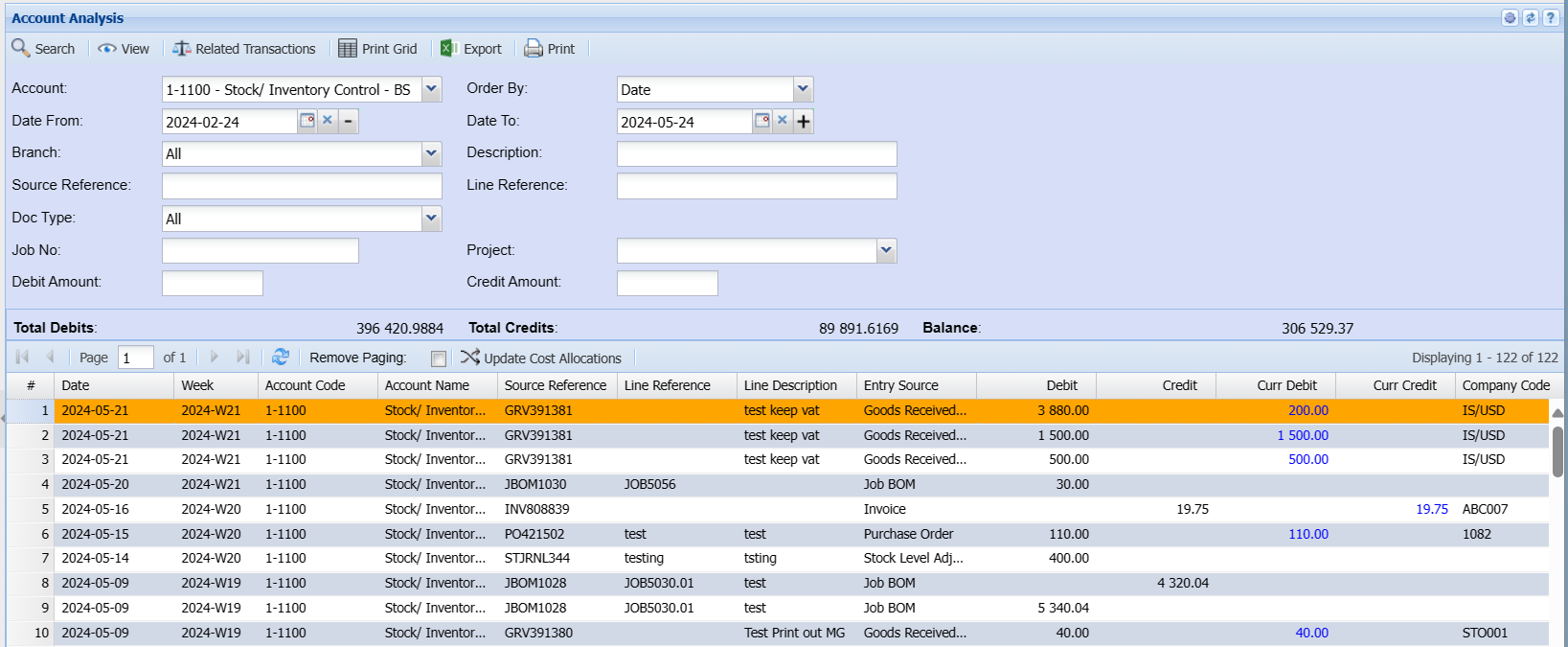
This grid shows you the date of the transaction with Source Reference, line reference, description that was capture on the line of the transaction.
View two columns namely Debit and Credit.
Who processed the document with actual audit date and time.
| Prints the grid that you are viewing. | |
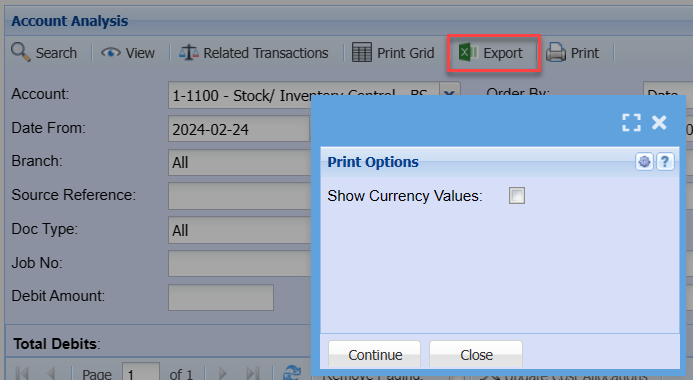
| Export | Exports the data into Excel. |
| Related Transactions | This shows the debit and credits that were done on the document, also gives you a T-Account View. |
Basic Search Tab allows the user to search by selecting from the following:
| Account | to select the account |
| Date From | to select the date from which the analysis will run from |
| Date To | to select the date To, for limiting account analysis run |
| Branch | to select the branch from the drop-down arrow |
| Order By | to select order by, from the drop-down arrow |
Once above fields are selected, after searching, there will be a Total Debit and a Total Credit for a selected account
Filter Tab allows the user to search by selecting the filter type from the drop-down arrow and entering the filter value.
Buttons Defined
| Search button | for searching after selecting filter type |
| Clear Filter button | to clear filter value field |
| Main View Tab | to view account analysis documents list |
| View button | to view a selected source document |
| Print button | to print account analysis transaction history |
| Export button | to export account analysis to excel spread sheet |
| Related Transactions button | to view related transactions |
Export button
Click on Print Grid or Export button to Print Transaction History
Detail Of T-Accounts Menu
Detail of T-Accounts
View accounts in a T-account view with Debits on the left and Credits on the right
General Ledger>Analysis>Detail of T-Accounts
.png)
T-account contains detailed elements of the account
The stem of the 'T' is divided into two columns. The name given to the left column is: Debit and the name given to a right column is: Credit.
Each line below the 'T' in a 'T' account is called an 'entry'.
An 'entry' includes either a Debit Amount or a Credit Amount. Often additional columns are also used to log the date of the 'entry' and some details about it.
GL Journal History Menu
GL Journal History
The record of all the journal entries in the General ledger will be found under journal history
General Ledger>Analysis>Journal History
These can be viewed, printed and saved as a template if needed.
.png)
Cash Book History Menu
Cash Book History
The record of all the Cashbook entries in the General ledger will be found under Cashbook history
General Ledger>Analysis>Cash Book History
These can be viewed , printed and saved as a template if needed.
.png)
Bank Recon History Menu
Bank Reconciliation History
This is a reconciled financial statement which is owned by both the business itself and the bank statement
General Ledger>Analysis>Bank Recon History
.png)
Basic Search
Bank Account – to search a bank recon by selecting bank account from the drop down arrow
Order By – to search a bank recon by sorting the order
Date From – to search bank recons by date, select the date from and the date to
View – to view the selected bank reconciliation
Attach Bank Statements
Attach bank statements to Bank Recon History
Yes, one can attach past bank statements to bank recons.
Go to Bank Recon History
.png)
WIP Journal Menu
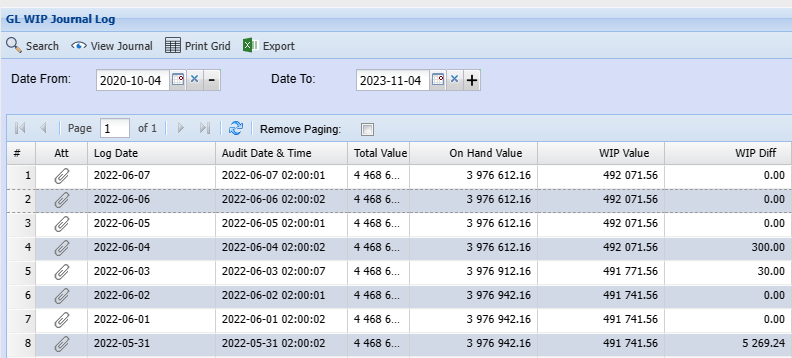
WIP Journal History
WIP journals show automatic correction journals
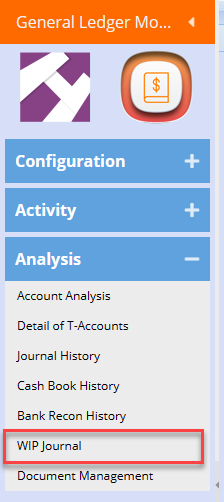
Search for all WIP journals
GL Document History Menu
GL Document History
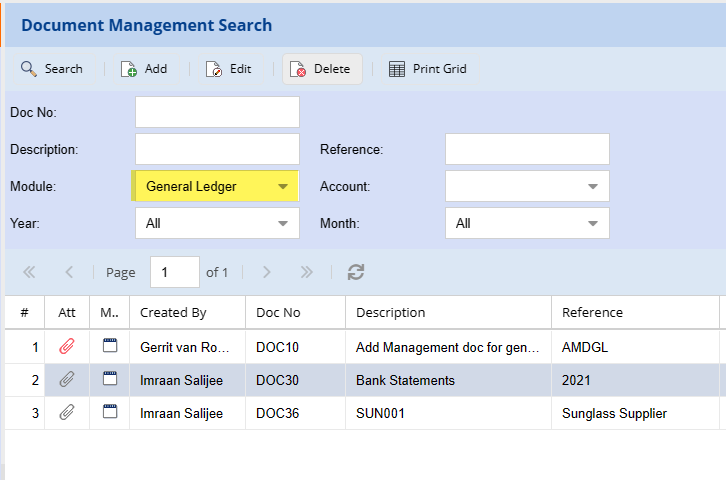
When accessing the document history in General Ledger module, this will filter by General Ledger documents

Document Management Search
Filter and search by General Ledger Module category
Add Bank Statements, Tax Reports, journals to this document management