# Module Access Tab
#### Details 2
Browser Tabs allows you to open modules and windows in tabs instead of a new window
[](https://hugeerp10.co.za/hsofmanual/uploads/images/gallery/2024-08/cfuimage.png)
---
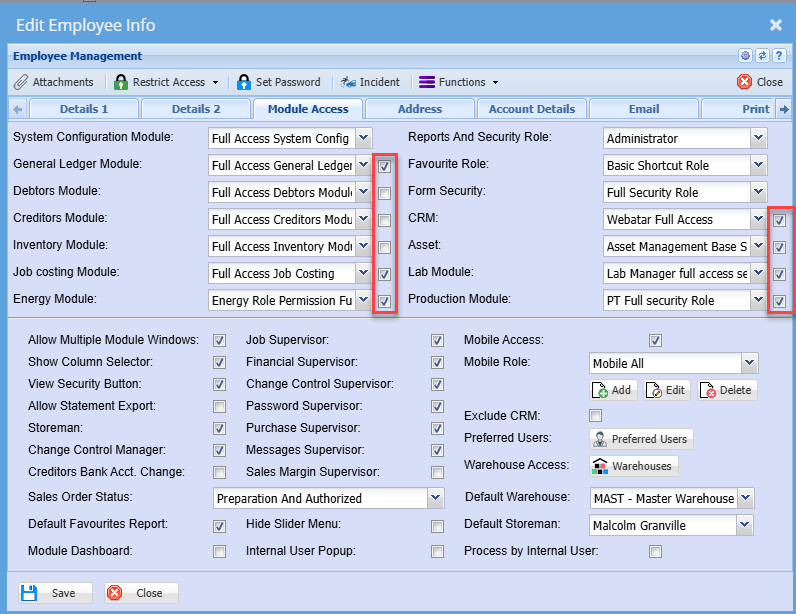
#### Activity Menu first
To set the Activity menu first in some modules, put the tick on next to the Module security
[](https://hugeerp10.co.za/hsofmanual/uploads/images/gallery/2024-11/8W7image.png)
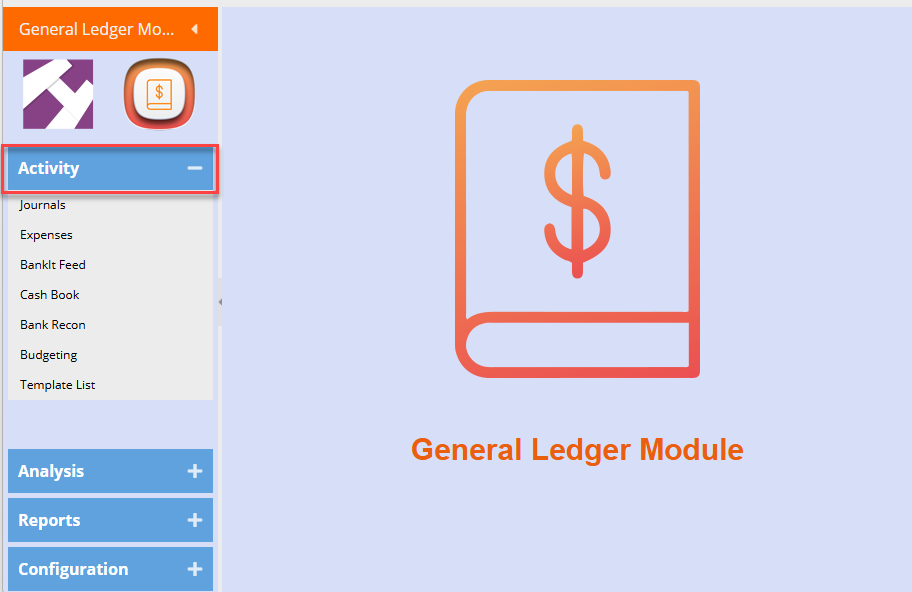
This will put the Activity menu first when going into the module
[](https://hugeerp10.co.za/hsofmanual/uploads/images/gallery/2024-11/OnSimage.png)
---
#### Module Access
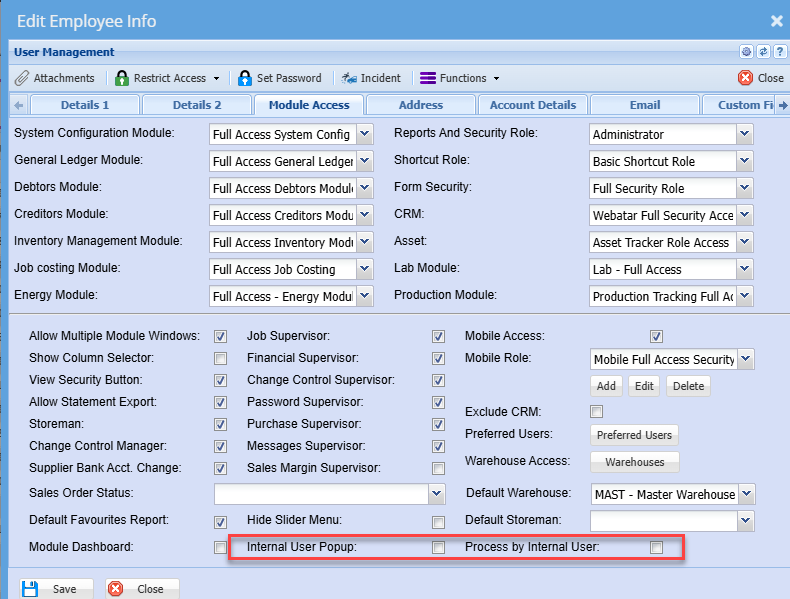
We have new user access used on Webatar quick sales and in debtors invoice
If activated, a pop-up will ask for the user's barcode to identify which user is doing the invoice.
Usually used in a general area like front computer where multiple people use one computer for invoicing
The process by internal user processes the invoice by the internal user selected
[](https://hugeerp10.co.za/hsofmanual/uploads/images/gallery/2024-08/jluimage.png)