# Webatar Production Tracking
# Role Permissions on User
#### Setup Role permissions for Production Tracking
Role permissions are managed per user.
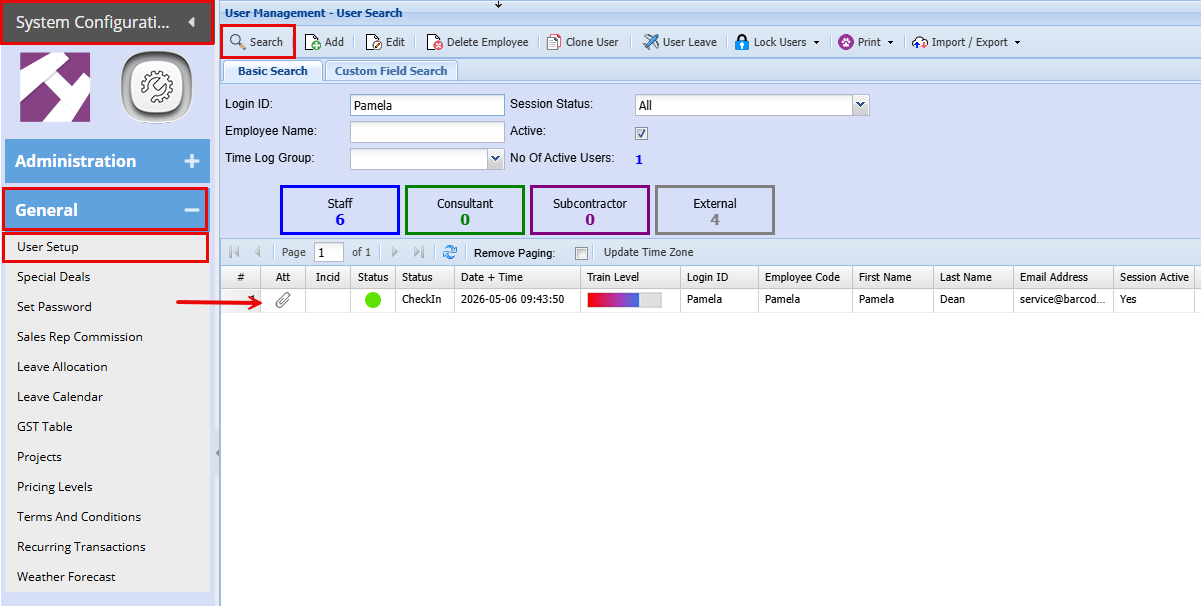
**System Configuration > General > User Setup**
- Search for the user, then double‑click the user to open the user settings.
[](https://hugeerp10.co.za/hsofmanual/uploads/images/gallery/2026-05/uC7image.png)
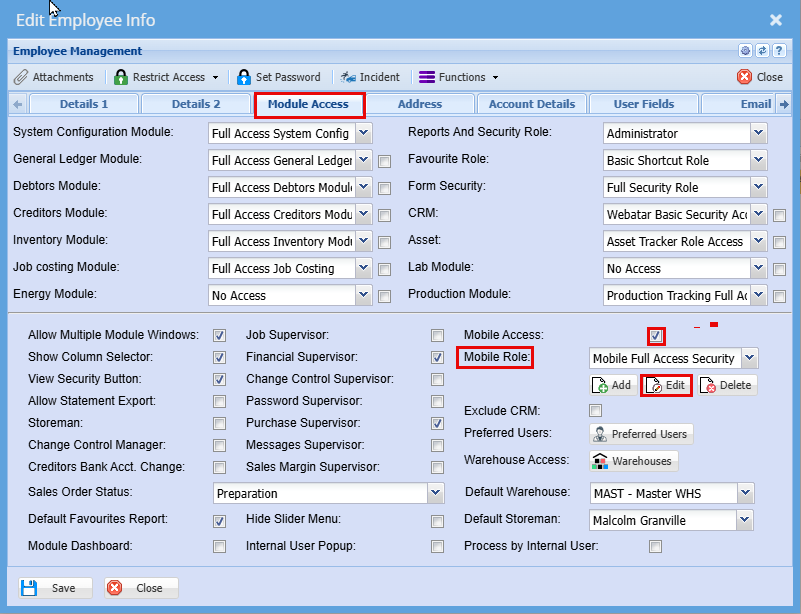
- Go to the "**Module Access**" tab
- **Tick** the "**Mobile Access**" box to activate the mobile access
- At the mobile Role Settings, click "**Edit**"
[](https://hugeerp10.co.za/hsofmanual/uploads/images/gallery/2026-05/KWZimage.png)
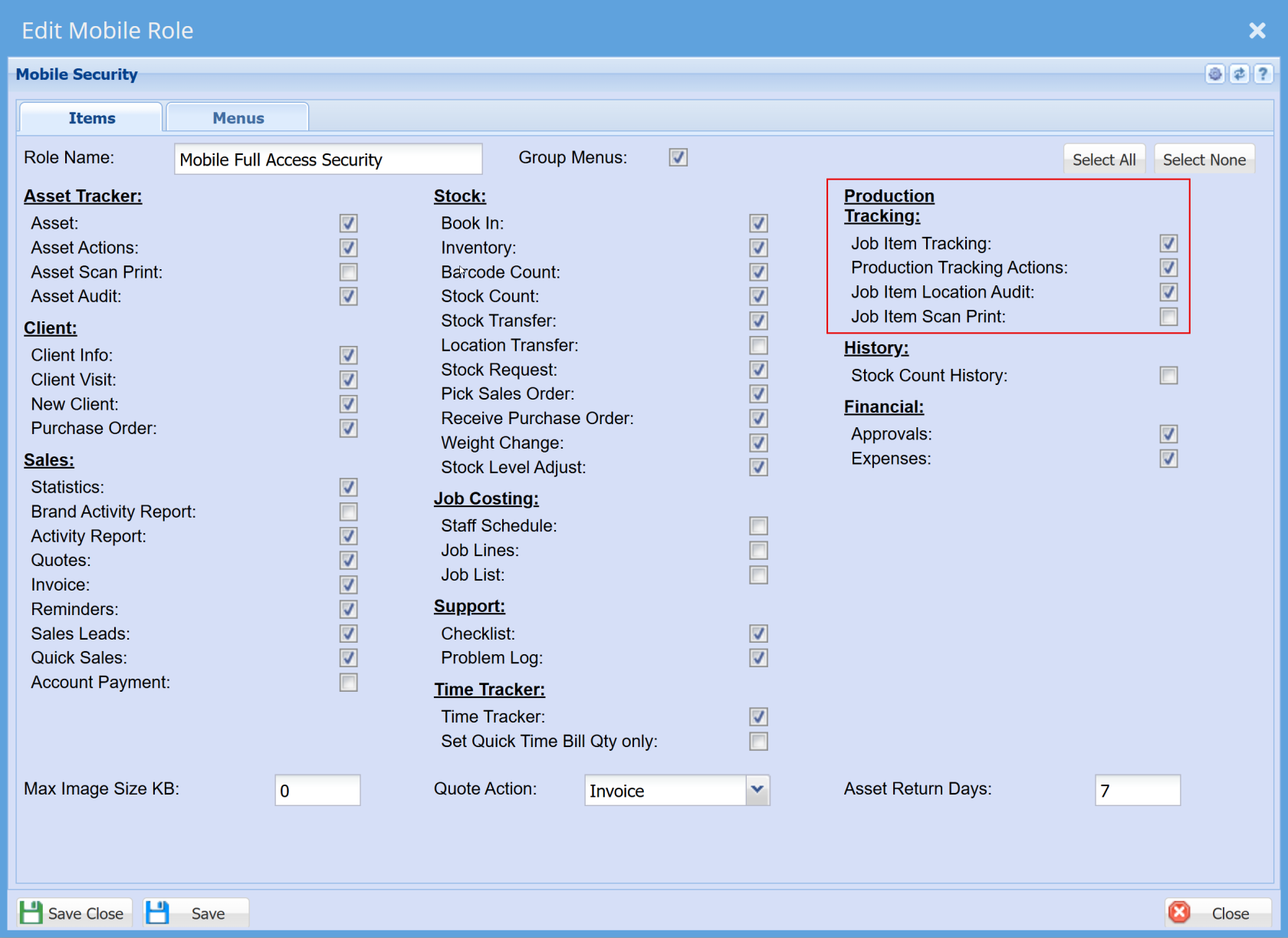
Here under the "**Items**" Tab you will be able to define the access each user will have
- Click "**Save & Close**"
[](https://hugeerp10.co.za/hsofmanual/uploads/images/gallery/2026-04/Dpbimage.png)
---
#### Additional Role Permissions
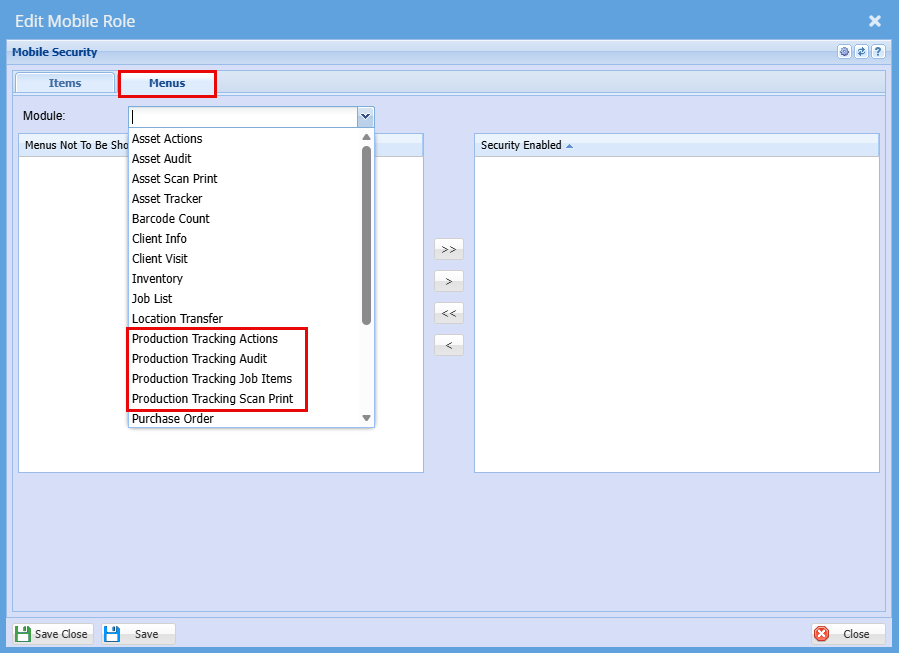
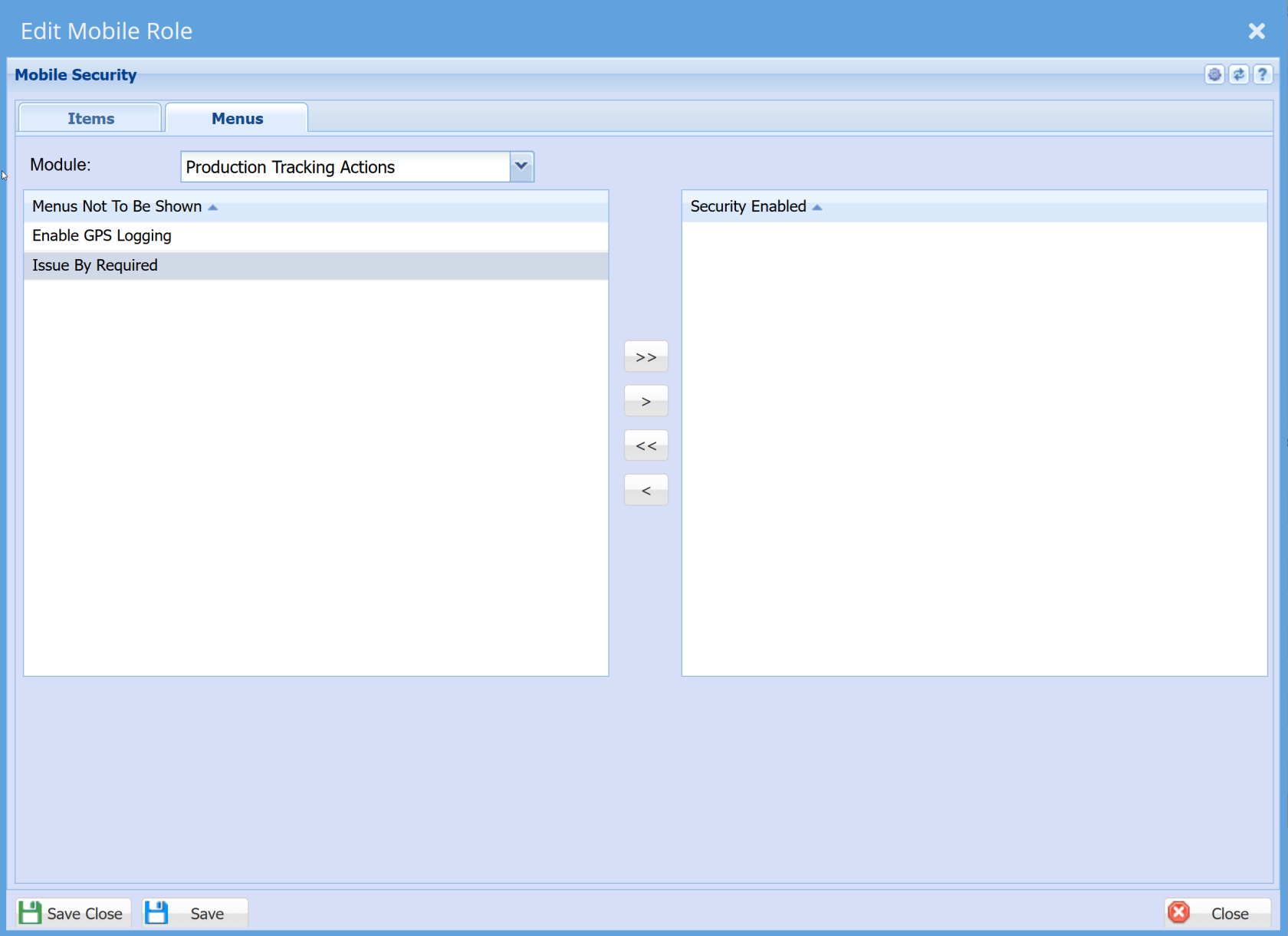
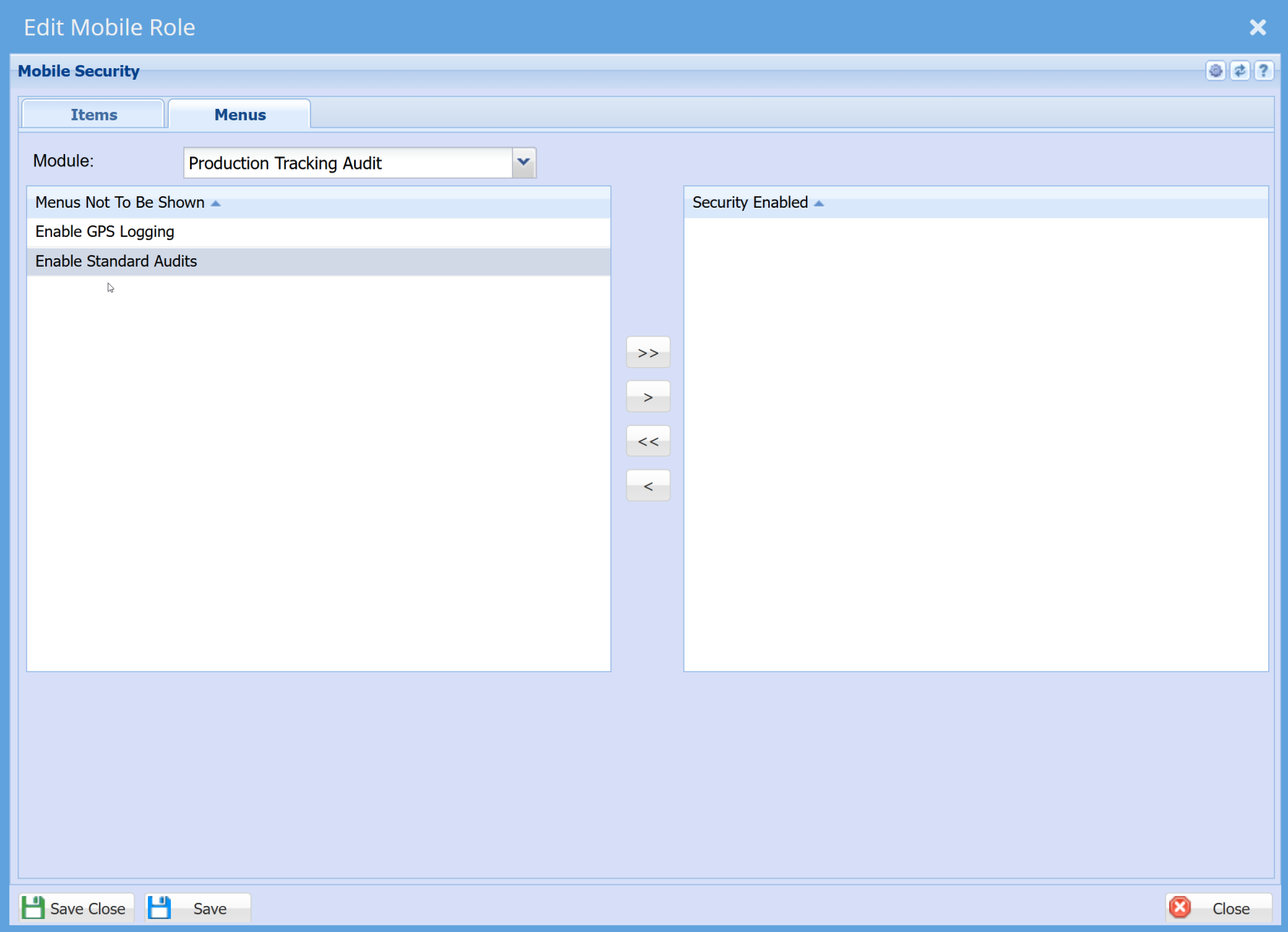
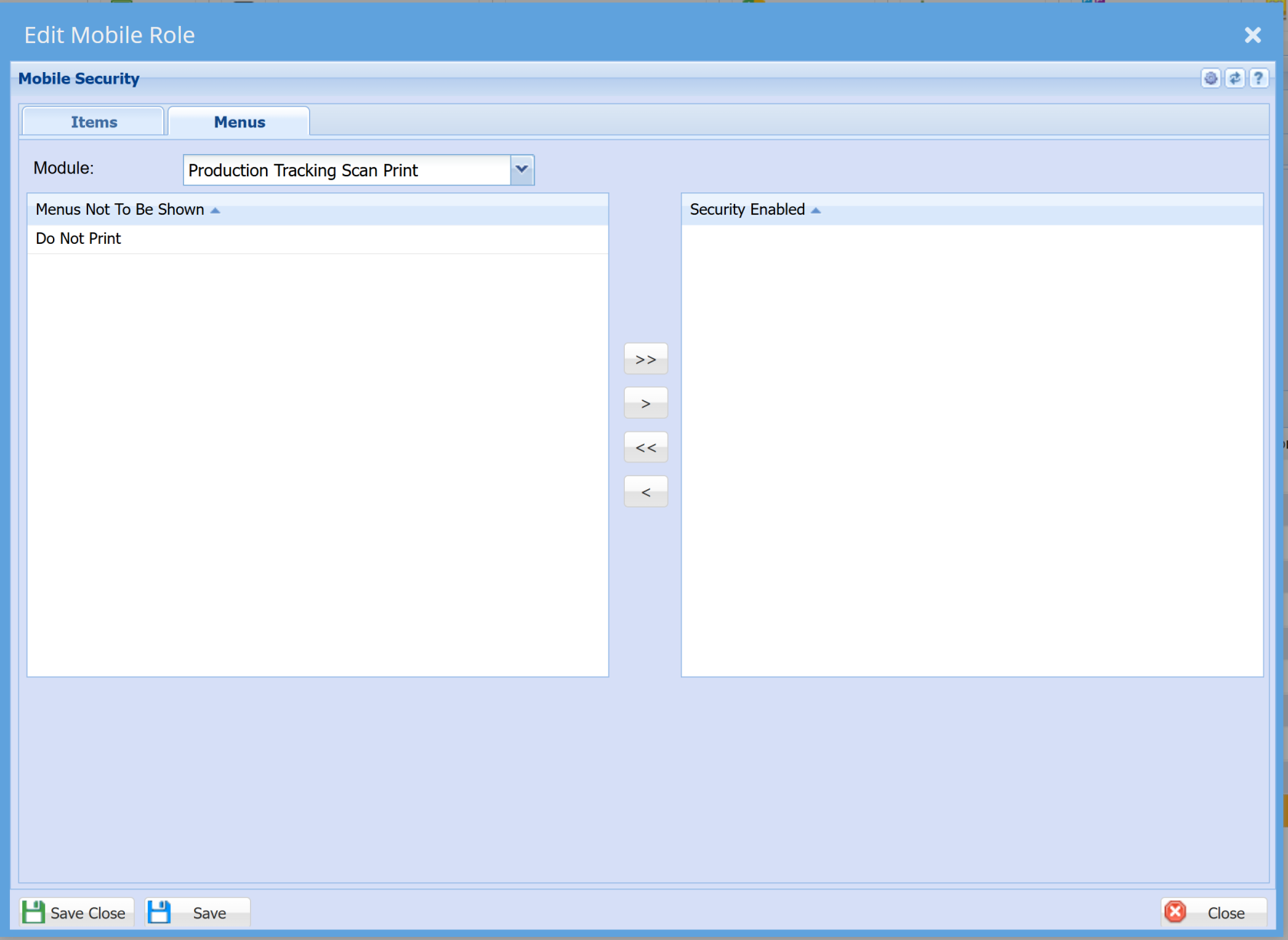
Under the "**Menus**" tab you will find additional security settings for each action.
[](https://hugeerp10.co.za/hsofmanual/uploads/images/gallery/2026-05/Nkmimage.png)
**Production Tracking Actions**
[](https://hugeerp10.co.za/hsofmanual/uploads/images/gallery/2026-04/I8Iimage.png)
**Production Tracking Audit**
[](https://hugeerp10.co.za/hsofmanual/uploads/images/gallery/2026-04/DTMimage.png)
**Production Tracking Scan Print**
[](https://hugeerp10.co.za/hsofmanual/uploads/images/gallery/2026-04/uZzimage.png)
---
### Webatar Profiles setup
- **Open** the **Webatar** App
[](https://hugeerp10.co.za/hsofmanual/uploads/images/gallery/2026-05/VICimage.png)
- **Click** on the Profile Icon [](https://hugeerp10.co.za/hsofmanual/uploads/images/gallery/2026-05/M44image.png) at the top right of the app.
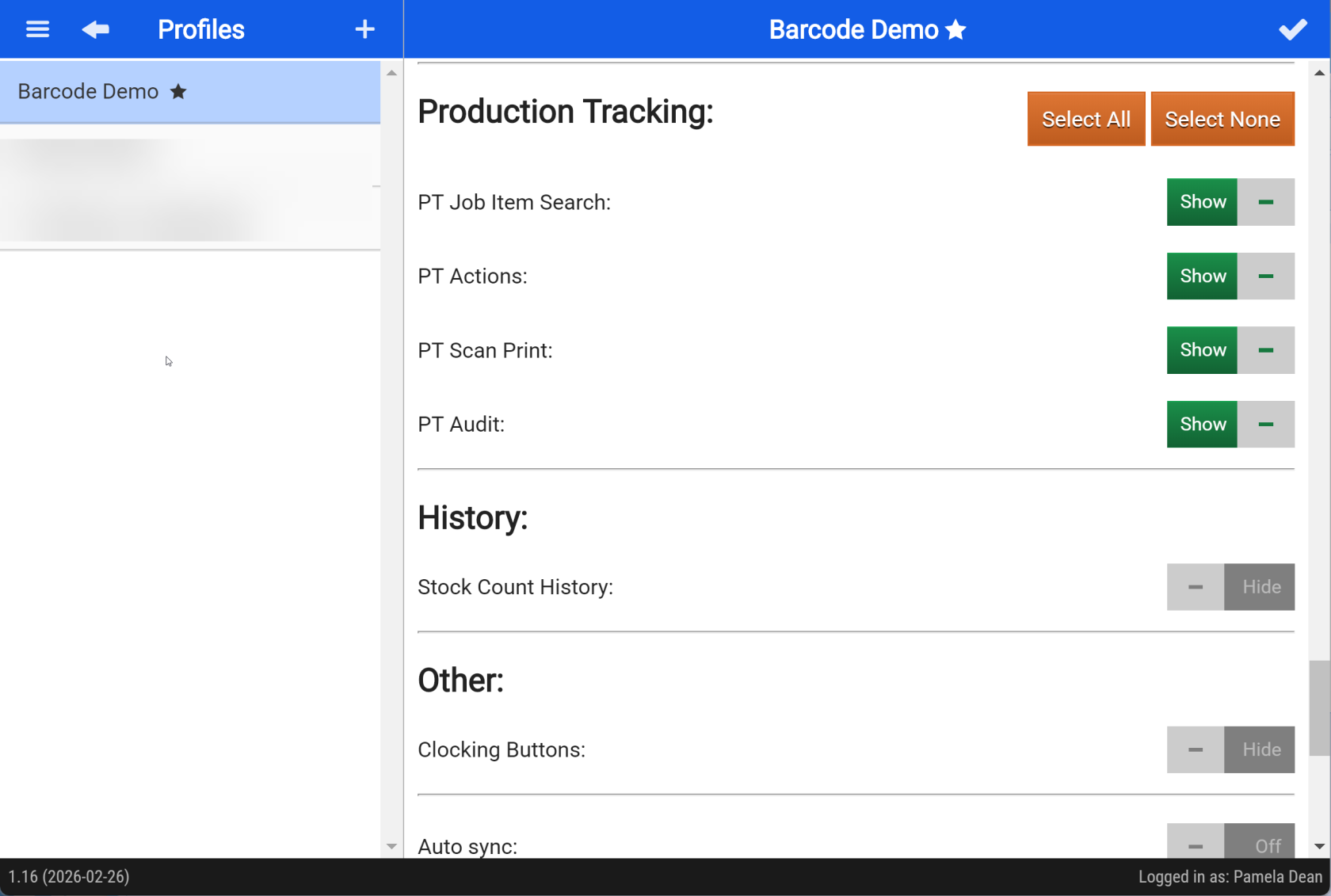
- **Scroll** down to Production Tracking
- **Toggle** the access as needed.
[](https://hugeerp10.co.za/hsofmanual/uploads/images/gallery/2026-04/1BKimage.png)
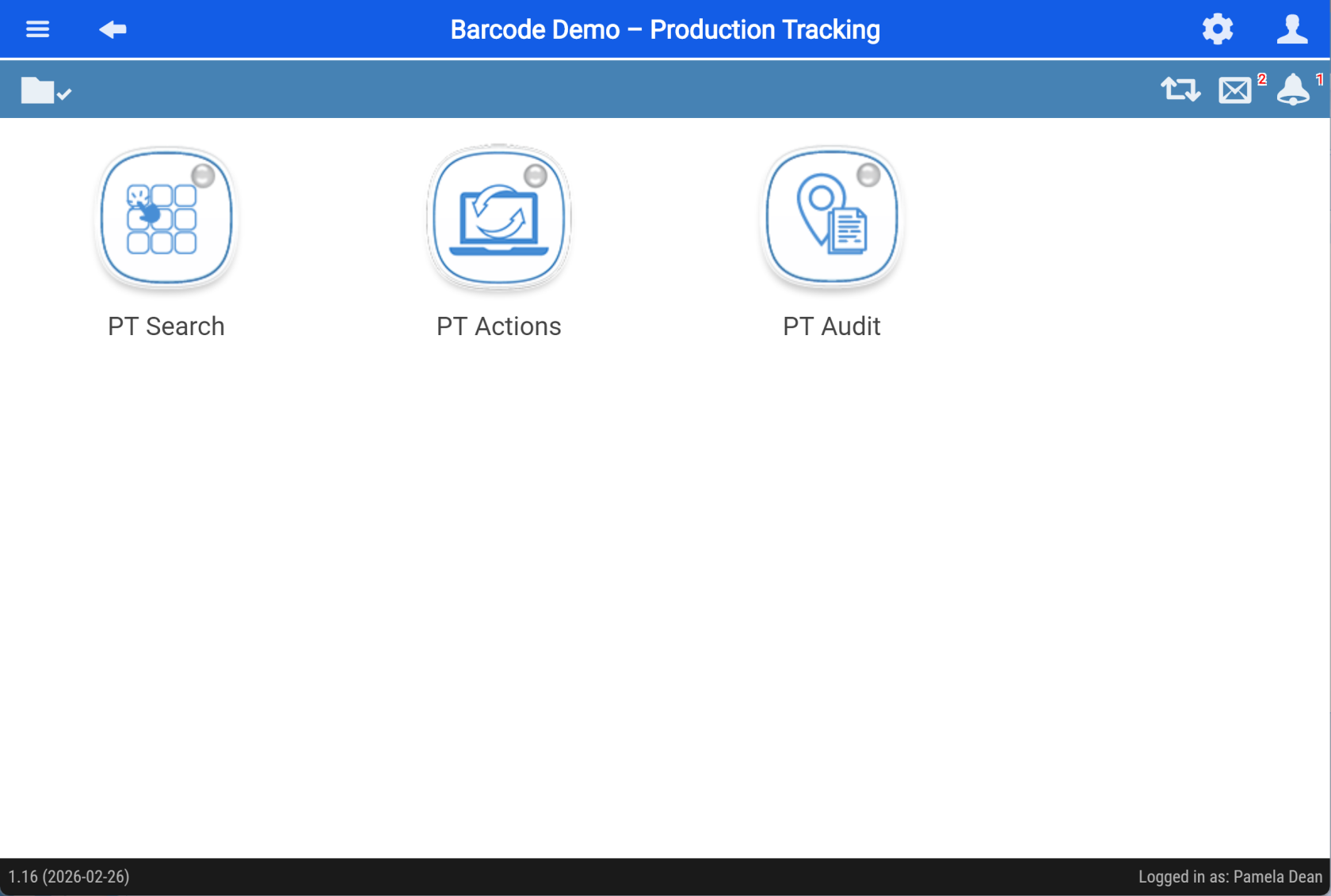
Modules
[](https://hugeerp10.co.za/hsofmanual/uploads/images/gallery/2026-04/mgPimage.png)
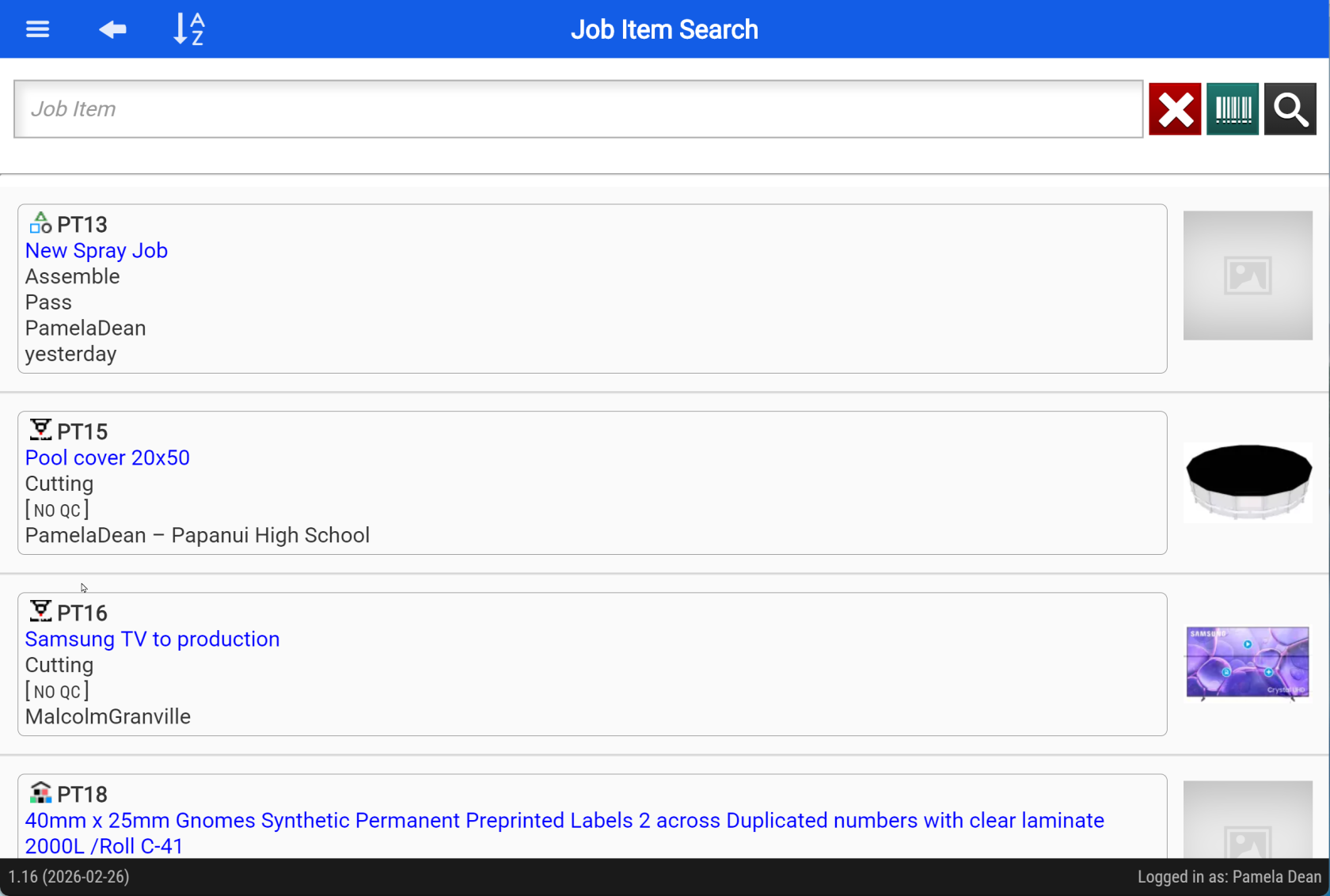
# Job Item Search
Searching Job items
[](https://hugeerp10.co.za/hsofmanual/uploads/images/gallery/2026-05/qxWimage.png)
---
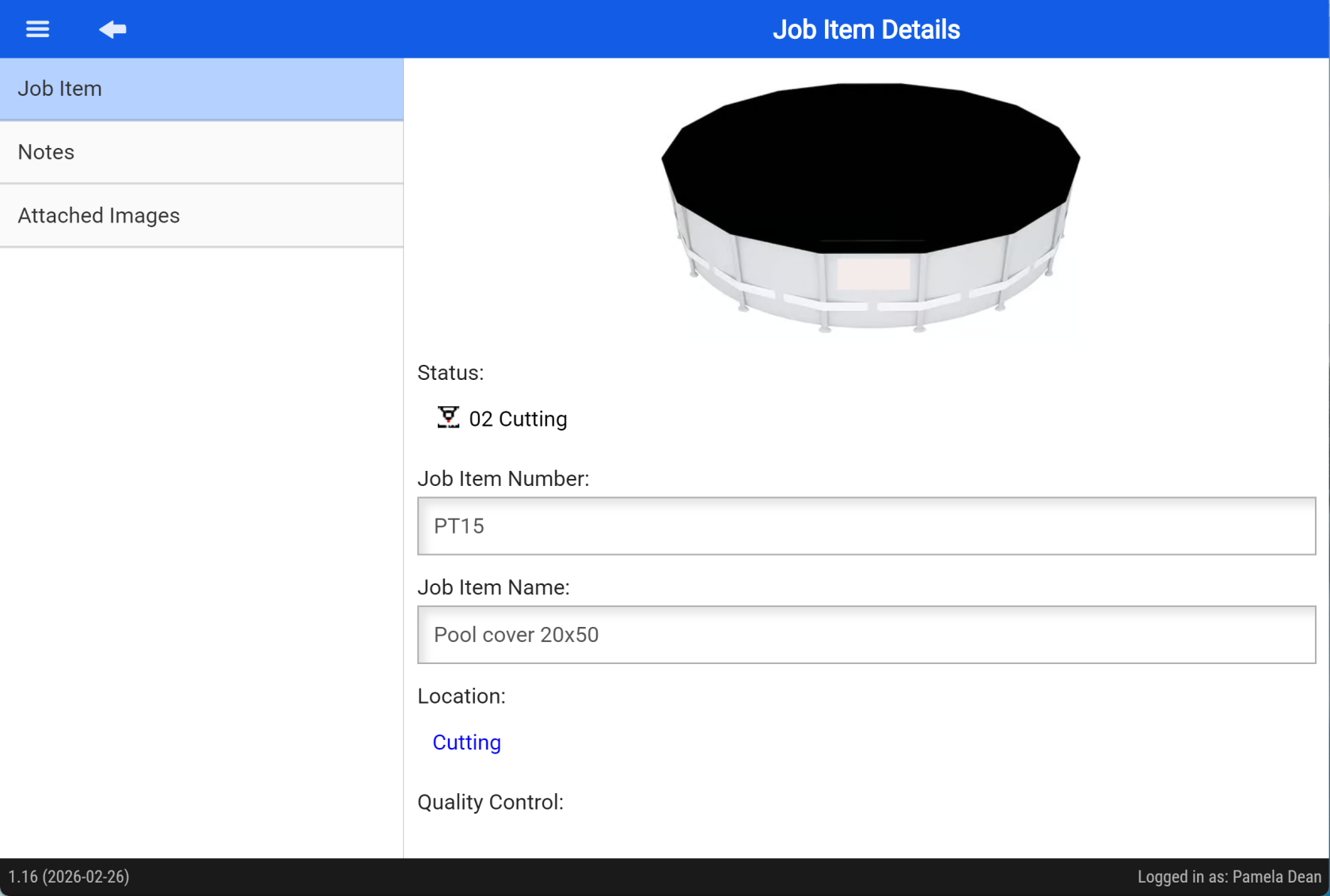
Details
[](https://hugeerp10.co.za/hsofmanual/uploads/images/gallery/2026-05/Q4aimage.png)
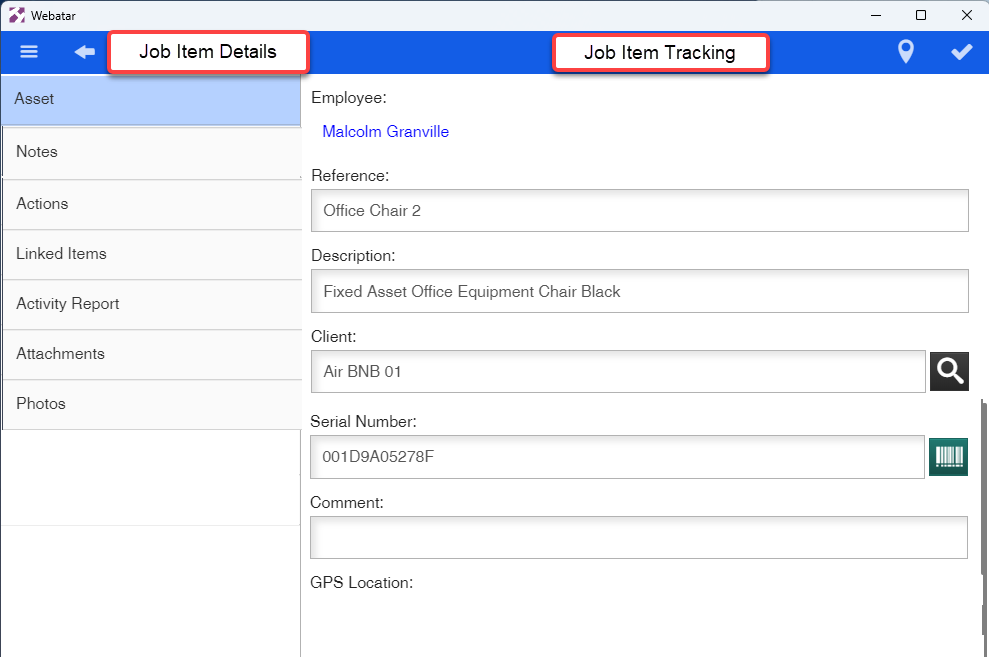
Asset details continued
[](https://hugeerp10.co.za/hsofmanual/uploads/images/gallery/2024-07/0j0image.png)
---
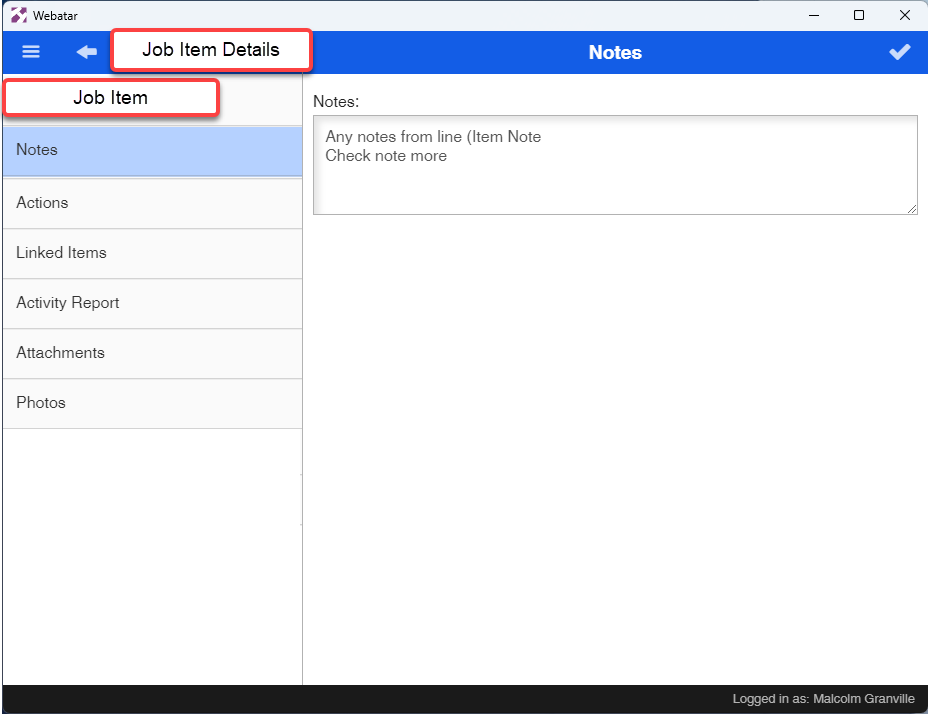
Notes
[](https://hugeerp10.co.za/hsofmanual/uploads/images/gallery/2024-07/fhQimage.png)
# Job Item Actions
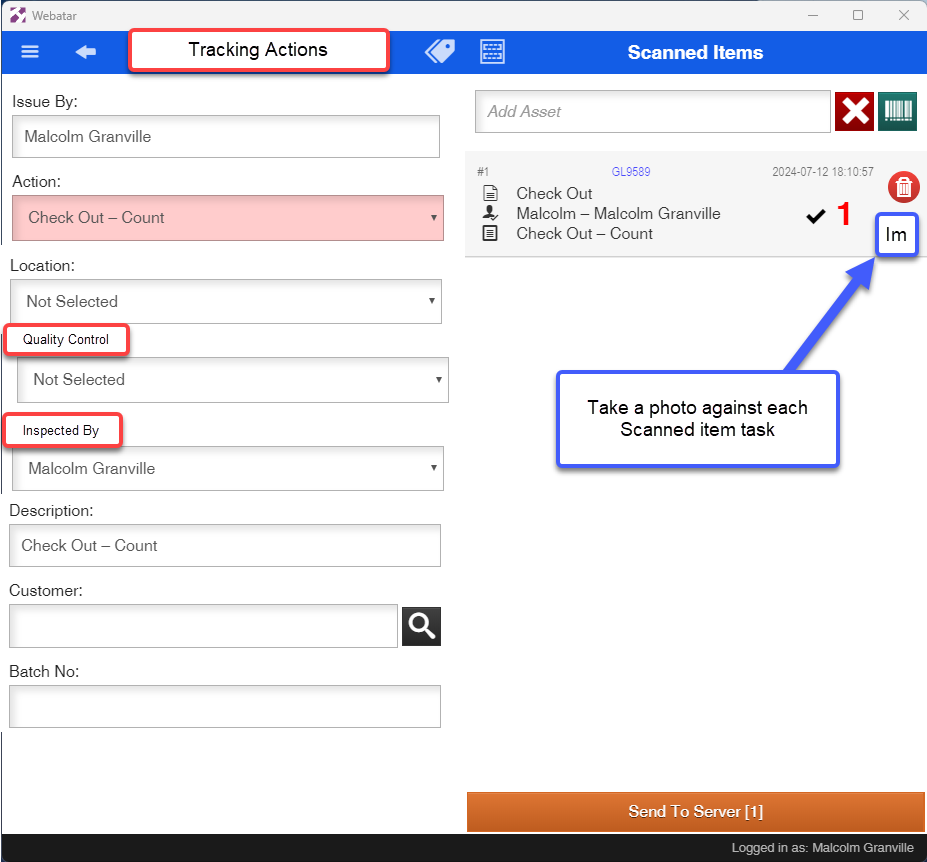
Actions scanned
[](https://hugeerp10.co.za/hsofmanual/uploads/images/gallery/2024-07/OYlimage.png)
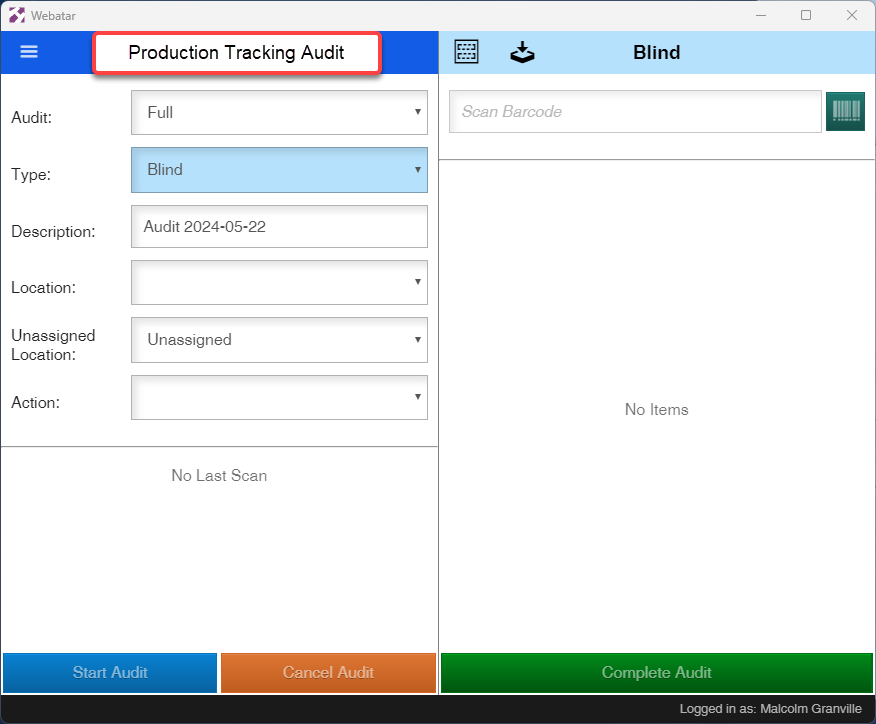
# Production Tracking Audit
[](https://hugeerp10.co.za/hsofmanual/uploads/images/gallery/2024-07/1Dximage.png)