# Manage Quantity on Job
**Manage Quantity on Job**
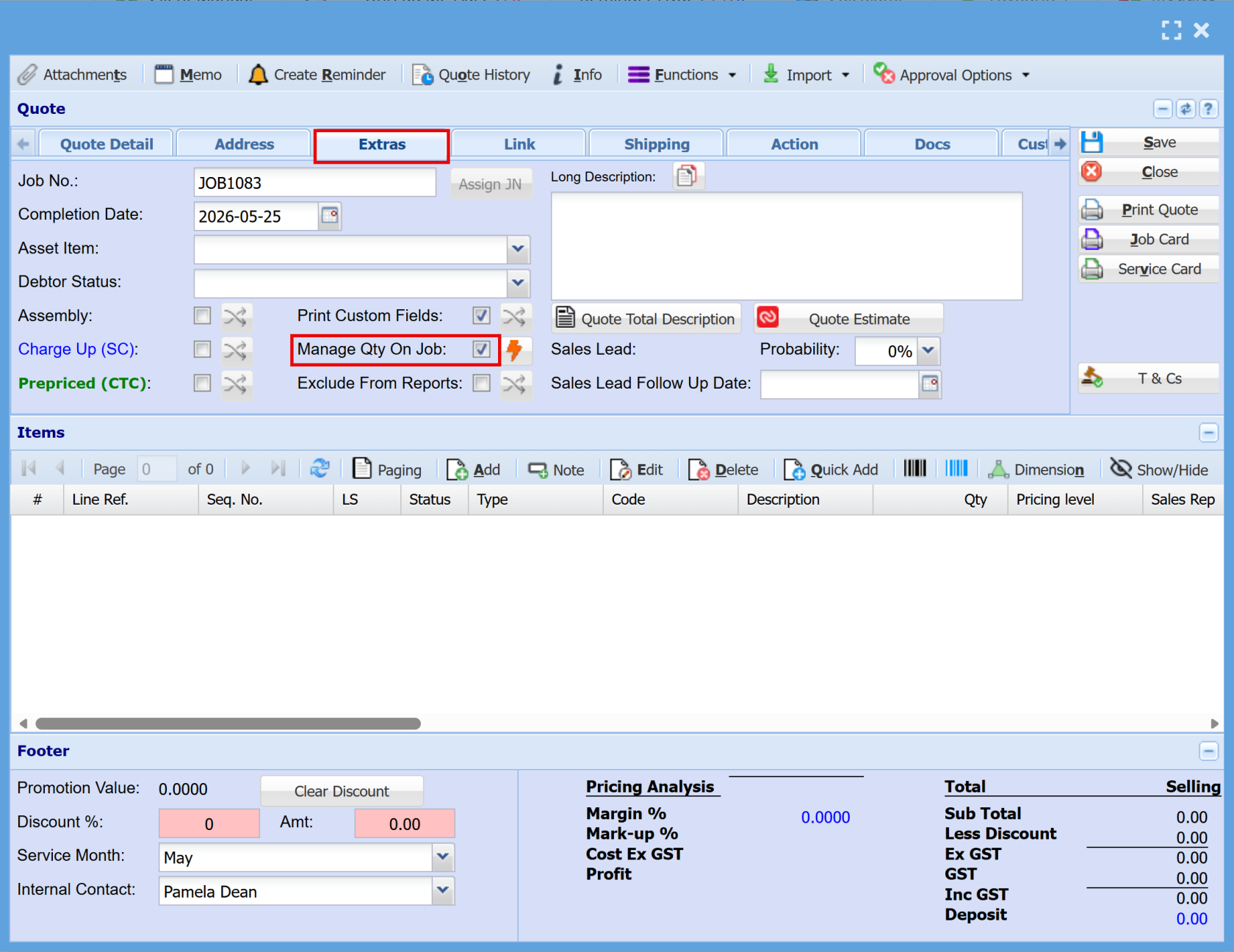
You can automatically manage quote lines by enabling the **Manage Qty on Job** option.
This ensures that all lines added to the quote are automatically marked for **managed quantity on the job**.
**Updating Existing Quotes**
The **lightning bolt button** can be used to update older quotes, or quotes where the option was not selected when first created.
- Clicking this button will update all existing lines on the quote
- All lines will then have **Manage Qty on Job** applied
**Default Behaviour**
- By default, this option is **unticked**
- This is because quotes are not always managed directly to a job, as their primary purpose is to **prepare and budget work before job execution**
[](https://hugeerp10.co.za/hsofmanual/uploads/images/gallery/2026-06/4bVimage.png)
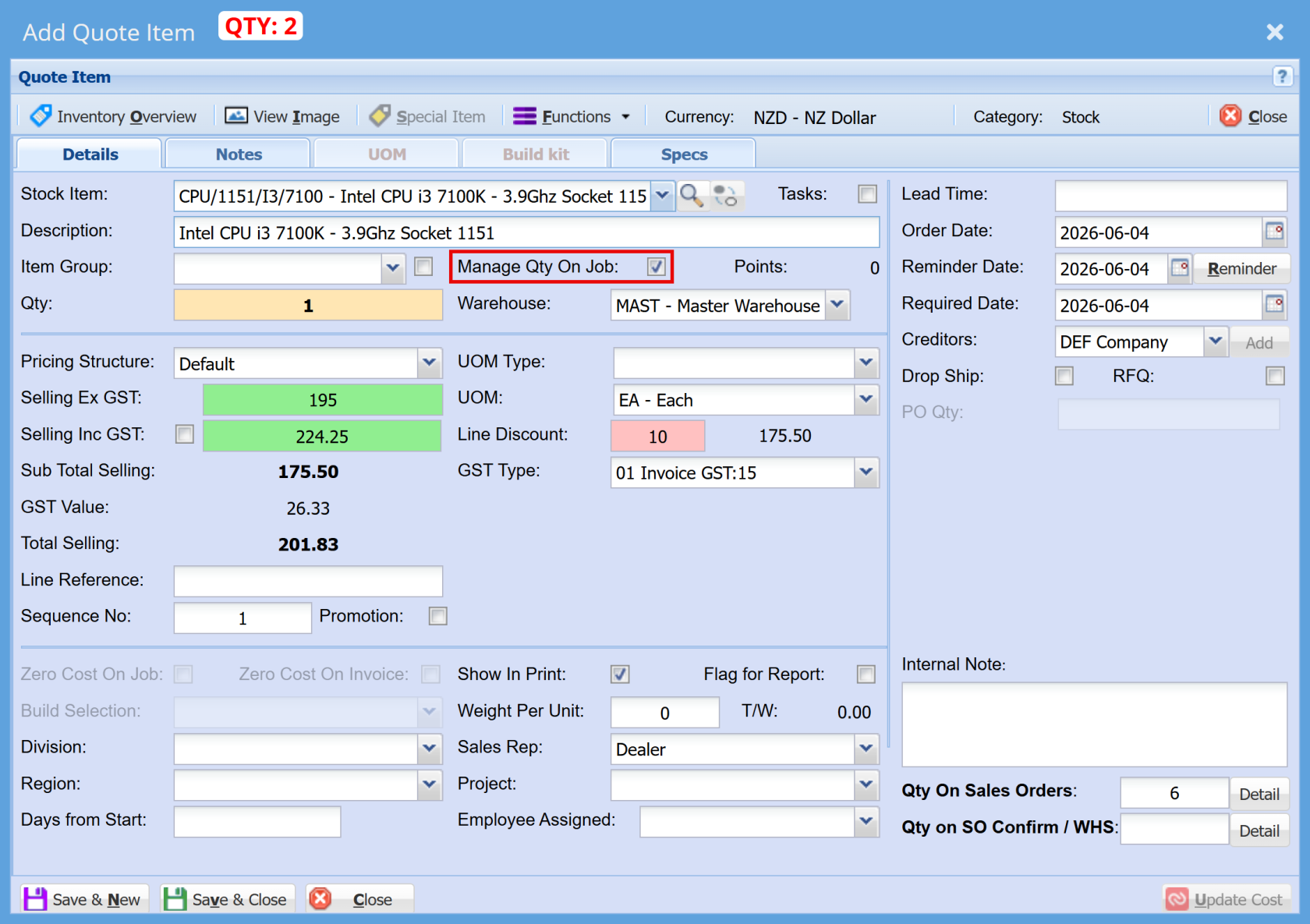
Once lines are entered, the **Manage Quantity on Job** option will be automatically selected for each line.
[](https://hugeerp10.co.za/hsofmanual/uploads/images/gallery/2026-06/avFimage.png)
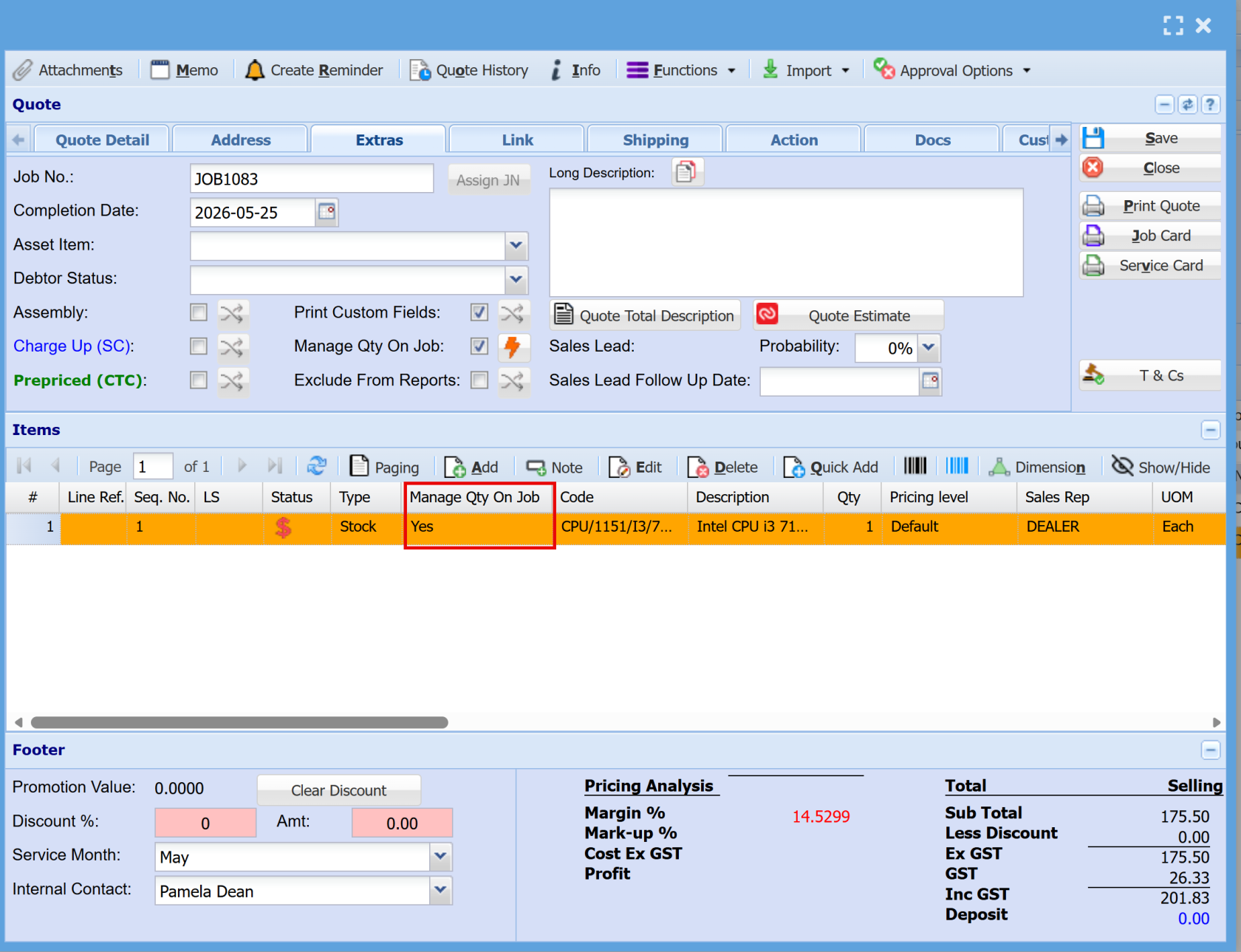
There is a **column indicator** that shows whether the **Manage Quantity on Job** option is selected for each line
[](https://hugeerp10.co.za/hsofmanual/uploads/images/gallery/2026-06/paZimage.png)
Job lines are processed once they have been **managed**, marked as **Is Complete**, and their status updated to **Complete**
**Rule**
- If there is **insufficient stock available**, the line cannot be managed
- This includes situations where stock exists but **is not enough to fully cover the required quantity**