# Invoice Value Summary
Summary invoice values allow items to be grouped and displayed as totals, rather than showing each individual line on the invoice.
- These values appear at the **bottom of the invoice**
- Individual line items are **hidden**, while totals are grouped by item type
**Item Types**
- **Service** = Labour
- **Custom** = Consumables
- **Stock** = Materials
**Setup**
To include items in the invoice summary:
- Tick the relevant items
- These will be **hidden from the main invoice lines**
- Their values will be **grouped and displayed as totals** in the summary section
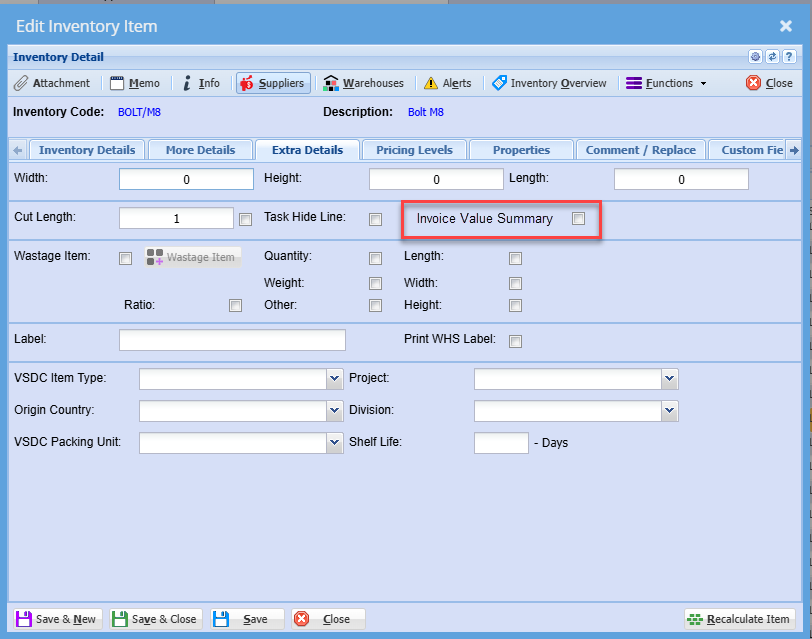
##### **Value Summary Setup - Inventory Item**
This screen shows how the **Invoice Value Summary** is configured at an item level within **Inventory Setup**.
By ticking the **“Invoice Value Summary”** checkbox (highlighted on the screen), the selected inventory item will **not display as a separate line on the invoice**. Instead, its value will be:
- **Hidden from the main invoice detail**
- **Grouped into the summary totals** at the bottom of the invoice (e.g. Labour, Consumables, Materials)
This setting is applied **per item**, allowing you to control which items are summarised versus shown individually.
[](https://hugeerp10.co.za/hsofmanual/uploads/images/gallery/2025-03/tYgimage.png)
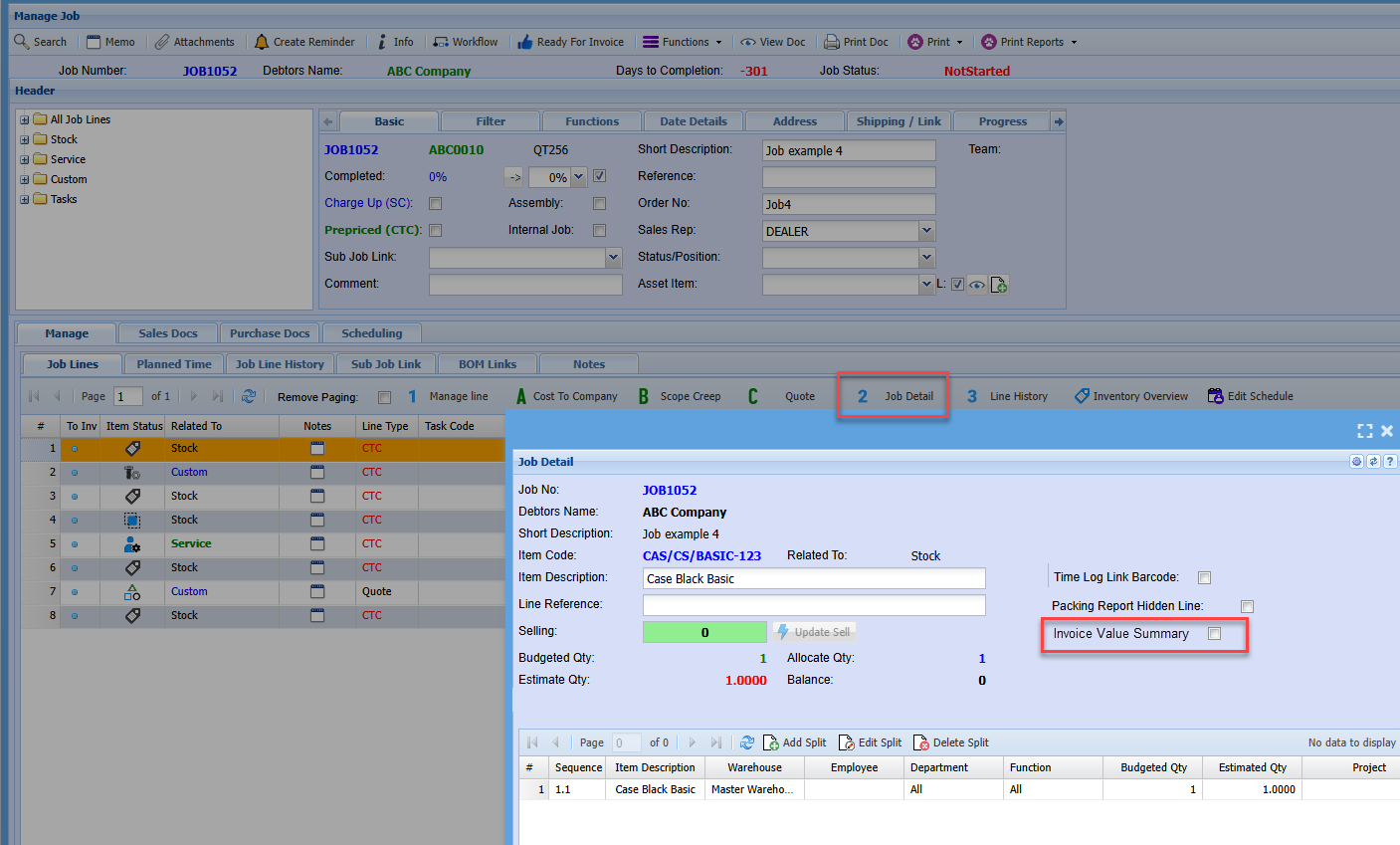
##### **Value Summary Setup - Update a Job Line**
This screen shows how to control whether a **job line** is displayed individually on the invoice or included in the **Invoice Value Summary**.
To update a job line:
- Open the job and select the relevant line
- Go to the **Job Detail** tab (highlighted in the screen)
- Tick the **“Invoice Value Summary”** checkbox
**What this does**
When the **Invoice Value Summary** option is selected on the job line:
- The line will be **hidden from the detailed invoice view**
- The value will instead be **grouped into the summary totals** at the bottom of the invoice (e.g. Labour, Consumables, Materials)
[](https://hugeerp10.co.za/hsofmanual/uploads/images/gallery/2025-03/L87image.png)
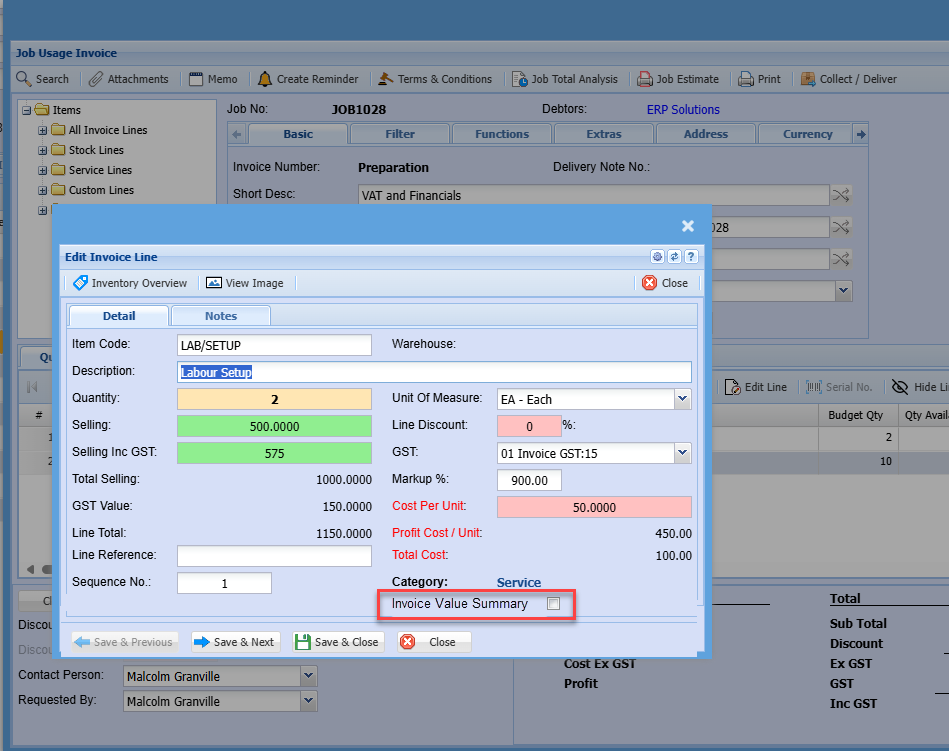
##### **Value Summary Setup - Job Invoice Line**
This screen shows how to control whether an item is displayed individually on the invoice or included in the **Invoice Value Summary**.
To update this on a job invoice line:
- Open the **Invoice Line**
- Tick the **“Invoice Value Summary”** checkbox (highlighted on the screen)
**What this does**
When **Invoice Value Summary** is selected:
- The line will be **hidden from the detailed invoice view**
- The **sell value is still included**, but grouped into the summary totals (e.g. Labour, Consumables, Materials) at the bottom of the invoice
[](https://hugeerp10.co.za/hsofmanual/uploads/images/gallery/2025-03/MqHimage.png)