# Sales Leads import export
This feature allows for exporting and importing of sales leads.
It can be used to import new leads or update existing leads.
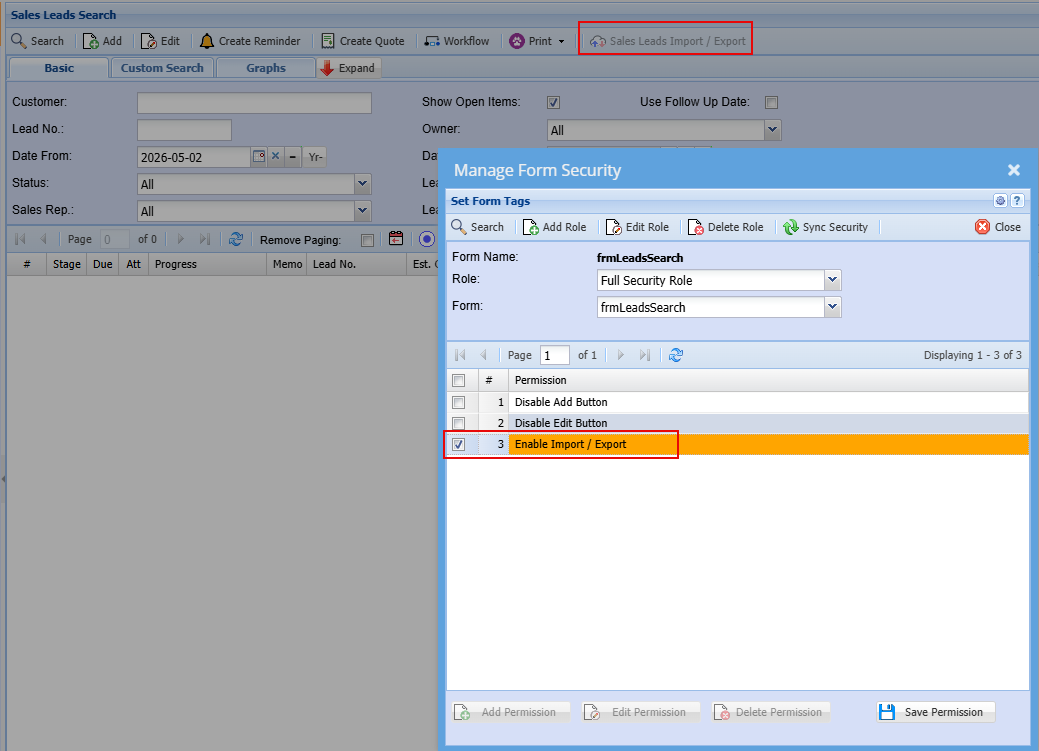
Sales leads import export function is disabled by default.
Enable via Form security
[](https://hugeerp10.co.za/hsofmanual/uploads/images/gallery/2026-06/avsimage.png)
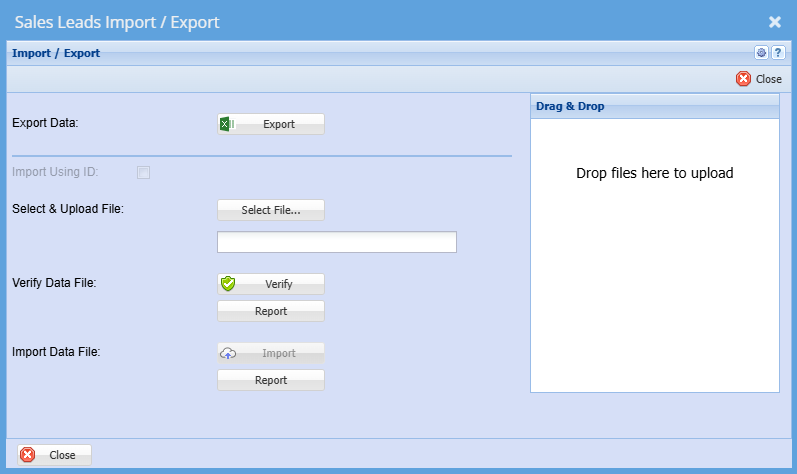
##### Export the data based on the search
This will give you the template layout as well as the data
[](https://hugeerp10.co.za/hsofmanual/uploads/images/gallery/2026-06/fKPimage.png)
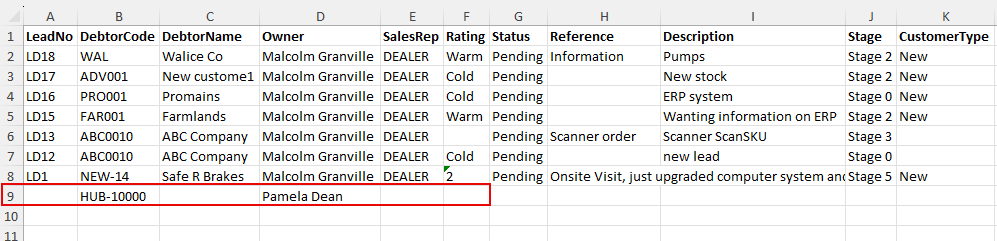
##### Exported Data
To add a new Sales, leave the Lead number blank and enter the DebtorCode
[](https://hugeerp10.co.za/hsofmanual/uploads/images/gallery/2026-06/UJmimage.png)
These fields will auto populate if you don't fill them in
| **Field** | **Default setting** | **Can set to** |
| **Contact Person** | default contact person of setup | N/A |
| **Lead Status** | In Progress | N/A |
| **Sale Rep** | default to the prospect or customer setup. If none, leave blank | Sales Rep code |
| **Rating** | Cold | Cold, Warm or Hot |
| **Probability** | 0% | 10, 20, 30 etc |
| **Stage** | First one on the list - Stage0 | Stage codes |
| **Est Close Date** | 7 days from Imported date | N/A |
| **Follow up date** | same as Est close date | N/A |
| **Customer Type** | New | New or Existing |
| **Division** | Default to customer setup | Division Code |
| **Region** | Default to customer setup | Region Code |