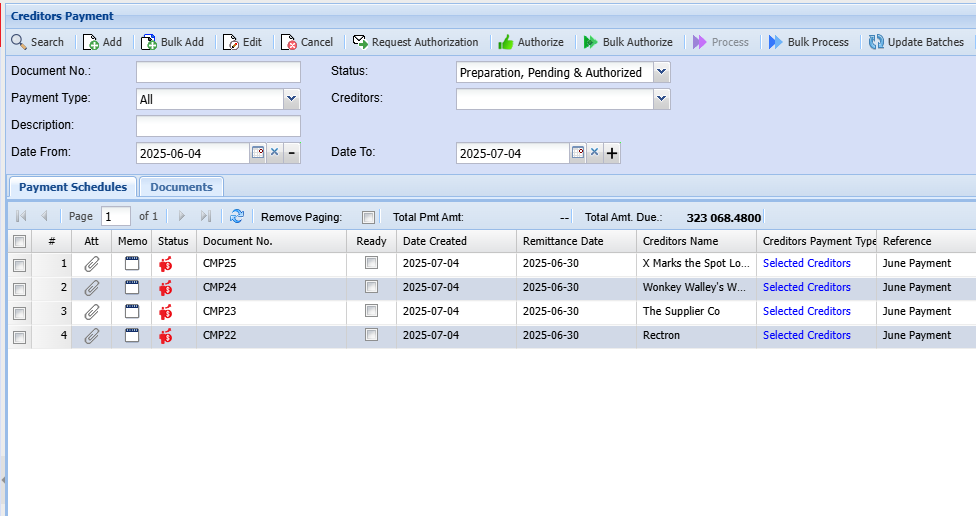
Creditors Payment Menu
Creditors Payment Search
Video manual 2020 - Click Here
Creditors Module > Activity > Creditors Payment
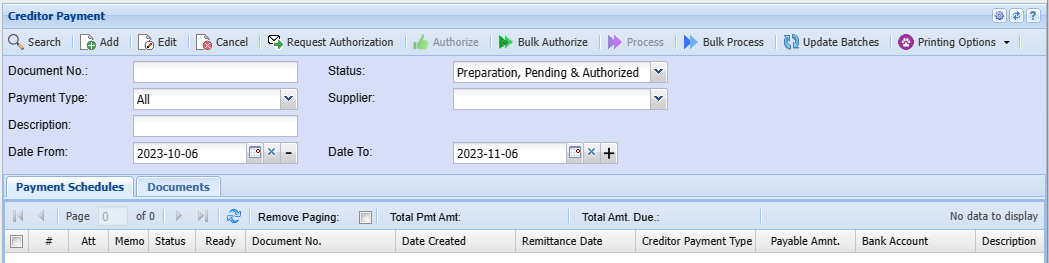
| Search | |
| Add | |
| Edit | |
| Cancel | |
| Request Authorization | |
| Authorize | |
| Bulk Authorize | |
| Process | |
| Bulk Process | |
| Update Batches |
Printing Options

| Print Creditor Payment | |
| Print Grid | |
| Print Remittance | |
| Bulk Remittance Email | |
| Bulk Print |
Documents Tab
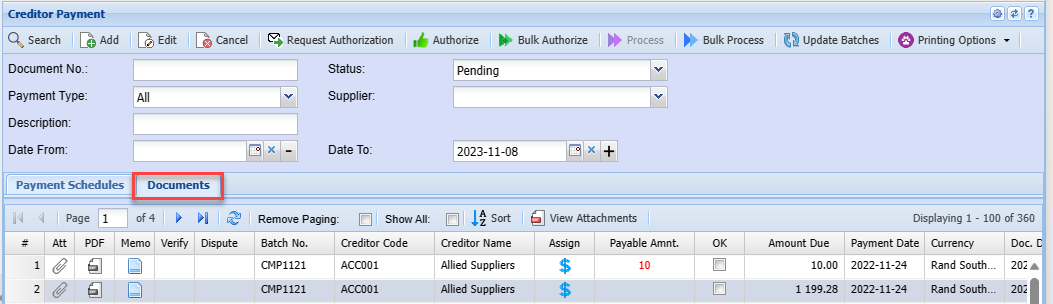
| Remove Paging Tick | |
| Show All Tick | |
| Sort |
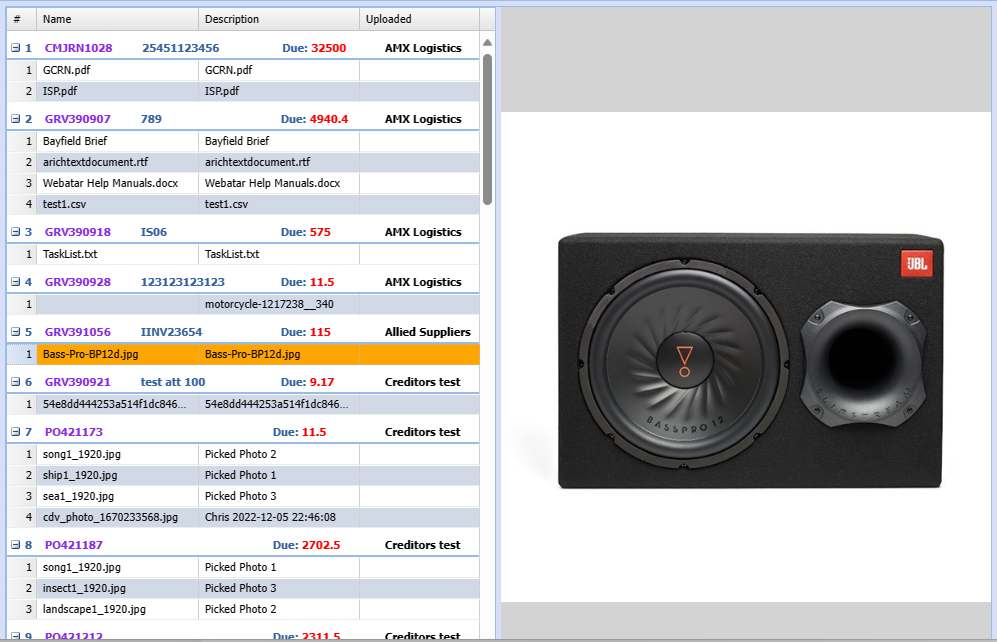
View Attachments
Allows you to view all attachments.

Add Creditor Payment
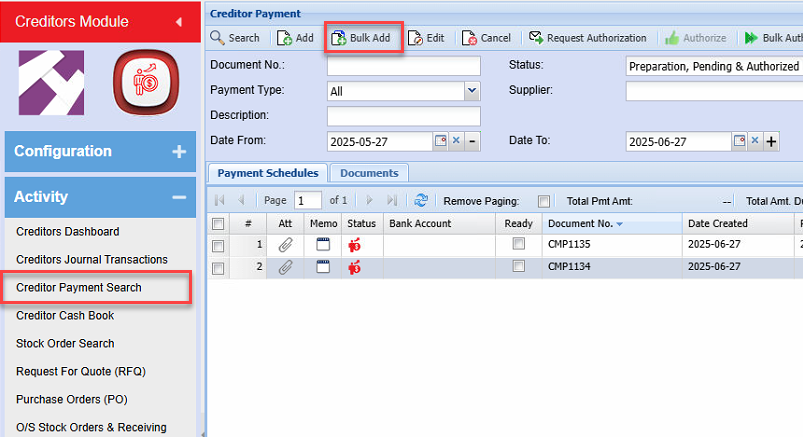
Click on Creditors Module> Activity> Creditor Payment Search

| Authorize | |
| Process | |
| Attachment | |
| Memo Note | |
| View Document | |
| Creditor History | |
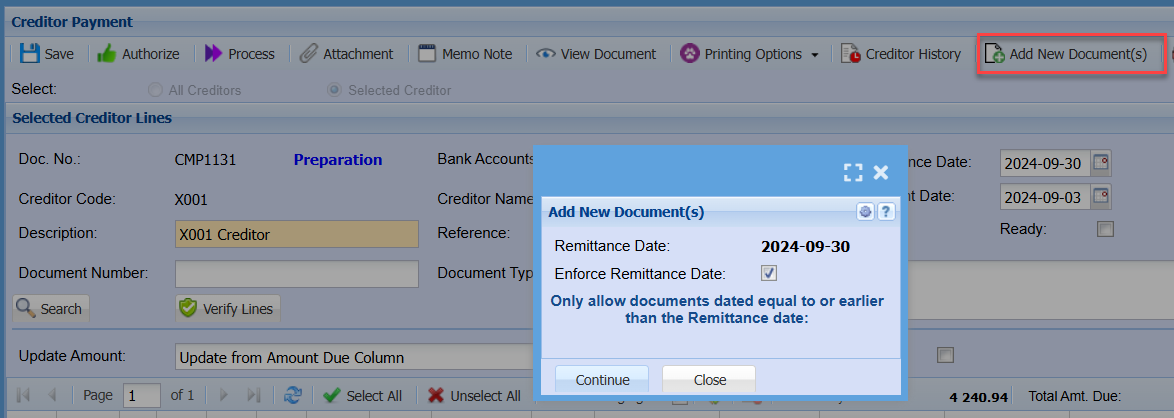
| Add New Documents | |
| View Attachments |
Printing Options Dropdown

| Print Payment Doc | |
| Print Documents | |
| Print Remittance |
Print Payment Doc
All Creditors
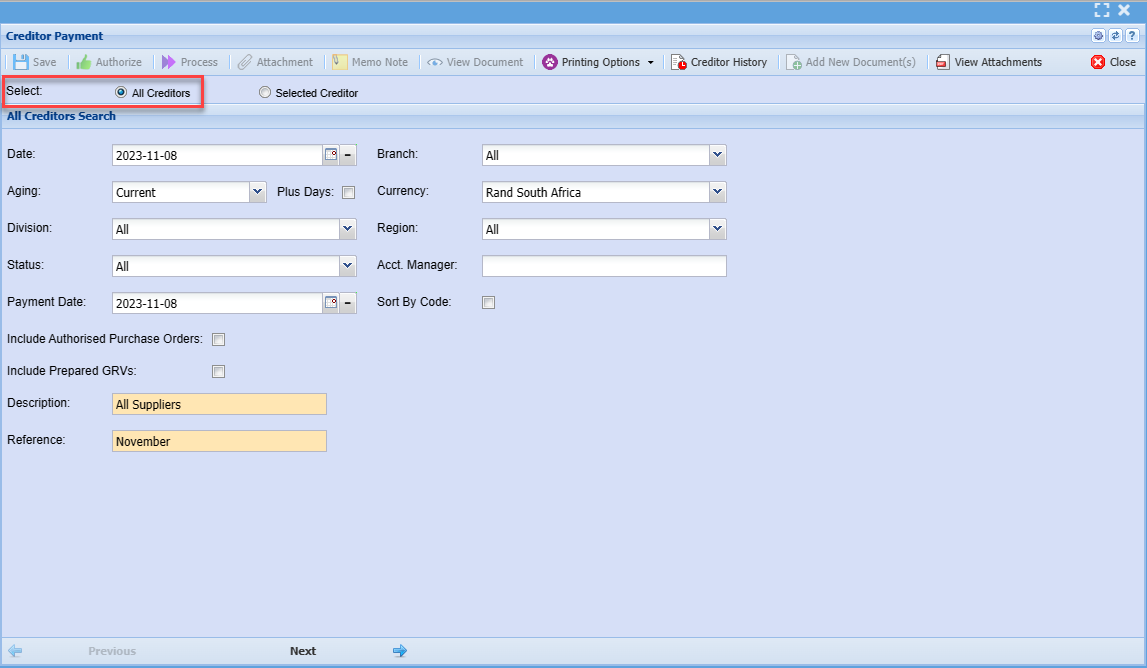
| Date | |
| Branch | |
| Aging | |
| Plus Days | |
| Currency | |
| Division | |
| Region | |
| Status | |
| Acct. Manager | |
| Payment Date | |
| Sort By Code | |
| Include Authorised Purchase Orders | |
| Include Prepared GRVs | |
| Description | |
| Reference |
Selected Creditor
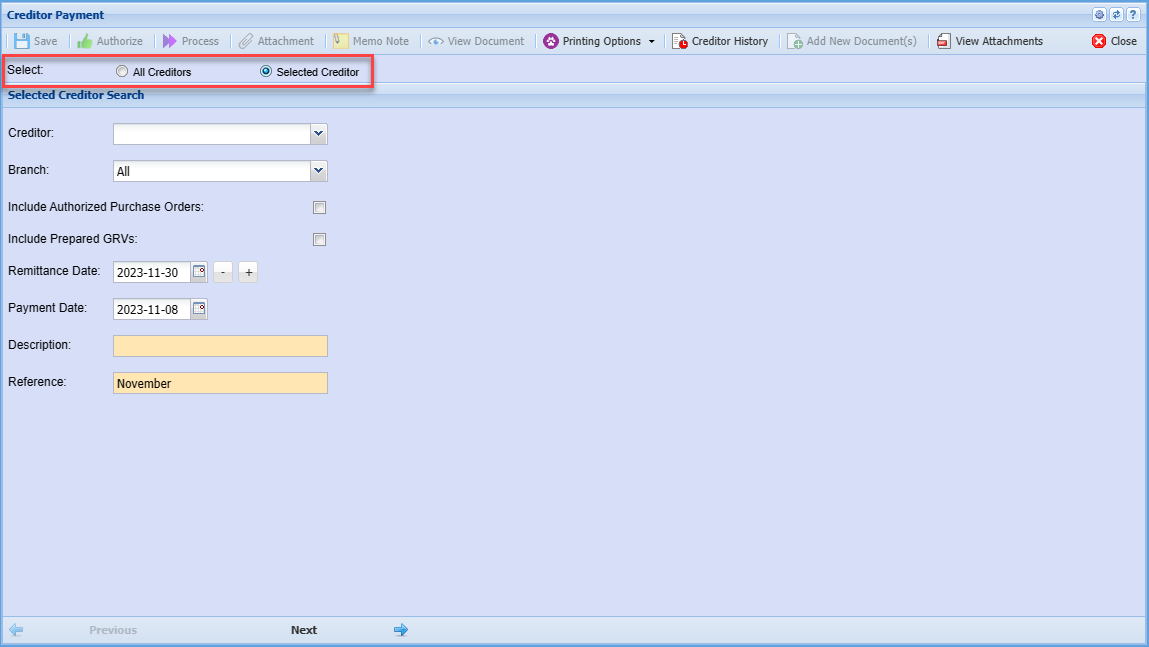
| Creditor | |
| Branch | |
| Include Authorized Purchase Orders Tick | |
| Include Prepared GRVs Tick | |
| Remittance Date | |
| Payment Date | |
| Description | |
| Reference |
Click Next
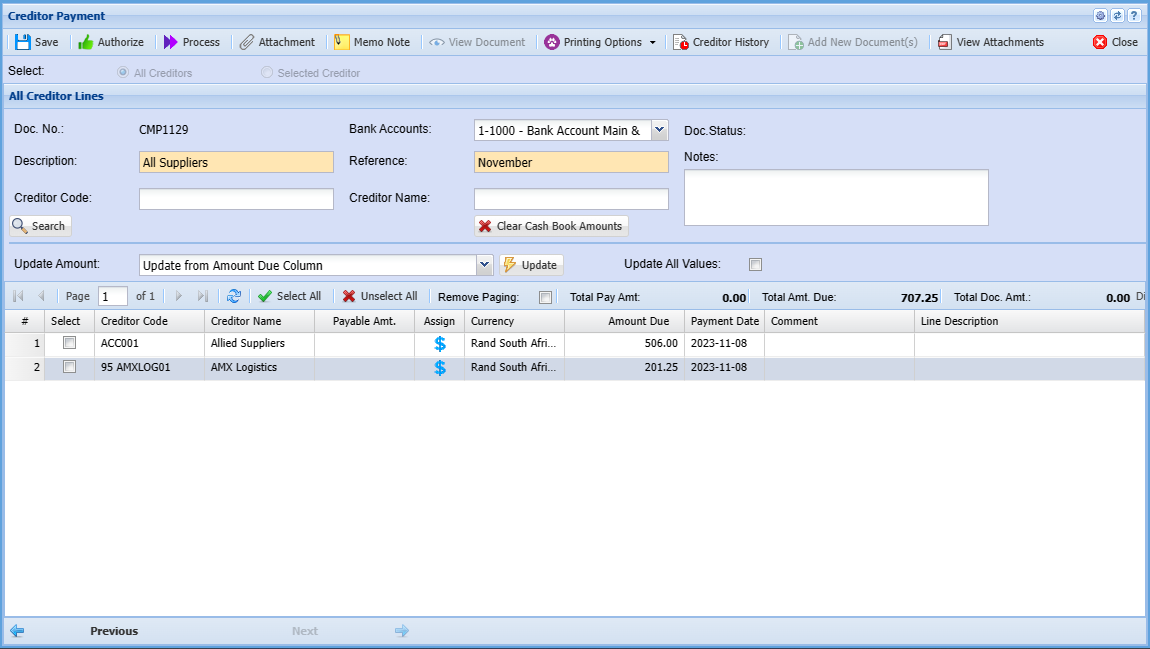
| Doc. No. |
|
| Description | |
| Creditor Code | |
| Bank Accounts | |
| Reference | |
| Creditor Name | |
| Doc. Status | |
| Notes | |
| Clear Cash Book Amounts | |
| Update | |
| Update All Values |
Payment Verify Lines
Supplier Payments batch includes a verify data to ensure that all lines are valid and checks for any changes
| 1 | Removes invoice lines that are already fully allocated |
| 2 | Updates payment balances due on supplier invoices |
| 3 | Updates allocation comments which are blank on the payment batch |
.png)
Force New Cashbook
The system allows one to create multiple cash book payments for the same day but separate them as individual cashbooks.
If you put the tick on for “force new cash book” then this will not add to existing cash book but create new cash books.
This will not work on bulk process batches.
This will sort out issues where you want to create multiple payment cash books for the same day.
.png)
Add New Document(s)
Bulk Add Creditor Payments
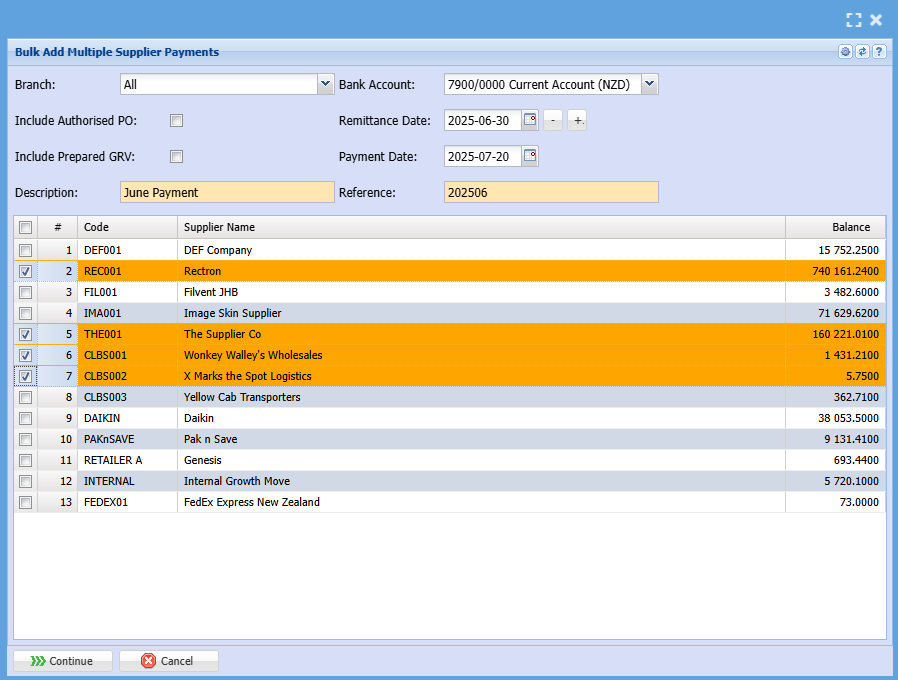
This function allows one to add multiple suppliers for payments
Select options for suppliers and then tick suppliers for payments
Creditors payments created