# Barcodes

Barcodes

# Barcode Printers supported

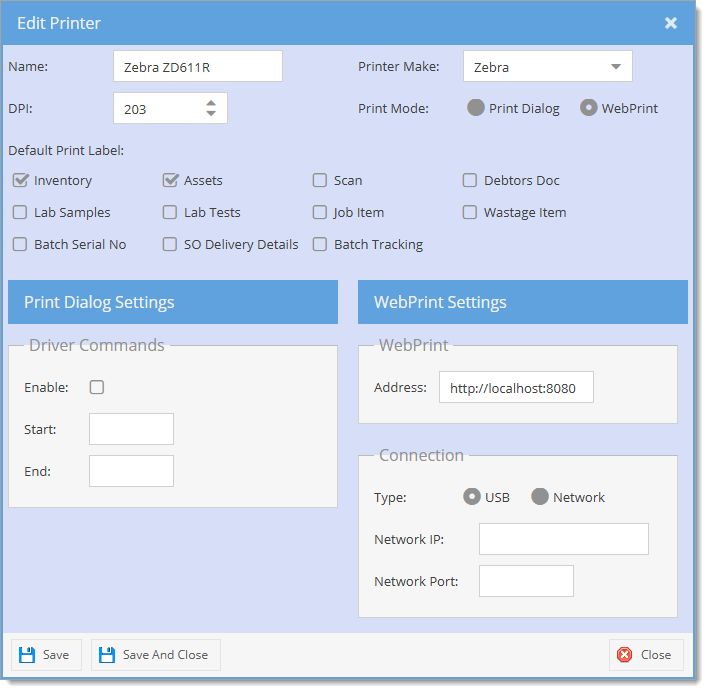
Huge ERP supports GoDex Barcode Printers

Dependent on the volume of labels to be printed, you will either have a desktop or industrial printer.

Here are some basic setups to be done to have the printer working

Steps to setting up printer

1. Unbox printer
2. Insert Ribbon
3. Insert Labels
4. Calibrate labels
5. Download Godex drivers and install
6. When asked, plug in USB so software can pick up printer and complete driver install
7. Install Go Label V2 software
8. Setup settings in printer
1. Options for prompt for print
2. Printer setup to correct printer
3. Set Darkness and speed
4. Resin ribbon (about 13 on Darkness)
5. Wax Resin (about 8 on Darkness)
6. Wax (about 4 to 5 on Darkness)


Example of Godex G500

<table border="1" id="bkmrk-media-loading-https%3A" style="border-collapse: collapse; width: 100%; height: 217.953px;"><colgroup><col style="width: 24.6047%;"></col><col style="width: 42.1444%;"></col><col style="width: 33.3745%;"></col></colgroup><tbody><tr style="height: 35.3906px;"><td style="height: 35.3906px;">Media Loading</td><td style="height: 35.3906px;">[https://youtu.be/hqFqbXMV\_Yo](https://youtu.be/hqFqbXMV_Yo)</td><td style="height: 35.3906px;">Video on how to load media into printer</td></tr><tr style="height: 35.3906px;"><td style="height: 35.3906px;">Calibration</td><td style="height: 35.3906px;">[https://youtu.be/hKt1ihqIu38](https://youtu.be/hKt1ihqIu38)</td><td style="height: 35.3906px;">Video on how to Calibrate printer</td></tr><tr style="height: 57.7812px;"><td style="height: 57.7812px;">GoDex printer driver</td><td style="height: 57.7812px;">[https://www.seagullscientific.com/support/downloads/drivers/godex/download](https://www.seagullscientific.com/support/downloads/drivers/godex/download)</td><td style="height: 57.7812px;">Godex printer drivers</td></tr><tr style="height: 29.7969px;"><td style="height: 29.7969px;">GoLabel V2</td><td style="height: 29.7969px;">[https://hugeerp.co.nz/csp/WebHelp/files/GoLabel\_II\_V2.1.msi](https://hugeerp.co.nz/csp/WebHelp/files/GoLabel_II_V2.1.msi)</td><td style="height: 29.7969px;">GoLabel design labels</td></tr><tr style="height: 29.7969px;"><td style="height: 29.7969px;">Microsoft 2007 Office system driver</td><td style="height: 29.7969px;">[https://hugeerp.co.nz/csp/WebHelp/AccessDatabaseEngine.zip](https://hugeerp.co.nz/csp/WebHelp/AccessDatabaseEngine.zip)

</td><td style="height: 29.7969px;">Microsoft 2007 Office System Driver (Only when linking database to Excel with errors)</td></tr></tbody></table>

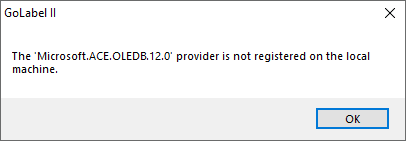
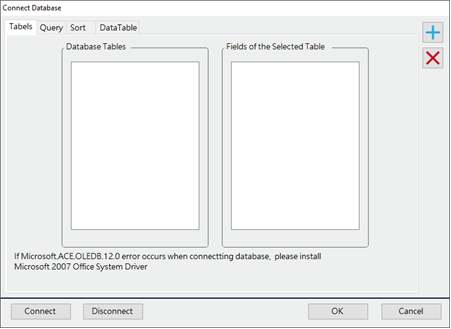
When linking an Excel database to the GoLabel and an error comes up, you will need to install the Microsoft 2007 Office system driver

[![image.png](https://hugeerp10.co.za/hsofmanual/uploads/images/gallery/2023-12/scaled-1680-/image.png)](https://hugeerp10.co.za/hsofmanual/uploads/images/gallery/2023-12/image.png)
Database link

[![image.png](https://hugeerp10.co.za/hsofmanual/uploads/images/gallery/2023-12/scaled-1680-/pFpimage.png)](https://hugeerp10.co.za/hsofmanual/uploads/images/gallery/2023-12/pFpimage.png)
# Barcode Printer Command Template Placeholders

<p class="callout info">The document applies to GoDEX printers and to Zebra printers.</p>

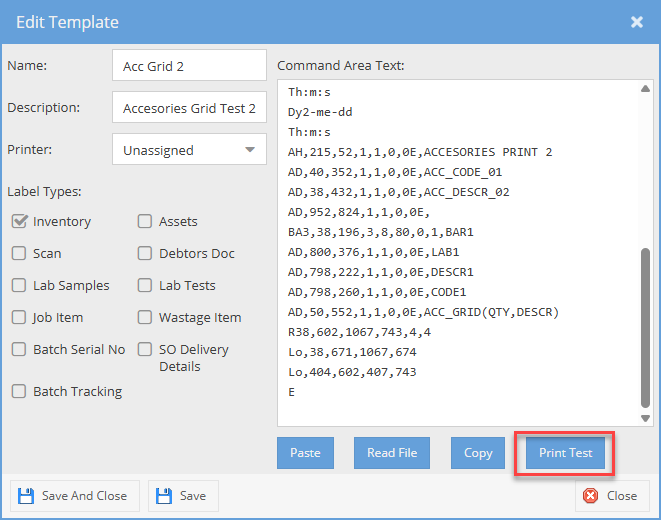
Placeholders allow label formats saved as Command Templates in System Defaults to be reused for printing multiple labels with the data changed in each. Before printing a label format, each of its placeholders is replaced with data from the document or form where the print job originates.

<span class="md-plain">The available placeholders and the data they correspond to are listed in the [Valid Placeholders](#bkmrk-valid-placeholders) section, in the table that applies to the Command Template's Label Type (e.g. "Inventory"). Alternative placeholders that reference the same data may be included in the "Alternative Placeholders" column.</span>

### GoDEX Printer placehodlers  


<span class="md-plain">The GoDEX/EZPL commands that support placeholder substitution are listed in the table [Printer commands checked for Placeholders](#bkmrk-printer-commands-che). A placeholder is not considered valid unless it occupies the entire data field parameter and contains no whitespace except for trailing spaces.</span>

<span class="md-plain">Because of how placeholder substitution currently works, each command must be placed on its own line in the template. If placeholder text appears inside a command that does not support placeholder substitution (i.e. not `At`, `Bt` or `Wx`), it remains unchanged as part of that command.</span>

<span class="md-plain">If the data for a valid placeholder is missing, then the command containing that placeholder is removed from the printed label.</span>

<span class="md-plain">If the command’s field data parameter is not listed in the relevant table, it is treated as ordinary barcode or label data and left unchanged. </span>

#### <span class="md-plain">GoDEX Printer commands checked for Placeholders</span>

<figure class="md-table-fig table-figure" id="bkmrk-description-syntax-n"><table class="md-table" style="width: 100%; height: 136.922px;"><thead><tr class="md-end-block" style="height: 29.7969px;"><th style="width: 12.6067%; height: 29.7969px;"><span class="td-span"><span class="md-plain">Description</span></span></th><th style="width: 46.9645%; height: 29.7969px;"><span class="td-span"><span class="md-plain">Syntax</span></span></th><th style="width: 40.4175%; height: 29.7969px;"><span class="td-span"><span class="md-plain">Notes</span></span></th></tr></thead><tbody><tr class="md-end-block" style="height: 30.1094px;"><td style="width: 12.6067%; height: 30.1094px;"><span class="td-span"><span class="md-plain">Printer Text</span></span></td><td style="width: 46.9645%; height: 30.1094px;"><span class="td-span"><span class="md-pair-s" spellcheck="false">`At,x,y,x_mul,y_mul,gap,rotationInverse,data`</span></span></td><td style="width: 40.4175%; height: 30.1094px;"><span class="td-span"><span class="md-plain">Unformatted text</span></span></td></tr><tr class="md-end-block" style="height: 30.1094px;"><td style="width: 12.6067%; height: 30.1094px;"><span class="td-span"><span class="md-plain">1D Barcode</span></span></td><td style="width: 46.9645%; height: 30.1094px;"><span class="td-span"><span class="md-pair-s" spellcheck="false">`Bt,x,y,narrow,wide,height,rotation,readable,data`</span></span></td><td style="width: 40.4175%; height: 30.1094px;"><span class="td-span"><span class="md-plain">Includes Code39 and Code128</span></span></td></tr><tr class="md-end-block" style="height: 46.9062px;"><td style="width: 12.6067%; height: 46.9062px;"><span class="td-span"><span class="md-plain">QR Code</span></span></td><td style="width: 46.9645%; height: 46.9062px;"><span class="td-span"><span class="md-pair-s" spellcheck="false">`Wx,y,mode,type,ec,mask,mul,len,roatae<CR>data`</span></span></td><td style="width: 40.4175%; height: 46.9062px;"><span class="td-span"><span class="md-pair-s" spellcheck="false">`len`</span><span class="md-plain"> must be the length of the placeholder. Data starts at new line</span></span></td></tr></tbody></table>

</figure>### Zebra Printer placeholders  


The placeholders for Zebra printers are the same as those used by GoDEX, which are listed in the Valid Placeholders section, except that they are enclosed in double square brackets. For example `[[BAR1]]`, `[[%QCODE%]]` and `[[%QTY%]]` are equivalent to the GoDEX/EZPL placeholders `BAR1`, `%QCODE%` and `%QTY%`. Unlike with GoDEX placeholders there are no restrictions where they can occur in the label format. Any text matching a placeholder should be replaced by the value the placeholder references, or is otherwise removed.

Not all placeholders which are supported for GoDEX/EZPL printing are supported for Zebra/ZPL printing. Placeholders which are not supported are documented with "Zebra unavailable" in the Notes column of the tables in the Valid Placeholder section, or if this applies to all the rows of a table, in a note above that table. Currently this only includes Accessory Grid placeholders.


### <span class="md-plain">Valid Placeholders  
</span>

<p class="callout info">Zebra/ZPL placeholders are the same except they are enclosed in double square brackets. Not all placeholders are available for Zebra printers.</p>

#### <span class="md-plain"><span class="td-span">General</span></span>

<figure class="md-table-fig table-figure" id="bkmrk-placeholder-general"><table class="md-table" style="width: 99.5238%; height: 514.75px;"><thead><tr class="md-end-block" style="height: 30px;"><th style="width: 24.4316%; height: 30px;"><span class="td-span"><span class="md-plain">Placeholder</span></span></th><th style="width: 28.6233%; height: 30px;"><span class="td-span"><span class="md-plain">Alternative Placeholders</span></span></th><th style="width: 19.0423%; height: 30px;"><span class="td-span"><span class="md-plain">Description</span></span></th><th style="width: 27.9047%; height: 30px;"><span class="td-span"><span class="md-plain">Notes</span></span></th></tr></thead><tbody><tr class="md-end-block" style="height: 30.1094px;"><td style="width: 24.4316%; height: 30.1094px;"><span class="td-span"><span class="md-pair-s" spellcheck="false">`BAR1`</span></span></td><td style="width: 28.6233%; height: 30.1094px;"> </td><td style="width: 19.0423%; height: 30.1094px;"><span class="td-span"><span class="md-plain">Barcode</span></span></td><td style="width: 27.9047%; height: 30.1094px;"> </td></tr><tr class="md-end-block" style="height: 30.1094px;"><td style="width: 24.4316%; height: 30.1094px;"><span class="td-span"><span class="md-pair-s" spellcheck="false">`DESCR1`</span></span></td><td style="width: 28.6233%; height: 30.1094px;"><span class="td-span"><span class="md-pair-s" spellcheck="false">`DESC1` `SDESCR` `SDESC`</span></span></td><td style="width: 19.0423%; height: 30.1094px;"><span class="td-span"><span class="md-plain">Short Description</span></span></td><td style="width: 27.9047%; height: 30.1094px;"> </td></tr><tr class="md-end-block" style="height: 30.1094px;"><td style="width: 24.4316%; height: 30.1094px;"><span class="td-span"><span class="md-pair-s" spellcheck="false">`CAT1`</span></span></td><td style="width: 28.6233%; height: 30.1094px;"> </td><td style="width: 19.0423%; height: 30.1094px;"><span class="td-span"><span class="md-plain">Category</span></span></td><td style="width: 27.9047%; height: 30.1094px;"><span class="td-span"><span class="md-plain">Not used </span></span></td></tr><tr class="md-end-block" style="height: 30.1094px;"><td style="width: 24.4316%; height: 30.1094px;"><span class="td-span"><span class="md-pair-s" spellcheck="false">`REF1`</span></span></td><td style="width: 28.6233%; height: 30.1094px;"> </td><td style="width: 19.0423%; height: 30.1094px;"><span class="td-span"><span class="md-plain">Reference</span></span></td><td style="width: 27.9047%; height: 30.1094px;"> </td></tr><tr class="md-end-block" style="height: 29.1094px;"><td style="width: 24.4316%; height: 29.1094px;"><span class="td-span"><span class="md-pair-s" spellcheck="false">`JOB1`</span></span></td><td style="width: 28.6233%; height: 29.1094px;"><span class="td-span"><span class="md-pair-s" spellcheck="false">`JOBNO1`</span></span></td><td style="width: 19.0423%; height: 29.1094px;"><span class="td-span"><span class="md-plain">Job Number</span></span></td><td style="width: 27.9047%; height: 29.1094px;"> </td></tr><tr class="md-end-block" style="height: 30.1094px;"><td style="width: 24.4316%; height: 30.1094px;"><span class="td-span"><span class="md-pair-s" spellcheck="false">`VER1`</span></span></td><td style="width: 28.6233%; height: 30.1094px;"> </td><td style="width: 19.0423%; height: 30.1094px;"><span class="td-span"><span class="md-plain">Version</span></span></td><td style="width: 27.9047%; height: 30.1094px;"><span class="td-span"><span class="md-plain">Not used</span></span></td></tr><tr class="md-end-block" style="height: 30.1094px;"><td style="width: 24.4316%; height: 30.1094px;"><span class="td-span"><span class="md-pair-s" spellcheck="false">`ORDER1`</span></span></td><td style="width: 28.6233%; height: 30.1094px;"><span class="td-span"><span class="md-pair-s" spellcheck="false">`ORDNO1`</span></span></td><td style="width: 19.0423%; height: 30.1094px;"><span class="td-span"><span class="md-plain">Order Number</span></span></td><td style="width: 27.9047%; height: 30.1094px;"> </td></tr><tr class="md-end-block" style="height: 30.1094px;"><td style="width: 24.4316%; height: 30.1094px;"><span class="td-span"><span class="md-pair-s" spellcheck="false">`CUST1`</span></span></td><td style="width: 28.6233%; height: 30.1094px;"> </td><td style="width: 19.0423%; height: 30.1094px;"><span class="td-span"><span class="md-plain">Customer Name</span></span></td><td style="width: 27.9047%; height: 30.1094px;"> </td></tr><tr class="md-end-block" style="height: 34.1094px;"><td style="width: 24.4316%; height: 34.1094px;"><span class="td-span"><span class="md-pair-s" spellcheck="false">`DOC-DESC1`</span></span></td><td style="width: 28.6233%; height: 34.1094px;"><span class="td-span"><span class="md-pair-s" spellcheck="false">`F-DESCR1`</span></span></td><td style="width: 19.0423%; height: 34.1094px;"><span class="td-span"><span class="md-plain">Document Description</span></span></td><td style="width: 27.9047%; height: 34.1094px;"> </td></tr><tr class="md-end-block" style="height: 30.1094px;"><td style="width: 24.4316%; height: 30.1094px;"><span class="td-span"><span class="md-pair-s" spellcheck="false">`DOC-REF1`</span></span></td><td style="width: 28.6233%; height: 30.1094px;"><span class="td-span"><span class="md-pair-s" spellcheck="false">`F-REF1`</span></span></td><td style="width: 19.0423%; height: 30.1094px;"><span class="td-span"><span class="md-plain">Document Reference</span></span></td><td style="width: 27.9047%; height: 30.1094px;"> </td></tr><tr class="md-end-block" style="height: 30.1094px;"><td style="width: 24.4316%; height: 30.1094px;"><span class="td-span"><span class="md-pair-s" spellcheck="false">`DOC-JOBNO1`</span></span></td><td style="width: 28.6233%; height: 30.1094px;"><span class="td-span"><span class="md-pair-s" spellcheck="false">`F-JOB1`</span></span></td><td style="width: 19.0423%; height: 30.1094px;"><span class="td-span"><span class="md-plain">Document Job</span></span></td><td style="width: 27.9047%; height: 30.1094px;"> </td></tr><tr class="md-end-block" style="height: 30.1094px;"><td style="width: 24.4316%; height: 30.1094px;"><span class="td-span"><span class="md-pair-s" spellcheck="false">`ADDR1`</span></span></td><td style="width: 28.6233%; height: 30.1094px;"> </td><td style="width: 19.0423%; height: 30.1094px;"><span class="td-span"><span class="md-plain">Address Line 1</span></span></td><td style="width: 27.9047%; height: 30.1094px;">  
</td></tr><tr class="md-end-block" style="height: 30.1094px;"><td style="width: 24.4316%; height: 30.1094px;"><span class="td-span"><span class="md-pair-s" spellcheck="false">`ADDR2`</span></span></td><td style="width: 28.6233%; height: 30.1094px;"> </td><td style="width: 19.0423%; height: 30.1094px;"><span class="td-span"><span class="md-plain">Address Line 2</span></span></td><td style="width: 27.9047%; height: 30.1094px;"> </td></tr><tr class="md-end-block" style="height: 30.1094px;"><td style="width: 24.4316%; height: 30.1094px;"><span class="td-span"><span class="md-pair-s" spellcheck="false">`ADDR3`</span></span></td><td style="width: 28.6233%; height: 30.1094px;"> </td><td style="width: 19.0423%; height: 30.1094px;"><span class="td-span"><span class="md-plain">Address Line 3</span></span></td><td style="width: 27.9047%; height: 30.1094px;"> </td></tr><tr class="md-end-block" style="height: 30.1094px;"><td style="width: 24.4316%; height: 30.1094px;"><span class="td-span"><span class="md-pair-s" spellcheck="false">`ADDR4`</span></span></td><td style="width: 28.6233%; height: 30.1094px;"> </td><td style="width: 19.0423%; height: 30.1094px;"><span class="td-span"><span class="md-plain">Address Line 4</span></span></td><td style="width: 27.9047%; height: 30.1094px;"> </td></tr><tr class="md-end-block md-focus-container" style="height: 30.1094px;"><td style="width: 24.4316%; height: 30.1094px;"><span class="td-span"><span class="md-pair-s" spellcheck="false">`POST1`</span></span></td><td style="width: 28.6233%; height: 30.1094px;"> </td><td style="width: 19.0423%; height: 30.1094px;"><span class="td-span"><span class="md-plain">Postcode </span></span></td><td style="width: 27.9047%; height: 30.1094px;"> </td></tr></tbody></table>

</figure>#### <span class="md-plain"><span class="td-span">Assets</span></span>

<figure class="md-table-fig table-figure" id="bkmrk-placeholder-assets"><table class="md-table" style="width: 99.5238%; height: 325.125px;"><thead><tr class="md-end-block" style="height: 30px;"><th style="width: 24.4316%; height: 30px;"><span class="td-span"><span class="md-plain">Placeholder</span></span></th><th style="width: 28.6233%; height: 30px;"><span class="td-span"><span class="md-plain">Alternative Placeholders</span></span></th><th style="width: 19.0423%; height: 30px;"><span class="td-span"><span class="md-plain">Description</span></span></th><th style="width: 27.9047%; height: 30px;"><span class="td-span"><span class="md-plain">Notes</span></span></th></tr></thead><tbody><tr style="height: 80.1875px;"><td style="width: 24.4316%; height: 80.1875px;">`<span class="td-span"><span class="md-pair-s" spellcheck="false">BAR1</span></span>`</td><td style="width: 28.6233%; height: 80.1875px;">  
</td><td style="width: 19.0423%; height: 80.1875px;"><span class="td-span"><span class="md-plain">Asset Number (Default)   
OR Barcode (See Notes 3)</span></span></td><td style="width: 27.9047%; height: 80.1875px;">[\[3\]](#bkmrk-3.-assets-barcode-pl)</td></tr><tr style="height: 63.3906px;"><td style="width: 24.4316%; height: 63.3906px;">`<span class="td-span"><span class="md-pair-s" spellcheck="false">BAR2</span></span>`</td><td style="width: 28.6233%; height: 63.3906px;">  
</td><td style="width: 19.0423%; height: 63.3906px;"><span class="td-span"><span class="md-plain">Barcode (Default)  
OR Asset Number (See Notes 3)</span></span></td><td style="width: 27.9047%; height: 63.3906px;">[\[3\]](#bkmrk-3.-assets-barcode-pl)</td></tr><tr style="height: 30.1094px;"><td style="width: 24.4316%; height: 30.1094px;">`CODE1`</td><td style="width: 28.6233%; height: 30.1094px;"> </td><td style="width: 19.0423%; height: 30.1094px;">Stock Item Code</td><td style="width: 27.9047%; height: 30.1094px;">  
</td></tr><tr style="height: 30.1094px;"><td style="width: 24.4316%; height: 30.1094px;">`<span class="td-span"><span class="md-pair-s" spellcheck="false">DESCR1</span></span>`</td><td style="width: 28.6233%; height: 30.1094px;"><span class="td-span"><span class="md-pair-s" spellcheck="false">`DESC1`</span></span></td><td style="width: 19.0423%; height: 30.1094px;"><span class="td-span"><span class="md-plain">Asset Name</span></span></td><td style="width: 27.9047%; height: 30.1094px;"> </td></tr><tr style="height: 30.1094px;"><td style="width: 24.4316%; height: 30.1094px;">`<span class="td-span"><span class="md-pair-s" spellcheck="false">DESCR2</span></span>`</td><td style="width: 28.6233%; height: 30.1094px;"><span class="td-span"><span class="md-pair-s" spellcheck="false">`DESC2`</span></span></td><td style="width: 19.0423%; height: 30.1094px;"><span class="td-span"><span class="md-plain">Description</span></span></td><td style="width: 27.9047%; height: 30.1094px;"> </td></tr><tr style="height: 30.1094px;"><td style="width: 24.4316%; height: 30.1094px;"><span class="td-span"><span class="md-pair-s" spellcheck="false">`PDATE1`</span></span></td><td style="width: 28.6233%; height: 30.1094px;"> </td><td style="width: 19.0423%; height: 30.1094px;"><span class="td-span"><span class="md-plain">Purchase Date</span></span></td><td style="width: 27.9047%; height: 30.1094px;"> </td></tr><tr style="height: 31.1094px;"><td style="width: 24.4316%; height: 31.1094px;">`<span class="td-span"><span class="md-pair-s" spellcheck="false">REF1</span></span>`</td><td style="width: 28.6233%; height: 31.1094px;">  
</td><td style="width: 19.0423%; height: 31.1094px;"><span class="td-span"><span class="md-plain">Reference</span></span></td><td style="width: 27.9047%; height: 31.1094px;"> </td></tr></tbody></table>

</figure>#### <span class="md-plain"><span class="td-span">Inventory – General</span></span>

<figure class="md-table-fig table-figure" id="bkmrk-placeholder-invgen"><table class="md-table" style="width: 99.5238%; height: 270.875px;"><thead><tr class="md-end-block" style="height: 30px;"><th style="width: 24.4316%; height: 30px;"><span class="td-span"><span class="md-plain">Placeholder</span></span></th><th style="width: 28.6233%; height: 30px;"><span class="td-span"><span class="md-plain">Alternative Placeholders</span></span></th><th style="width: 19.0423%; height: 30px;"><span class="td-span"><span class="md-plain">Description</span></span></th><th style="width: 27.9047%; height: 30px;"><span class="td-span"><span class="md-plain">Notes</span></span></th></tr></thead><tbody><tr style="height: 30.1094px;"><td style="width: 24.4316%; height: 30.1094px;"><span class="td-span"><span class="md-pair-s" spellcheck="false">`BAR1`</span></span></td><td style="width: 28.6233%; height: 30.1094px;"> </td><td style="width: 19.0423%; height: 30.1094px;"><span class="td-span"><span class="md-plain">Barcode</span></span></td><td style="width: 27.9047%; height: 30.1094px;"> </td></tr><tr style="height: 30.1094px;"><td style="width: 24.4316%; height: 30.1094px;">`CODE1`</td><td style="width: 28.6233%; height: 30.1094px;"> </td><td style="width: 19.0423%; height: 30.1094px;">Stock Item Code</td><td style="width: 27.9047%; height: 30.1094px;"> </td></tr><tr><td style="width: 24.4316%;"><span class="td-span"><span class="md-pair-s" spellcheck="false">`DESCR1`</span></span></td><td style="width: 28.6233%;"><span class="td-span"><span class="md-pair-s" spellcheck="false">`DESC1` `SDESCR` `SDESC` `%STKDESCR%` `%STKSDESCR%`</span></span></td><td style="width: 19.0423%;">Stock Item Short Description</td><td style="width: 27.9047%;"> </td></tr><tr style="height: 30.1094px;"><td style="width: 24.4316%; height: 30.1094px;"><span class="td-span"><span class="md-pair-s" spellcheck="false">`LBL1`</span></span></td><td style="width: 28.6233%; height: 30.1094px;"> </td><td style="width: 19.0423%; height: 30.1094px;"><span class="td-span"><span class="md-plain">Label</span></span></td><td style="width: 27.9047%; height: 30.1094px;"> </td></tr><tr style="height: 30.1094px;"><td style="width: 24.4316%; height: 30.1094px;"><span class="td-span"><span class="md-pair-s" spellcheck="false">`WGT1`</span></span></td><td style="width: 28.6233%; height: 30.1094px;"><span class="td-span"><span class="md-pair-s" spellcheck="false">`WEIGHT1`</span></span></td><td style="width: 19.0423%; height: 30.1094px;"><span class="td-span"><span class="md-plain">Weight in units</span></span></td><td style="width: 27.9047%; height: 30.1094px;"> </td></tr><tr style="height: 30.1094px;"><td style="width: 24.4316%; height: 30.1094px;"><span class="td-span"><span class="md-pair-s" spellcheck="false">`SELLEX1`</span></span></td><td style="width: 28.6233%; height: 30.1094px;"><span class="td-span"><span class="md-pair-s" spellcheck="false">`SELLEXCL1` `SELL-EXCL1`</span></span></td><td style="width: 19.0423%; height: 30.1094px;"><span class="td-span"><span class="md-plain">Selling Price Excluding</span></span></td><td style="width: 27.9047%; height: 30.1094px;"> </td></tr><tr style="height: 30.1094px;"><td style="width: 24.4316%; height: 30.1094px;"><span class="td-span"><span class="md-pair-s" spellcheck="false">`SELLINC1`</span></span></td><td style="width: 28.6233%; height: 30.1094px;"><span class="td-span"><span class="md-pair-s" spellcheck="false">`SELLINCL1` `SELL-INCL1`</span></span></td><td style="width: 19.0423%; height: 30.1094px;"><span class="td-span"><span class="md-plain">Selling Price Including </span></span></td><td style="width: 27.9047%; height: 30.1094px;"> </td></tr><tr style="height: 30.1094px;"><td style="width: 24.4316%; height: 30.1094px;"><span class="td-span"><span class="md-pair-s" spellcheck="false">`%PRED%`</span></span></td><td style="width: 28.6233%; height: 30.1094px;"> </td><td style="width: 19.0423%; height: 30.1094px;"><span class="td-span"><span class="md-plain">Predicted</span></span></td><td style="width: 27.9047%; height: 30.1094px;"> </td></tr><tr style="height: 30.1094px;"><td style="width: 24.4316%; height: 30.1094px;"><span class="td-span"><span class="md-pair-s" spellcheck="false">`%FACTS%`</span></span></td><td style="width: 28.6233%; height: 30.1094px;">  
</td><td style="width: 19.0423%; height: 30.1094px;"><span class="td-span"><span class="md-plain">Facts</span></span></td><td style="width: 27.9047%; height: 30.1094px;"> </td></tr></tbody></table>

</figure>#### <span class="md-plain"><span class="td-span">Inventory – Accessory Grid</span></span>

<p class="callout warning"><span class="md-plain"><span class="td-span">Zebra unavailable</span></span></p>

<figure class="md-table-fig table-figure" id="bkmrk-placeholder-invacc"><table class="md-table" style="width: 99.5238%; height: 645.735px;"><thead><tr class="md-end-block" style="height: 30px;"><th style="width: 24.4316%; height: 30px;"><span class="td-span"><span class="md-plain">Placeholder</span></span></th><th style="width: 28.6233%; height: 30px;"><span class="td-span"><span class="md-plain">Alternative Placeholders</span></span></th><th style="width: 19.0423%; height: 30px;"><span class="td-span"><span class="md-plain">Description</span></span></th><th style="width: 27.9047%; height: 30px;"><span class="td-span"><span class="md-plain">Notes</span></span></th></tr></thead><tbody><tr style="height: 80.1875px;"><td style="width: 24.4316%; height: 80.1875px; white-space: nowrap;"><span class="td-span"><span class="md-pair-s" spellcheck="false">`ACCESSORIES_GRID1`<sup>1</sup></span></span></td><td style="width: 28.6233%; height: 80.1875px;">`<span class="td-span"><span class="md-pair-s" spellcheck="false">ACC_GRID1</span></span>` `<span class="td-span"><span class="md-pair-s" spellcheck="false">ACC_GRID(CODE,DESCR,QTY)</span></span>`</td><td style="width: 19.0423%; height: 80.1875px;"><span class="td-span"><span class="md-plain">Accessories Grid Type 1  
Columns: Code, Description, Qty</span></span></td><td style="width: 27.9047%; height: 80.1875px;">[\[1\]](#bkmrk-1.-accessories-grid-)</td></tr><tr style="height: 80.1875px;"><td style="width: 24.4316%; white-space: nowrap; height: 80.1875px;"><span class="td-span"><span class="md-pair-s" spellcheck="false">`ACCESSORIES_GRID2`<sup>1</sup></span></span>

</td><td style="width: 28.6233%; height: 80.1875px;"><span class="td-span"><span class="md-pair-s" spellcheck="false">`ACC-GRID2`   
`ACC_GRID(DESCR,QTY)`  
</span></span></td><td style="width: 19.0423%; height: 80.1875px;"><span class="td-span"><span class="md-plain">Accessories Grid Type 2  
Columns: Description, Qty  
</span></span></td><td style="width: 27.9047%; height: 80.1875px;">[\[1\]](#bkmrk-1.-accessories-grid-)</td></tr><tr style="height: 80.1875px;"><td style="width: 24.4316%; white-space: nowrap; height: 80.1875px;"><span class="td-span"><span class="md-pair-s" spellcheck="false">`ACCESSORIES_GRID3`<sup>1</sup></span></span></td><td style="width: 28.6233%; height: 80.1875px;"><span class="td-span"><span class="md-pair-s" spellcheck="false">`ACC_GRID3` `ACC_GRID(QTY,DESCR)`</span></span></td><td style="width: 19.0423%; height: 80.1875px;"><span class="td-span"><span class="md-plain">Accessories Grid Type 3  
Columns: Qty, Description  
</span></span></td><td style="width: 27.9047%; height: 80.1875px;">[\[1\]](#bkmrk-1.-accessories-grid-)</td></tr><tr style="height: 46.5938px;"><td style="width: 24.4316%; height: 46.5938px;">`<span class="td-span"><span class="md-pair-s" spellcheck="false">ACC_CODE_0N</span></span>`<sup>2</sup></td><td style="width: 28.6233%; height: 46.5938px;">  
</td><td style="width: 19.0423%; height: 46.5938px;"><span class="td-span"><span class="md-plain">Accessories Grid Code Row N</span></span></td><td style="width: 27.9047%; height: 46.5938px;">[\[2\]](#bkmrk-2.-accessories-grid-)</td></tr><tr style="height: 46.5938px;"><td style="width: 24.4316%; height: 46.5938px;">`<span class="td-span"><span class="md-pair-s" spellcheck="false">ACC_DESCR_0N</span></span>`<sup>2</sup></td><td style="width: 28.6233%; height: 46.5938px;">  
</td><td style="width: 19.0423%; height: 46.5938px;"><span class="td-span"><span class="md-plain">Accessories Grid Description Row N</span></span></td><td style="width: 27.9047%; height: 46.5938px;">[\[2\]](#bkmrk-2.-accessories-grid-)</td></tr><tr style="height: 235.391px;"><td style="width: 24.4316%; height: 235.391px;">`<span class="td-span"><span class="md-pair-s" spellcheck="false">ACC_QTY_0N</span></span>`<sup>2</sup></td><td style="width: 28.6233%; height: 235.391px;"> </td><td style="width: 19.0423%; height: 235.391px;"><span class="td-span"><span class="md-plain">Accessories Grid Quantity Description Row N</span></span></td><td style="width: 27.9047%; height: 235.391px;">[\[2\]](#bkmrk-2.-accessories-grid-)</td></tr><tr style="height: 46.5938px;"><td style="width: 24.4316%; height: 46.5938px;">`<span class="td-span"><span class="md-pair-s" spellcheck="false">ACC_REF_0N</span></span>`<sup>2</sup></td><td style="width: 28.6233%; height: 46.5938px;">  
</td><td style="width: 19.0423%; height: 46.5938px;"><span class="td-span"><span class="md-plain">Accessories Grid Line Reference Row N</span></span></td><td style="width: 27.9047%; height: 46.5938px;">[\[2\]](#bkmrk-2.-accessories-grid-)</td></tr></tbody></table>

</figure>#### <span class="md-plain"><span class="td-span">Inventory – Additional Properties</span></span>

<figure class="md-table-fig table-figure" id="bkmrk-placeholder-invadd"><table class="md-table" style="width: 107.619%; height: 7030.57px;"><thead><tr class="md-end-block" style="height: 30px;"><th style="width: 24.4316%; height: 30px;"><span class="td-span"><span class="md-plain">Placeholder</span></span></th><th style="width: 28.6233%; height: 30px;"><span class="td-span"><span class="md-plain">Alternative Placeholders</span></span></th><th style="width: 19.0423%; height: 30px;"><span class="td-span"><span class="md-plain">Description</span></span></th><th style="width: 27.9047%; height: 30px;"><span class="td-span"><span class="md-plain">Notes</span></span></th></tr></thead><tbody><tr style="height: 46.5938px;"><td style="width: 24.4316%; height: 46.5938px;"><span class="td-span"><span class="md-pair-s" spellcheck="false">`%PROP1%`</span></span></td><td style="width: 28.6233%; height: 46.5938px;">`<span class="td-span"><span class="md-pair-s" spellcheck="false">%P1%</span></span>` `<span class="td-span"><span class="md-pair-s" spellcheck="false">%PROP1C%</span></span>` `<span class="td-span"><span class="md-pair-s" spellcheck="false">%P1C%</span></span>`</td><td style="width: 19.0423%; height: 46.5938px;"><span class="td-span"><span class="md-plain">Additional Property 1 Code</span></span></td><td style="width: 27.9047%; height: 46.5938px;">  
</td></tr><tr style="height: 46.5938px;"><td style="width: 24.4316%; height: 46.5938px;"><span class="td-span"><span class="md-pair-s" spellcheck="false">`%PROP2%`</span></span></td><td style="width: 28.6233%; height: 46.5938px;">`<span class="td-span"><span class="md-pair-s" spellcheck="false">%P2%</span></span>` `<span class="td-span"><span class="md-pair-s" spellcheck="false">%PROP2C%</span></span>``<span class="td-span"><span class="md-pair-s" spellcheck="false">%P2C%</span></span>`</td><td style="width: 19.0423%; height: 46.5938px;"><span class="td-span"><span class="md-plain">Additional Property 2 Code</span></span></td><td style="width: 27.9047%; height: 46.5938px;"> </td></tr><tr style="height: 46.5938px;"><td style="width: 24.4316%; height: 46.5938px;"><span class="td-span"><span class="md-pair-s" spellcheck="false">`%PROP3%`</span></span></td><td style="width: 28.6233%; height: 46.5938px;">`<span class="td-span"><span class="md-pair-s" spellcheck="false">%P3%</span></span>` `<span class="td-span"><span class="md-pair-s" spellcheck="false">%PROP3C%</span></span>` `<span class="td-span"><span class="md-pair-s" spellcheck="false">%P3C%</span></span>`</td><td style="width: 19.0423%; height: 46.5938px;"><span class="td-span"><span class="md-plain">Additional Property 3 Code</span></span></td><td style="width: 27.9047%; height: 46.5938px;"> </td></tr><tr style="height: 46.5938px;"><td style="width: 24.4316%; height: 46.5938px;">`<span class="td-span"><span class="md-pair-s" spellcheck="false">%PROP1D%</span></span>`</td><td style="width: 28.6233%; height: 46.5938px;">`<span class="td-span"><span class="md-pair-s" spellcheck="false">%P1D%</span></span>`</td><td style="width: 19.0423%; height: 46.5938px;"><span class="td-span"><span class="md-plain">Additional Property 1 Description</span></span></td><td style="width: 27.9047%; height: 46.5938px;"> </td></tr><tr style="height: 46.5938px;"><td style="width: 24.4316%; height: 46.5938px;"><span class="td-span"><span class="md-pair-s" spellcheck="false">`%PROP2D%`</span></span></td><td style="width: 28.6233%; height: 46.5938px;">`<span class="td-span"><span class="md-pair-s" spellcheck="false">%P2D%</span></span>` </td><td style="width: 19.0423%; height: 46.5938px;"><span class="td-span"><span class="md-plain">Additional Property 2 Description</span></span></td><td style="width: 27.9047%; height: 46.5938px;"> </td></tr><tr style="height: 46.5938px;"><td style="width: 24.4316%; height: 46.5938px;"><span class="td-span"><span class="md-pair-s" spellcheck="false">`%PROP3D%`</span></span></td><td style="width: 28.6233%; height: 46.5938px;">`<span class="td-span"><span class="md-pair-s" spellcheck="false">%P3D%</span></span>` </td><td style="width: 19.0423%; height: 46.5938px;"><span class="td-span"><span class="md-plain">Additional Property 3 Description</span></span></td><td style="width: 27.9047%; height: 46.5938px;"> </td></tr><tr style="height: 30.1094px;"><td style="width: 24.4316%; height: 30.1094px;"><span class="td-span"><span class="md-pair-s" spellcheck="false">`%PROP4%`</span></span></td><td style="width: 28.6233%; height: 30.1094px;">`<span class="td-span"><span class="md-pair-s" spellcheck="false">%P4%</span></span>`</td><td style="width: 19.0423%; height: 30.1094px;"><span class="td-span"><span class="md-plain">Additional Property 4</span></span></td><td style="width: 27.9047%; height: 30.1094px;"> </td></tr><tr style="height: 30.1094px;"><td style="width: 24.4316%; height: 30.1094px;"><span class="td-span"><span class="md-pair-s" spellcheck="false">`%PROP5%`</span></span></td><td style="width: 28.6233%; height: 30.1094px;">`<span class="td-span"><span class="md-pair-s" spellcheck="false">%P5%</span></span>`</td><td style="width: 19.0423%; height: 30.1094px;"><span class="td-span"><span class="md-plain">Additional Property 5</span></span></td><td style="width: 27.9047%; height: 30.1094px;"> </td></tr><tr style="height: 30.1094px;"><td style="width: 24.4316%; height: 30.1094px;"><span class="td-span"><span class="md-pair-s" spellcheck="false">`%PROP6%`</span></span></td><td style="width: 28.6233%; height: 30.1094px;">`<span class="td-span"><span class="md-pair-s" spellcheck="false">%P6%</span></span>`</td><td style="width: 19.0423%; height: 30.1094px;"><span class="td-span"><span class="md-plain">Additional Property 6</span></span></td><td style="width: 27.9047%; height: 30.1094px;"> </td></tr><tr style="height: 30.1094px;"><td style="width: 24.4316%; height: 30.1094px;"><span class="td-span"><span class="md-pair-s" spellcheck="false">`%PROP7%`</span></span></td><td style="width: 28.6233%; height: 30.1094px;">`<span class="td-span"><span class="md-pair-s" spellcheck="false">%P7%</span></span>`</td><td style="width: 19.0423%; height: 30.1094px;"><span class="td-span"><span class="md-plain">Additional Property 7</span></span></td><td style="width: 27.9047%; height: 30.1094px;"> </td></tr><tr style="height: 30.1094px;"><td style="width: 24.4316%; height: 30.1094px;"><span class="td-span"><span class="md-pair-s" spellcheck="false">`%PROP8%`</span></span></td><td style="width: 28.6233%; height: 30.1094px;">`<span class="td-span"><span class="md-pair-s" spellcheck="false">%P8%</span></span>`</td><td style="width: 19.0423%; height: 30.1094px;"><span class="td-span"><span class="md-plain">Additional Property 8</span></span></td><td style="width: 27.9047%; height: 30.1094px;"> </td></tr><tr style="height: 30.1094px;"><td style="width: 24.4316%; height: 30.1094px;"><span class="td-span"><span class="md-pair-s" spellcheck="false">`%PROP9%`</span></span></td><td style="width: 28.6233%; height: 30.1094px;">`<span class="td-span"><span class="md-pair-s" spellcheck="false">%P9%</span></span>`</td><td style="width: 19.0423%; height: 30.1094px;"><span class="td-span"><span class="md-plain">Additional Property 9</span></span></td><td style="width: 27.9047%; height: 30.1094px;"> </td></tr><tr style="height: 30.1094px;"><td style="width: 24.4316%; height: 30.1094px;"><span class="td-span"><span class="md-pair-s" spellcheck="false">`%PROP10%`</span></span></td><td style="width: 28.6233%; height: 30.1094px;">`<span class="td-span"><span class="md-pair-s" spellcheck="false">%P10%</span></span>`</td><td style="width: 19.0423%; height: 30.1094px;"><span class="td-span"><span class="md-plain">Additional Property 10</span></span></td><td style="width: 27.9047%; height: 30.1094px;"> </td></tr></tbody></table>

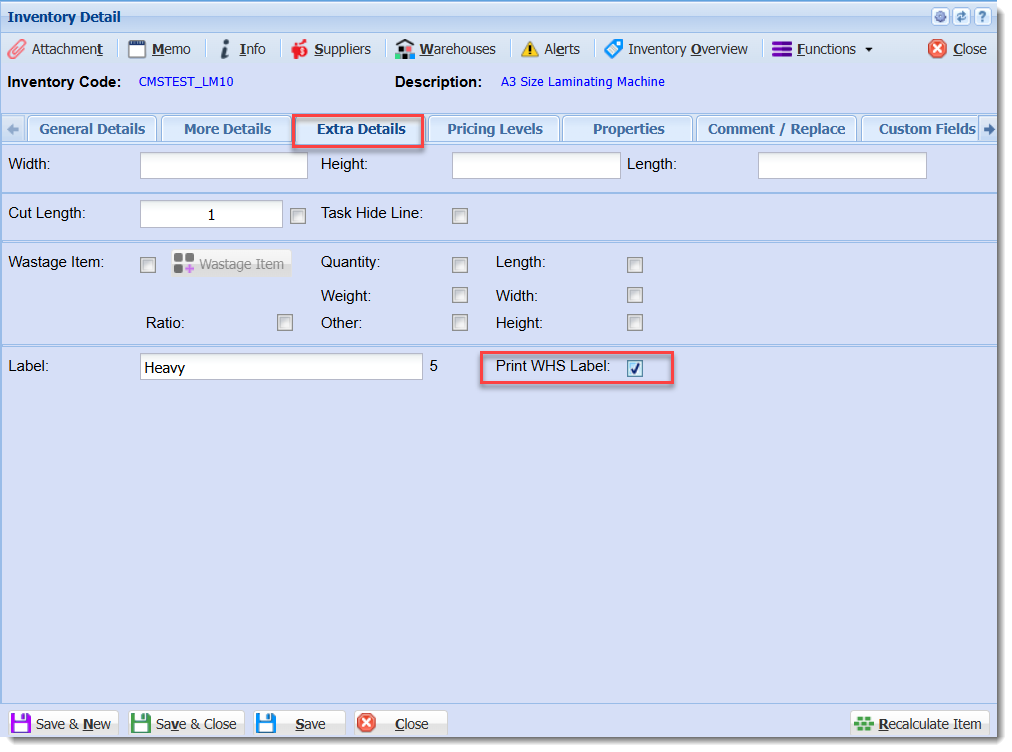
</figure>#### <span class="md-plain"><span class="td-span">Inventory – Print Warehouse Label</span></span>

<figure class="md-table-fig table-figure" id="bkmrk-placeholder-invpwhs"><table class="md-table" style="width: 99.5238%; height: 7030.57px;"><thead><tr class="md-end-block" style="height: 30px;"><th style="width: 24.4316%; height: 30px;"><span class="td-span"><span class="md-plain">Placeholder</span></span></th><th style="width: 28.6233%; height: 30px;"><span class="td-span"><span class="md-plain">Alternative Placeholders</span></span></th><th style="width: 19.0423%; height: 30px;"><span class="td-span"><span class="md-plain">Description</span></span></th><th style="width: 27.9047%; height: 30px;"><span class="td-span"><span class="md-plain">Notes</span></span></th></tr></thead><tbody><tr style="height: 113.781px;"><td style="width: 24.4316%; height: 113.781px;">`<span class="td-span"><span class="md-pair-s" spellcheck="false">%PRNWHSCODE%</span></span>`<sup>4</sup></td><td style="width: 28.6233%; height: 113.781px;">`%PRINT-WHS-CODE%`</td><td style="width: 19.0423%; height: 113.781px;"><span class="td-span"><span class="md-plain">Warehouse Code for Warehouses with "Print on Label" enabled when "Print WHS Label" enabled for the Inventory Item.</span></span></td><td style="width: 27.9047%; height: 113.781px;">[\[4\]](#bkmrk-4.-print-whs-label-o)</td></tr><tr style="height: 113.781px;"><td style="width: 24.4316%; height: 113.781px;">`<span class="td-span"><span class="md-pair-s" spellcheck="false">%PRNWHSNAME%</span></span>`<sup>4</sup></td><td style="width: 28.6233%; height: 113.781px;">`%PRINT-WHS-NAME%`</td><td style="width: 19.0423%; height: 113.781px;"><span class="td-span"><span class="md-plain">Warehouse Name for Warehouses with "Print on Label" enabled when "Print WHS Label" is enabled for the Inventory Item. </span></span></td><td style="width: 27.9047%; height: 113.781px;">[\[4\]](#bkmrk-4.-print-whs-label-o)</td></tr></tbody></table>

</figure>#### <span class="md-plain"><span class="td-span">Inventory – Wastage Item</span></span>

<figure class="md-table-fig table-figure" id="bkmrk-placeholder-invwst"><table class="md-table" style="width: 99.5238%; height: 7030.57px;"><thead><tr class="md-end-block" style="height: 30px;"><th style="width: 24.4316%; height: 30px;"><span class="td-span"><span class="md-plain">Placeholder</span></span></th><th style="width: 28.6233%; height: 30px;"><span class="td-span"><span class="md-plain">Alternative Placeholders</span></span></th><th style="width: 19.0423%; height: 30px;"><span class="td-span"><span class="md-plain">Description</span></span></th><th style="width: 27.9047%; height: 30px;"><span class="td-span"><span class="md-plain">Notes</span></span></th></tr></thead><tbody><tr style="height: 30.1094px;"><td style="width: 24.4316%; height: 30.1094px;">`BAR1`</td><td style="width: 28.6233%; height: 30.1094px;">`%BAR%`</td><td style="width: 19.0423%; height: 30.1094px;">Wastage Item Code</td><td style="width: 27.9047%; height: 30.1094px;">  
</td></tr><tr style="height: 30.1094px;"><td style="width: 24.4316%; height: 30.1094px;">`<span class="td-span"><span class="md-pair-s" spellcheck="false">%CODE%</span></span>`</td><td style="width: 28.6233%; height: 30.1094px;">  
</td><td style="width: 19.0423%; height: 30.1094px;"><span class="td-span"><span class="md-plain">Wastage Item Code</span></span></td><td style="width: 27.9047%; height: 30.1094px;"> </td></tr><tr style="height: 46.5938px;"><td style="width: 24.4316%; height: 46.5938px;">`<span class="td-span"><span class="md-pair-s" spellcheck="false">%DESCR%</span></span>`</td><td style="width: 28.6233%; height: 46.5938px;">`%DESCRIPTION%`</td><td style="width: 19.0423%; height: 46.5938px;"><span class="td-span"><span class="md-plain">Wastage Item Description</span></span></td><td style="width: 27.9047%; height: 46.5938px;"> </td></tr><tr style="height: 30.1094px;"><td style="width: 24.4316%; height: 30.1094px;">`<span class="td-span"><span class="md-pair-s" spellcheck="false">%LEN%</span></span>`</td><td style="width: 28.6233%; height: 30.1094px;">`%LENGTH%`</td><td style="width: 19.0423%; height: 30.1094px;"><span class="td-span"><span class="md-plain">Wastage Item Length</span></span></td><td style="width: 27.9047%; height: 30.1094px;"> </td></tr><tr style="height: 30.1094px;"><td style="width: 24.4316%; height: 30.1094px;">`<span class="td-span"><span class="md-pair-s" spellcheck="false">%WDTH%</span></span>`</td><td style="width: 28.6233%; height: 30.1094px;">`%WIDTH%`</td><td style="width: 19.0423%; height: 30.1094px;"><span class="td-span"><span class="md-plain">Wastage Item Width</span></span></td><td style="width: 27.9047%; height: 30.1094px;"> </td></tr><tr style="height: 30.1094px;"><td style="width: 24.4316%; height: 30.1094px;">`<span class="td-span"><span class="md-pair-s" spellcheck="false">%HGT%</span></span>`</td><td style="width: 28.6233%; height: 30.1094px;">`%HEIGHT%`</td><td style="width: 19.0423%; height: 30.1094px;"><span class="td-span"><span class="md-plain">Wastage Item Height</span></span></td><td style="width: 27.9047%; height: 30.1094px;"> </td></tr><tr style="height: 30.1094px;"><td style="width: 24.4316%; height: 30.1094px;">`<span class="td-span"><span class="md-pair-s" spellcheck="false">%WGT%</span></span>`</td><td style="width: 28.6233%; height: 30.1094px;">`%WEIGHT%`</td><td style="width: 19.0423%; height: 30.1094px;"><span class="td-span"><span class="md-plain">Wastage Item Weight</span></span></td><td style="width: 27.9047%; height: 30.1094px;"> </td></tr><tr style="height: 63.3906px;"><td style="width: 24.4316%; height: 63.3906px;">`<span class="td-span"><span class="md-pair-s" spellcheck="false">%STKCODE%</span></span>`</td><td style="width: 28.6233%; height: 63.3906px;">`%STOCKCODE%`</td><td style="width: 19.0423%; height: 63.3906px;"><span class="td-span"><span class="md-plain">Code of the Inventory Item for the Wastage Item</span></span></td><td style="width: 27.9047%; height: 63.3906px;"> </td></tr><tr style="height: 63.3906px;"><td style="width: 24.4316%; height: 63.3906px;">`<span class="td-span"><span class="md-pair-s" spellcheck="false">%STKDESCR%</span></span>`</td><td style="width: 28.6233%; height: 63.3906px;">`%STOCKDESCRIPTION%` <span class="td-span"><span class="md-pair-s" spellcheck="false">`DESCR1` `DESC1` `SDESCR` `SDESC` `%STKSDESCR%`</span></span></td><td style="width: 19.0423%; height: 63.3906px;"><span class="td-span"><span class="md-plain">Short Description of the Inventory Item for the Wastage Item</span></span></td><td style="width: 27.9047%; height: 63.3906px;"> </td></tr></tbody></table>

</figure>#### <span class="md-plain"><span class="td-span">Inventory – Batch Serial Numbers</span></span>

<figure class="md-table-fig table-figure" id="bkmrk-placeholder-invbatsn"><table class="md-table" style="width: 99.5238%; height: 947.875px;"><thead><tr class="md-end-block" style="height: 30px;"><th style="width: 24.4316%; height: 30px;"><span class="td-span"><span class="md-plain">Placeholder</span></span></th><th style="width: 28.6233%; height: 30px;"><span class="td-span"><span class="md-plain">Alternative Placeholders</span></span></th><th style="width: 19.0423%; height: 30px;"><span class="td-span"><span class="md-plain">Description</span></span></th><th style="width: 27.9047%; height: 30px;"><span class="td-span"><span class="md-plain">Notes</span></span></th></tr></thead><tbody><tr style="height: 113.781px;"><td style="width: 24.4316%; height: 113.781px;">`<span class="td-span"><span class="md-pair-s" spellcheck="false">%SERIAL%</span></span>`</td><td style="width: 28.6233%; height: 113.781px;">`%BAR%`</td><td style="width: 19.0423%; height: 113.781px;"><span class="td-span"><span class="md-plain">Serial Number formatted with the Separators field from the form or without separators if the field is blank.</span></span></td><td style="width: 27.9047%; height: 113.781px;"> </td></tr><tr style="height: 30.1094px;"><td style="width: 24.4316%; height: 30.1094px;"><span class="td-span"><span class="md-pair-s" spellcheck="false">`%STKCODE%`</span></span></td><td style="width: 28.6233%; height: 30.1094px;">`%ITEMCODE%`</td><td style="width: 19.0423%; height: 30.1094px;"><span class="td-span"><span class="md-plain">Stock Item Code</span></span></td><td style="width: 27.9047%; height: 30.1094px;"><span class="td-span md-focus"><span class="md-plain md-expand">  
</span></span></td></tr><tr style="height: 30.1094px;"><td style="width: 24.4316%; height: 30.1094px;"><span class="td-span"><span class="md-pair-s" spellcheck="false">`%STKDESCR%`</span></span></td><td style="width: 28.6233%; height: 30.1094px;">`%ITEMDESCR%` <span class="td-span"><span class="md-pair-s" spellcheck="false">`DESCR1` `DESC1` `SDESCR` `SDESC` `%STKSDESCR%`</span></span></td><td style="width: 19.0423%; height: 30.1094px;"><span class="td-span"><span class="md-plain">Stock Item Description</span></span></td><td style="width: 27.9047%; height: 30.1094px;"><span class="td-span md-focus"><span class="md-plain md-expand">  
</span></span></td></tr><tr style="height: 80.1875px;"><td style="width: 24.4316%; height: 80.1875px;"><span class="td-span"><span class="md-pair-s" spellcheck="false">`%PCODE%`</span></span></td><td style="width: 28.6233%; height: 80.1875px;"><span class="td-span"><span class="md-pair-s" spellcheck="false">`%PROD%`</span></span></td><td style="width: 19.0423%; height: 80.1875px;"><span class="td-span"><span class="md-plain">Production Code.   
This is the Production Date in YYMMDD format by default.</span></span></td><td style="width: 27.9047%; height: 80.1875px;"> </td></tr><tr style="height: 63.3906px;"><td style="width: 24.4316%; height: 63.3906px;"><span class="td-span"><span class="md-pair-s" spellcheck="false">`%BBDATE-NZ%`</span></span></td><td style="width: 28.6233%; height: 63.3906px;">  
</td><td style="width: 19.0423%; height: 63.3906px;"><span class="td-span"><span class="md-plain">Best Before Date New Zealand format.   
DD/MM/YYYY</span></span></td><td style="width: 27.9047%; height: 63.3906px;"> </td></tr><tr style="height: 63.3906px;"><td style="width: 24.4316%; height: 63.3906px;"><span class="td-span"><span class="md-pair-s" spellcheck="false">`%BBDATE-INT%`</span></span></td><td style="width: 28.6233%; height: 63.3906px;"><span class="td-span"><span class="md-pair-s" spellcheck="false">`%BBDATE%`</span></span></td><td style="width: 19.0423%; height: 63.3906px;"><span class="td-span"><span class="md-plain">Best Before Date International format. </span></span>

<span class="td-span"><span class="md-plain">YYYY-MM-DD</span></span>

</td><td style="width: 27.9047%; height: 63.3906px;"> </td></tr><tr style="height: 80.1875px;"><td style="width: 24.4316%; height: 80.1875px;"><span class="td-span"><span class="md-pair-s" spellcheck="false">`%FRESH%`</span></span></td><td style="width: 28.6233%; height: 80.1875px;">  
</td><td style="width: 19.0423%; height: 80.1875px;"><span class="td-span"><span class="md-plain">"Fresh" if the Fresh checkbox from the form is checked, otherwise blank.</span></span></td><td style="width: 27.9047%; height: 80.1875px;"> </td></tr><tr style="height: 89.375px;"><td style="width: 24.4316%; height: 89.375px;"><span class="td-span"><span class="md-pair-s" spellcheck="false">`%FRESH-U%`</span></span></td><td style="width: 28.6233%; height: 89.375px;">  
</td><td style="width: 19.0423%; height: 89.375px;"><span class="td-span"><span class="md-plain">"FRESH" if the Fresh checkbox from the form is checked, otherwise blank.</span></span></td><td style="width: 27.9047%; height: 89.375px;"><span class="td-span md-focus"><span class="md-plain md-expand"><span class="td-span md-focus" style="background-color: rgb(251, 238, 184);">  
</span></span></span></td></tr><tr style="height: 80.1875px;"><td style="width: 24.4316%; height: 80.1875px;"><span class="td-span"><span class="md-pair-s" spellcheck="false">`%FRESH-FRZN%`</span></span></td><td style="width: 28.6233%; height: 80.1875px;">  
</td><td style="width: 19.0423%; height: 80.1875px;"><span class="td-span"><span class="md-plain">"Fresh" if the Fresh checkbox from the for is checked, otherwise "Frozen".</span></span></td><td style="width: 27.9047%; height: 80.1875px;"> </td></tr><tr style="height: 80.1875px;"><td style="width: 24.4316%; height: 80.1875px;"><span class="td-span"><span class="md-pair-s" spellcheck="false">`%FRESH-FRZN-U%`</span></span></td><td style="width: 28.6233%; height: 80.1875px;">  
</td><td style="width: 19.0423%; height: 80.1875px;"><span class="td-span"><span class="md-plain">"FRESH" if the Fresh checkbox from the for is checked, otherwise "FROZEN".</span></span></td><td style="width: 27.9047%; height: 80.1875px;"><span class="td-span md-focus"><span class="md-plain md-expand"><span class="td-span md-focus" style="background-color: rgb(251, 238, 184);">  
</span></span></span></td></tr><tr style="height: 80.1875px;"><td style="width: 24.4316%; height: 80.1875px;"><span class="td-span"><span class="md-pair-s" spellcheck="false">`%FRESH-YN%`</span></span></td><td style="width: 28.6233%; height: 80.1875px;">  
</td><td style="width: 19.0423%; height: 80.1875px;"><span class="td-span"><span class="md-plain">"Y" if the Fresh checkbox from the for is checked, otherwise "N".</span></span></td><td style="width: 27.9047%; height: 80.1875px;"> </td></tr><tr style="height: 63.3906px;"><td style="width: 24.4316%; height: 63.3906px;"><span class="td-span"><span class="md-pair-s" spellcheck="false">`%STKWGT-2DP%`</span></span></td><td style="width: 28.6233%; height: 63.3906px;"><span class="td-span"><span class="md-pair-s" spellcheck="false">`%ITEMWGT-2DP%`</span></span></td><td style="width: 19.0423%; height: 63.3906px;"><span class="td-span"><span class="md-plain">Weight of the stock item fixed to two decimal places.</span></span></td><td style="width: 27.9047%; height: 63.3906px;"> </td></tr><tr style="height: 63.3906px;"><td style="width: 24.4316%; height: 63.3906px;">`%STKWGT%`</td><td style="width: 28.6233%; height: 63.3906px;">`<span class="td-span"><span class="md-pair-s" spellcheck="false">%ITEMWGT%</span></span>`</td><td style="width: 19.0423%; height: 63.3906px;"><span class="td-span"><span class="md-plain">Weight of the stock item to up two decimal places. </span></span></td><td style="width: 27.9047%; height: 63.3906px;"> </td></tr></tbody></table>

</figure>#### <span class="md-plain"><span class="td-span">Inventory – Batch Tracking</span></span>

<figure class="md-table-fig table-figure" id="bkmrk-placeholder-invbatbn"><table class="md-table" style="width: 99.5238%; height: 1479.41px;"><thead><tr class="md-end-block" style="height: 30px;"><th style="width: 24.4316%; height: 30px;"><span class="td-span"><span class="md-plain">Placeholder</span></span></th><th style="width: 28.6233%; height: 30px;"><span class="td-span"><span class="md-plain">Alternative Placeholders</span></span></th><th style="width: 19.0423%; height: 30px;"><span class="td-span"><span class="md-plain">Description</span></span></th><th style="width: 27.9047%; height: 30px;"><span class="td-span"><span class="md-plain">Notes</span></span></th></tr></thead><tbody><tr style="height: 31.5938px;"><td style="width: 24.4316%; height: 31.5938px;"><span class="td-span"><span class="md-pair-s" spellcheck="false">`%BATCHNO%`</span></span></td><td style="width: 28.6233%; height: 31.5938px;"><span class="td-span"><span class="md-pair-s" spellcheck="false">`%BATCHNUMBER%` `%BN%`</span></span></td><td style="width: 19.0423%; height: 31.5938px;"><span class="td-span"><span class="md-plain">Batch Number</span></span></td><td style="width: 27.9047%; height: 31.5938px;"> </td></tr><tr style="height: 30.5938px;"><td style="width: 24.4316%; height: 30.5938px;"><span class="td-span"><span class="md-pair-s" spellcheck="false">`BAR1`</span></span></td><td style="width: 28.6233%; height: 30.5938px;">`%STKBAR%`</td><td style="width: 19.0423%; height: 30.5938px;"><span class="td-span"><span class="md-plain">Stock Item Barcode</span></span></td><td style="width: 27.9047%; height: 30.5938px;">  
</td></tr><tr style="height: 35.5938px;"><td style="width: 24.4316%; height: 35.5938px;"><span class="td-span"><span class="md-pair-s" spellcheck="false">`%STKCODE%`</span></span></td><td style="width: 28.6233%; height: 35.5938px;"><span class="td-span"><span class="md-pair-s" spellcheck="false">`CODE1`</span></span></td><td style="width: 19.0423%; height: 35.5938px;"><span class="td-span"><span class="md-plain">Stock Item Code</span></span></td><td style="width: 27.9047%; height: 35.5938px;"> </td></tr><tr style="height: 47.2188px;"><td style="width: 24.4316%; height: 47.2188px;"><span class="td-span"><span class="md-pair-s" spellcheck="false">`%STKDESCR%`</span></span></td><td style="width: 28.6233%; height: 47.2188px;"><span class="td-span"><span class="md-pair-s" spellcheck="false">`DESCR1` `DESC1` `SDESCR` `SDESC` `%STKSDESCR%`</span></span></td><td style="width: 19.0423%; height: 47.2188px;"><span class="td-span"><span class="md-plain">Stock Item Short Description</span></span></td><td style="width: 27.9047%; height: 47.2188px;"> </td></tr><tr><td style="width: 24.4316%;">`<span class="td-span"><span class="md-pair-s" spellcheck="false">%BATDESCR%</span></span>`</td><td style="width: 28.6233%;"><span class="td-span"><span class="md-pair-s" spellcheck="false">  
</span></span></td><td style="width: 19.0423%;"><span class="td-span"><span class="md-plain">Batch Description</span></span></td><td style="width: 27.9047%;">  
</td></tr><tr style="height: 81.375px;"><td style="width: 24.4316%; height: 81.375px;"><span class="td-span"><span class="md-pair-s" spellcheck="false">`%PCODE%`</span></span></td><td style="width: 28.6233%; height: 81.375px;"> </td><td style="width: 19.0423%; height: 81.375px;"><span class="td-span"><span class="md-plain">Production Code.   
This is the Production Date in YYMMDD format by default.</span></span></td><td style="width: 27.9047%; height: 81.375px;"> </td></tr><tr style="height: 63.3906px;"><td style="width: 24.4316%; height: 63.3906px;"><span class="td-span"><span class="md-pair-s" spellcheck="false">`%BBDATE-NZ%`</span></span></td><td style="width: 28.6233%; height: 63.3906px;">  
</td><td style="width: 19.0423%; height: 63.3906px;"><span class="td-span"><span class="md-plain">Best Before Date New Zealand format.   
DD/MM/YYYY</span></span></td><td style="width: 27.9047%; height: 63.3906px;">Batch specific</td></tr><tr style="height: 63.75px;"><td style="width: 24.4316%; height: 63.75px;"><span class="td-span"><span class="md-pair-s" spellcheck="false">`%BBDATE-INT%`</span></span></td><td style="width: 28.6233%; height: 63.75px;"><span class="td-span"><span class="md-pair-s" spellcheck="false">`%BBDATE%`</span></span></td><td style="width: 19.0423%; height: 63.75px;"><span class="td-span"><span class="md-plain">Best Before Date International format. </span></span>

<span class="td-span"><span class="md-plain">YYYY-MM-DD</span></span>

</td><td style="width: 27.9047%; height: 63.75px;">Batch specific</td></tr><tr style="height: 63.3906px;"><td style="width: 24.4316%; height: 63.3906px;"><span class="td-span"><span class="md-pair-s" spellcheck="false">`%STKWGT-2DP%`</span></span></td><td style="width: 28.6233%; height: 63.3906px;"><span class="td-span"><span class="md-pair-s" spellcheck="false">`%ITEMWGT-2DP%`</span></span></td><td style="width: 19.0423%; height: 63.3906px;"><span class="td-span"><span class="md-plain">Weight of the stock item fixed to two decimal places.</span></span></td><td style="width: 27.9047%; height: 63.3906px;"> </td></tr><tr style="height: 63.3906px;"><td style="width: 24.4316%; height: 63.3906px;">`%STKWGT%`</td><td style="width: 28.6233%; height: 63.3906px;"><span class="td-span"><span class="md-pair-s" spellcheck="false">`WEIGHT1` `WGT1`</span></span></td><td style="width: 19.0423%; height: 63.3906px;"><span class="td-span"><span class="md-plain">Weight of the stock item to up two decimal places. </span></span></td><td style="width: 27.9047%; height: 63.3906px;"> </td></tr><tr style="height: 30.1094px;"><td style="width: 24.4316%; height: 30.1094px;"><span class="td-span"><span class="md-pair-s" spellcheck="false">`LBL1`</span></span></td><td style="width: 28.6233%; height: 30.1094px;"> </td><td style="width: 19.0423%; height: 30.1094px;"><span class="td-span"><span class="md-plain">Stock Item Label</span></span></td><td style="width: 27.9047%; height: 30.1094px;"> </td></tr><tr style="height: 46.5938px;"><td style="width: 24.4316%; height: 46.5938px;"><span class="td-span"><span class="md-pair-s" spellcheck="false">`SELLEX1`</span></span></td><td style="width: 28.6233%; height: 46.5938px;"><span class="td-span"><span class="md-pair-s" spellcheck="false">`SELLEXCL1` `SELL-EXCL1`</span></span></td><td style="width: 19.0423%; height: 46.5938px;"><span class="td-span"><span class="md-plain">Stock Item Selling Price Excluding</span></span></td><td style="width: 27.9047%; height: 46.5938px;"> </td></tr><tr style="height: 46.5938px;"><td style="width: 24.4316%; height: 46.5938px;"><span class="td-span"><span class="md-pair-s" spellcheck="false">`SELLINC1`</span></span></td><td style="width: 28.6233%; height: 46.5938px;"><span class="td-span"><span class="md-pair-s" spellcheck="false">`SELLINCL1` `SELL-INCL1`</span></span></td><td style="width: 19.0423%; height: 46.5938px;"><span class="td-span"><span class="md-plain">Stock Item Selling Price Including </span></span></td><td style="width: 27.9047%; height: 46.5938px;"> </td></tr><tr style="height: 30.1094px;"><td style="width: 24.4316%; height: 30.1094px;"><span class="td-span"><span class="md-pair-s" spellcheck="false">`%PRED%`</span></span></td><td style="width: 28.6233%; height: 30.1094px;"> </td><td style="width: 19.0423%; height: 30.1094px;"><span class="td-span"><span class="md-plain">Stock Item Predicted</span></span></td><td style="width: 27.9047%; height: 30.1094px;"> </td></tr><tr style="height: 30.1094px;"><td style="width: 24.4316%; height: 30.1094px;"><span class="td-span"><span class="md-pair-s" spellcheck="false">`%FACTS%`</span></span></td><td style="width: 28.6233%; height: 30.1094px;">  
</td><td style="width: 19.0423%; height: 30.1094px;"><span class="td-span"><span class="md-plain">Stock Item Facts</span></span></td><td style="width: 27.9047%; height: 30.1094px;"> </td></tr><tr style="height: 46.5938px;"><td style="width: 24.4316%; height: 46.5938px;"><span class="td-span"><span class="md-pair-s" spellcheck="false">`%PROP1%`</span></span></td><td style="width: 28.6233%; height: 46.5938px;">`<span class="td-span"><span class="md-pair-s" spellcheck="false">%P1%</span></span>` `<span class="td-span"><span class="md-pair-s" spellcheck="false">%PROP1C%</span></span>` `<span class="td-span"><span class="md-pair-s" spellcheck="false">%P1C%</span></span>`</td><td style="width: 19.0423%; height: 46.5938px;"><span class="td-span"><span class="md-plain">Stock Item Additional Property 1 Code</span></span></td><td style="width: 27.9047%; height: 46.5938px;"> </td></tr><tr style="height: 46.5938px;"><td style="width: 24.4316%; height: 46.5938px;"><span class="td-span"><span class="md-pair-s" spellcheck="false">`%PROP2%`</span></span></td><td style="width: 28.6233%; height: 46.5938px;">`<span class="td-span"><span class="md-pair-s" spellcheck="false">%P2%</span></span>` `<span class="td-span"><span class="md-pair-s" spellcheck="false">%PROP2C%</span></span>``<span class="td-span"><span class="md-pair-s" spellcheck="false">%P2C%</span></span>`</td><td style="width: 19.0423%; height: 46.5938px;"><span class="td-span"><span class="md-plain">Stock Item Additional Property 2 Code</span></span></td><td style="width: 27.9047%; height: 46.5938px;"> </td></tr><tr style="height: 46.5938px;"><td style="width: 24.4316%; height: 46.5938px;"><span class="td-span"><span class="md-pair-s" spellcheck="false">`%PROP3%`</span></span></td><td style="width: 28.6233%; height: 46.5938px;">`<span class="td-span"><span class="md-pair-s" spellcheck="false">%P3%</span></span>` `<span class="td-span"><span class="md-pair-s" spellcheck="false">%PROP3C%</span></span>` `<span class="td-span"><span class="md-pair-s" spellcheck="false">%P3C%</span></span>`</td><td style="width: 19.0423%; height: 46.5938px;"><span class="td-span"><span class="md-plain">Stock Item Additional Property 3 Code</span></span></td><td style="width: 27.9047%; height: 46.5938px;"> </td></tr><tr style="height: 48.375px;"><td style="width: 24.4316%; height: 48.375px;">`<span class="td-span"><span class="md-pair-s" spellcheck="false">%PROP1D%</span></span>`</td><td style="width: 28.6233%; height: 48.375px;">`<span class="td-span"><span class="md-pair-s" spellcheck="false">%P1D%</span></span>`</td><td style="width: 19.0423%; height: 48.375px;"><span class="td-span"><span class="md-plain">Stock Item Additional Property 1 Description</span></span></td><td style="width: 27.9047%; height: 48.375px;"> </td></tr><tr style="height: 46.5938px;"><td style="width: 24.4316%; height: 46.5938px;"><span class="td-span"><span class="md-pair-s" spellcheck="false">`%PROP2D%`</span></span></td><td style="width: 28.6233%; height: 46.5938px;">`<span class="td-span"><span class="md-pair-s" spellcheck="false">%P2D%</span></span>` </td><td style="width: 19.0423%; height: 46.5938px;"><span class="td-span"><span class="md-plain">Stock Item Additional Property 2 Description</span></span></td><td style="width: 27.9047%; height: 46.5938px;"> </td></tr><tr style="height: 46.5938px;"><td style="width: 24.4316%; height: 46.5938px;"><span class="td-span"><span class="md-pair-s" spellcheck="false">`%PROP3D%`</span></span></td><td style="width: 28.6233%; height: 46.5938px;">`<span class="td-span"><span class="md-pair-s" spellcheck="false">%P3D%</span></span>` </td><td style="width: 19.0423%; height: 46.5938px;"><span class="td-span"><span class="md-plain">Stock Item Additional Property 3 Description</span></span></td><td style="width: 27.9047%; height: 46.5938px;"> </td></tr><tr style="height: 46.5938px;"><td style="width: 24.4316%; height: 46.5938px;"><span class="td-span"><span class="md-pair-s" spellcheck="false">`%PROP4%`</span></span></td><td style="width: 28.6233%; height: 46.5938px;">`<span class="td-span"><span class="md-pair-s" spellcheck="false">%P4%</span></span>`</td><td style="width: 19.0423%; height: 46.5938px;"><span class="td-span"><span class="md-plain">Stock Item Additional Property 4</span></span></td><td style="width: 27.9047%; height: 46.5938px;"> </td></tr><tr style="height: 46.5938px;"><td style="width: 24.4316%; height: 46.5938px;"><span class="td-span"><span class="md-pair-s" spellcheck="false">`%PROP5%`</span></span></td><td style="width: 28.6233%; height: 46.5938px;">`<span class="td-span"><span class="md-pair-s" spellcheck="false">%P5%</span></span>`</td><td style="width: 19.0423%; height: 46.5938px;"><span class="td-span"><span class="md-plain">Stock Item Additional Property 5</span></span></td><td style="width: 27.9047%; height: 46.5938px;"> </td></tr><tr style="height: 46.5938px;"><td style="width: 24.4316%; height: 46.5938px;"><span class="td-span"><span class="md-pair-s" spellcheck="false">`%PROP6%`</span></span></td><td style="width: 28.6233%; height: 46.5938px;">`<span class="td-span"><span class="md-pair-s" spellcheck="false">%P6%</span></span>`</td><td style="width: 19.0423%; height: 46.5938px;"><span class="td-span"><span class="md-plain">Stock Item Additional Property 6</span></span></td><td style="width: 27.9047%; height: 46.5938px;"> </td></tr><tr style="height: 46.5938px;"><td style="width: 24.4316%; height: 46.5938px;"><span class="td-span"><span class="md-pair-s" spellcheck="false">`%PROP7%`</span></span></td><td style="width: 28.6233%; height: 46.5938px;">`<span class="td-span"><span class="md-pair-s" spellcheck="false">%P7%</span></span>`</td><td style="width: 19.0423%; height: 46.5938px;"><span class="td-span"><span class="md-plain">Stock Item Additional Property 7</span></span></td><td style="width: 27.9047%; height: 46.5938px;"> </td></tr><tr style="height: 46.5938px;"><td style="width: 24.4316%; height: 46.5938px;"><span class="td-span"><span class="md-pair-s" spellcheck="false">`%PROP8%`</span></span></td><td style="width: 28.6233%; height: 46.5938px;">`<span class="td-span"><span class="md-pair-s" spellcheck="false">%P8%</span></span>`</td><td style="width: 19.0423%; height: 46.5938px;"><span class="td-span"><span class="md-plain">Stock Item Additional Property 8</span></span></td><td style="width: 27.9047%; height: 46.5938px;"> </td></tr><tr style="height: 46.5938px;"><td style="width: 24.4316%; height: 46.5938px;"><span class="td-span"><span class="md-pair-s" spellcheck="false">`%PROP9%`</span></span></td><td style="width: 28.6233%; height: 46.5938px;">`<span class="td-span"><span class="md-pair-s" spellcheck="false">%P9%</span></span>`</td><td style="width: 19.0423%; height: 46.5938px;"><span class="td-span"><span class="md-plain">Stock Item Additional Property 9</span></span></td><td style="width: 27.9047%; height: 46.5938px;"> </td></tr><tr style="height: 46.5938px;"><td style="width: 24.4316%; height: 46.5938px;"><span class="td-span"><span class="md-pair-s" spellcheck="false">`%PROP10%`</span></span></td><td style="width: 28.6233%; height: 46.5938px;">`<span class="td-span"><span class="md-pair-s" spellcheck="false">%P10%</span></span>`</td><td style="width: 19.0423%; height: 46.5938px;"><span class="td-span"><span class="md-plain">Stock Item Additional Property 10</span></span></td><td style="width: 27.9047%; height: 46.5938px;"> </td></tr></tbody></table>

</figure>#### <span class="md-plain"><span class="td-span">Lab Samples</span></span>

<figure class="md-table-fig table-figure" id="bkmrk-placeholder-labsamp"><table class="md-table" style="width: 99.5238%; height: 455.016px;"><thead><tr class="md-end-block" style="height: 30px;"><th style="width: 24.4316%; height: 30px;"><span class="td-span"><span class="md-plain">Placeholder</span></span></th><th style="width: 28.6233%; height: 30px;"><span class="td-span"><span class="md-plain">Alternative Placeholders</span></span></th><th style="width: 19.0423%; height: 30px;"><span class="td-span"><span class="md-plain">Description</span></span></th><th style="width: 27.9047%; height: 30px;"><span class="td-span"><span class="md-plain">Notes</span></span></th></tr></thead><tbody><tr style="height: 30.1094px;"><td style="width: 24.4316%; height: 30.1094px;">`%SAMPLENO%`</td><td style="width: 28.6233%; height: 30.1094px;">`%FIELD-A%` `%A%` </td><td style="width: 19.0423%; height: 30.1094px;">Sample Number</td><td style="width: 27.9047%; height: 30.1094px;"> </td></tr><tr style="height: 30.1094px;"><td style="width: 24.4316%; height: 30.1094px;">`%SUBMITDATE%`</td><td style="width: 28.6233%; height: 30.1094px;">`%FIELD-B%` `%B%`</td><td style="width: 19.0423%; height: 30.1094px;">Submitted Date</td><td style="width: 27.9047%; height: 30.1094px;">YYYY-MM-DD format</td></tr><tr style="height: 30.1094px;"><td style="width: 24.4316%; height: 30.1094px;">`%USER%`</td><td style="width: 28.6233%; height: 30.1094px;">`%FIELD-C%` `%C%`</td><td style="width: 19.0423%; height: 30.1094px;">User Submitted</td><td style="width: 27.9047%; height: 30.1094px;">First and Last name</td></tr><tr style="height: 30.1094px;"><td style="width: 24.4316%; height: 30.1094px;">`%DEBTOR%`</td><td style="width: 28.6233%; height: 30.1094px;">`%FIELD-D%` `%D%`</td><td style="width: 19.0423%; height: 30.1094px;">Debtor Name</td><td style="width: 27.9047%; height: 30.1094px;"> </td></tr><tr style="height: 30.1094px;"><td style="width: 24.4316%; height: 30.1094px;">`%ORDERNO%`</td><td style="width: 28.6233%; height: 30.1094px;">`%FIELD-E%` `%E%`</td><td style="width: 19.0423%; height: 30.1094px;">Order Number</td><td style="width: 27.9047%; height: 30.1094px;"> </td></tr><tr style="height: 30.1094px;"><td style="width: 24.4316%; height: 30.1094px;">`%APPNO%`</td><td style="width: 28.6233%; height: 30.1094px;">`%FIELD-F%` `%F%`</td><td style="width: 19.0423%; height: 30.1094px;">Application Number</td><td style="width: 27.9047%; height: 30.1094px;"> </td></tr><tr style="height: 30.1094px;"><td style="width: 24.4316%; height: 30.1094px;">`%REQDATE%`</td><td style="width: 28.6233%; height: 30.1094px;">`%FIELD-G%` `%G%`</td><td style="width: 19.0423%; height: 30.1094px;">Date Required</td><td style="width: 27.9047%; height: 30.1094px;">YYYY-MM-DD format</td></tr><tr style="height: 30.1094px;"><td style="width: 24.4316%; height: 30.1094px;">`%ITEM%`</td><td style="width: 28.6233%; height: 30.1094px;">`%FIELD-H%` `%H%`</td><td style="width: 19.0423%; height: 30.1094px;">Item Code</td><td style="width: 27.9047%; height: 30.1094px;"> </td></tr><tr style="height: 30.1094px;"><td style="width: 24.4316%; height: 30.1094px;">`%ITEMDESCR%`</td><td style="width: 28.6233%; height: 30.1094px;">`%FIELD-I%` `%I%`</td><td style="width: 19.0423%; height: 30.1094px;">Item Description</td><td style="width: 27.9047%; height: 30.1094px;"> </td></tr><tr style="height: 30.1094px;"><td style="width: 24.4316%; height: 30.1094px;">`%QTY%`</td><td style="width: 28.6233%; height: 30.1094px;">`%FIELD-J%` `%J%`</td><td style="width: 19.0423%; height: 30.1094px;">Quantity</td><td style="width: 27.9047%; height: 30.1094px;"> </td></tr><tr style="height: 47.2188px;"><td style="width: 24.4316%; height: 47.2188px;">`%QTYWUNIT%`</td><td style="width: 28.6233%; height: 47.2188px;">`%FIELD-J2%` `%J2%` `%QTY-WITH-UNIT%`</td><td style="width: 19.0423%; height: 47.2188px;">Quantity with unit appended</td><td style="width: 27.9047%; height: 47.2188px;"> </td></tr><tr style="height: 30.1094px;"><td style="width: 24.4316%; height: 30.1094px;">`%YEAR%`</td><td style="width: 28.6233%; height: 30.1094px;">`%FIELD-K%` `%K%`</td><td style="width: 19.0423%; height: 30.1094px;">Year</td><td style="width: 27.9047%; height: 30.1094px;"> </td></tr><tr style="height: 46.5938px;"><td style="width: 24.4316%; height: 46.5938px;">`%TREATED%`</td><td style="width: 28.6233%; height: 46.5938px;">`%FIELD-L%` `%L%`</td><td style="width: 19.0423%; height: 46.5938px;">Treated</td><td style="width: 27.9047%; height: 46.5938px;">Shows as "Treated" if checkbox is ticked, otherwise blank</td></tr></tbody></table>

</figure>#### <span class="md-plain"><span class="td-span">Lab Tests</span></span>

<table class="md-table" id="bkmrk-placeholder-alternat" style="width: 99.5238%; height: 150.438px;"><thead><tr class="md-end-block" style="height: 30px;"><th style="width: 24.4316%; height: 30px;"><span class="td-span"><span class="md-plain">Placeholder</span></span></th><th style="width: 28.6233%; height: 30px;"><span class="td-span"><span class="md-plain">Alternative Placeholders</span></span></th><th style="width: 19.0423%; height: 30px;"><span class="td-span"><span class="md-plain">Description</span></span></th><th style="width: 27.9047%; height: 30px;"><span class="td-span"><span class="md-plain">Notes</span></span></th></tr></thead><tbody><tr style="height: 30.1094px;"><td style="width: 24.4316%; height: 30.1094px;">`%TEST%`</td><td style="width: 28.6233%; height: 30.1094px;">`%FIELD-A%` `%BAR%` `%TEST-NUM%` `%TESTNO%` </td><td style="width: 19.0423%; height: 30.1094px;">Test Number</td><td style="width: 27.9047%; height: 30.1094px;"> </td></tr><tr style="height: 30.1094px;"><td style="width: 24.4316%; height: 30.1094px;">`%DESCR%`</td><td style="width: 28.6233%; height: 30.1094px;">`%FIELD-B%`</td><td style="width: 19.0423%; height: 30.1094px;">Description</td><td style="width: 27.9047%; height: 30.1094px;">  
</td></tr><tr style="height: 30.1094px;"><td style="width: 24.4316%; height: 30.1094px;">`%DATE%`</td><td style="width: 28.6233%; height: 30.1094px;">`%FIELD-C%`</td><td style="width: 19.0423%; height: 30.1094px;">Test Date</td><td style="width: 27.9047%; height: 30.1094px;">YYYY-MM-DD format</td></tr><tr style="height: 30.1094px;"><td style="width: 24.4316%; height: 30.1094px;">`%DUE%`</td><td style="width: 28.6233%; height: 30.1094px;">`%FIELD-D%` `%DUEDATE%`</td><td style="width: 19.0423%; height: 30.1094px;">Debtor Name</td><td style="width: 27.9047%; height: 30.1094px;">YYYY-MM-DD format</td></tr></tbody></table>

#### <span class="md-plain"><span class="td-span">PT Job Item</span></span>

<figure class="md-table-fig table-figure" id="bkmrk-placeholder-ptjob"><table class="md-table" style="width: 99.5238%; height: 979.501px;"><thead><tr class="md-end-block" style="height: 30px;"><th style="width: 24.4316%; height: 30px;"><span class="td-span"><span class="md-plain">Placeholder</span></span></th><th style="width: 28.6233%; height: 30px;"><span class="td-span"><span class="md-plain">Alternative Placeholders</span></span></th><th style="width: 19.0423%; height: 30px;"><span class="td-span"><span class="md-plain">Description</span></span></th><th style="width: 27.9047%; height: 30px;"><span class="td-span"><span class="md-plain">Notes</span></span></th></tr></thead><tbody><tr style="height: 164.172px;"><td style="width: 24.4316%; height: 164.172px;">`%PBAR%`</td><td style="width: 28.6233%; height: 164.172px;">`%PBARCODE%` `%PB%` `%PB1%`</td><td style="width: 19.0423%; height: 164.172px;">Primary Barcode  
</td><td style="width: 27.9047%; height: 164.172px;">The value used depends on which Barcode Print button in the form is clicked.  
  
The Job Item Number is used when the button next to it is clicked, and the Barcode is used when the button next to it is clicked.</td></tr><tr style="height: 49px;"><td style="width: 24.4316%; height: 49px;">`%JOBITEM%`</td><td style="width: 28.6233%; height: 49px;">`%JOBITEM-NAME%` `%JI-NAME%` `%JI%` `%JI1%`</td><td style="width: 19.0423%; height: 49px;">Job Item Name</td><td style="width: 27.9047%; height: 49px;">  
</td></tr><tr style="height: 49px;"><td style="width: 24.4316%; height: 49px;">`%JOBITEMNUM%`</td><td style="width: 28.6233%; height: 49px;">`%JOBITEM-NUM%` `%JOBITEMNO%` `%JI-NUM%` `%JI2%` </td><td style="width: 19.0423%; height: 49px;">Job Item Number</td><td style="width: 27.9047%; height: 49px;">  
</td></tr><tr style="height: 29.5938px;"><td style="width: 24.4316%; height: 29.5938px;">`%LOC%`</td><td style="width: 28.6233%; height: 29.5938px;">`%LOCATION%` `%L%` `%L1%`</td><td style="width: 19.0423%; height: 29.5938px;">Location Description</td><td style="width: 27.9047%; height: 29.5938px;">  
</td></tr><tr style="height: 31.5938px;"><td style="width: 24.4316%; height: 31.5938px;">`%LOCCODE%`</td><td style="width: 28.6233%; height: 31.5938px;">`%LOCATION-CODE%` `%L2%`</td><td style="width: 19.0423%; height: 31.5938px;">Location Code</td><td style="width: 27.9047%; height: 31.5938px;">  
</td></tr><tr style="height: 46.5938px;"><td style="width: 24.4316%; height: 46.5938px;">`%QC%`</td><td style="width: 28.6233%; height: 46.5938px;">`%QC-NAME%` `%QC1%`</td><td style="width: 19.0423%; height: 46.5938px;">Quality Control Description</td><td style="width: 27.9047%; height: 46.5938px;">  
</td></tr><tr style="height: 35.5938px;"><td style="width: 24.4316%; height: 35.5938px;">`%QCCODE%`</td><td style="width: 28.6233%; height: 35.5938px;">`%QC-CODE%` `%QC2%`</td><td style="width: 19.0423%; height: 35.5938px;">Quality Control Code</td><td style="width: 27.9047%; height: 35.5938px;">  
</td></tr><tr style="height: 46.5938px;"><td style="width: 24.4316%; height: 46.5938px;">`%INSPBY%`</td><td style="width: 28.6233%; height: 46.5938px;">`%INSPECTED-BY%` `%I%` `%I1%`</td><td style="width: 19.0423%; height: 46.5938px;">Inspected By Full Name</td><td style="width: 27.9047%; height: 46.5938px;">  
</td></tr><tr style="height: 46.5938px;"><td style="width: 24.4316%; height: 46.5938px;">`%INSPBYFN%`</td><td style="width: 28.6233%; height: 46.5938px;">`%INSPECTED-BY-FNAME%` `%I2%`</td><td style="width: 19.0423%; height: 46.5938px;">Inspected By First Name</td><td style="width: 27.9047%; height: 46.5938px;">  
</td></tr><tr style="height: 46.5938px;"><td style="width: 24.4316%; height: 46.5938px;">`%INSPBYLN%`</td><td style="width: 28.6233%; height: 46.5938px;">`%INSPECTED-BY-LNAME%` `%I3%`</td><td style="width: 19.0423%; height: 46.5938px;">Inspected By Last Name</td><td style="width: 27.9047%; height: 46.5938px;">  
</td></tr><tr style="height: 30.1094px;"><td style="width: 24.4316%; height: 30.1094px;">`%CUST%`</td><td style="width: 28.6233%; height: 30.1094px;">`%CUSTOMER%` `%C%` `%C1%`</td><td style="width: 19.0423%; height: 30.1094px;">Customer Name</td><td style="width: 27.9047%; height: 30.1094px;">  
</td></tr><tr style="height: 30.1094px;"><td style="width: 24.4316%; height: 30.1094px;">`%CUSTCODE%`</td><td style="width: 28.6233%; height: 30.1094px;">`%CUSTOMER-CODE%` `%C2%`</td><td style="width: 19.0423%; height: 30.1094px;">Customer Code</td><td style="width: 27.9047%; height: 30.1094px;">  
</td></tr><tr style="height: 47.2188px;"><td style="width: 24.4316%; height: 47.2188px;">`%DOCNUM%`</td><td style="width: 28.6233%; height: 47.2188px;">`%DOCUMENT-NUM%` `%DOCNO%` `%DN%` `%DN1%`</td><td style="width: 19.0423%; height: 47.2188px;">Document Number</td><td style="width: 27.9047%; height: 47.2188px;">  
</td></tr><tr style="height: 46.5938px;"><td style="width: 24.4316%; height: 46.5938px;">`%LPLAN%`</td><td style="width: 28.6233%; height: 46.5938px;">`%LPLANNING%``%LP%` `%LP1%`</td><td style="width: 19.0423%; height: 46.5938px;">Location Planning Description</td><td style="width: 27.9047%; height: 46.5938px;">  
</td></tr><tr style="height: 46.5938px;"><td style="width: 24.4316%; height: 46.5938px;">`%LPLANCODE%`</td><td style="width: 28.6233%; height: 46.5938px;">`%LPLANNING-CODE%``%LP2%` </td><td style="width: 19.0423%; height: 46.5938px;">Location Planning Code</td><td style="width: 27.9047%; height: 46.5938px;">  
</td></tr><tr style="height: 30.1094px;"><td style="width: 24.4316%; height: 30.1094px;">`%GROUP%`</td><td style="width: 28.6233%; height: 30.1094px;">`%G%` `%G1%`</td><td style="width: 19.0423%; height: 30.1094px;">Group Description</td><td style="width: 27.9047%; height: 30.1094px;">  
</td></tr><tr style="height: 31.1094px;"><td style="width: 24.4316%; height: 31.1094px;">`%GROUPCODE%`</td><td style="width: 28.6233%; height: 31.1094px;">`%GCODE%` `%G2%`</td><td style="width: 19.0423%; height: 31.1094px;">Group Code</td><td style="width: 27.9047%; height: 31.1094px;">  
</td></tr><tr style="height: 31.1094px;"><td style="width: 24.4316%; height: 31.1094px;">`%REF%`</td><td style="width: 28.6233%; height: 31.1094px;">`%REFERENCE%` `%R%` `%R1%`</td><td style="width: 19.0423%; height: 31.1094px;">Reference</td><td style="width: 27.9047%; height: 31.1094px;">  
</td></tr><tr style="height: 31.1094px;"><td style="width: 24.4316%; height: 31.1094px;">`%DESCR%`</td><td style="width: 28.6233%; height: 31.1094px;">`%DESCRIPTION%` `%D%` `%D1%`</td><td style="width: 19.0423%; height: 31.1094px;">Description</td><td style="width: 27.9047%; height: 31.1094px;">  
</td></tr><tr style="height: 31.1094px;"><td style="width: 24.4316%; height: 31.1094px;">`%BAR%`</td><td style="width: 28.6233%; height: 31.1094px;">`%BARCODE%` `%B%` `%B1%`</td><td style="width: 19.0423%; height: 31.1094px;">Barcode</td><td style="width: 27.9047%; height: 31.1094px;">  
</td></tr><tr style="height: 49px;"><td style="width: 24.4316%; height: 49px;">`%SERIAL%`</td><td style="width: 28.6233%; height: 49px;">`%SERIAL-NUM%` `%SERIALNO%` `%SN%` `%SN1%`</td><td style="width: 19.0423%; height: 49px;">Serial Number</td><td style="width: 27.9047%; height: 49px;">  
</td></tr></tbody></table>

</figure>#### <span class="md-plain"><span class="td-span">Sales Order - Shipping</span></span>

<figure class="md-table-fig table-figure" id="bkmrk-placeholder-soship"><table class="md-table" style="width: 99.5238%; height: 7030.57px;"><thead><tr class="md-end-block" style="height: 30px;"><th style="width: 24.4316%; height: 30px;"><span class="td-span"><span class="md-plain">Placeholder</span></span></th><th style="width: 28.6233%; height: 30px;"><span class="td-span"><span class="md-plain">Alternative Placeholders</span></span></th><th style="width: 19.0423%; height: 30px;"><span class="td-span"><span class="md-plain">Description</span></span></th><th style="width: 27.9047%; height: 30px;"><span class="td-span"><span class="md-plain">Notes</span></span></th></tr></thead><tbody><tr style="height: 31.5938px;"><td style="width: 24.4316%; height: 31.5938px;">`%SONO%`</td><td style="width: 28.6233%; height: 31.5938px;">`%SO%` `%SALESORDER%`</td><td style="width: 19.0423%; height: 31.5938px;">Sales Order Number</td><td style="width: 27.9047%; height: 31.5938px;">  
</td></tr><tr style="height: 30.1094px;"><td style="width: 24.4316%; height: 30.1094px;">`%ORDERNO%`</td><td style="width: 28.6233%; height: 30.1094px;">  
</td><td style="width: 19.0423%; height: 30.1094px;">Order Number</td><td style="width: 27.9047%; height: 30.1094px;">  
</td></tr><tr style="height: 30.1094px;"><td style="width: 24.4316%; height: 30.1094px;">`%CUST%`</td><td style="width: 28.6233%; height: 30.1094px;"> `%D%`</td><td style="width: 19.0423%; height: 30.1094px;">Customer Name</td><td style="width: 27.9047%; height: 30.1094px;">  
</td></tr><tr style="height: 31.1094px;"><td style="width: 24.4316%; height: 31.1094px;">`%PCL-CT%`</td><td style="width: 28.6233%; height: 31.1094px;"> </td><td style="width: 19.0423%; height: 31.1094px;">Parcel Count</td><td style="width: 27.9047%; height: 31.1094px;">  
</td></tr><tr style="height: 30.5938px;"><td style="width: 24.4316%; height: 30.5938px;">`%PCL-N%`</td><td style="width: 28.6233%; height: 30.5938px;"> </td><td style="width: 19.0423%; height: 30.5938px;">Parcel Number  
</td><td style="width: 27.9047%; height: 30.5938px;">  
</td></tr><tr style="height: 30.5938px;"><td style="width: 24.4316%; height: 30.5938px;">`%ADDR1%`</td><td style="width: 28.6233%; height: 30.5938px;">  
</td><td style="width: 19.0423%; height: 30.5938px;">Address Line 1</td><td style="width: 27.9047%; height: 30.5938px;">  
</td></tr><tr style="height: 31.5938px;"><td style="width: 24.4316%; height: 31.5938px;">`%ADDR2%`</td><td style="width: 28.6233%; height: 31.5938px;">  
</td><td style="width: 19.0423%; height: 31.5938px;">Address Line 2</td><td style="width: 27.9047%; height: 31.5938px;">  
</td></tr><tr style="height: 30.1094px;"><td style="width: 24.4316%; height: 30.1094px;">`%ADDR3%`</td><td style="width: 28.6233%; height: 30.1094px;">  
</td><td style="width: 19.0423%; height: 30.1094px;">Address Line 3</td><td style="width: 27.9047%; height: 30.1094px;">  
</td></tr><tr style="height: 30.5938px;"><td style="width: 24.4316%; height: 30.5938px;">`%ADDR4%`</td><td style="width: 28.6233%; height: 30.5938px;">  
</td><td style="width: 19.0423%; height: 30.5938px;">Address Line 4</td><td style="width: 27.9047%; height: 30.5938px;">  
</td></tr><tr style="height: 32.5938px;"><td style="width: 24.4316%; height: 32.5938px;">`%POST%`</td><td style="width: 28.6233%; height: 32.5938px;">  
</td><td style="width: 19.0423%; height: 32.5938px;">Address Postcode</td><td style="width: 27.9047%; height: 32.5938px;">  
</td></tr><tr style="height: 30.1094px;"><td style="width: 24.4316%; height: 30.1094px;">`%ADDR+1%`</td><td style="width: 28.6233%; height: 30.1094px;">  
</td><td style="width: 19.0423%; height: 30.1094px;">Filled in Address Line 1</td><td style="width: 27.9047%; height: 30.1094px;">Ignores preceding blank lines</td></tr><tr style="height: 30.1094px;"><td style="width: 24.4316%; height: 30.1094px;">`%ADDR+2%`</td><td style="width: 28.6233%; height: 30.1094px;">  
</td><td style="width: 19.0423%; height: 30.1094px;">Filled in Address Line 2</td><td style="width: 27.9047%; height: 30.1094px;">Ignores preceding blank lines </td></tr><tr style="height: 46.5938px;"><td style="width: 24.4316%; height: 46.5938px;">`%ADDR+3%`</td><td style="width: 28.6233%; height: 46.5938px;">  
</td><td style="width: 19.0423%; height: 46.5938px;">Filled in Address Line 3 </td><td style="width: 27.9047%; height: 46.5938px;">Ignores preceding blank lines</td></tr><tr style="height: 30.1094px;"><td style="width: 24.4316%; height: 30.1094px;">`%ADDR+4%`</td><td style="width: 28.6233%; height: 30.1094px;">  
</td><td style="width: 19.0423%; height: 30.1094px;">Filled in Address Line 4</td><td style="width: 27.9047%; height: 30.1094px;">Ignores preceding blank lines</td></tr></tbody></table>

</figure>#### Notes

##### 1. Accessories Grid size and layout

Sizing and layout can be determined by a sequence of table graphic commands directly following the command containing the placeholder. The size of the font in the table will be the size of the placeholder font. See the section [Accessory Grid Printing](https://hugeerp0.co.za/hsofdocs/link/42#bkmrk-accessory-grid-print) for more details about Accessory Grid Printing.

##### 2. Accessories Grid column placeholders

Placeholders for column values of the Accessories grid can be set in the template instead of setting `ACCESORIES_GRID`. The `N` is replaced with a number referencing the row in the grid, for instance `ACC_CODE_01` references the Code value in first row.

##### 3. Assets barcode placeholder

For barcode printing in the Assets Module the by default the placeholder `BAR1` references the Asset Number of the item and the placeholder `BAR2` references its Barcode. However, if the Print Barcode button in the General Tab of the Asset Details form is clicked, the values are interchanged, with BAR2 referencing the Asset Number.

**Printing from Main Tab in Asset Details Form**

[![image.png](https://hugeerp10.co.za/hsofmanual/uploads/images/gallery/2026-06/scaled-1680-/mZyimage.png)](https://hugeerp10.co.za/hsofmanual/uploads/images/gallery/2026-06/mZyimage.png)  
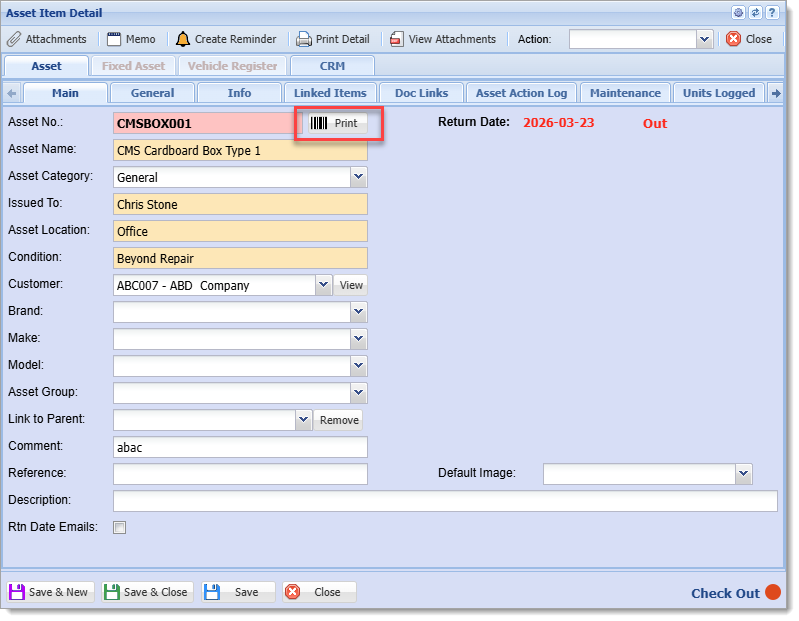
  
**Printing from General Tab in in Asset Details Form**

[![image.png](https://hugeerp10.co.za/hsofmanual/uploads/images/gallery/2026-06/scaled-1680-/5Kdimage.png)](https://hugeerp10.co.za/hsofmanual/uploads/images/gallery/2026-06/5Kdimage.png)
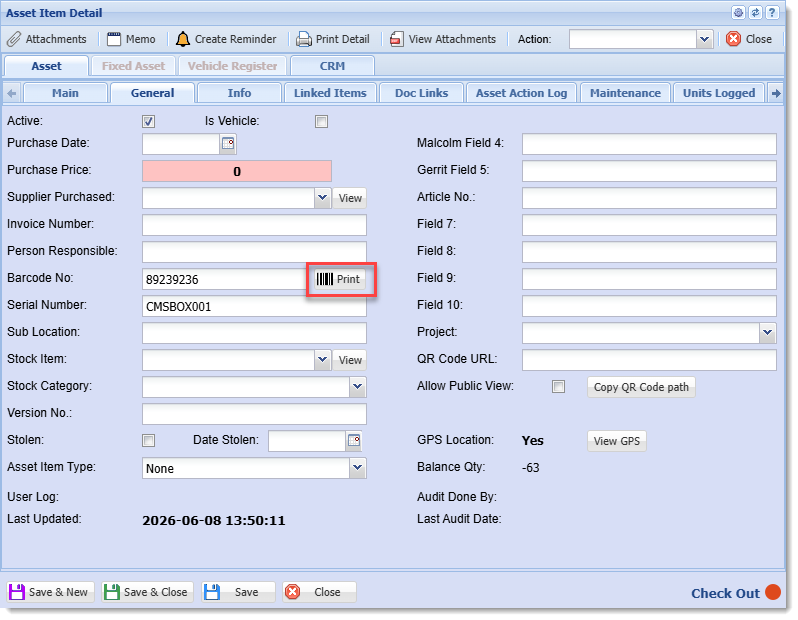
#####   
4. Print WHS Label option

The placeholders `%PRNWHSCODE%` and `%PRNWHSNAME%` will have no effect unless the Inventory Item has the option "Print WHS Label" enabled in its setup form and there is at least one Warehouse with the option "Print On Label" enabled in its setup form, as shown.  
  
**Location of "Print WHS Label" option in Inventory Setup form**
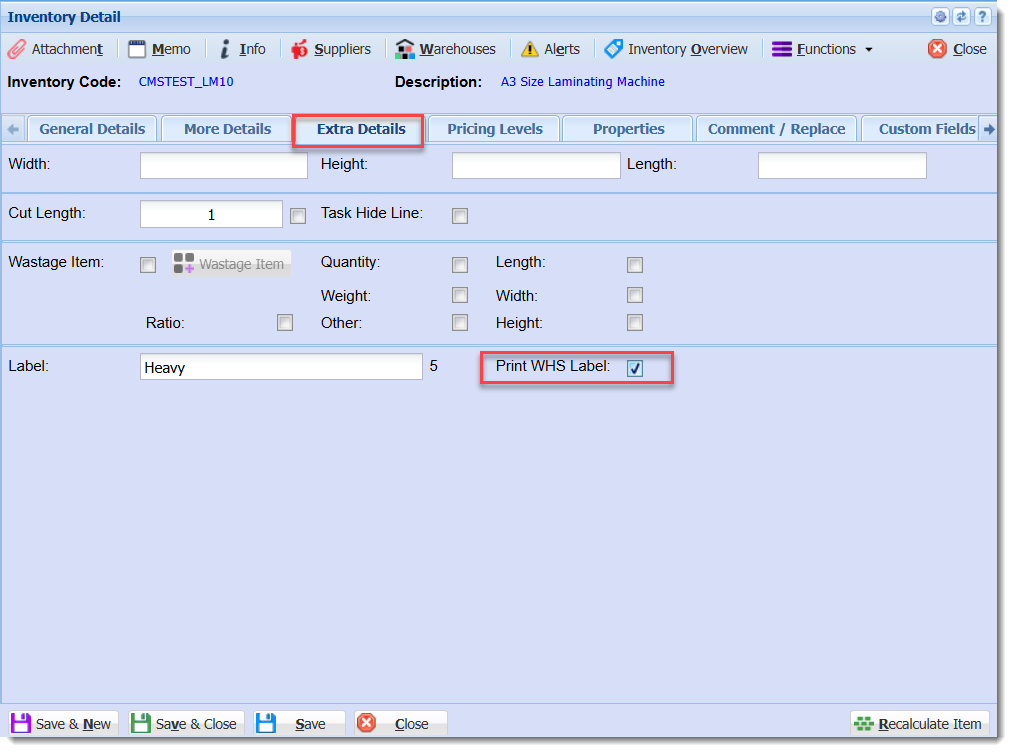
![image.png](https://hugeerp10.co.za/hsofmanual/uploads/images/gallery/2025-02/scaled-1680-/AN8image.png)

[![AN8image.png](https://hugeerp10.co.za/hsofmanual/uploads/images/gallery/2026-06/scaled-1680-/XoCan8image.png)](https://hugeerp10.co.za/hsofmanual/uploads/images/gallery/2026-06/XoCan8image.png)

[![AN8image.png](https://hugeerp10.co.za/hsofmanual/uploads/images/gallery/2026-06/scaled-1680-/an8image.png)](https://hugeerp10.co.za/hsofmanual/uploads/images/gallery/2026-06/an8image.png)
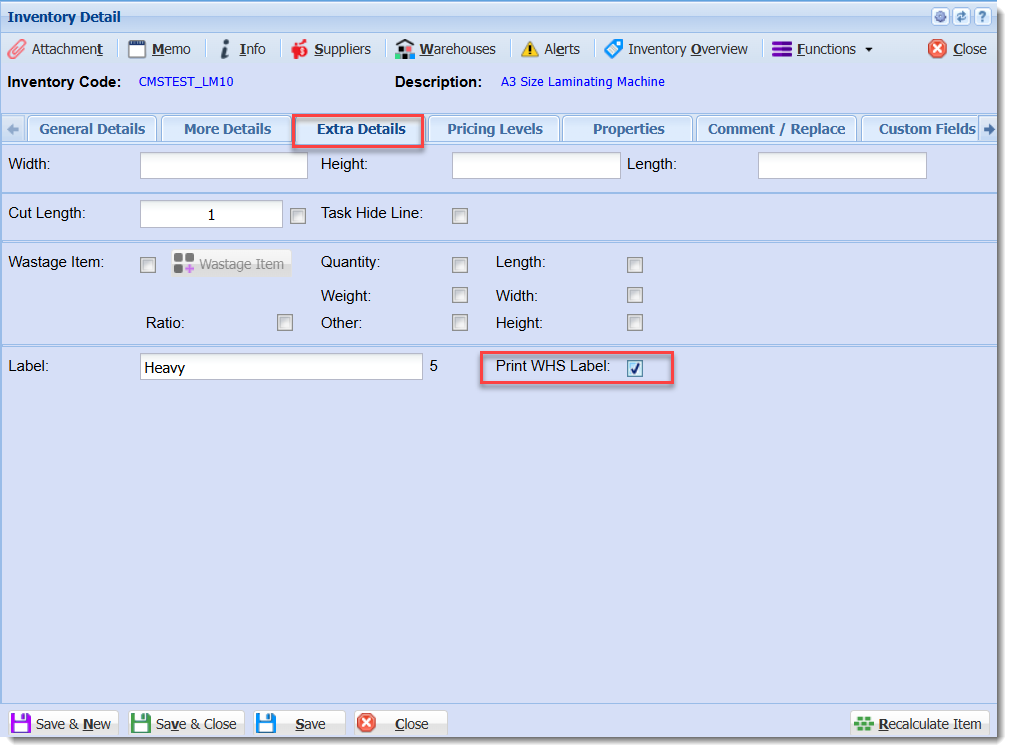
**Location of "Print on Label" option in Warehouse Setup form**
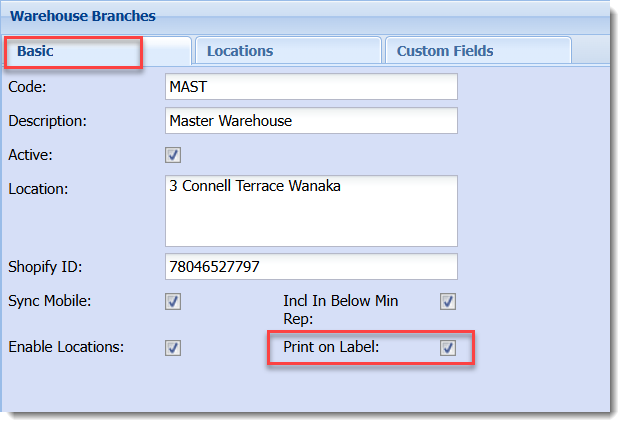
![image.png](https://hugeerp10.co.za/hsofmanual/uploads/images/gallery/2025-02/scaled-1680-/hgWimage.png)

With both options enabled, the placeholders are substituted with values from the Warehouses, with additional labels being printed if there is more than one Warehouse with the "Print On Label" option enabled.

### Lab Samples Markers
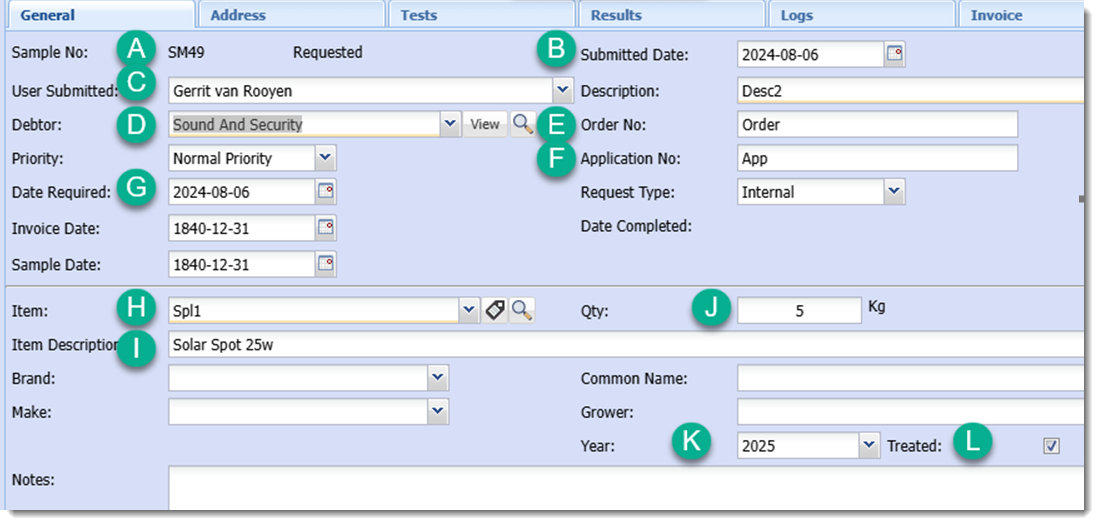
![image.png](https://hugeerp10.co.za/hsofmanual/uploads/images/gallery/2026-06/scaled-1680-/xY8image.png)


### Accessory Grid Printing

To include a table with accessory data for an inventory item a placeholder that begins `ACCESORIES_GRID` is used or one of the alternate placeholders for it. Alternatively individual values can be referenced with the `ACC_CODE_0N`, `ACC_DESCR_0N`, `ACC_QTY_0N`, and `ACC_REF_0N `placeholders, where N is replaced with the row number of the table.

There is currently one type of accessories table available.

The data for the grid is found in the Inventory Setup window for an item, in the Manage Accessories form which is opened through the Functions menu.
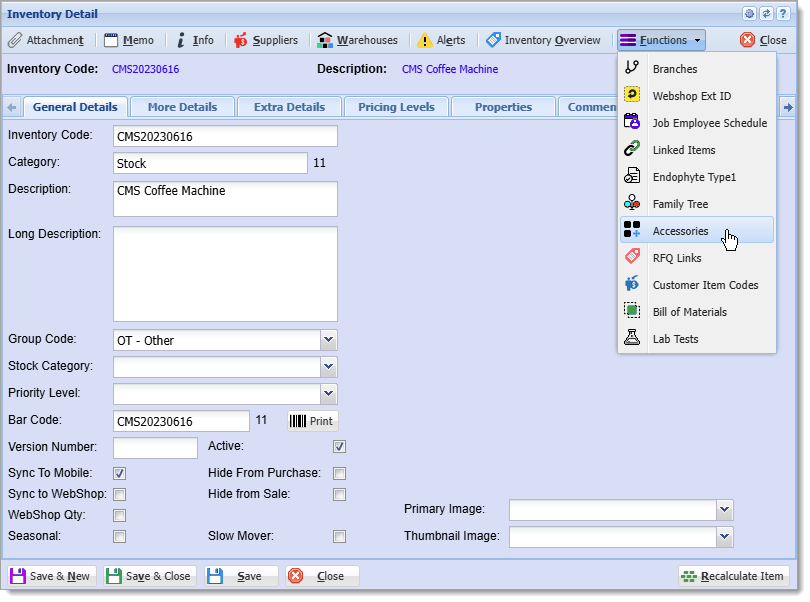
![image.png](https://hugeerp10.co.za/hsofmanual/uploads/images/gallery/2026-06/scaled-1680-/q5iimage.png)

For the label commands of the table data to be generated successfully it is important that the table drawing commands in the template appear immediately after the `ACCESSORIES_GRID1` placeholder label command.

The spacing of the table is determined by the layout of the lines of the table in the template. The table can be drawn with the table drawing tool located in the left side bar in GoLabel II. When printing labels are automatically placed at the top left corner of their corresponding cell. Headers are added automatically and are one font size larger than the font for the table data. There is by default a 20 dot indentation for the table values. Quantity values are right aligned, using white space characters, within the space of the widest quantity value.

If there is more data than there are rows drawn in the template table then the additional rows are added automatically based on the size of the last row.
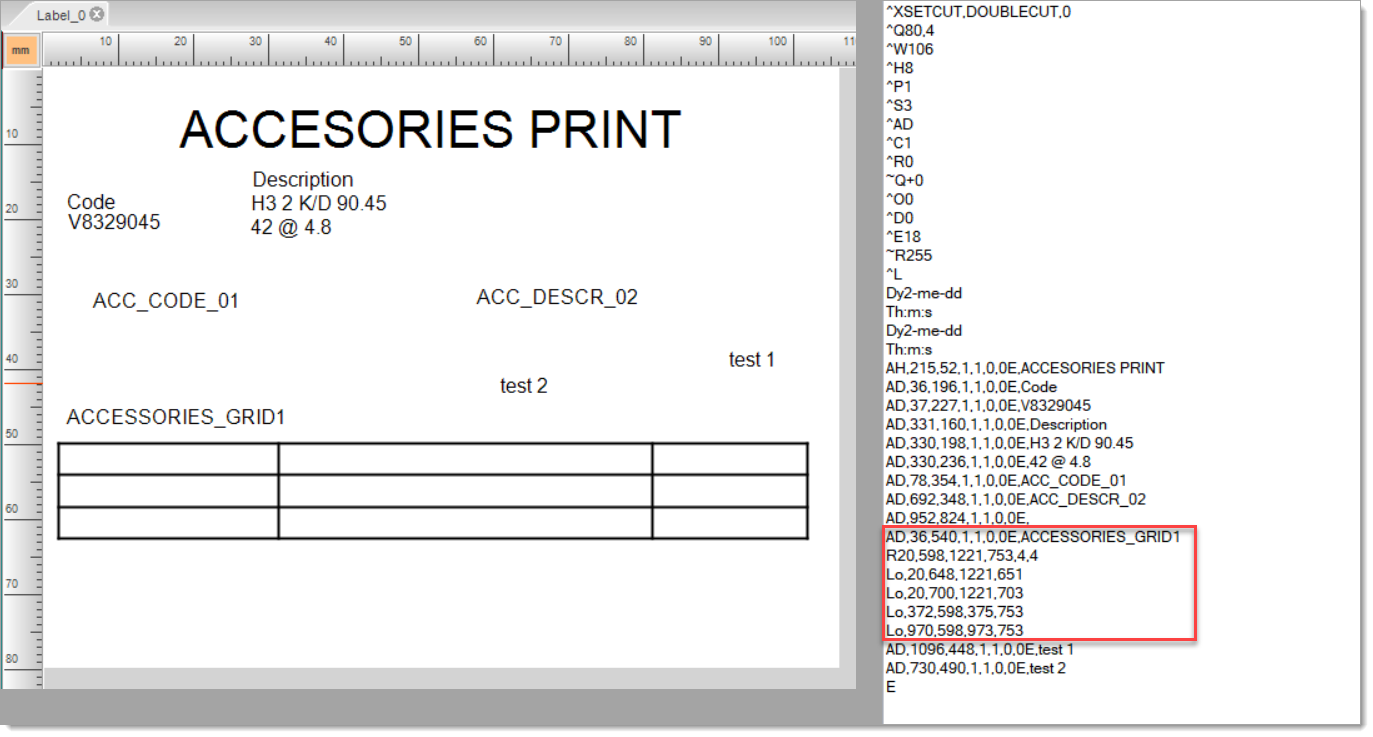
![image.png](https://hugeerp10.co.za/hsofmanual/uploads/images/gallery/2026-06/scaled-1680-/5Ptimage.png)

Without enough horizontal spacing the values in the table may overlap. Having extra horizontal space will help mitigate this issue.
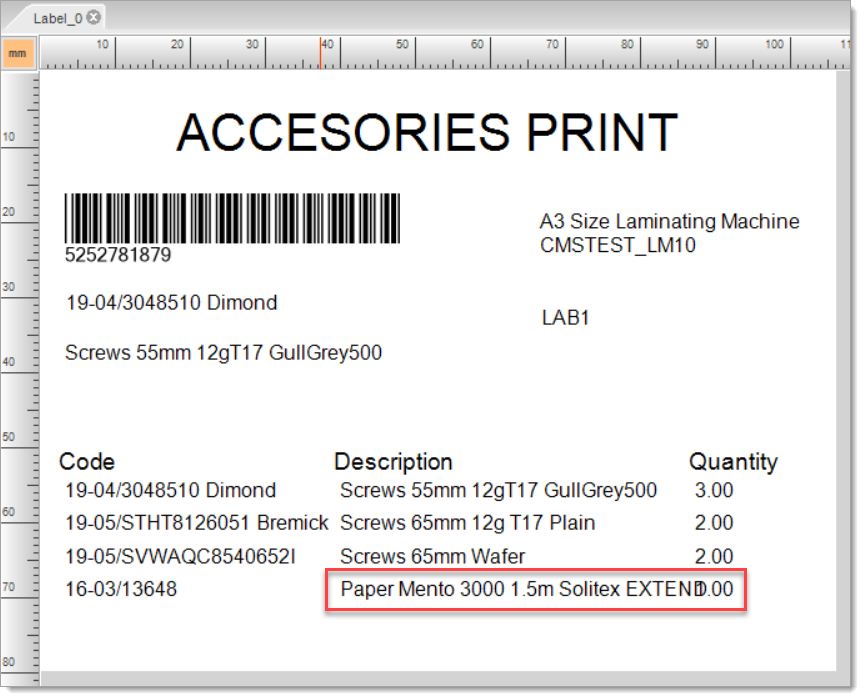
![image.png](https://hugeerp10.co.za/hsofmanual/uploads/images/gallery/2026-06/scaled-1680-/CjAimage.png)

# GoDex WebPrint installation

## **<span style="mso-bookmark: _MailOriginal;">Installing WebPrint</span>**

<span style="mso-bookmark: _MailOriginal;">Here is the link to download WebPrint   
</span>[<span style="mso-bookmark: _MailOriginal;">https://godex.s3-accelerate.amazonaws.com/SqBgbx1wwi5G4r1uHKzruw.file?v01</span>](https://godex.s3-accelerate.amazonaws.com/SqBgbx1wwi5G4r1uHKzruw.file?v01)<span style="mso-bookmark: _MailOriginal;">  
  
When it has downloaded, unzip the folder and open GoDEX\_Setup.msi.   
<span style="mso-no-proof: yes;">![WebPrint wizard start.png](https://hugeerp0.co.za/hsofdocs/uploads/images/gallery/2023-06/webprint-wizard-start.png)</span>   
  
Work through the Wizard until Web Print is installed. </span>

<span style="mso-bookmark: _MailOriginal;">It should have created a shortcut in the start menu and the desktop. It installs by default to C:\\Program Files (x86)\\GoDEX\\Web Print.</span>

<p class="callout info"><span style="mso-bookmark: _MailOriginal;">A PDF manual with the file name WebPrint\_UM\_en.pdf is also included in the install folder in GoDEX\\Web Print\\Sample </span></p>

<span style="mso-bookmark: _MailOriginal;">   
Start the application by opening the shortcut or opening C:\\Program Files (x86)\\GoDEX\\Web Print\\WebApiCtr.exe  
  
<span style="mso-no-proof: yes;">![GoDEX Web Print service status.png](https://hugeerp0.co.za/hsofdocs/uploads/images/gallery/2023-06/godex-web-print-service-status.png)</span>  
  
You can leave the defaults or change the Http Port to 8080, which I have also tried, if the default is already used.   
Click “Install Service”, it should automatically start the service. You can then close the window.</span>

<p class="callout info"><span style="mso-bookmark: _MailOriginal;">A port number that is unlikely to be used by other applications and services should be used if port 8080 is already in use. An example of such a port number is 16327. A list of assigned port numbers that can be searched for free port numbers can be found at [https://www.iana.org/assignments/service-names-port-numbers/service-names-port-numbers.xhtml](https://www.iana.org/assignments/service-names-port-numbers/service-names-port-numbers.xhtml).</span></p>

![image.png](https://hugeerp10.co.za/hsofmanual/uploads/images/gallery/2024-04/scaled-1680-/kcGimage.png)

<span style="mso-bookmark: _MailOriginal;">It should have created a windows service that will start automatically when Windows starts. You can check if it is active by opening the application again. </span><span style="mso-bookmark: _MailOriginal;">  
</span>

### **Configuring the Firewall**

If the firewall is blocking traffic to the local WebPrint server it will need to be configured to allow it.

#### **ESET Endpoint Security**

##### **Creating a new firewall rule**

1. Open ESET, it can be found in thet Start menu by typing in "eset", or by clicking its icon in the system tray in the taskbar.  
    [![image.png](https://hugeerp10.co.za/hsofmanual/uploads/images/gallery/2026-06/scaled-1680-/bt4image.png)](https://hugeerp10.co.za/hsofmanual/uploads/images/gallery/2026-06/bt4image.png)
2. Click Setup in the navigation menu, then Network, then the gear symbol in the Firewall section, and then click Configure in the context menu.   
    [![image.png](https://hugeerp10.co.za/hsofmanual/uploads/images/gallery/2026-06/scaled-1680-/vI4image.png)](https://hugeerp10.co.za/hsofmanual/uploads/images/gallery/2026-06/vI4image.png)
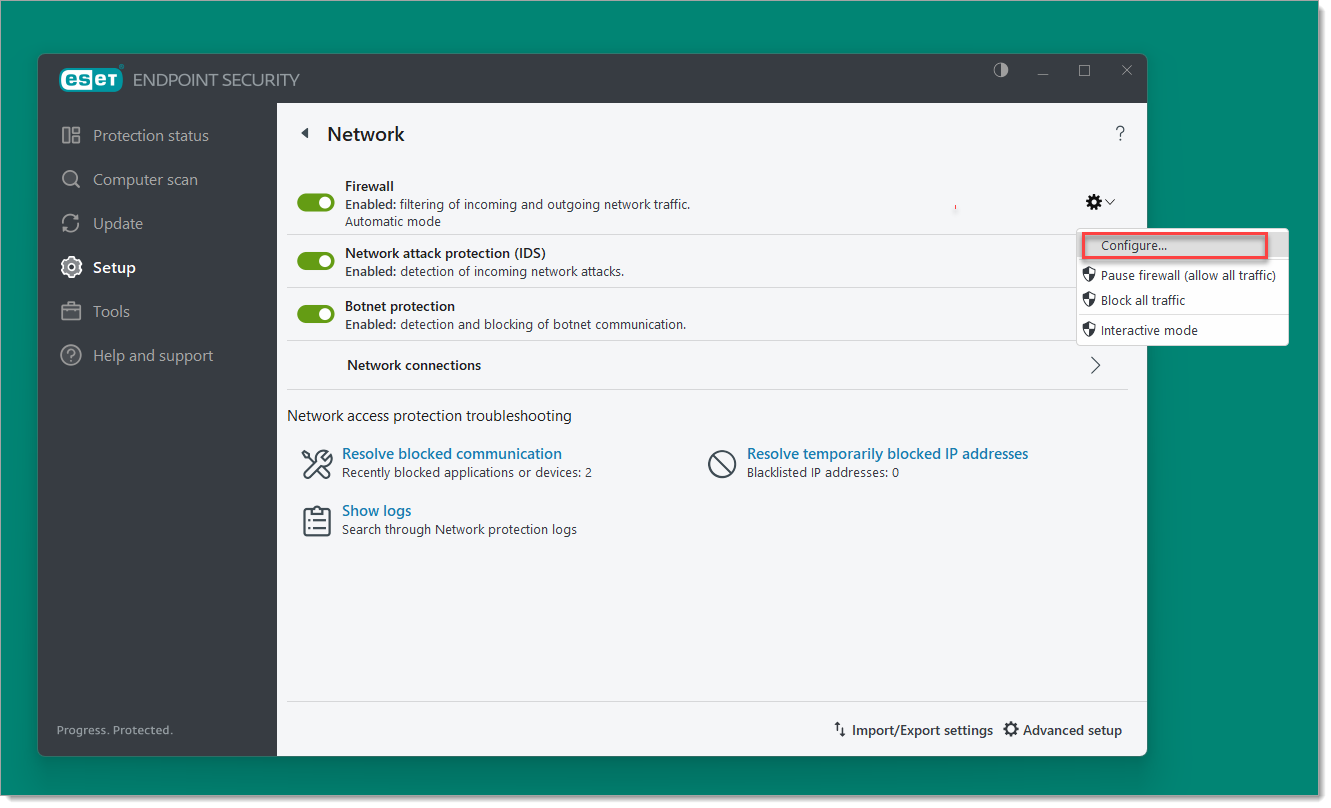
3. Click Edit next to Rules under Firewall in the window that opens.  
    [![image.png](https://hugeerp10.co.za/hsofmanual/uploads/images/gallery/2026-06/scaled-1680-/6Naimage.png)](https://hugeerp10.co.za/hsofmanual/uploads/images/gallery/2026-06/6Naimage.png)
4. In the Rules window that opens click the Add button in the lower left.
5. In the Add rule window:  
    
    1. Set **Name** to something like "GoDEX WebPrint"
    2. Under **Action**, change **Block** to **Allow**
    3. Under **Application**, set Application path to `C:\Program Files (x86)\GoDEX\Web Print\WebApiSrv.exe`
    4. Under **Local port**, set as **Port** `16237,16328` (without spaces) or the port numbers used by WebPrint.
    5. The other settings can be left with their default values.
    6. The settings should look like this:  
        [![image.png](https://hugeerp10.co.za/hsofmanual/uploads/images/gallery/2026-06/scaled-1680-/gqLimage.png)](https://hugeerp10.co.za/hsofmanual/uploads/images/gallery/2026-06/gqLimage.png)
        
        Click OK, then click OK in the Rules window.
6. Click OK in the Advanced setup window to apply the changes.

---

## **<span style="mso-bookmark: _MailOriginal;"><span style="font-size: 24.0pt;">SCM Setup</span></span>**

<span style="mso-bookmark: _MailOriginal;">To set up WebPrint for the app, the IP address of the computer it is installed to needs to be saved in SCM of the main system. You can also use 127.0.0.1 or localhost but this will prevent Web Print working from other devices on the network. </span>

<span style="mso-bookmark: _MailOriginal;">  
You can find the IP address of the computer in Control Panel, Network Connections by finding the adapter for the local network, clicking Status in the context menu, and then clicking Details in the general tab.   
  
</span>

![image.png](https://hugeerp10.co.za/hsofmanual/uploads/images/gallery/2026-05/scaled-1680-/k1Oimage.png)

<span style="mso-bookmark: _MailOriginal;">  
  
In SCM the IP address is saved in Printer Config form in Defaults, Inventory, Barcode Printing Style  
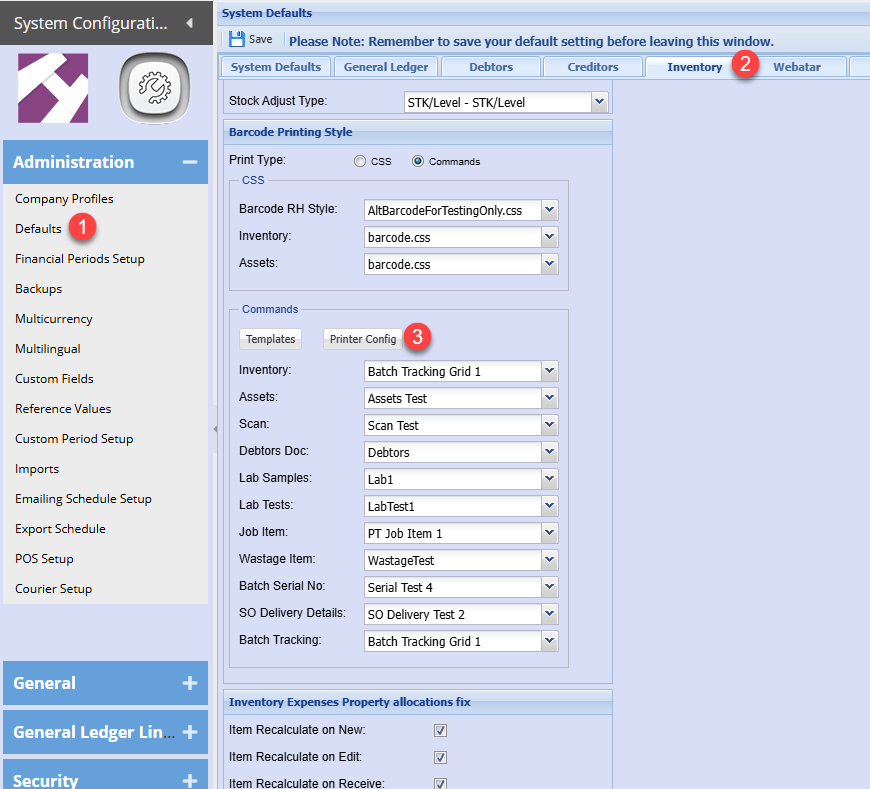
  
</span>

![image.png](https://hugeerp10.co.za/hsofmanual/uploads/images/gallery/2026-05/scaled-1680-/GT9image.png)

<span style="mso-bookmark: _MailOriginal;">In the dialog, select WebPrint and then enter the IP address followed by a colon and the port number used by WebPrint. You can also include “http://” but this should be assumed by default in Webatar.   
Setting the Print Mode to WebPrint will also affect barcode printing in the main system currently.  
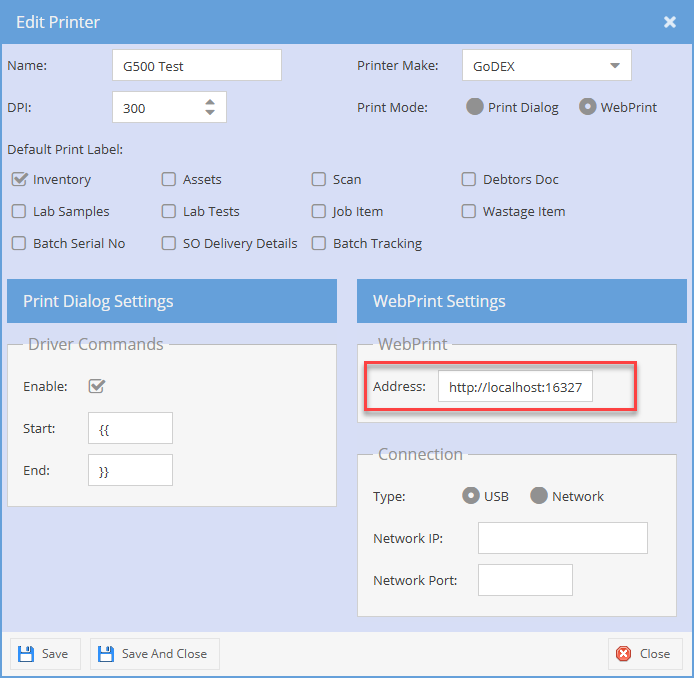
  
![image.png](https://hugeerp10.co.za/hsofmanual/uploads/images/gallery/2026-05/scaled-1680-/LWcimage.png)  
  
Before closing the dialog, click the save button.  
</span>

## <span style="mso-bookmark: _MailOriginal;">**<span style="font-size: 24.0pt;">Testing WebPrint with its sample page</span>**</span>

To test if WebPrint is working on the PC it is installed on (which is connected to the printer by USB):

1. If the HTTP or HTTPS ports were changed from the default in WebPrint then the next two steps are required, otherwise go to step X.
2. Open the JavaScript file in Notepad:  
    Press `Win + R` to open the Run dialog, type the following command, and press enter:  
    ```
    notepad C:\Program Files (x86)\GoDEX\Web Print\Sample\js\BarcodePrinter.js
    ```
3. Change the port numbers in the lines indicated in the screenshot to the port numbers used by WebPrint (e.g. 16327).  
    [![image.png](https://hugeerp10.co.za/hsofmanual/uploads/images/gallery/2026-06/scaled-1680-/G79image.png)](https://hugeerp10.co.za/hsofmanual/uploads/images/gallery/2026-06/G79image.png)
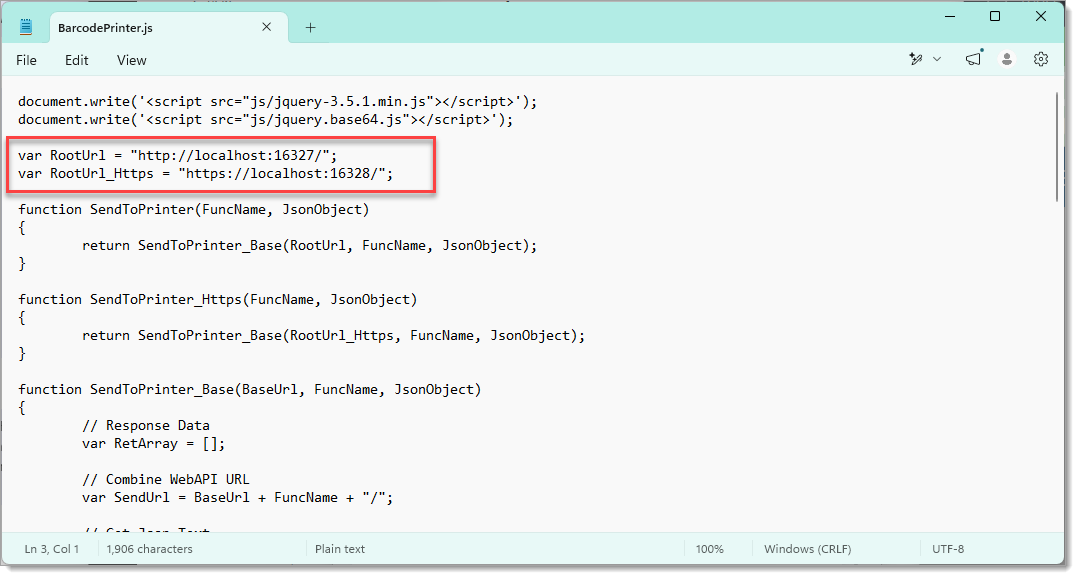
4. Save the file and exit notepad.
5. In a web browser go to [file:///C:/Program%20Files%20(x86)/GoDEX/Web%20Print/Sample/JavaScriptSample.htm](file:///C:/Program%20Files%20(x86)/GoDEX/Web%20Print/Sample/JavaScriptSample.htm) (paste into the address bar if clicking on the click does not work).
6. In the page that loads, select the  interface, click Refresh, then select the printer.
7. Optionally set the label width and label height to the dimensions of the printer's labels although for printing a small amount of text it should be OK to leave it.
8. Click Print Text 1

[![image.png](https://hugeerp10.co.za/hsofmanual/uploads/images/gallery/2026-06/scaled-1680-/7Jwimage.png)](https://hugeerp10.co.za/hsofmanual/uploads/images/gallery/2026-06/7Jwimage.png)
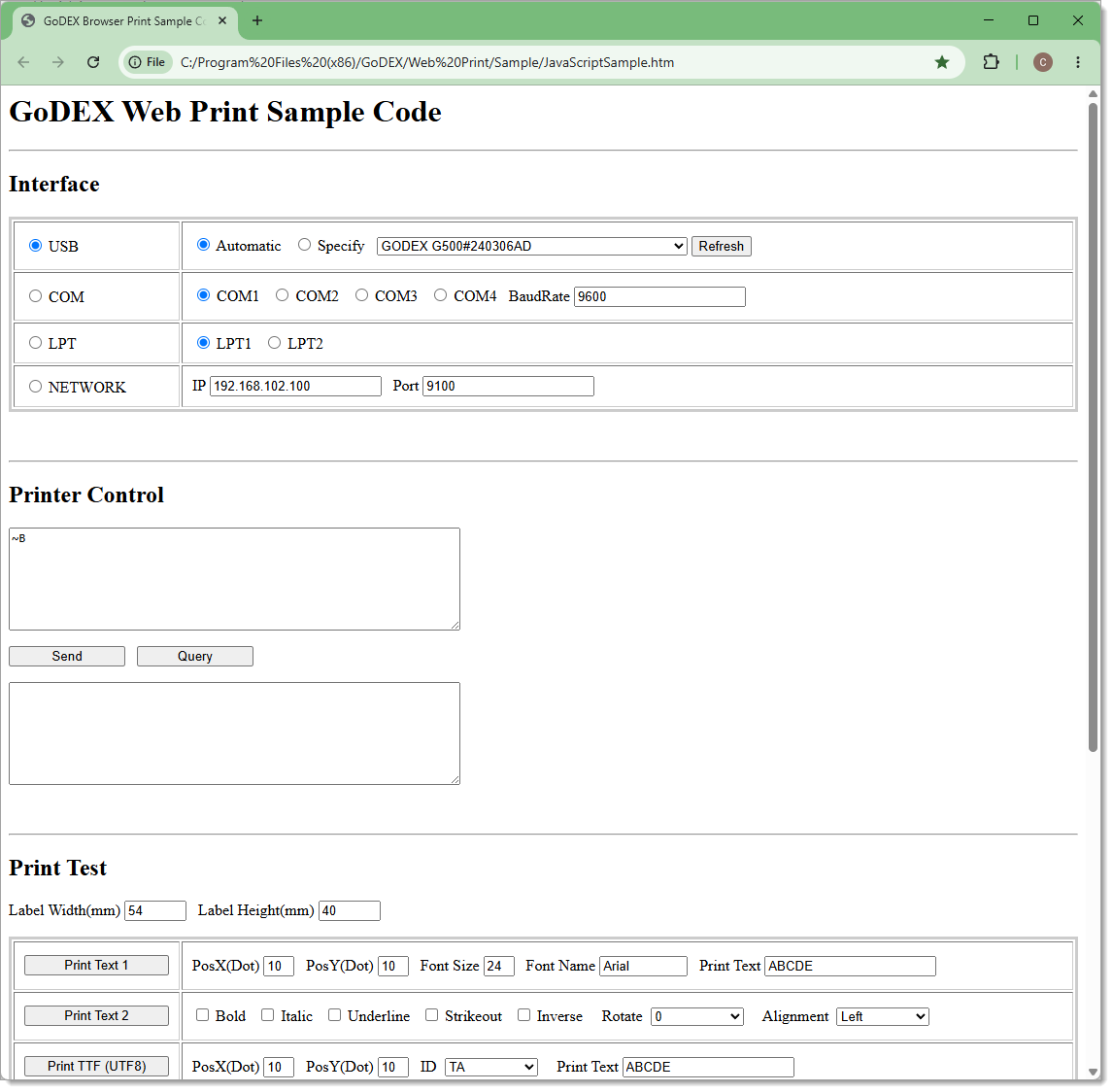
If successful a label should be printed.

## <span style="mso-bookmark: _MailOriginal;">**<span style="font-size: 24.0pt;">Testing WebPrint from SCM</span>**</span>

<span style="mso-bookmark: _MailOriginal;">To check if WebPrint is working from the main system, you can use Print Test dialog, accessed by opening a Command Template to edit.   
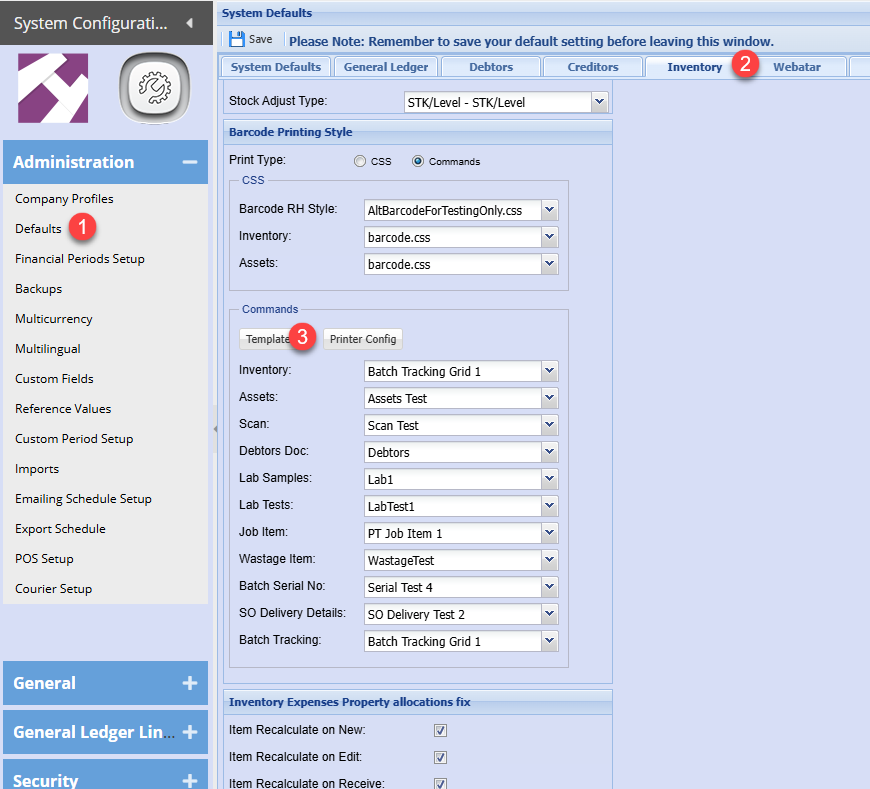
</span>

![image.png](https://hugeerp10.co.za/hsofmanual/uploads/images/gallery/2026-05/scaled-1680-/cRZimage.png)

![image.png](https://hugeerp10.co.za/hsofmanual/uploads/images/gallery/2026-05/scaled-1680-/NsBimage.png)

<span style="mso-bookmark: _MailOriginal;">A Command Template needs to be created and saved first with the placeholder values in GoLabel II. </span>

<span style="mso-bookmark: _MailOriginal;">If Web Print is working, then clicking the Web Print button should result in the same barcode as you would get in GoLabel II but with the placeholder values replaced with the values in the fields of the Print Test form.  
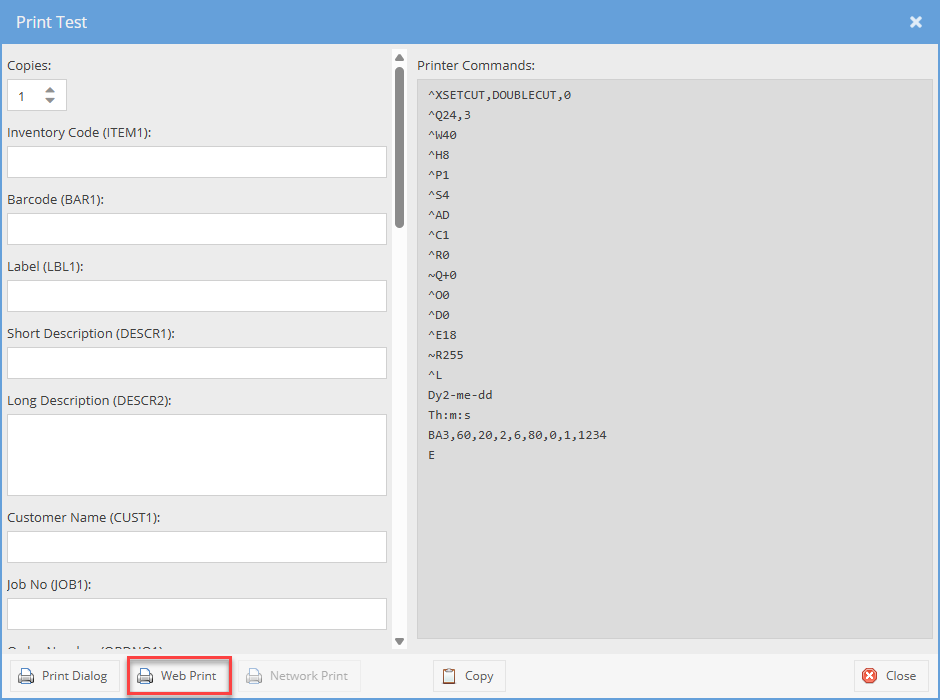
</span>

![image.png](https://hugeerp10.co.za/hsofmanual/uploads/images/gallery/2026-05/scaled-1680-/BaRimage.png)

---

## **<span style="mso-bookmark: _MailOriginal;">Network printing setup</span>**

<span style="mso-bookmark: _MailOriginal;">When printing to a network printer, ensure that a printer is setup with IP address</span>

<span style="mso-bookmark: _MailOriginal;">See below settings</span>

[![JoMimage.png](https://hugeerp10.co.za/hsofmanual/uploads/images/gallery/2026-06/scaled-1680-/jomimage.png)](https://hugeerp10.co.za/hsofmanual/uploads/images/gallery/2026-06/jomimage.png)

![image.png](https://hugeerp10.co.za/hsofmanual/uploads/images/gallery/2025-04/scaled-1680-/JoMimage.png)

Once the new printer is setup for network, link the label to the printer
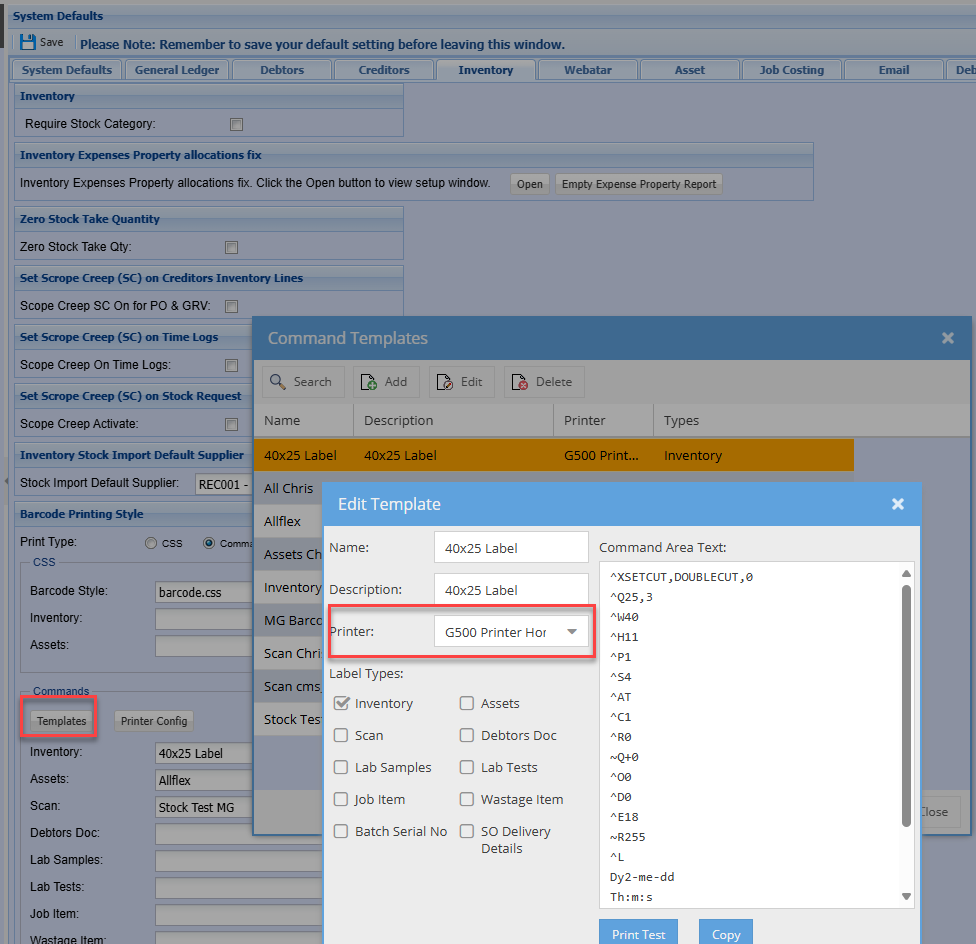
![image.png](https://hugeerp10.co.za/hsofmanual/uploads/images/gallery/2025-04/scaled-1680-/X6Bimage.png)

# ScanSKU Scanner R-Series Scan setup

### Scanner setup

Setting the Output mode from the Scan app

For scanned data to be successfully entered into a selected input field without the onscreen keyboard needing to be shown the Output Mode setting needs to be changed to "Keyboard Mode" in the Scan App:

Open the Scan app

[![image.png](https://hugeerp0.co.za/hsofdocs/uploads/images/gallery/2023-08/scaled-1680-/Ughimage.png)](https://hugeerp0.co.za/hsofdocs/uploads/images/gallery/2023-08/Ughimage.png)

Tap Settings

[![image.png](https://hugeerp0.co.za/hsofdocs/uploads/images/gallery/2023-08/scaled-1680-/hnvimage.png)](https://hugeerp0.co.za/hsofdocs/uploads/images/gallery/2023-08/hnvimage.png)

Scroll down and tap Output Mode

[![image.png](https://hugeerp0.co.za/hsofdocs/uploads/images/gallery/2023-08/scaled-1680-/6s7image.png)](https://hugeerp0.co.za/hsofdocs/uploads/images/gallery/2023-08/6s7image.png)

Select Keyboard Mode

[![image.png](https://hugeerp0.co.za/hsofdocs/uploads/images/gallery/2023-08/scaled-1680-/VkXimage.png)](https://hugeerp0.co.za/hsofdocs/uploads/images/gallery/2023-08/VkXimage.png)

---

#### Onscreen Keyboard

To toggle the onscreen keyboard in Webatar

For the panels or screens listed below, with the exception of the Pick Sales Order screen, there should be a keyboard icon in the title bar as shown in the first screenshot. When the keyboard icon is tapped the input fields used for scanning in the screen will either be prevented from automatically showing the onscreen keyboard when focused, or allowed to show it. The active state is reflected by the tick or cross icon next to the keyboard icon.

Currently, for the Pick Sales screen this option is presented as a toggle in the options menu, accessible by tapping on the vertical dots icon in the title bar, as shown in the second screenshot.

**Item Scan List Panels with disable onscreen keyboard option available**

- Stock Transfer
- Asset Audit
- Stock Count
- Quick Sales
- Barcode Count
- Asset Actions
- Asset Scan Print
- Purchase Order
- Pick Sales Order\*

\* in menu

**Keyboard icon location**

  
[![image.png](https://hugeerp0.co.za/hsofdocs/uploads/images/gallery/2023-08/scaled-1680-/qTQimage.png)](https://hugeerp0.co.za/hsofdocs/uploads/images/gallery/2023-08/qTQimage.png)

**Toggle location in Pick Sales Order screen**

  
[![image.png](https://hugeerp0.co.za/hsofdocs/uploads/images/gallery/2023-08/scaled-1680-/k7dimage.png)](https://hugeerp0.co.za/hsofdocs/uploads/images/gallery/2023-08/k7dimage.png)

# ScanSKU Scanner R-Series Enter Return

### Scanner setup

Setting the Output mode from the Scan app

For scanned data to be successfully entered into it requires a cartridge return / Enter key after scan:

Open the Scan app

[![image.png](https://hugeerp0.co.za/hsofdocs/uploads/images/gallery/2023-08/scaled-1680-/Ughimage.png)](https://hugeerp0.co.za/hsofdocs/uploads/images/gallery/2023-08/Ughimage.png)

Tap Settings

[![image.png](https://hugeerp0.co.za/hsofdocs/uploads/images/gallery/2023-08/scaled-1680-/hnvimage.png)](https://hugeerp0.co.za/hsofdocs/uploads/images/gallery/2023-08/hnvimage.png)

Scroll down and tap Terminator

Click on Enter Key

[![image.png](https://hugeerp10.co.za/hsofmanual/uploads/images/gallery/2024-01/scaled-1680-/xhEimage.png)](https://hugeerp10.co.za/hsofmanual/uploads/images/gallery/2024-01/xhEimage.png)
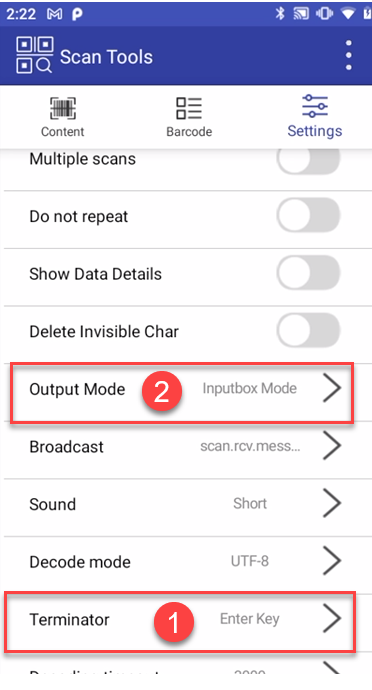
# GoDex Printer Setup

Steps for setting up Godex printer

1. **<span style="color: rgb(224, 62, 45);">Don't plug USB cable into printer</span>** until you have downloaded the driver
2. Install the Ribbon and Label
3. Calibrate Printer with new labels
4. Driver software for Godex Printer download
5. Install the driver software 
    1. At some point you will be asked to plug the USB cable into the computer
6. Download Golabel software
7. Install GoLabel software
8. Log into Golabel
9. Setup label size
10. Setup label settings 
    1. Type TT (Thermal Transfer) - with ribbon
    2. Type DT (Direct Thermal) - No ribbon
    3. Darkness
    4. Speed

---

#### Install Ribbon and Label 

For Video - [Click Here](https://youtu.be/0LmnnrpwzKg)

##### Calibrate the printer 

For Video - [Click Here ](https://youtu.be/LZIckVLGywE)

##### Installing Godex Printer

For Video - [Click Here](https://youtu.be/yjMS7tVGQUg)

---

#### Download the software for the Godex model you have purchased

Download Software - [Click Here](https://portal.seagullscientific.com/downloads/drivers)

Choose your printer then click download

[![image.png](https://hugeerp.co.nz/manual/uploads/images/gallery/2024-08/scaled-1680-/q2ximage.png)](https://hugeerp.co.nz/manual/uploads/images/gallery/2024-08/q2ximage.png)

You will need to complete the fields with your details to register to download the latest version of the Driver.

Click Download Latest Version

[![image.png](https://hugeerp.co.nz/manual/uploads/images/gallery/2024-08/scaled-1680-/jMEimage.png)](https://hugeerp.co.nz/manual/uploads/images/gallery/2024-08/jMEimage.png)
If your computer does not autonatucally start to download the driver click on the "Click Here" to start downloading the software.

[![image.png](https://hugeerp.co.nz/manual/uploads/images/gallery/2024-08/scaled-1680-/jliimage.png)](https://hugeerp.co.nz/manual/uploads/images/gallery/2024-08/jliimage.png)

At the top of your screen you should see the below box, click Open File.

[![image.png](https://hugeerp.co.nz/manual/uploads/images/gallery/2024-08/scaled-1680-/0kmimage.png)](https://hugeerp.co.nz/manual/uploads/images/gallery/2024-08/0kmimage.png)

Click I accept the terms in the license agreement, click next, and then click Run.

[![image.png](https://hugeerp.co.nz/manual/uploads/images/gallery/2024-08/scaled-1680-/qCkimage.png)](https://hugeerp.co.nz/manual/uploads/images/gallery/2024-08/qCkimage.png)
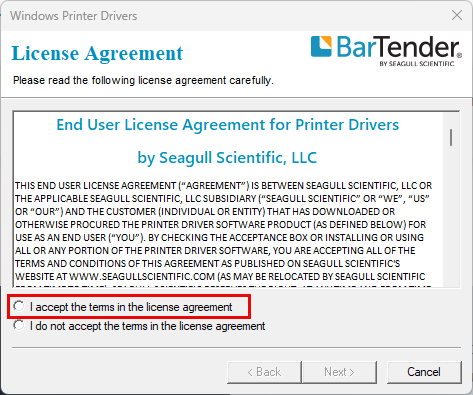
[![image.png](https://hugeerp.co.nz/manual/uploads/images/gallery/2024-08/scaled-1680-/MFzimage.png)](https://hugeerp.co.nz/manual/uploads/images/gallery/2024-08/MFzimage.png)
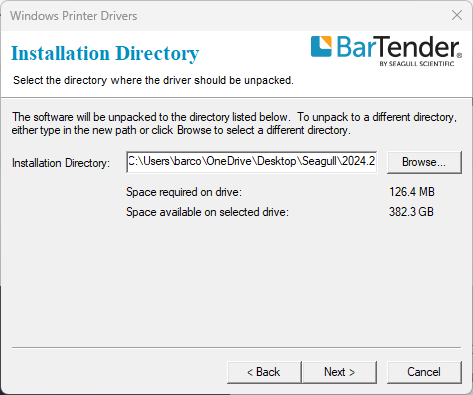
[![image.png](https://hugeerp.co.nz/manual/uploads/images/gallery/2024-08/scaled-1680-/NVmimage.png)](https://hugeerp.co.nz/manual/uploads/images/gallery/2024-08/NVmimage.png)
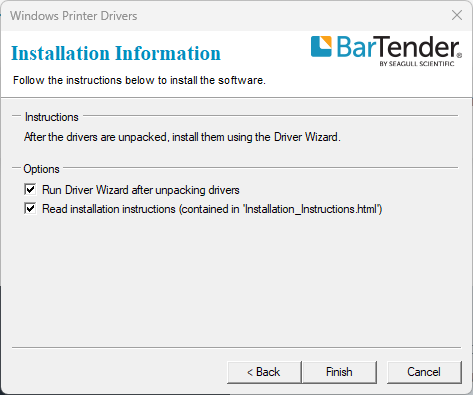
You will then need to say yes to allowing the software to make changes to your computer.

Then you will need to connect the printer to your computer.

---

#### Installing the GoLabel Software

To download the Golabel software - [Click Here](https://www.godexintl.com/product/16681379086423723?locale=en)

Scroll down to find the downloads

[![image.png](https://hugeerp.co.nz/manual/uploads/images/gallery/2024-08/scaled-1680-/inbimage.png)](https://hugeerp.co.nz/manual/uploads/images/gallery/2024-08/inbimage.png)
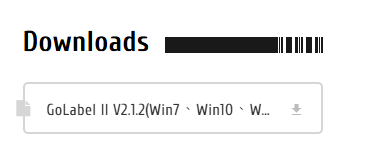
Click download

At the top of your screen or under downloads you will see the file.

Click to show in folder

[![image.png](https://hugeerp.co.nz/manual/uploads/images/gallery/2024-08/scaled-1680-/m5Vimage.png)](https://hugeerp.co.nz/manual/uploads/images/gallery/2024-08/m5Vimage.png)
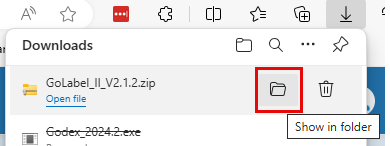
Go to your downloads and Right click on the folder, unzip file then click extract file.

[![image.png](https://hugeerp.co.nz/manual/uploads/images/gallery/2024-08/scaled-1680-/Ll9image.png)](https://hugeerp.co.nz/manual/uploads/images/gallery/2024-08/Ll9image.png)
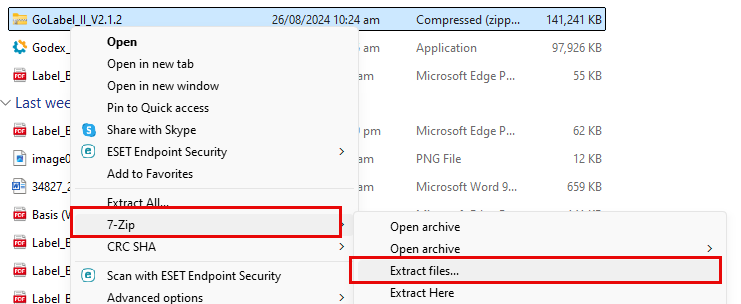
Once you click extract it will create another folder that looks identical, but it will have the unzipped files

[![image.png](https://hugeerp.co.nz/manual/uploads/images/gallery/2024-08/scaled-1680-/h44image.png)](https://hugeerp.co.nz/manual/uploads/images/gallery/2024-08/h44image.png)

Open the file and run the Setup

[![image.png](https://hugeerp.co.nz/manual/uploads/images/gallery/2024-08/scaled-1680-/JGBimage.png)](https://hugeerp.co.nz/manual/uploads/images/gallery/2024-08/JGBimage.png)

Click Next through the steps of the Wizard and allow the software to make changes to your computer.

[![image.png](https://hugeerp.co.nz/manual/uploads/images/gallery/2024-08/scaled-1680-/veMimage.png)](https://hugeerp.co.nz/manual/uploads/images/gallery/2024-08/veMimage.png)
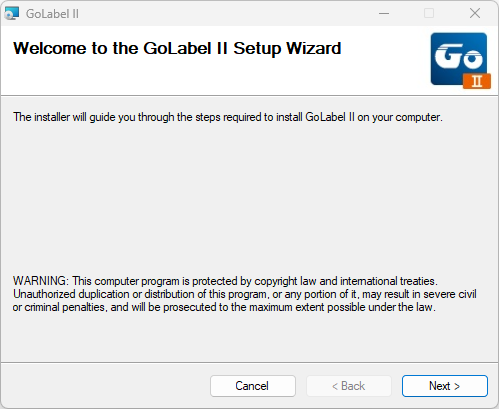
---

#### Setup label size

[![image.png](https://hugeerp.co.nz/manual/uploads/images/gallery/2024-08/scaled-1680-/S6Wimage.png)](https://hugeerp.co.nz/manual/uploads/images/gallery/2024-08/S6Wimage.png)
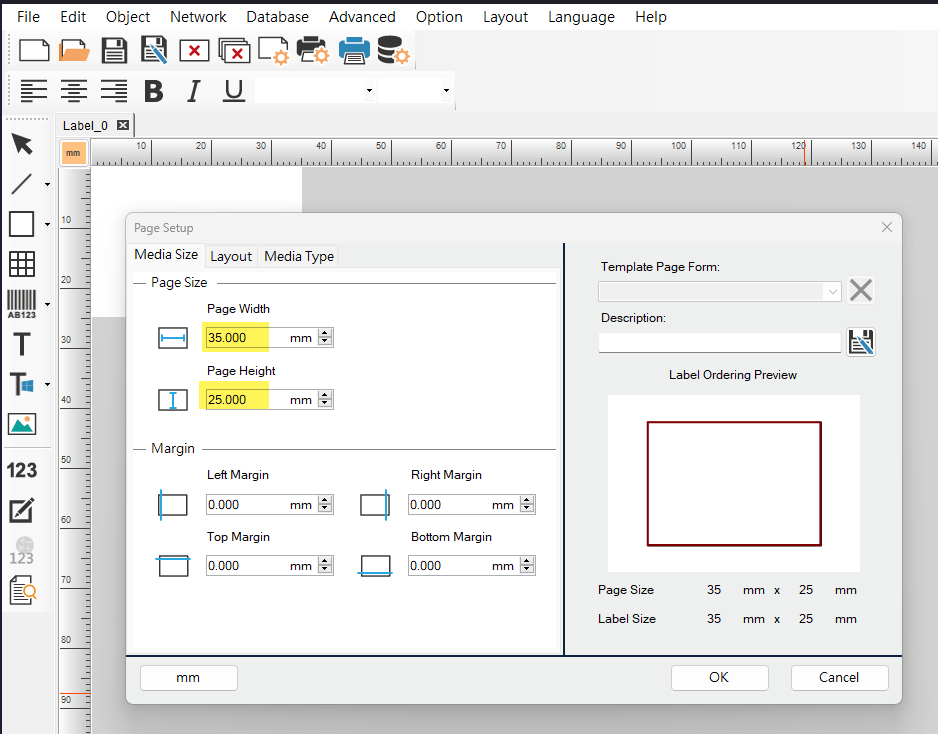
---

##### Setup Label Settings

If you have the G500, select this under the Printer Model

[![image.png](https://hugeerp.co.nz/manual/uploads/images/gallery/2024-08/scaled-1680-/UFDimage.png)](https://hugeerp.co.nz/manual/uploads/images/gallery/2024-08/UFDimage.png)
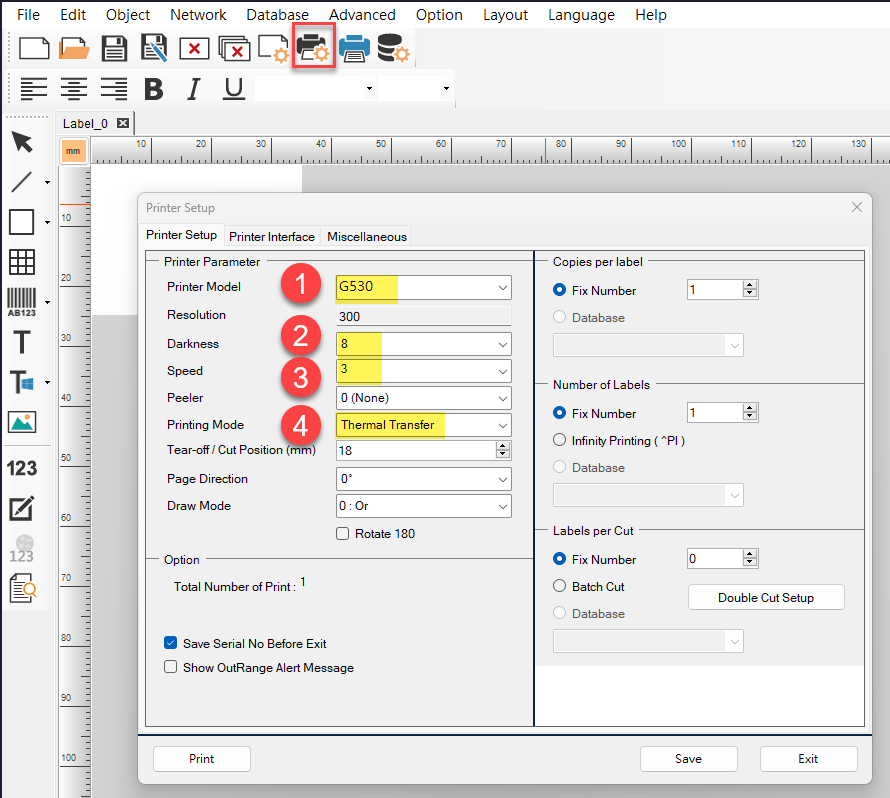
---

**Webprint download**

Click here to download webprint if you are using Huge ERP Software - [download](https://godex.s3-accelerate.amazonaws.com/SqBgbx1wwi5G4r1uHKzruw.file?v01)

Proceed to the installation manual for Webprint - [Click here to continue](https://hugeerp10.co.za/hsofmanual/books/barcodes/page/godex-webprint-installation "GoDex WebPrint installation")

# C61 Keyboard Emulator

<div data-olk-copy-source="MessageBody" dir="ltr" id="bkmrk-see-table-below-for-">**See table below for C61 Android11&amp;13.**</div><div dir="ltr" id="bkmrk-each-number-represen">Each number represent a key; Left-scan, right-scan, center-scan and trigger-scan.</div><div dir="ltr" id="bkmrk-"></div><div dir="ltr" id="bkmrk-it-shows-the-definit"><div data-olk-copy-source="MessageBody">It shows the definition of the key value of C61 A13 device.</div><div>And please kindly find my reply of your four points below:</div><div>1. Whether the handle is assembled or disassembled, the key values used are the same. You can open the Keyboard Emulator app and click on the input box, then tap the scan button on your device, the key value will automatically display in the input box</div><div>2. All the scan button can be used for scanning, if your device have UHF function, then it can also be set to use read the UHF tags.</div><div>3. Yes, as below picture shows, the key values of the scan buttons are different between A11 and A13 version.</div></div>[![image.png](https://hugeerp10.co.za/hsofmanual/uploads/images/gallery/2025-09/scaled-1680-/n6Dimage.png)](https://hugeerp10.co.za/hsofmanual/uploads/images/gallery/2025-09/n6Dimage.png)

# Zebra ZD611R Setup Guide

1. Download the folder `zebra_zd611r_setup` from `C:\InterSystems\IRIS\CSP\hsoflinks\files` on the dev server.   
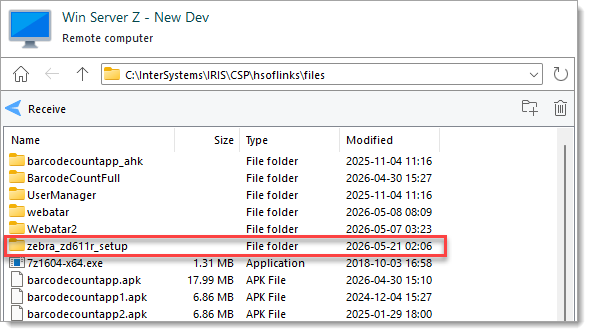
    ![image.png](https://hugeerp10.co.za/hsofmanual/uploads/images/gallery/2026-05/scaled-1680-/Pvlimage.png)
2. Turn the printer on, but do not yet connect it the computer.
3. Install the printer driver: 
    1. Unzip `zddriver-v1062628275-certified.zip` from `zebra_zd611r\installers` and run `zddriver-v1062628275-certified`.
    2. Complete the first part of the installer wizard, then check the box for "Run the printer installation wizard", and then click the Finish button.  
        [![image.png](https://hugeerp10.co.za/hsofmanual/uploads/images/gallery/2026-05/scaled-1680-/5Xeimage.png)](https://hugeerp10.co.za/hsofmanual/uploads/images/gallery/2026-05/5Xeimage.png)
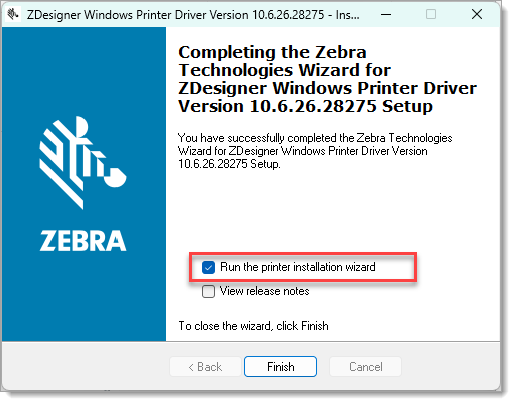
    3. In the Installation Options step, select Install Printer Driver.
    4. In the Select Port step, select USB Port.  
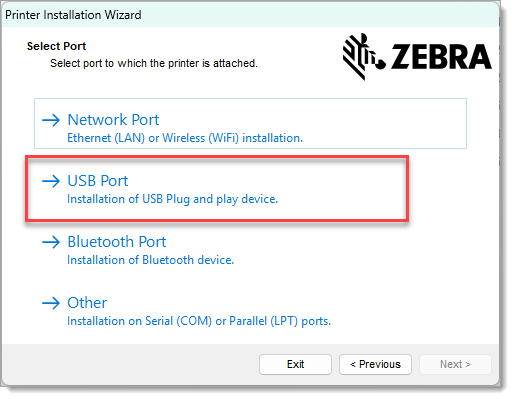
        ![image.png](https://hugeerp10.co.za/hsofmanual/uploads/images/gallery/2026-05/scaled-1680-/tz6image.png)
    5. Connect the printer by USB when requested.  
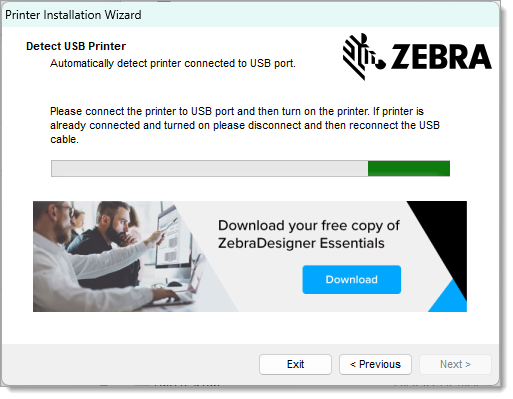
        ![image.png](https://hugeerp10.co.za/hsofmanual/uploads/images/gallery/2026-05/scaled-1680-/6h8image.png)
    6. Complete the remainder of the wizard.
4. Install Zebra Setup Utilities 
    1. Unzip `zsu-1191327.zip`.
    2. Run `zsu-1191327` and complete the installation wizard.
5. Configure the printer with Zebra Setup Utilities: 
    1. Open Zebra Setup Utilities  
        [![image.png](https://hugeerp10.co.za/hsofmanual/uploads/images/gallery/2026-06/scaled-1680-/qfZimage.png)](https://hugeerp10.co.za/hsofmanual/uploads/images/gallery/2026-06/qfZimage.png)
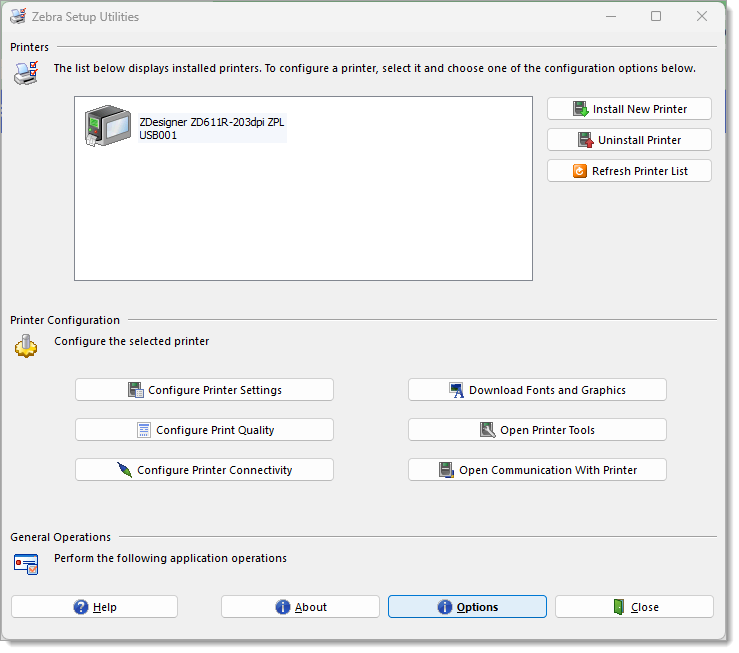
    2. Select the printer from the list.
    3. Start the "Printer Settings Wizard" by clicking the "Configure Printer Settings" buttons.
    4. Use these settings:  
        <table border="1" style="border-collapse: collapse; width: 100.051%; height: 238.375px;"><colgroup><col style="width: 24.9788%;"></col><col style="width: 24.9788%;"></col><col style="width: 24.9788%;"></col><col style="width: 24.9788%;"></col></colgroup><tbody><tr style="height: 29.7969px;"><td style="height: 29.7969px;">**Step**  
        </td><td style="height: 29.7969px;">**Setting**  
        </td><td style="height: 29.7969px;">**Value**  
        </td><td style="height: 29.7969px;">**Note**</td></tr><tr style="height: 29.7969px;"><td style="height: 29.7969px;">Label Parameters </td><td style="height: 29.7969px;">Units</td><td style="height: 29.7969px;">mm</td><td style="height: 29.7969px;">  
        </td></tr><tr style="height: 29.7969px;"><td style="height: 29.7969px;">  
        </td><td style="height: 29.7969px;">Width</td><td style="height: 29.7969px;">45</td><td style="height: 29.7969px;">  
        </td></tr><tr style="height: 29.7969px;"><td style="height: 29.7969px;">  
        </td><td style="height: 29.7969px;">Height</td><td style="height: 29.7969px;">18</td><td style="height: 29.7969px;">  
        </td></tr><tr style="height: 29.7969px;"><td style="height: 29.7969px;">Speed and Darkness</td><td style="height: 29.7969px;">Darkness</td><td style="height: 29.7969px;">20</td><td style="height: 29.7969px;">Optional</td></tr><tr style="height: 29.7969px;"><td style="height: 29.7969px;">Media</td><td style="height: 29.7969px;">  
        </td><td style="height: 29.7969px;">  
        </td><td style="height: 29.7969px;">No changes</td></tr><tr style="height: 29.7969px;"><td style="height: 29.7969px;">Advanced settings</td><td style="height: 29.7969px;">  
        </td><td style="height: 29.7969px;">  
        </td><td style="height: 29.7969px;">No changes</td></tr><tr style="height: 29.7969px;"><td style="height: 29.7969px;">Real Time Clock</td><td style="height: 29.7969px;">  
        </td><td style="height: 29.7969px;">  
        </td><td style="height: 29.7969px;">  
        </td></tr></tbody></table>
6. Install Zebra Browser Print: 
    1. Unzip `zebra-browser-print-windows-v132489.zip` and run `zebra-browser-print-windows-v132489`.
    2. Complete the installation wizard.
    3. Open Zebra Browser Print
    4. Right-click the Zebra logo icon in the System Tray in the bottom right corner of the screen and select Settings from the context menu.  
        ![image.png](https://hugeerp10.co.za/hsofmanual/uploads/images/gallery/2026-05/scaled-1680-/Mpyimage.png)
    5. Click the Change button next to "Default Devices" label at the top of the "Browser Print Settings" window that opens, and select the first available USB printer.  
        [![image.png](https://hugeerp10.co.za/hsofmanual/uploads/images/gallery/2026-06/scaled-1680-/sOcimage.png)](https://hugeerp10.co.za/hsofmanual/uploads/images/gallery/2026-06/sOcimage.png)
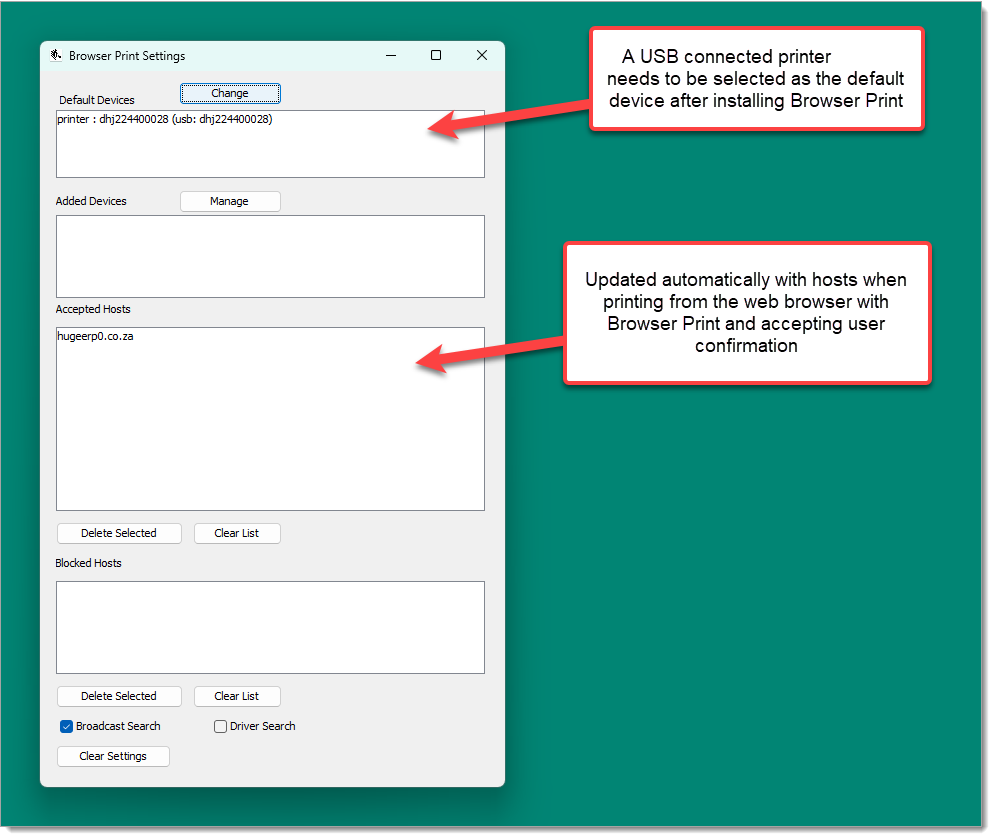
7. Adding the printer to Huge ERP: 
    1. Go to the System Configuration Module &gt; Defaults (side menu) &gt; Inventory (tab)
    2. In the Barcode Printing Style section under Commands, click the Printer Config button.
    3. In the window that opens click the the Add button in the toolbar.
    4. In the Edit Printer window that opens complete the form:  
        <table border="1" style="border-collapse: collapse; width: 100.051%; height: 226.375px;"><colgroup><col style="width: 33.3333%;"></col><col style="width: 33.3333%;"></col><col style="width: 33.3333%;"></col></colgroup><tbody><tr style="height: 29.7969px;"><td style="height: 29.7969px;">**Field**  
        </td><td style="height: 29.7969px;">**Value**</td><td style="height: 29.7969px;">**Note**  
        </td></tr><tr style="height: 29.7969px;"><td style="height: 29.7969px;">Name</td><td style="height: 29.7969px;">Zebra ZD611R</td><td style="height: 29.7969px;">Example, should be distinct</td></tr><tr style="height: 29.7969px;"><td style="height: 29.7969px;">DPI</td><td style="height: 29.7969px;">203</td><td style="height: 29.7969px;">  
        </td></tr><tr style="height: 29.7969px;"><td style="height: 29.7969px;">Printer Make</td><td style="height: 29.7969px;">Zebra</td><td style="height: 29.7969px;">  
        </td></tr><tr style="height: 29.7969px;"><td style="height: 29.7969px;">Print Mode</td><td style="height: 29.7969px;">WebPrint</td><td style="height: 29.7969px;">  
        </td></tr><tr style="height: 29.7969px;"><td style="height: 29.7969px;">Default Printer</td><td style="height: 29.7969px;">Inventory</td><td style="height: 29.7969px;">At least Inventory should be checked</td></tr><tr style="height: 47.5938px;"><td style="height: 47.5938px;">Address</td><td style="height: 47.5938px;">http://localhost:8008</td><td style="height: 47.5938px;">Unused, but is still required to save the form</td></tr></tbody></table>
    5. The form should look like this:  
        [![image.png](https://hugeerp10.co.za/hsofmanual/uploads/images/gallery/2026-06/scaled-1680-/omDimage.png)](https://hugeerp10.co.za/hsofmanual/uploads/images/gallery/2026-06/omDimage.png)
        
        Click the "Save And Close" button.
8. Adding a label to Huge ERP: 
    1. Go to the System Configuration Module &gt; Defaults (side menu) &gt; Inventory (tab)
    2. In the Barcode Printing Style section under Commands, click the Templates button.
    3. In the Command Templates window that opens, click the Add button
    4. In the New Templates window that opens complete the form:  
        <table border="1" style="border-collapse: collapse; width: 100.051%; height: 133.985px;"><colgroup><col style="width: 33.3333%;"></col><col style="width: 33.3333%;"></col><col style="width: 33.3333%;"></col></colgroup><tbody><tr style="height: 29.7969px;"><td style="height: 29.7969px;">**Field**  
        </td><td style="height: 29.7969px;">**Value**  
        </td><td style="height: 29.7969px;">**Note**  
        </td></tr><tr style="height: 14.797px;"><td style="height: 14.797px;">Name</td><td style="height: 14.797px;">ZD611R Inventory TID</td><td style="height: 14.797px;">Example, should be distinct</td></tr><tr style="height: 29.7969px;"><td style="height: 29.7969px;">Description</td><td style="height: 29.7969px;">ZD611R Inventory TID</td><td style="height: 29.7969px;">Example, optional</td></tr><tr style="height: 29.7969px;"><td style="height: 29.7969px;">Printer</td><td style="height: 29.7969px;">Zebra ZD611R</td><td style="height: 29.7969px;">Name of Printer added before</td></tr><tr style="height: 29.7969px;"><td style="height: 29.7969px;">Label Types</td><td style="height: 29.7969px;">Inventory</td><td style="height: 29.7969px;">At least Inventory should be checked</td></tr></tbody></table>
    5. Click the Save button.
    6. Click the Read File button under the Command Area Text field, then from the file picker select `zd611r_inventory_tid.txt`.
    7. The form should look like this:  
        [![image.png](https://hugeerp10.co.za/hsofmanual/uploads/images/gallery/2026-06/scaled-1680-/xIYimage.png)](https://hugeerp10.co.za/hsofmanual/uploads/images/gallery/2026-06/xIYimage.png)
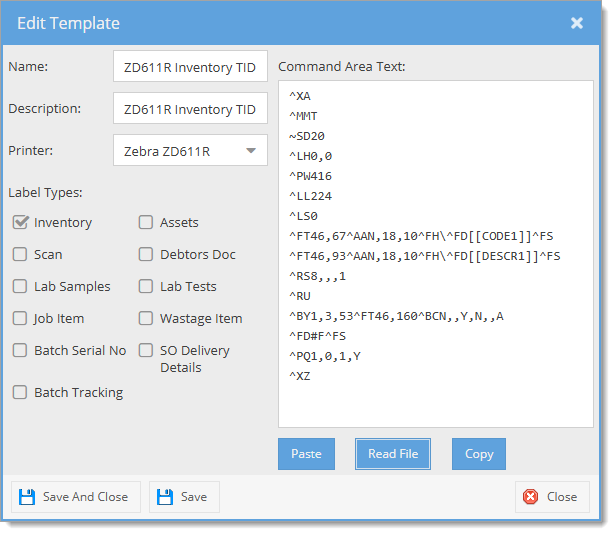
        
        Click the "Save And Close" button.
    8. To check the printer and template are correct, reopen the Command Templates window by clicking the Templates button and view the grid. If added correctly, the template should be included in the grid and "ZPL" should be in the language column (hidden by default).
    9. In the Inventory tab of the Defaults page, in the Barcode Printing Style section under Commands, select the name of the new template in the Inventory dropdown field.  
        [![image.png](https://hugeerp10.co.za/hsofmanual/uploads/images/gallery/2026-06/scaled-1680-/BB5image.png)](https://hugeerp10.co.za/hsofmanual/uploads/images/gallery/2026-06/BB5image.png)
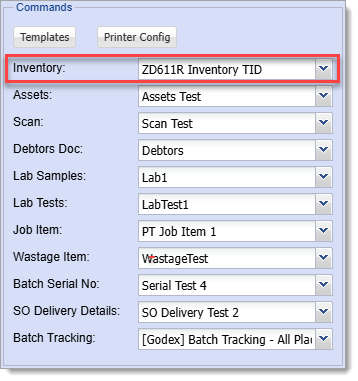
    10. Click the Save button at the top of the page on the left to save the Defaults.   
        [![image.png](https://hugeerp10.co.za/hsofmanual/uploads/images/gallery/2026-06/scaled-1680-/J0cimage.png)](https://hugeerp10.co.za/hsofmanual/uploads/images/gallery/2026-06/J0cimage.png)