# Financial Periods Block
Blocking Financial periods will prevent users from processing in closed off periods.
To block financial periods go to:
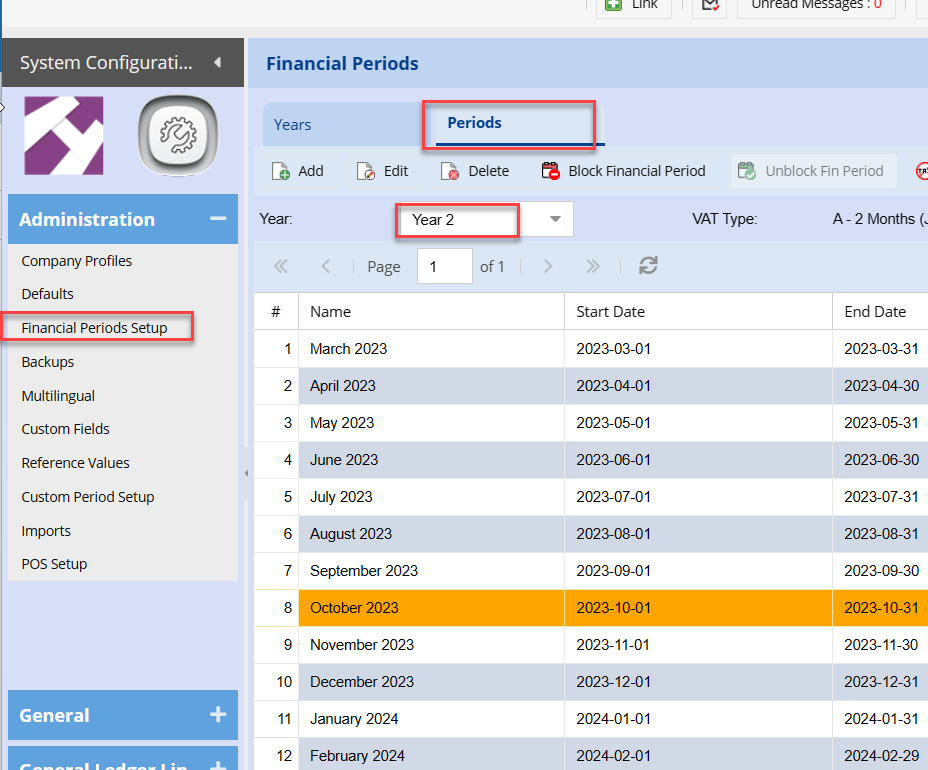
Systems Configuration > Administration> Financial Periods Setup
Click On Periods Tab
[](https://hugeerp10.co.za/hsofmanual/uploads/images/gallery/2023-12/ZpZimage.png)
Select the required Financial Year
This will display the 12 periods within the financial year selected.
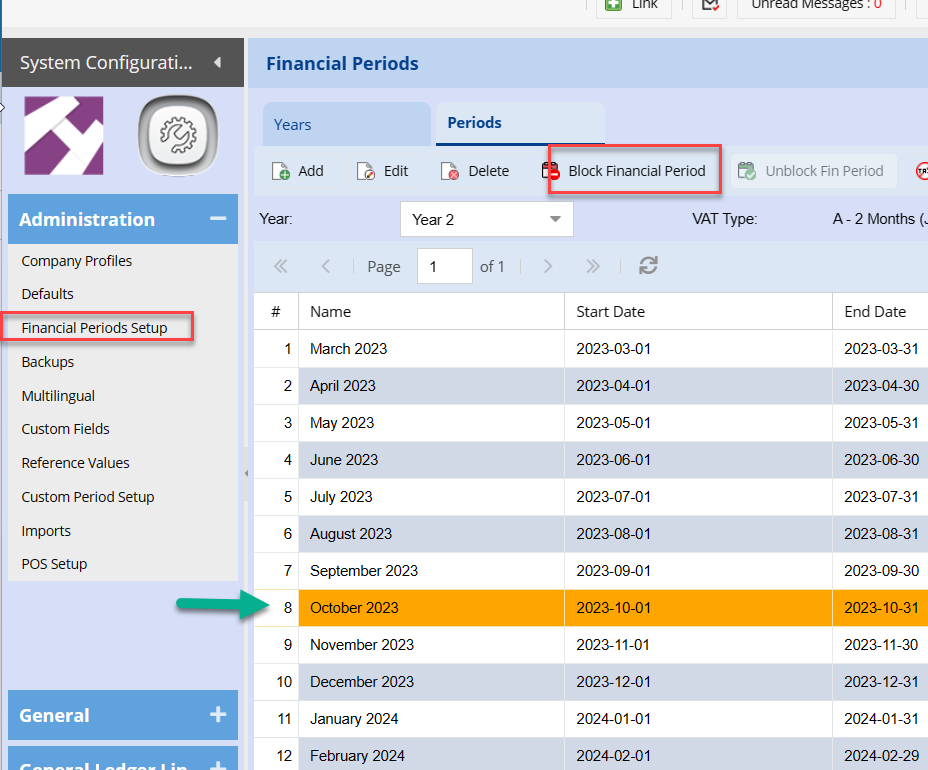
Click once on the Period you wish to Block.
Click the Block Financial Period Button.
[](https://hugeerp10.co.za/hsofmanual/uploads/images/gallery/2023-12/tBaimage.png)