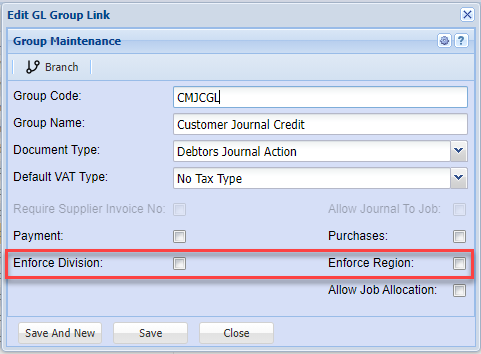
Division and Region enforce
There are several places that the Division and Region is enforced
These are divided into
| 1. Debtors Module | 2. Creditors Module | 3. General Ledger Module |
| All Documents | All Documents | GL, Debtors and Creditors Cashbooks |
| Debtors Journal Transactions | Creditors Journal Transactions | GL Journals |
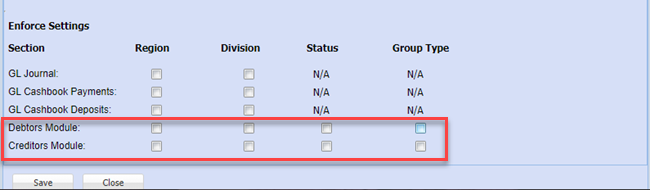
To enforce Debtors and Creditors Documents
Go to System Configuration>Administration>Company Profiles>Edit>Basic Settings>Additional Tab
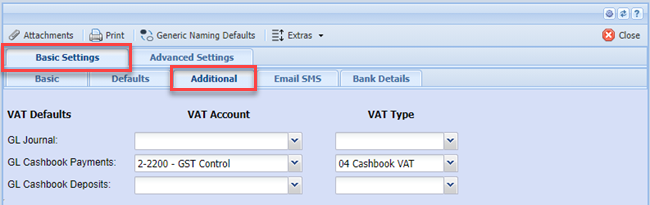
Put the tick on to enforce Division and Region
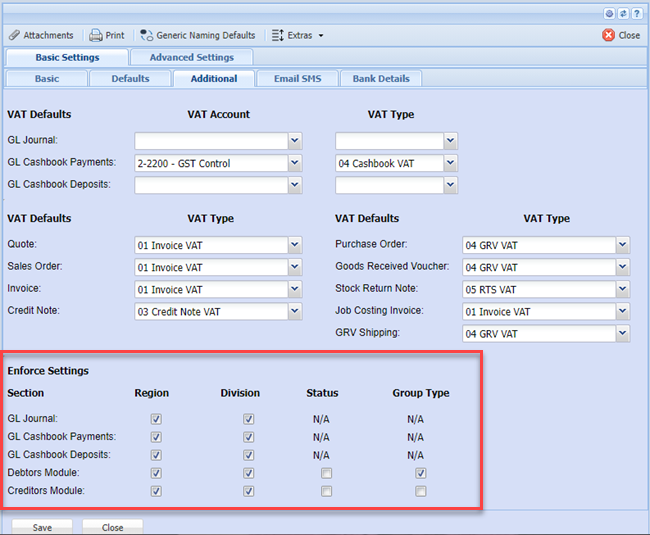
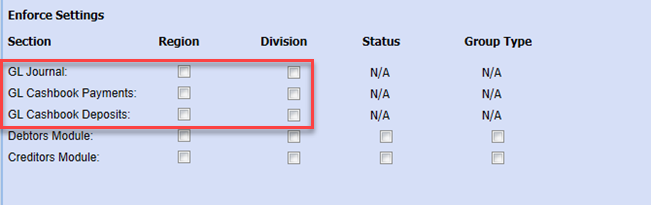
General Ledger, Debtors and Creditors Cashbooks
Go to System Configuration>Administration>Company Profiles>edit>Basic settings>Additional tab
One can enforce Division and Region for Cashbooks only on Payments or Deposits
General Ledger Journals
Go to System Configuration>Administration>Company Profiles>Amend>More Options button>GL VAT Info Tab
One can enforce Division and Region for GL Journals
Debtors and Creditors Journal Transactions
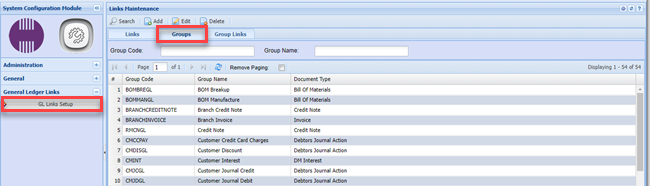
Go to System Configuration>General Ledger Links>GL Links Setup>Groups Tab
Debtors and Creditors Journal Transactions
These enforces are only on the Creditors Journal Actions and Debtor Journal Actions
You will have to enforce on each Journal Action