# Create a new financial Year

<span class="ts0">Video Training Manual 2016 - </span>[Click Here](https://vimeo.com/356999854)

<span class="ts0">The creation of a new financial year occurs at the end of a financial year, and there are no new years and periods in the system.</span>

<p class="callout info">If your financial year is not created, you will not be able to process any transactions </p>

<span style="color: rgb(0, 0, 0);"><span class="ts0">To create a new financial year, Follow the steps below:</span></span>

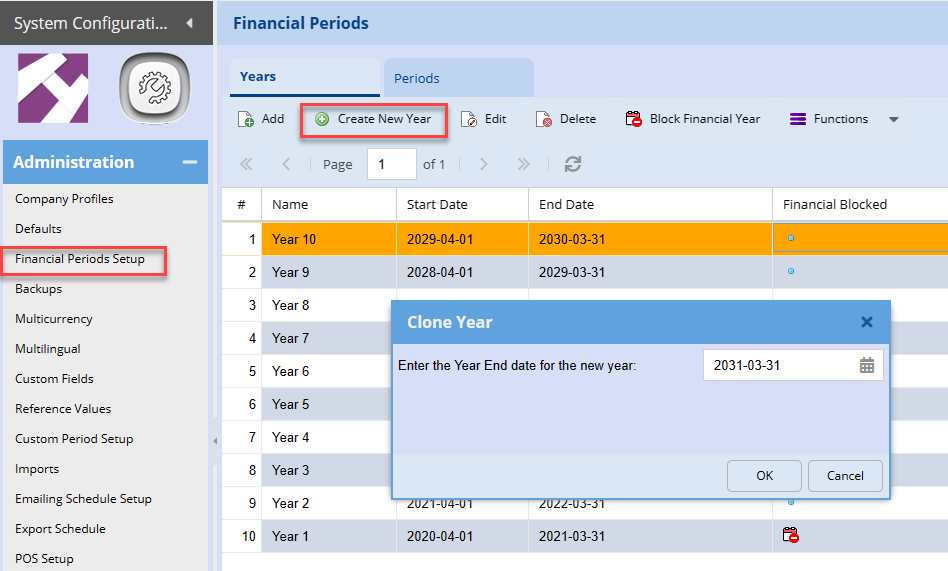
<span style="color: rgb(45, 194, 107);">**<span class="ts0">Go to System Configuration Module &gt; Administration &gt; Financial Periods setup</span>**</span>

1. <span style="color: rgb(0, 0, 0);"><span class="ts0">Highlight your last year - See example below</span></span>
2. <span style="color: rgb(0, 0, 0);"><span class="ts0">Click create new</span></span>
3. <span style="color: rgb(0, 0, 0);"><span class="ts0">Then the window for the clone year will appear as shown below. </span></span>
4. <span style="color: rgb(0, 0, 0);"><span class="ts0">Add your next financial year-end</span></span>

[![image.png](https://hugeerp10.co.za/hsofmanual/uploads/images/gallery/2024-02/scaled-1680-/lW2image.png)](https://hugeerp10.co.za/hsofmanual/uploads/images/gallery/2024-02/lW2image.png)

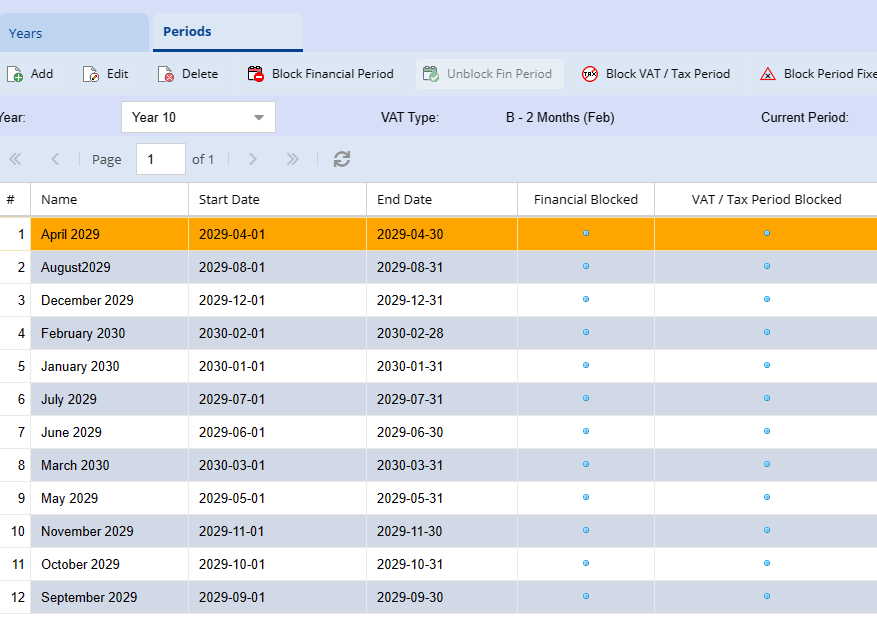
<span class="ts0">Once the year is created you can click on periods to double-check if they are created correctly. </span>

[![image.png](https://hugeerp10.co.za/hsofmanual/uploads/images/gallery/2024-02/scaled-1680-/0pYimage.png)](https://hugeerp10.co.za/hsofmanual/uploads/images/gallery/2024-02/0pYimage.png)

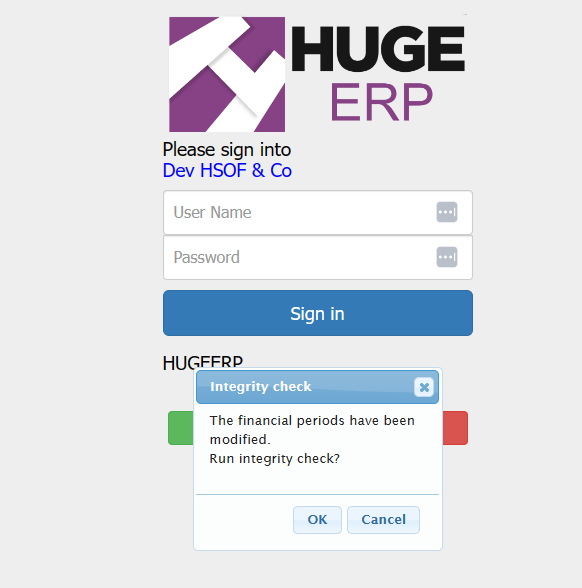
<span class="ts0">When you are done, log out of the system then log back in</span>

<span class="ts0">When logging back into your company this window will appear to indicate that, there are changes to the financial years or periods within the system. Click on the OK button to run the Integrity Check.</span>

[![image.png](https://hugeerp10.co.za/hsofmanual/uploads/images/gallery/2024-02/scaled-1680-/WE7image.png)](https://hugeerp10.co.za/hsofmanual/uploads/images/gallery/2024-02/WE7image.png)

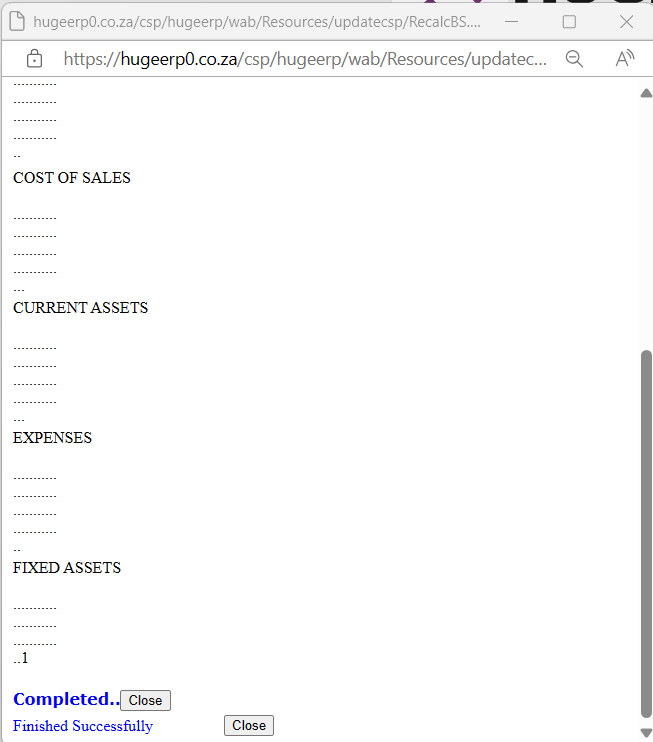
<span class="ts0">This will recalculate and integrity check all the ledger accounts in the system. Once complete click on the close button and log into the system.</span>

[![image.png](https://hugeerp10.co.za/hsofmanual/uploads/images/gallery/2024-02/scaled-1680-/vBDimage.png)](https://hugeerp10.co.za/hsofmanual/uploads/images/gallery/2024-02/vBDimage.png)

<span class="ts0"> </span>

<span class="ts0"></span>