Export Schedule
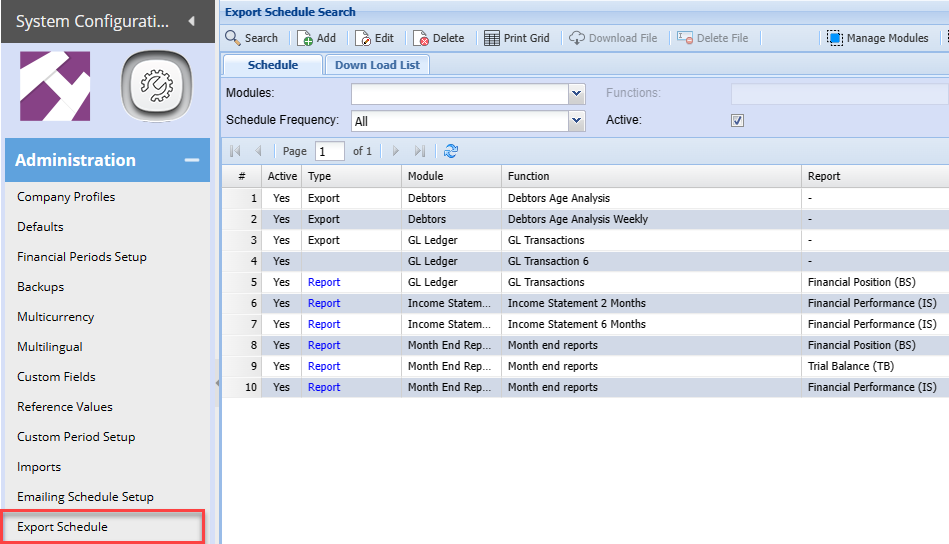
Export schedule
Exports schedule setup
Set up schedules to export data to csv file to be used in external data analytics programmes like Power BI.
One can also set up batch reporting on a monthly basis, for example. financial position, financial performance and trial balance.
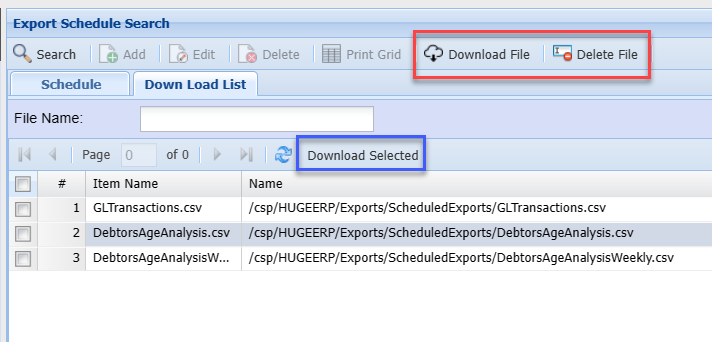
Export multiple files
Select multiple files for download (Use the Download selected highlighted in blue)
Select single files for download (Use the Download File highlighted in red)
Export Schedule Maintenance
The export schedule allows you to setup multiple ways of exporting source data for review.
SQL queries can be gotten from your ERP consultant
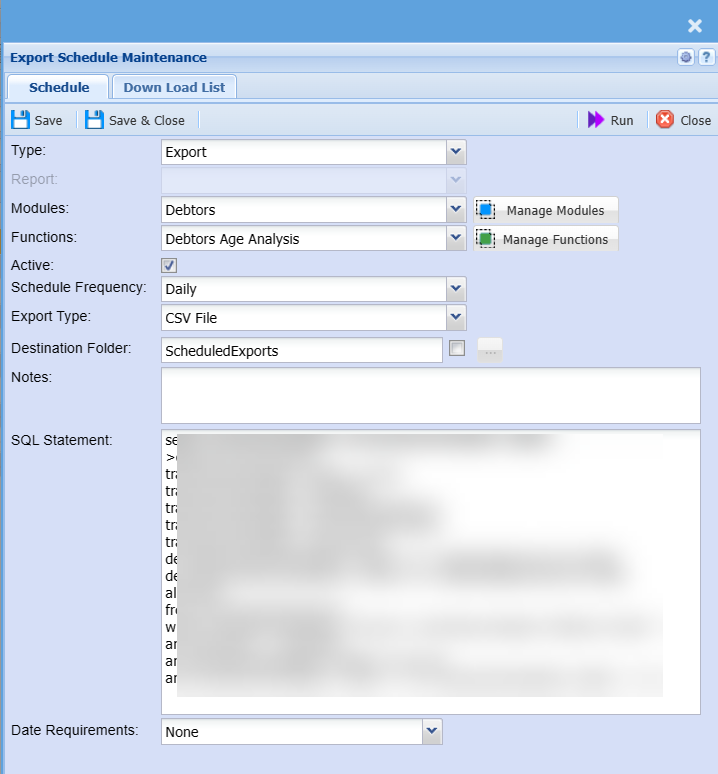
Schedule Tab
Fields defined
| Type |
Export - Exporting data type Report - Creating a report to export |
| Report | Reports predefined when Report type is selected |
| Modules | Select from a drop down menu where one has defined the module |
| Functions | Select from a drop down menu where one has been defined under the module |
| Active | Make the export or report active or inactive |
| Schedule Frequency | Select from a drop down menu for daily, weekly or monthly |
| Export Type | Specify CSV or XML |
| Destination Folder | Specify the default folder |
| Specific destination | Click on the button to set the path for files to be exported to. This is used for one drive for share point. When using this, the file will be inserted into this folder and the default folder |
| Notes |
Enter the notes of what the export is about Short description of export |
| SQL Statement |
Paste the SQL query |
| Date Requirements |
Only required when reports are run. SQL query works with a date |
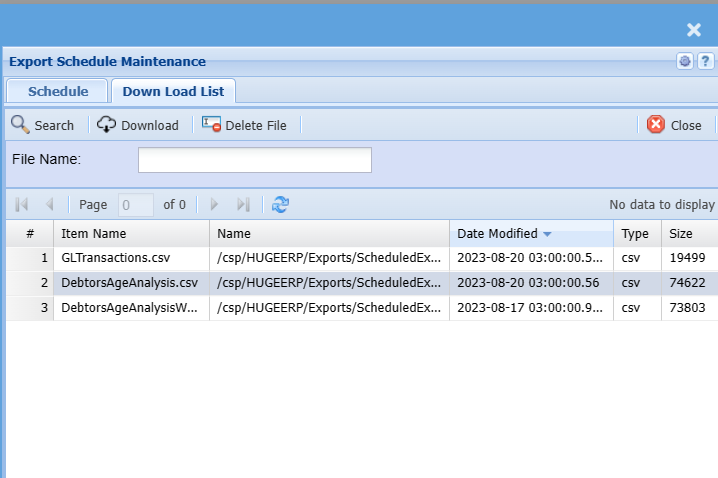
Download List
Download the CSV or delete the file
Files are overridden each time the schedule runs
Manage Modules
Add Modules (Grouping of exports)
Using groups helps define the exports, works well to define monthly reports for certain users to receive
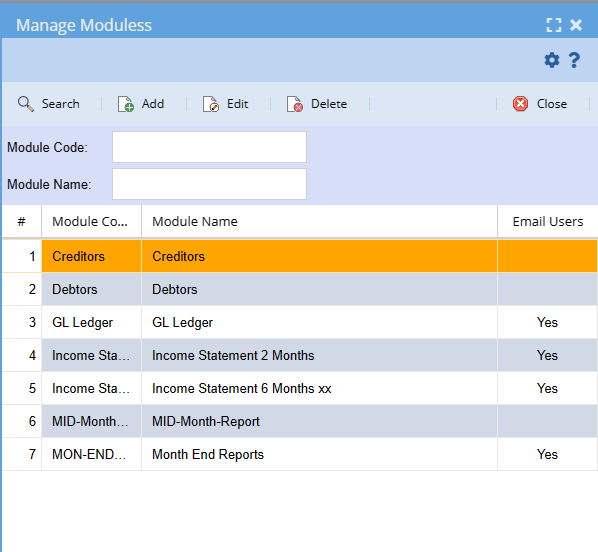
Module Add / Edit
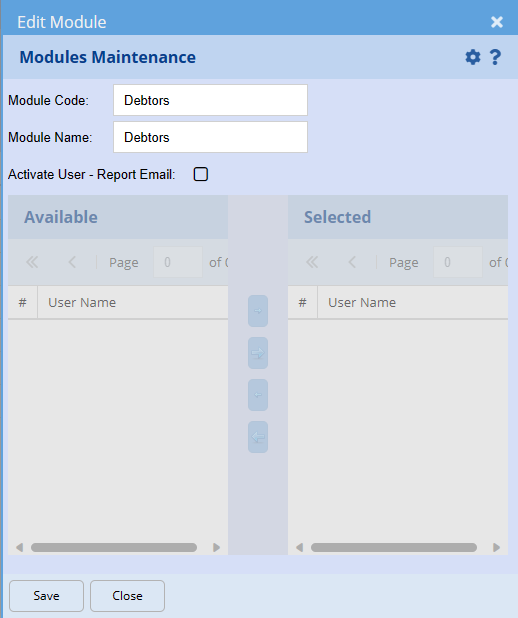
| Module Code | Create a unique code |
| Module Name | Enter a name |
| Activate User - Report Email | Activate to send a report |
| Available and Selected | Select emails to be sent the report |
Manage Functions
Add and Maintain Functions which are linked to the modules.
This defines what is been exported.
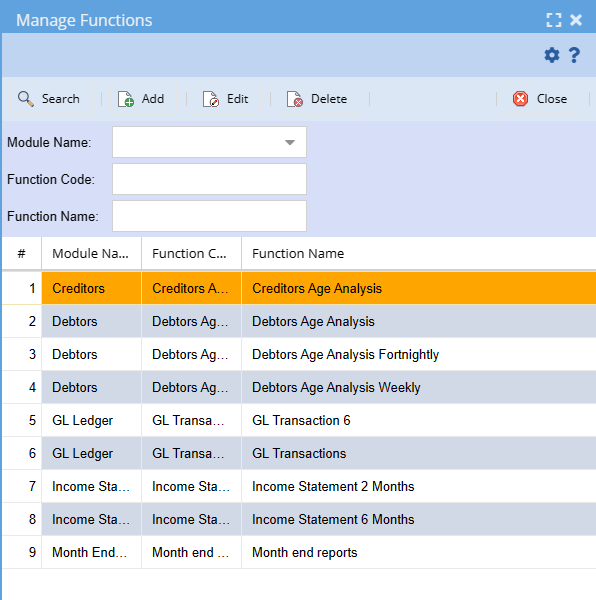
Add / Edit Function
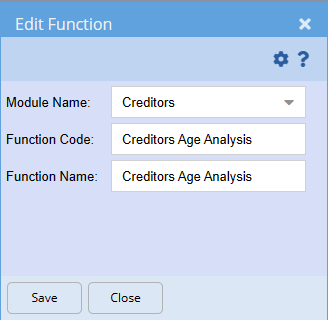
| Module Name | Select the module the function will be linked to |
| Function Code | Add in a unique function code |
| Function Name | Enter a name to define the function |