# Report Grouping Setup
Report Grouping allows one to link various groups
This assists when generating reports, so that the user does not need to select multiple groups individually.
One can then simply select the grouping option and the linked group codes will automatically be selected.
To link multiple group codes, click the Report Grouping tab
[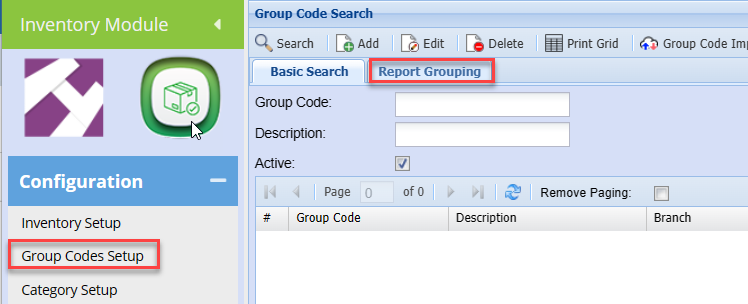](https://hugeerp10.co.za/hsofmanual/uploads/images/gallery/2024-01/66mimage.png)
Click Add
**Code**
Enter a code for the grouping
**Description**
Enter a description of the grouping
[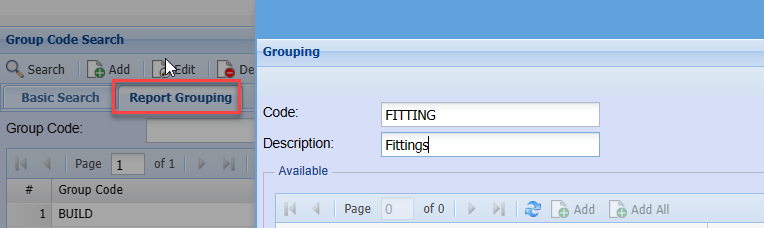](https://hugeerp10.co.za/hsofmanual/uploads/images/gallery/2024-01/2RMimage.png)
You will notice the grid is then populated with the existing group codes
You can now select respective group codes to be linked together.
In this example, we created a group: Fittings
We can now link multiple group codes to this reporting group
To link group codes, double click on the required group code in the top grid, this will then move to the bottom selected grid.
[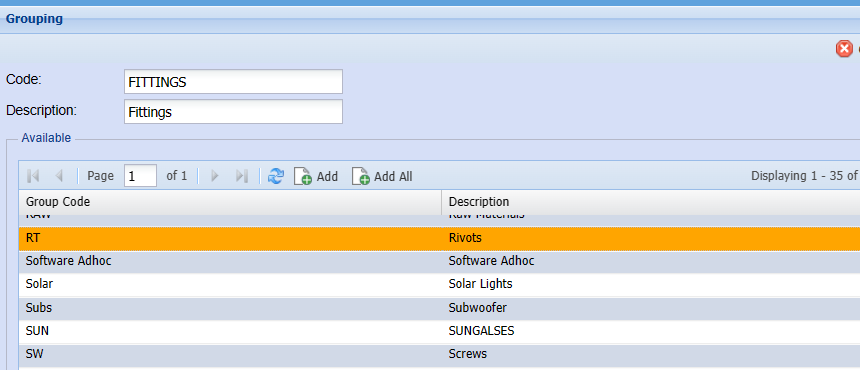](https://hugeerp10.co.za/hsofmanual/uploads/images/gallery/2024-01/AlFimage.png)
[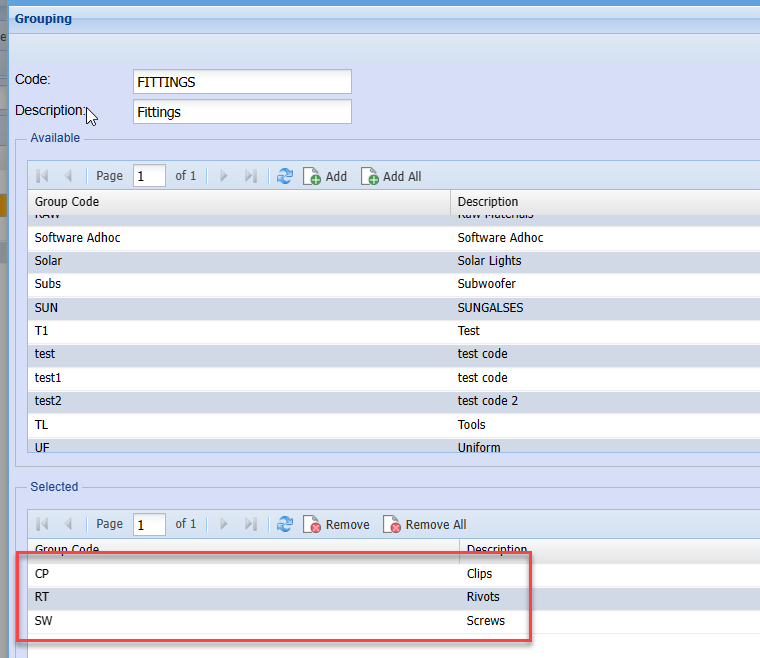](https://hugeerp10.co.za/hsofmanual/uploads/images/gallery/2024-01/zsZimage.png)
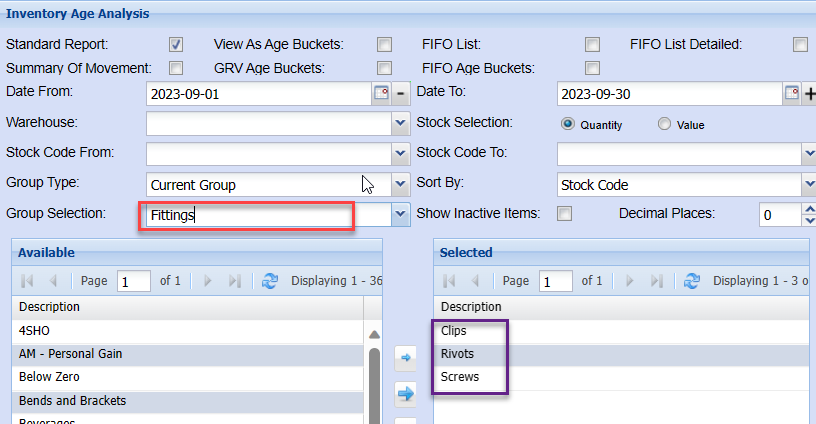
Click save once complete.When you generate a report, you can select the reporting group. This will automatically select the underlying group codes without the user having to select each individual group code one at a time.
[](https://hugeerp10.co.za/hsofmanual/uploads/images/gallery/2024-01/WuSimage.png)