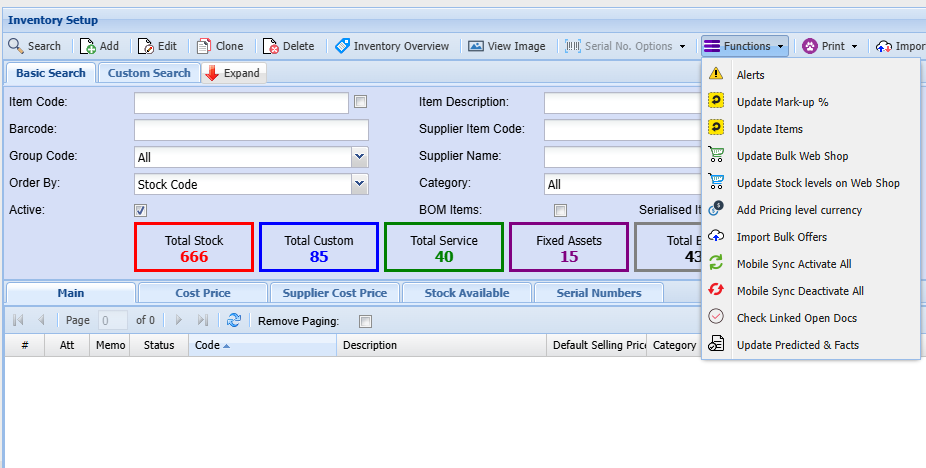
# Inventory Functions
[](https://hugeerp10.co.za/hsofmanual/uploads/images/gallery/2024-09/izvimage.png)
---
#### Alerts
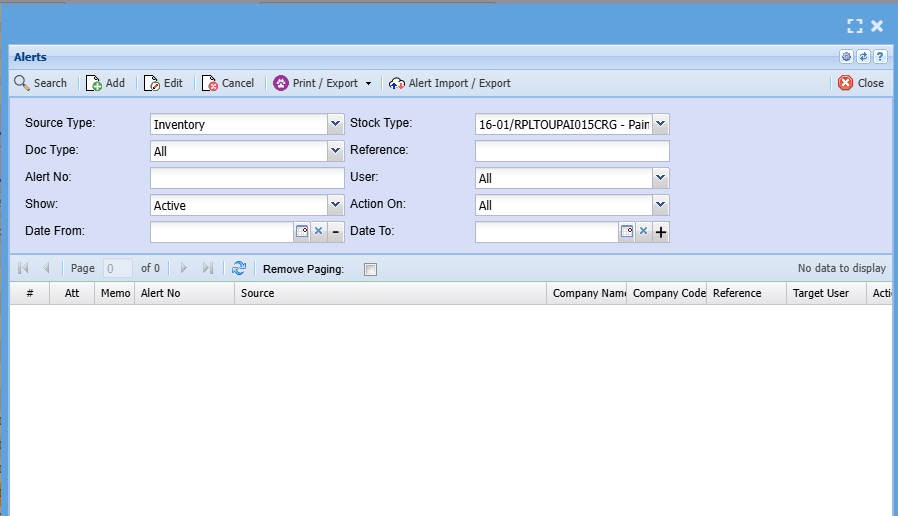
Alerts allow an automatic pop-up to occur when selecting a specific customer, supplier, stock item and other sections within the system.
When creating the alert it will be in an active state
If you want to remove the alert, make the alert inactive or Cancel the alert
Alerts can be created across the system for various document types
[](https://hugeerp10.co.za/hsofmanual/uploads/images/gallery/2024-09/V2wimage.png)
---
#### Update Mark-up%
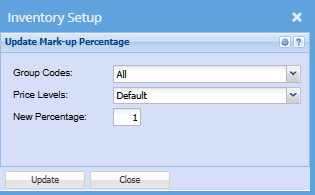
Highlight an item you want to change or update a mark-up% for, then click on mark-up%
[](https://hugeerp10.co.za/hsofmanual/uploads/images/gallery/2024-09/CAlimage.png)
| **Group Codes** | Select the correct group code on the drop down |
| **Pricing Levels** | Select the pricing level you want to update the mark-up percentage for |
| **New Percentage** | Add a new mark-up percentage |
Once complete click update
---
#### Update Items
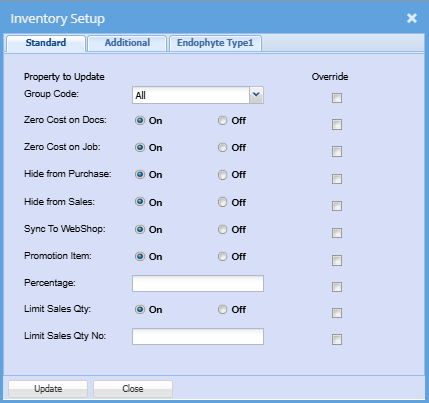
This is a shortcut to update details on an inventory item without having to open the whole item
[](https://hugeerp10.co.za/hsofmanual/uploads/images/gallery/2024-09/z1wimage.png)
---
#### Update Bulk Web Shop
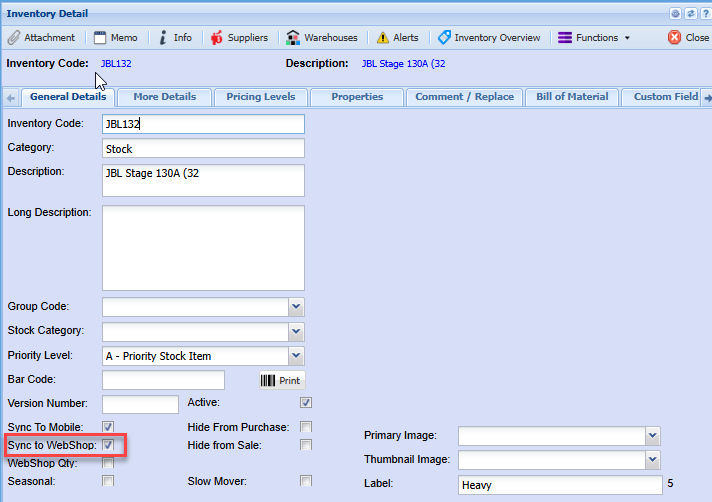
This function allows the user to activate the Web Shop indicator on all items without having to edit each item individually.
The Web Shop indicator activates items to be seen on the online web shop searches
To do a bulk update, click the Extra Drop down
Select Update Bilk Web Shop
.png)
.png)
[](https://hugeerp10.co.za/hsofmanual/uploads/images/gallery/2024-06/9YCimage.png)
---
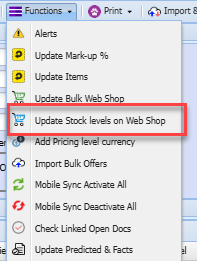
#### Update Stock Level on Web Shop
This is a shortcut to update all stock level on a web shop
[](https://hugeerp10.co.za/hsofmanual/uploads/images/gallery/2024-09/mNlimage.png)
---
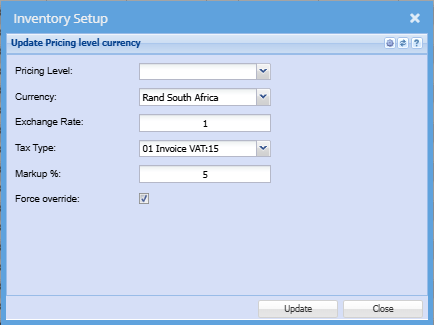
#### Add Pricing Level Currency
This button allows you to update the pricing level currency
[](https://hugeerp10.co.za/hsofmanual/uploads/images/gallery/2024-09/g40image.png)
---
#### Import Bulk Offers
---
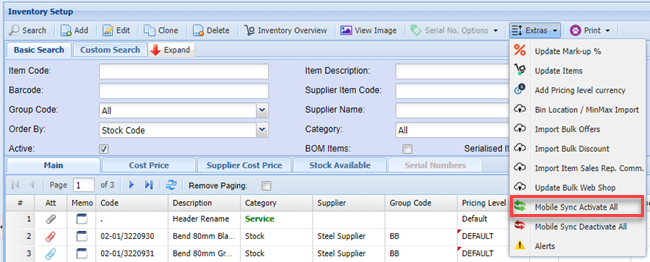
#### Mobile Sync Activate All
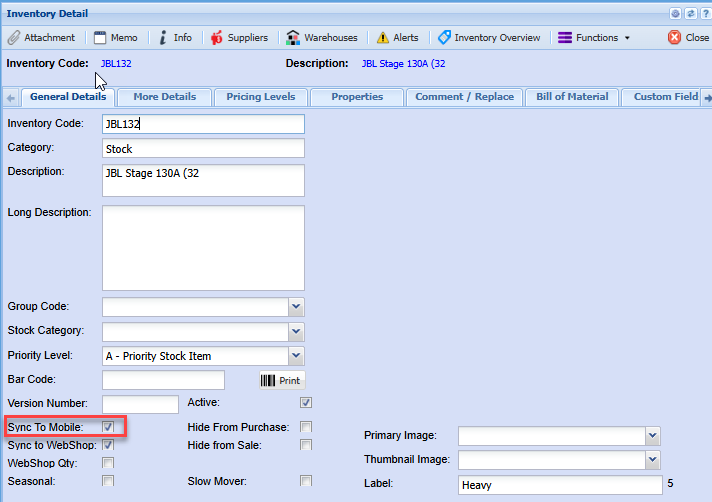
This function allows the users to update all items to sync to the Webatar mobile app
This indicator is required for searching and transaction on items using the Webatar Mobile App
[](https://hugeerp10.co.za/hsofmanual/uploads/images/gallery/2023-07/Pfeimage.png)
[](https://hugeerp10.co.za/hsofmanual/uploads/images/gallery/2024-06/YXJimage.png)
---
#### Mobile Sync Deactivate All
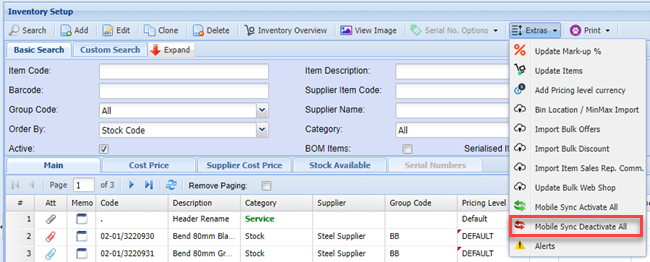
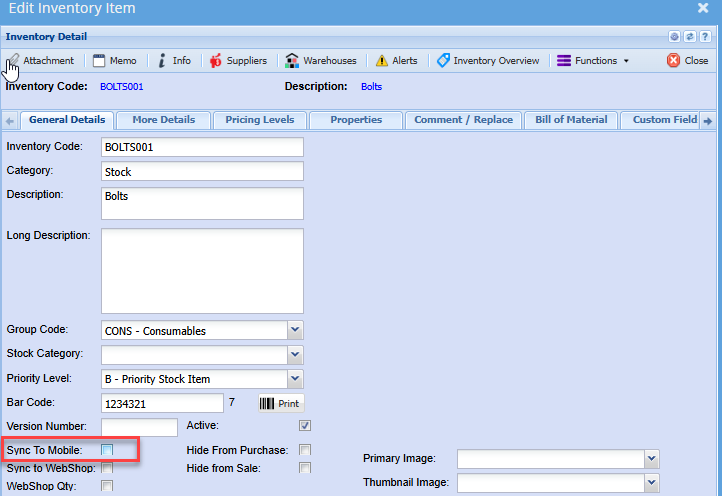
This function allows the users to deactivate the sync to mobile indicator on all searched items.
Example: If a range or group of items have been discontinued and you wish to remove these items from the Webatar App searches, this function will assist in deactivating the indicator without you editing each item individually
[](https://hugeerp10.co.za/hsofmanual/uploads/images/gallery/2023-07/hBsimage.png)
[](https://hugeerp10.co.za/hsofmanual/uploads/images/gallery/2024-06/u2Mimage.png)
---
#### Check Linked Open Docs
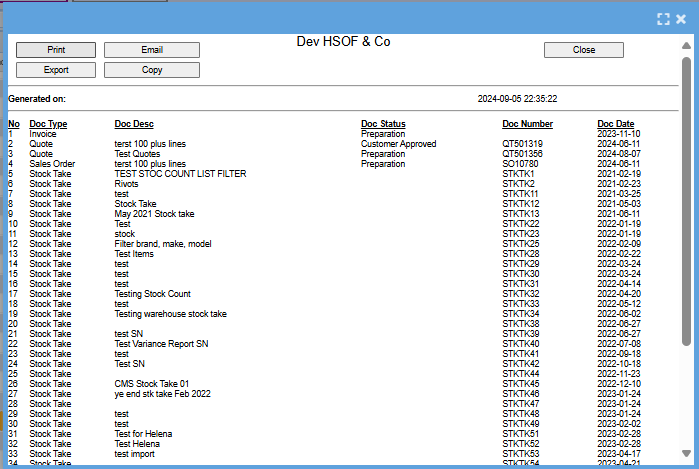
This will give a list of documents that the stock item you have highlighted is linked too
[](https://hugeerp10.co.za/hsofmanual/uploads/images/gallery/2024-09/Axkimage.png)
---
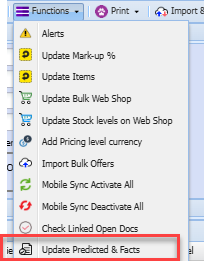
#### Update Predicted and Facts
This button will update all your predicted and facts
Once the update is complete you will receive an email informing you that the predicted and facts have been updated
[](https://hugeerp10.co.za/hsofmanual/uploads/images/gallery/2024-09/2gyimage.png)